
Introdución
The Blucalm Wired Headset UCH30 is designed for clear communication and comfort in various environments, from busy offices to home setups. Featuring advanced noise cancellation and intuitive controls, it ensures a productive and focused experience.
Key features include an enhanced 3-microphone array for superior noise cancellation, an integrated Busylight for status indication, easy plug-and-play USB-A connectivity, and comfortable design for all-day wear.
O que hai na caixa
- Auriculares
- Manual de usuario
- Bolsa

Image: The Blucalm UCH30 headset, user manual, and a storage pouch are neatly arranged, showcasing todos os elementos incluídos.
Configuración e conectividade
The Blucalm UCH30 headset offers simple plug-and-play functionality, requiring no additional software installation.
- Conectar ao dispositivo: Insert the USB-A cable into an available USB-A port on your computer or laptop. The headset will be automatically recognized by your operating system.
- Axustar os auriculares: Adjust the headband for a comfortable fit. The earcups are adjustable by 180 degrees, and the microphone boom can rotate 270 degrees to position it optimally for your voice.
- Verificar a configuración de son: Ensure the Blucalm UCH30 is selected as the default audio input and output device in your computer's sound settings or communication application (e.g., Teams, Zoom).

Image: The Blucalm UCH30 headset with its USB-A connector and inline control unit, ready for connection to a computer.
Vídeo: Un overview of the Blucalm Wired Headset, highlighting its noise-canceling microphone and Busylight feature, demonstrating its use in various work environments.
Instrucións de funcionamento
Cancelación de ruído
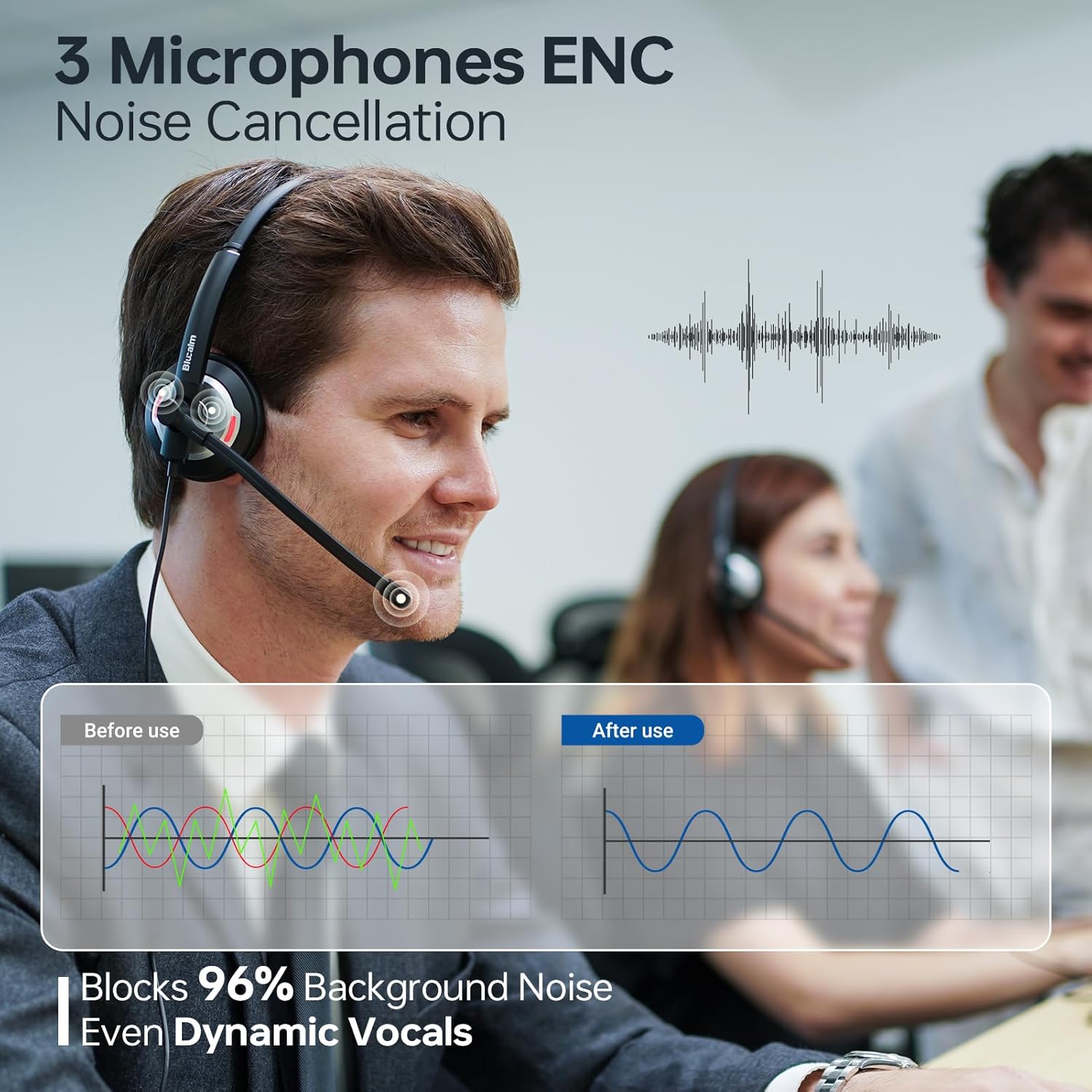
The UCH30 features a 3-microphone array with AI noise-canceling technology, blocking over 96% of background noise. This ensures your voice is captured clearly, even in noisy environments.

Image: A visual representation of the 3-microphone array and its effectiveness in canceling background noise, ensuring clear voice pickup.
Busylight Functionality
The integrated 360° visible Busylight provides a clear indication of your work status to others. This helps to minimize interruptions during important calls or focused work.
- Luz vermella: Indicates you are busy or on a call.
- Luz apagada: Indicates you are available for conversation.
- Luz vermella intermitente: Alerts you to an incoming call (Teams only).
Imaxe: Unha detallada view of the headset's earcup with the Busylight illuminated, indicating active use or a busy status.
Video: Demonstrates the features of the Blucalm headset, including its noise cancellation and Busylight, showing how it enhances communication in different settings.
Control en liña
The convenient in-line control unit provides easy access to essential functions:
- Mic Mute/Unmute: Press the microphone button to toggle mute. An indicator light on the control unit shows mute status.
- Volume +/-: Usa os botóns "+" e "-" para axustar o volume de escoita.
- MS Teams Call Answer/End: Press the call button to answer or end calls within Microsoft Teams.
Imaxe: Unha detallada view of the inline control unit, clearly showing the buttons for microphone mute, volume adjustment, and call answer/end, along with their respective icons.
Comodidade e Deseño
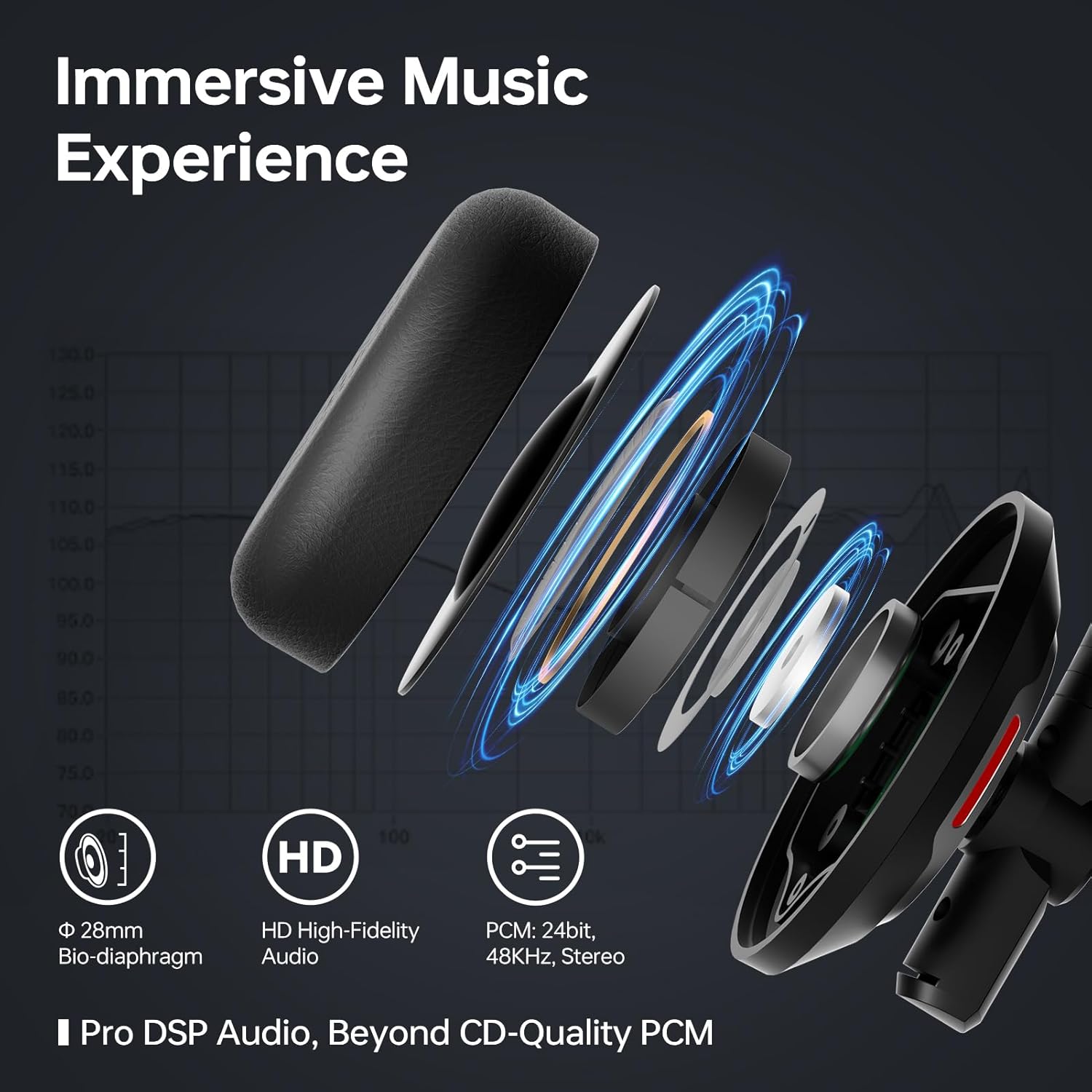
The UCH30 is designed for all-day comfort, featuring an adjustable headband, 180° adjustable earcups, and a lightweight body. The ear cushions are made from skin-friendly leather covering memory foam, providing a soft and breathable fit.

Image: A composite image illustrating the headset's ergonomic features, including the 270° rotating microphone, 180° adjustable earcups, adjustable headband, and soft, breathable ear cushions.
Mantemento
- Limpeza: Usa un pano suave e seco para limpar os auriculares. Evita o uso de produtos químicos agresivos ou materiais abrasivos.
- Almacenamento: When not in use, store the headset in the provided pouch to protect it from dust and damage.
- Coidado do cable: Evite curvas bruscas ou tirar demasiado do cable para evitar danos internos.
Resolución de problemas
| Problema | Posible Solución |
|---|---|
| Non hai son dos auriculares |
|
| O micrófono non funciona |
|
| Busylight not functioning |
|
Especificacións
| Característica | Detalle |
|---|---|
| Nome do modelo | UCH30 |
| Jack para auriculares | USB-A |
| Tecnoloxía de conectividade | Con cable |
| Control de ruído | Illamento acústico |
| Matriz de micrófono | 3-microphone array with AI noise-canceling |
| Luz ocupada | Integrated 360° visible Busylight |
| Tipo de control | In-line control (Mic Mute/Unmute, Volume +/-, MS Teams Call Answer/End) |
| Material | Coiro, plástico |
| Colocación do oído | Na Orella |
| Peso do elemento | 4.9 onzas (0.14 quilogramos) |
| Dimensións do produto | 7 x 6.3 x 2.4 polgadas |
| Compoñentes incluídos | Headset, User Manual, Pouch |
Garantía e Soporte
This Blucalm headset comes with a standard return policy of 30 days. For any product inquiries, technical support, or warranty claims beyond the return period, please contact Blucalm customer service directly through their official channels or the seller "Easilent" on Amazon.
Visita o Blucalm Store para obter máis información e recursos de apoio.