
Introdución
This manual provides detailed instructions for the safe and efficient operation of your QUANSHENG UV-K5(99) Ham Radio Handheld. Please read this manual thoroughly before using the device to ensure proper functionality and to understand all features and safety precautions.
O que hai na caixa
Ao desembalar, comprobe que todos os elementos enumerados a continuación estean presentes e en bo estado:
- Intercom Host (Radio Unit)
- Batería Li
- Antena
- Clip para cinto
- Cargador de escritorio
- Manual de usuario
- Type-C Direct Charging Line
- Intercom Earphones

Figure 1: Package Contents of the UV-K5(99)
Produto rematadoview
Familiarize yourself with the various parts and controls of your UV-K5(99) radio:

Figure 2: UV-K5(99) Component Diagram
- Antena: Para transmitir e recibir sinais.
- Volume/Switch Knob: Controla o acendido/apagado e o volume do son.
- Flashlights: Integrated LED for illumination.
- Pantalla: Mostra información sobre a frecuencia, a canle e o estado.
- Interface de auriculares: Porto para conectar accesorios de audio externos.
- Tecla PTT (Premer para falar): Activa a transmisión.
- A/B Switch Key: Toggles between upper and lower display frequencies.
- Side Keys (SideKeys1, SideKeys2): Teclas de función programables.
- Desprácese cara abaixo: Navigates menus and frequencies.
- Menu and Confirmation Key: Accesses menu and confirms selections.
- Relator: Saída de audio.
Configuración
1. Instalación da batería
- Asegúrate de que a radio estea apagada.
- Aliñe a batería coas ranuras da parte traseira da radio.
- Deslice a batería cara arriba ata que encaixe firmemente no seu lugar.
- Para retirala, prema o pestillo de liberación (se o hai) e deslice a batería cara abaixo.
2. Conexión da antena
- Atornille a antena no conector da parte superior da radio en sentido horario ata que estea apertada cos dedos. Non a aperte demasiado.
3. Instalación da pinza do cinto
- Align the belt clip with the designated slot on the back of the radio.
- Secure the belt clip using the provided screws or by sliding it into place until it locks.
4. Carga inicial
Before first use, fully charge the battery. The radio supports two charging methods:
- Cargador de escritorio: Place the radio (with battery installed) into the desktop charging cradle. Ensure the charging contacts align. The indicator light will show charging status.
- Carga directa por USB-C: Connect the provided USB-C cable to the USB-C port on the battery (or radio, if applicable) and to a compatible USB power source (e.g., power bank, car charger, computer USB port).

Figure 3: Dual Charging Methods
Instrucións de funcionamento
1. Acendido/apagado e control de volume
Rotate the Volume/Switch Knob clockwise to power on the radio. Continue rotating to increase volume. Rotate counter-clockwise to decrease volume and power off.
2. Selección de frecuencia e canle
- Modo VFO (Modo de frecuencia): Allows direct frequency input. Use the keypad to enter desired frequencies.
- Modo de canle: Accesses pre-programmed channels. Use the up/down keys or the rotary knob to select channels.
- A/B Switch Key: Press the A/B key to switch between the upper and lower frequency displays, allowing monitoring of two frequencies simultaneously.
3. Full Band Scan & Air Band Reception
The UV-K5(99) supports ultra-wide band reception from 20MHz to 1000MHz. It includes a dedicated AM Air Band mode (108-136MHz) for monitoring aviation communications. Use the scan function to search for active frequencies within the selected band.
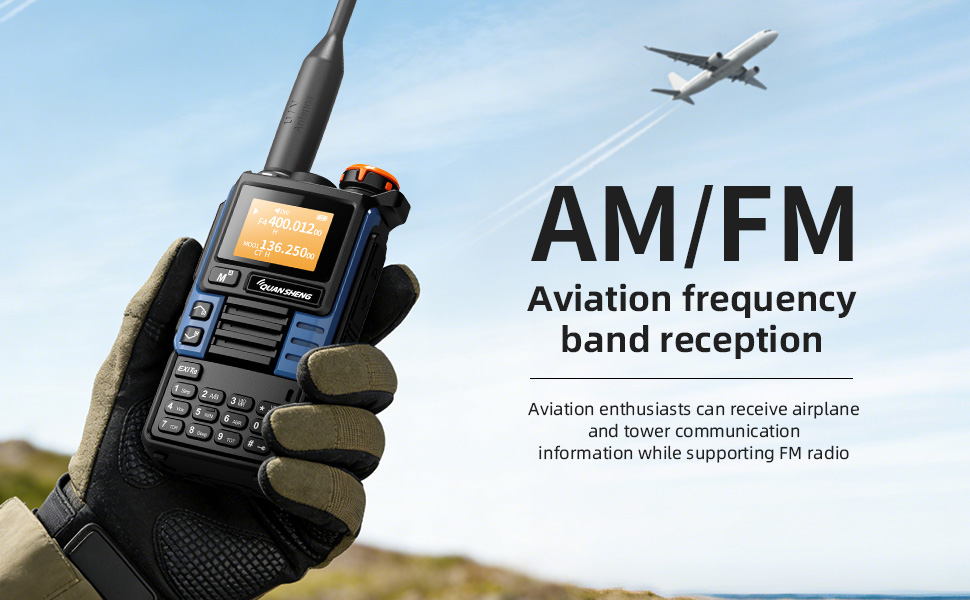
Figure 4: Air Band Reception
4. Wireless Frequency Copy (One-Key Frequency Match)
This feature allows instant detection and synchronization of frequency and CTCSS/DCS tones from other nearby two-way radios without computer programming. Activate this function (typically F+4) and point your radio towards the transmitting device.
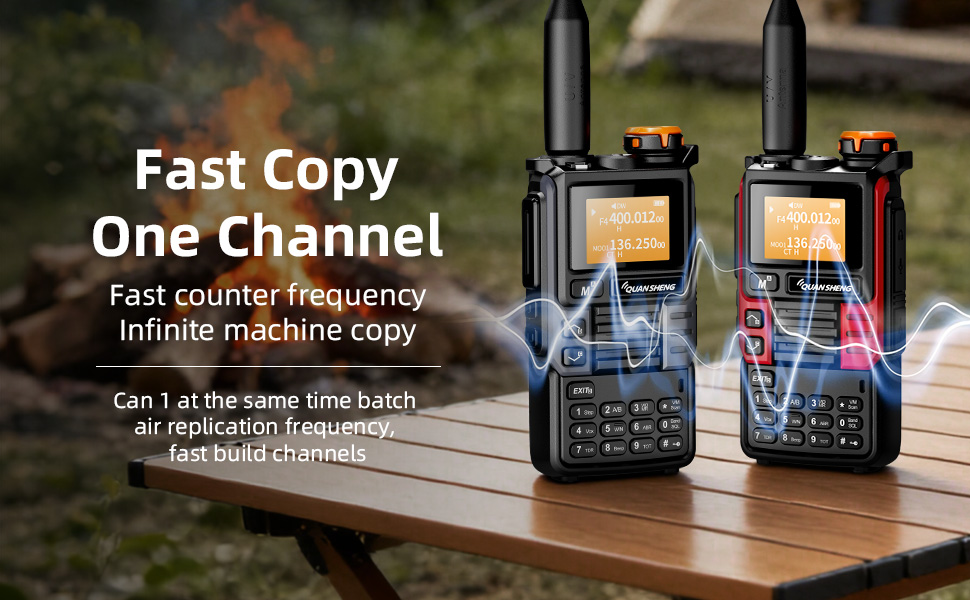
Figure 5: Wireless Frequency Copy in action
5. Vixilancia dual
The Dual Watch feature allows you to monitor two different frequencies simultaneously. If a signal is detected on either frequency, the radio will automatically switch to that frequency for reception.
6. VOX (central operada por voz)
VOX enables hands-free operation. When activated, the radio will automatically transmit when it detects your voice, eliminating the need to press the PTT button.
7. DTMF Signaling
DTMF (Dual-Tone Multi-Frequency) signaling can be used for various functions, including repeater access and remote control applications. Refer to the specific DTMF codes for your intended use.
8. Función da lanterna
The built-in high-brightness LED flashlight can be activated for illumination. Refer to the user interface for specific key presses to toggle the flashlight on/off or activate SOS mode.

Figure 6: Strong Light Flashlight
Características de seguridade
1. Alerta meteorolóxica da NOAA
The UV-K5(99) can receive 10 NOAA weather channels with an auto-scan feature to alert you to severe weather conditions such as storms and tornadoes. This feature is crucial for emergency preparedness.
2. Alarma de emerxencia
A remote emergency alarm function is integrated for critical situations, providing an audible alert to signal distress.
Performance & Compliance
The UV-K5(99) delivers 5 Watts of high power for clear long-distance communication on VHF (136-174MHz) and UHF (400-470MHz) bands. It supports repeater access for extended range.
Note: FCC ID: XBPUV-K5. Please adhere to local regulations. Transmitting on Amateur Radio frequencies requires a valid FCC license.

Figure 7: Compliance Certifications
Mantemento
- Limpeza: Use un suave, damp pano para limpar o exterior da radio. Evite produtos químicos agresivos ou produtos de limpeza abrasivos.
- Coidado da batería: To prolong battery life, avoid overcharging or fully discharging the battery frequently. Store the radio and battery in a cool, dry place.
- Almacenamento: When not in use for extended periods, remove the battery and store the radio in a protective case.
Resolución de problemas
If you encounter issues with your UV-K5(99), please refer to the following common solutions:
- Sen enerxía: Ensure the battery is correctly installed and fully charged. Check the power knob.
- Non se pode transmitir: Verify that you are on a valid frequency and have the necessary license. Check antenna connection.
- Mala recepción: Ensure the antenna is securely attached. Check for obstructions or interference. Adjust squelch level.
- Problemas de visualización: Try restarting the radio. If issues persist, consult the full user manual or contact customer support.
Especificacións
| Peso do elemento | 0.2 quilogramos (7 onzas) |
| Dimensións do produto | 1.48"D x 1.48"H (3.76 x 3.76 cm) |
| Número de modelo | UV-K5(99) |
| Baterías | Requírese 1 batería de iones de litio (incluída) |
| Tipo de visualización | LCD |
| Número de canles | 200 |
| Característica especial | Alerta meteorolóxica |
| Rango de frecuencias | 20-1000 MHz |
| Rango de conversación máximo | 10 Quilómetro |
| Nivel de resistencia á auga | Non resistente á auga |
Garantía e soporte
The product comes with a 2-year warranty. For technical support, troubleshooting assistance, or warranty claims, please contact QUANSHENG customer service through their official websitio web ou o vendedor onde se comprou o produto.