1. Introdución
This manual provides essential information for the proper use and maintenance of your replacement remote control. Designed to operate various devices including air conditioners, televisions, and other audio/video equipment, this remote offers a convenient solution for lost or broken original controls. Please read this manual thoroughly before use to ensure optimal performance and longevity of the product.
2. Produto rematadoview
The replacement remote control is designed for ease of use with a clear button layout and an ergonomic design. It features dedicated buttons for power, mode selection, temperature/volume adjustment, and specific functions like fan speed and swing for air conditioning units.
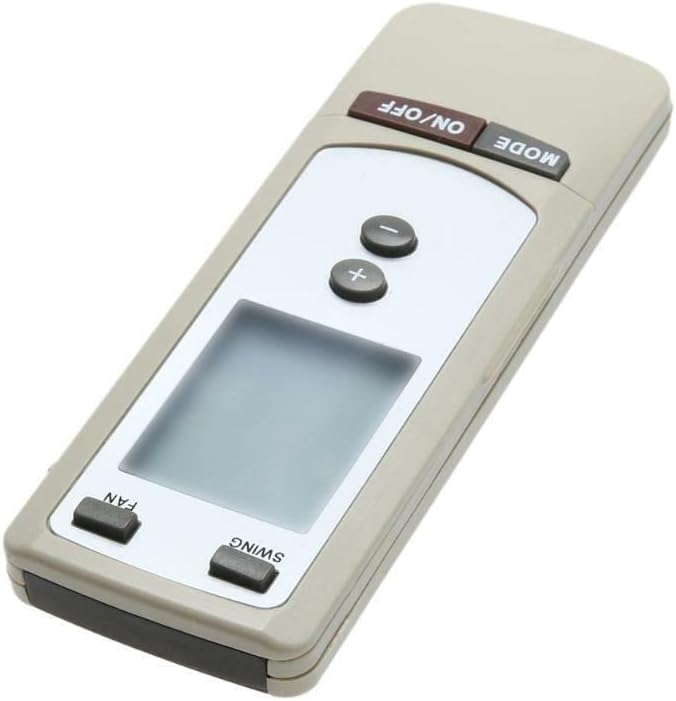
Figura 2.1: En ángulo view of the remote control. This image displays the overall shape and the primary control buttons, including the power and mode buttons at the top, temperature controls in the middle, and fan/swing controls at the bottom, along with the LCD screen.
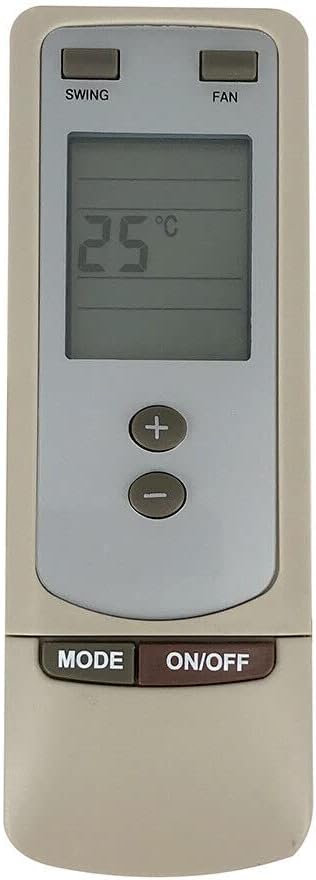
Figura 2.2: Fronte view of the remote control. This image provides a clear, straight-on view of the remote, highlighting the digital display which shows '25°C', and the arrangement of all functional buttons for easy identification.
3. Configuración
3.1 Instalación da batería
- Localice o compartimento da batería na parte traseira do control remoto.
- Deslice a tapa do compartimento da batería.
- Insert two (2) new AAA batteries (not included), ensuring the correct polarity (+ and -) as indicated inside the compartment.
- Pecha a tapa do compartimento da batería de forma segura.
Nota importante: This replacement remote control typically requires no programming or complex setup. Once batteries are inserted correctly, it should be ready for immediate use with compatible devices.
4. Instrucións de funcionamento
This remote control is designed to operate various devices. While its appearance and specific buttons are highly indicative of an air conditioner remote, it is also listed as compatible with Set Top Boxes, Televisions, Stereo Systems, DVD/Blu-ray Players, and Home Theater systems. Functionality may vary depending on the specific device being controlled.
4.1 Basic Functions (Typical for AC Units)
- Botón ON/OFF: Press to power on or power off the connected device.
- Botón MODE: Cycles through various operating modes (e.g., Cool, Heat, Fan, Dry, Auto for AC units).
- Botóns +/-: Adjusts temperature settings (for AC units) or volume levels (for audio/video devices).
- Botón FAN: Adjusts the fan speed (e.g., Low, Medium, High, Auto for AC units).
- Botón SWING: Activa ou desactiva a función de oscilación automática das reixas do aire acondicionado.
For other compatible devices (TV, DVD, etc.), the ON/OFF and +/- buttons (for volume/channel) are generally universal. Specific functions like 'MODE', 'FAN', and 'SWING' may not be applicable or may control different features depending on the device's original remote mapping.
5. Mantemento
5.1 Substitución da batería
Substitúa as pilas cando a resposta do mando a distancia sexa lenta ou deixe de funcionar. Substitúa sempre as dúas pilas simultaneamente por unhas novas do mesmo tipo (AAA). Non mestures pilas vellas e novas, nin pilas de diferentes tipos.
5.2 Limpeza
To clean the remote control, wipe it gently with a soft, dry cloth. For stubborn dirt, a slightly damp cloth can be used, followed by a dry cloth. Do not use abrasive cleaners, solvents, or chemical sprays, as these can damage the remote's surface or internal components.
6 Solución de problemas
- O mando a distancia non responde:
- Comprobe se as pilas están inseridas correctamente coa polaridade correcta.
- Substitúe as pilas antigas por outras novas.
- Asegúrate de que non haxa obstrucións entre o mando a distancia e o sensor do dispositivo.
- Asegúrate de que estás dentro do rango de funcionamento efectivo do dispositivo.
- Algunhas funcións non funcionan:
- This is a replacement remote control and may not support all functions of your original device's remote. Refer to your device's original manual for specific functions.
- Verify that the remote model (Y512F Y512FA) is compatible with your specific device model.
7. Especificacións
| Característica | Detalle |
|---|---|
| ASIN | B0CPLH6Q19 |
| Data de primeira dispoñibilidade | 6 de decembro de 2023 |
| Fabricante | Xenérico |
| Marca | Xenérico |
| Característica especial | Ergonómico |
| Cor | Branco ou negro |
| Número máximo de dispositivos compatibles | 2 |
| Dispositivos compatibles | Set Top Box, Television, Stereo System, DVD/Blu-ray Player, Home Theater |
8. Garantía e soporte
Specific warranty information for this replacement remote control is not provided in the product details. For any warranty claims, technical support, or further inquiries, please contact the seller or manufacturer directly through your purchase platform. Keep your purchase receipt as proof of purchase.
