
1. Introdución
The Eaton Tripp Lite BC600R is a 600VA/300W/120V standby Uninterruptible Power Supply (UPS) designed to provide battery backup and AC power protection. It safeguards connected equipment from blackouts, brownouts, surges, overvoltages, and line noise. This UPS is suitable for home computers, office networks, and point-of-sale systems.
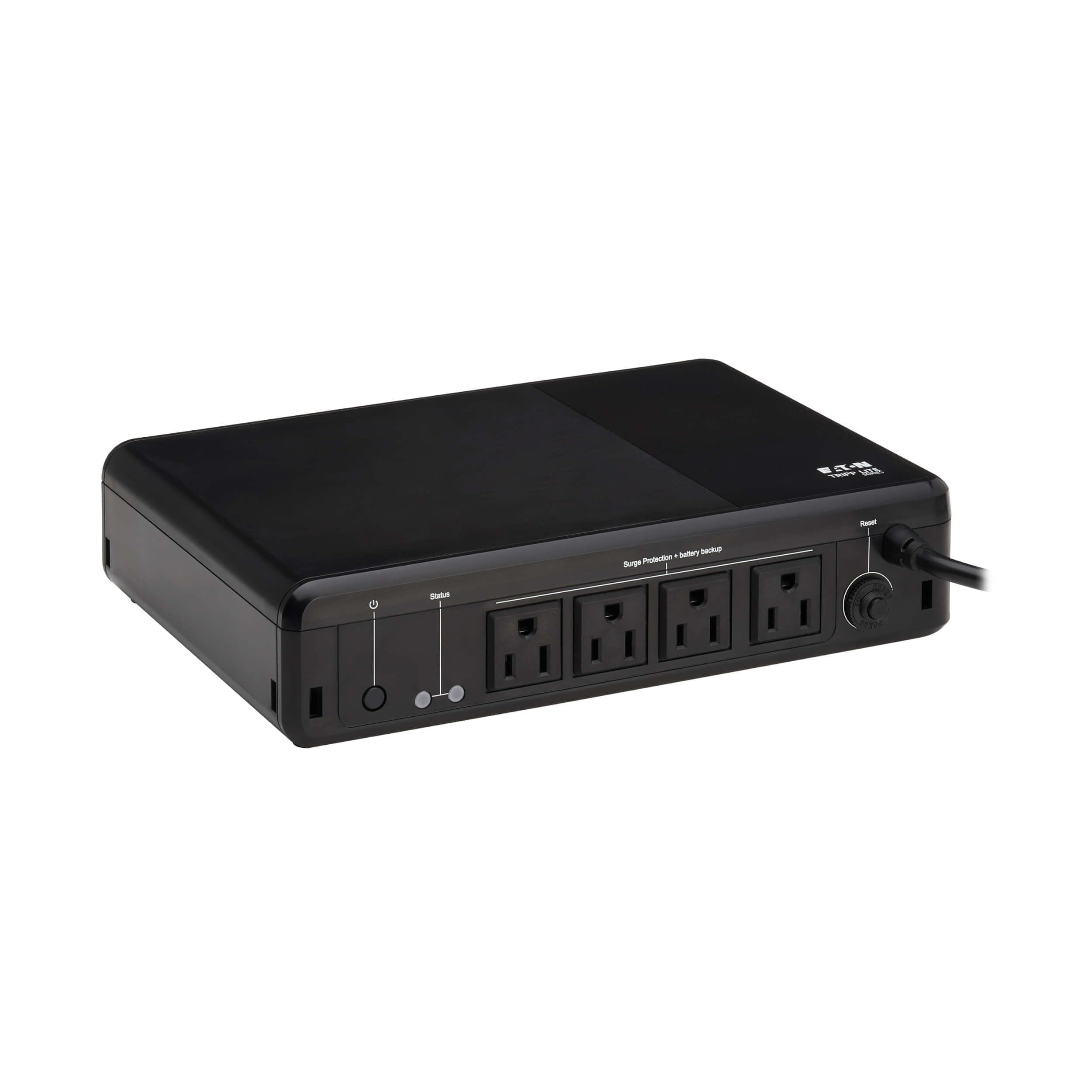
Image 1.1: The Eaton Tripp Lite BC600R UPS unit.
2. Contido do paquete
Verifique que o seu paquete conteña os seguintes elementos:
- Eaton Tripp Lite BC600R UPS Unit
- Guía de inicio rápido
- Mounting Screws (if applicable)

Image 2.1: The UPS unit, quick start guide, and mounting screws included in the package.
3. Configuración e instalación
Follow these steps to set up your UPS unit:
- Colocación: Position the UPS on a flat, stable surface, or mount it to a wall using the keyhole slots. Ensure adequate ventilation around the unit. The durable housing supports use in environments from 32° to 122°F (0° to 50°C).
- Conectar á enerxía: Plug the UPS's 5-ft power cord (NEMA 5-15P plug) into a standard, grounded AC wall outlet.
- Conectar dispositivos: Plug your devices (e.g., computer, monitor, router) into the NEMA 5-15R outlets on the UPS. These outlets provide both battery backup and 190 joules of surge suppression.
- Encendido: Press the Power On/Off button located on the unit to turn on the UPS.

Imaxe 3.1: Acabadoview of the UPS unit with labeled components for easy identification during setup.

Imaxe 3.2: Ex.ample of the UPS connected to a typical desktop computer setup.

Image 3.3: The bottom of the UPS unit, highlighting the keyhole mounting slots for versatile installation.
4. Instrucións de funcionamento
The BC600R UPS operates automatically to protect your connected equipment.
4.1 Encendido/apagado
- To turn on the UPS, press the Power On/Off button.
- To turn off the UPS, press and hold the Power On/Off button until the unit powers down.
4.2 Indicadores LED e alarmas audibles
The UPS features LED indicators and an audible alarm to communicate its status:
- LED verde: Indicates power status and whether the unit is operating on line power or battery power.
- LED vermello: Alerts you to a low battery condition or a fault.
- Alarma sonora: Sounds to indicate a low battery or fault condition.
4.3 Potencia Outage Response
Durante un poder outage ou vol. significativotage drop, the BC600R automatically switches to battery mode. This provides temporary power, allowing you to save your work and safely shut down connected devices. The unit will automatically restart when utility power is restored, even if the battery is low.
4.4 Surge Protection and Line Noise Filtering
The UPS provides 190 joules of surge suppression to protect connected devices from damaging power surges. It also filters out Electromagnetic Interference (EMI) and Radio Frequency Interference (RFI) that can corrupt data and cause system instability.
5. Mantemento
5.1 Substitución da batería
The VRLA battery inside the BC600R is user-replaceable. Refer to the Quick Start Guide for specific instructions on how to safely replace the battery. Use Eaton's AG-075D cartridge for replacement.
5.2 Interruptor reiniciable
The UPS includes a resettable circuit breaker to protect against overloads. If an overload occurs, the circuit breaker may trip. Disconnect non-essential devices, then press the circuit breaker button to reset it.
5.3 Disabling Audible Beep (Advanced)
Some users may wish to disable the audible beep during power outages. On some Tripp Lite models, this can be done by pressing and holding the Power button for 10 seconds. Refer to the Quick Start Guide for your specific model to confirm this feature.
6 Solución de problemas
If you encounter issues with your UPS, refer to the following common problems and solutions:
| Problema | Causa posible | Solución |
|---|---|---|
| O SAI non se acende. | Not plugged into a live outlet; battery not connected or discharged. | Ensure the UPS is plugged into a working wall outlet. Check the battery connection. Allow the unit to charge for 8 hours. |
| O SAI emite pitidos continuamente ou con frecuencia. | Low battery; overload; internal fault. | Durante un outage, this indicates low battery – save work and shut down. If on line power, reduce connected load or check for internal fault. Refer to Section 5.3 for disabling the beep. |
| Connected devices lose power during an outage. | Overload; battery depleted; battery fault. | Asegurar a potencia totaltage of connected devices does not exceed 300W. Allow battery to recharge. If problem persists, battery may need replacement. |
| UPS does not provide surge protection. | Unit is off or faulty. | Ensure the UPS is powered on. If the issue persists, contact support. |
7. Especificacións
Key technical specifications for the Eaton Tripp Lite BC600R UPS:
| Característica | Detalle |
|---|---|
| Número de modelo | BC600R |
| Capacidade (VA/Watts) | 600VA/300W |
| Vol. De entradatage | 120 V CA |
| Vol. De saídatage | 120 V CA |
| Número de puntos de venda | 4 x NEMA 5-15R |
| Protección contra sobretensiones | 190 Xulios |
| Tipo de batería | Ácido de chumbo selado (VRLA) |
| Tempo de carga da batería | 8 horas |
| Typical Runtime (Half Load) | 1.2 minutes (at 150W) |
| Dimensións (H x W x D) | 2.3 x 7.1 x 10 polgadas (58 x 180 x 255 mm) |
| Peso | 4.4 libras |
| Temperatura de funcionamento | 32 ° a 122 °F (0 ° a 50 °C) |
| Certificacións | UL 508, UL 497A |
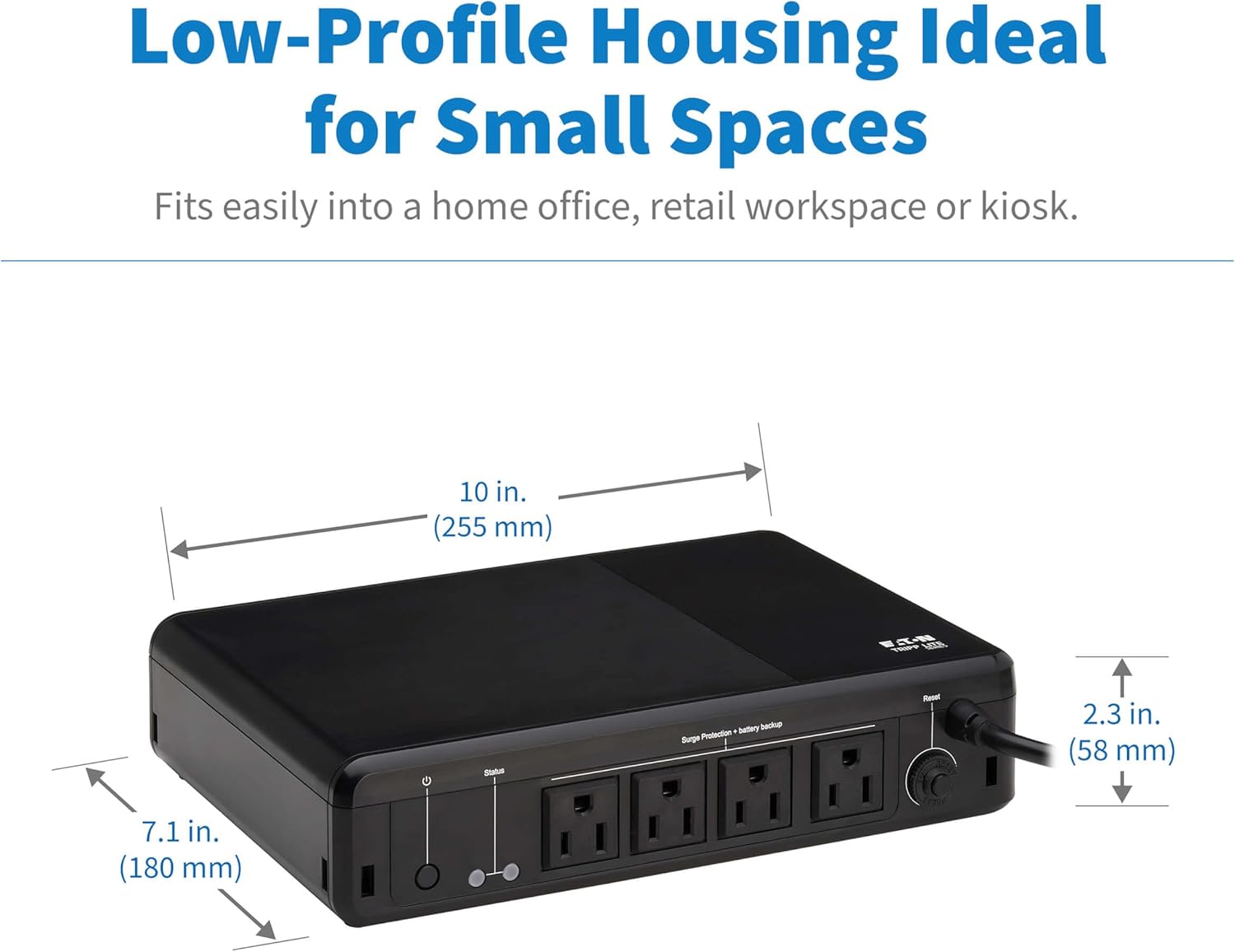
Image 7.1: Physical dimensions of the UPS unit.
8. Información da garantía
The Eaton Tripp Lite BC600R UPS comes with a 3 ano de garantía limitada. Please retain your proof of purchase for warranty claims. For detailed terms and conditions, refer to the official product documentation or the manufacturer's websitio.
9. Soporte e contacto
For technical assistance, product inquiries, or further support, please visit the official TRIPP LITE websitio web ou póñase en contacto co seu departamento de atención ao cliente. A información de contacto adoita atoparse na páxina web do fabricante websitio web ou na Guía de inicio rápido.
Recursos en liña: www.tripplite.com