
Kwikset 992400-011
Manual do usuario do pestillo electrónico Kwikset Powerbolt 240
Modelo: 992400-011 | Marca: Kwikset
1. Produto rematadoview
The Kwikset Powerbolt 240 is a contemporary electronic deadbolt door lock designed for convenient keyless entry. This single cylinder deadbolt offers locking and unlocking via keypad or key from the outside, and a turn button from the inside. Its Matte Black finish provides a rich and warm complement to modern home aesthetics.

Image: Kwikset Powerbolt 240 Electronic Deadbolt in Matte Black.
Características principais:
- Entrada cómoda sen chave: Keypad entry simplifies access without keys.
- Xestión sinxela de código: Supports up to 12 user codes, 2 one-time codes, and 1 programming code.
- Bloqueo automático: Customizable automatic locking after 30 sec, 1 min, 3 min, 5 min, or 10 min.
- Alerta de intrusión: Alarm and keypad disablement after 3 incorrect code entries.
- Easy Low Light Code Entry: Bright LED lights illuminate the keypad.
- Modo vacacións: Temporarily disables the keypad for enhanced security.
- Bloqueo dun toque: Motorized deadbolt for quick locking.
- Duración da batería de 12 meses: Extended battery performance (requires 4x AA alkaline batteries, not included).
- Easy Install and BILT App: Simple installation with a screwdriver, supported by BILT 3D interactive instructions.
2. Que hai na caixa
Verifique que estean presentes todos os compoñentes antes de comezar a instalación.

Image: All components included in the Kwikset Powerbolt 240 package.
- Cerrojo exterior
- Cerrojo interior
- Pestillo axustable
- Placa de folga
- Placa de montaxe
- Ferraxes de instalación (parafusos, etc.)
- 1 Kwikset Key
- Guía de instalación
3. Configuración e instalación
The Kwikset Powerbolt 240 is designed for easy installation, typically requiring only a screwdriver. For detailed, interactive guidance, utilize the BILT 3D interactive instructions which provide voice, text, and animation guidance.
Instalación da batería:
The lock requires 4 AA alkaline batteries (not included). Ensure fresh batteries are used for optimal performance and to achieve the advertised 12-month battery life.


Image: Icons representing 12-month battery life and screwdriver-only installation.
4. Instrucións de funcionamento
Entrada sen chave:
Enter your personalized user code on the keypad, then press the lock button to unlock the deadbolt. This provides secure and simple access without the need for physical keys.

Image: A person demonstrating keyless entry using the keypad.
Xestión sinxela de código:
The lock allows customization of up to 12 permanent user codes and 2 one-time user codes. A dedicated programming code enables easy editing or deletion of these codes as needed.
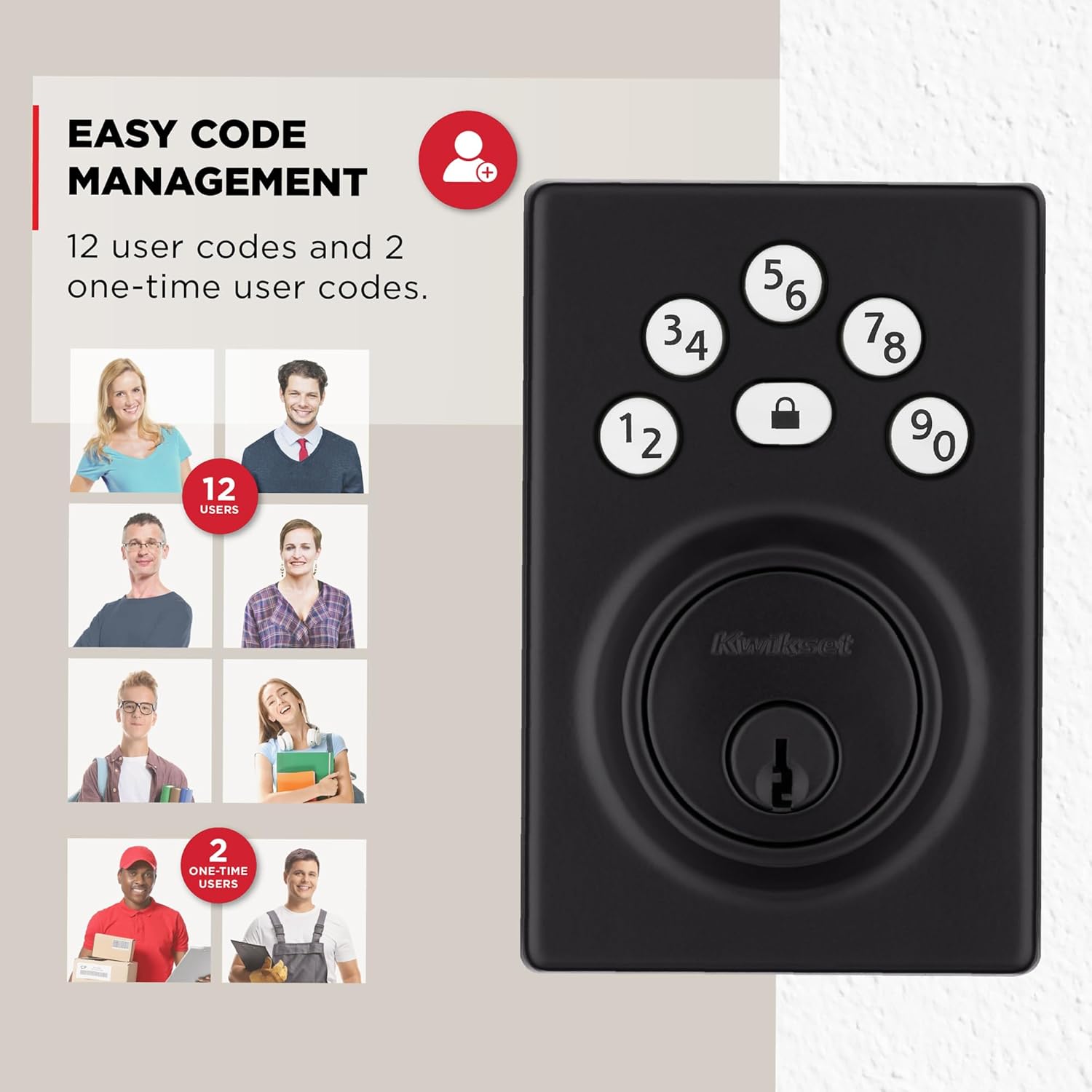
Image: Visual representation of the lock's capacity for 12 user codes and 2 one-time codes.
Función de bloqueo automático:
For added security and peace of mind, the deadbolt can be configured to automatically lock after a set period. You can customize this duration to 30 seconds, 1 minute, 3 minutes, 5 minutes, or 10 minutes.

Image: A woman and her dog leaving a house, illustrating the auto-lock feature with customizable time settings.
Bloqueo dun toque:
The motorized deadbolt allows for convenient one-touch locking. Simply press the lock button on the keypad to secure your door without needing a key or manual operation.

Image: A finger pressing the lock button on the keypad for one-touch locking.
Easy Low Light Code Entry:
The keypad features bright LED lights that illuminate the buttons, making it easy to enter your user code even in low-light conditions. Simply tap the keypad to activate the lights.
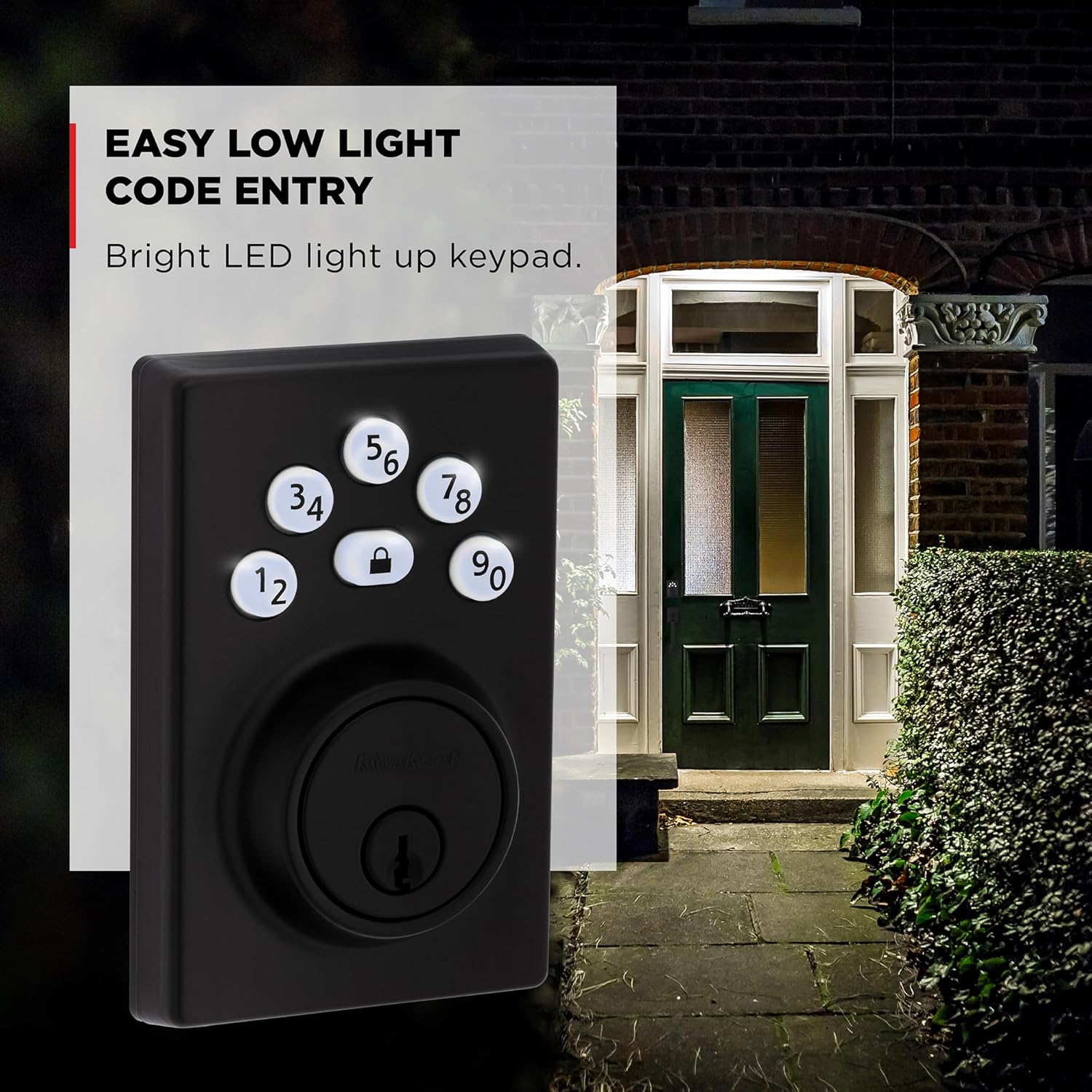
Image: The Kwikset Powerbolt 240 keypad with illuminated buttons at night.
Modo vacacións:
When you are away, activate Vacation Mode to temporarily disable the keypad. This prevents unauthorized access and provides enhanced security while you are out of town.

Image: A couple walking in an airport, with an icon indicating the Vacation Mode feature.
5. Mantemento
Substitución da batería:
The lock's battery life is approximately 12 months. When the batteries are low, the lock will provide an indicator. Replace all four AA alkaline batteries promptly to ensure continuous operation.
6 Solución de problemas
Alerta de intrusión:
If three consecutive incorrect code entries are made, the lock will sound an alarm and disable the keypad for 1 minute. This security feature prevents tampering. Wait for the minute to pass before attempting to enter a code again.

Image: Diagram illustrating the intrusion alert system with flashing lights and audible beeps.
Cuestións xerais:
- If the lock is unresponsive, check battery levels and replace if necessary.
- Ensure the deadbolt is properly aligned with the strike plate.
- Refer to the included installation guide for specific programming and reset procedures.
7. Especificacións
| Atributo | Detalle |
|---|---|
| Marca | Kwikset |
| Nome do modelo | Powerbolt |
| Número de modelo | 992400-011 |
| Tipo de bloqueo | Teclado |
| Cor | Negro Mate |
| Material | Aceiro aliado, plástico |
| Dimensións do artigo (L x W x H) | 1.03 x 2.78 x 4.22 polgadas |
| Peso do elemento | 1.63 libras |
| Fonte de enerxía | 4 pilas AA (non incluídas) |
| Usos recomendados | Entry Door, Garage Door, Shed Or Storage Door, Side Door |

Image: Detailed dimensions of the Kwikset Powerbolt 240 electronic deadbolt.
8. Garantía e soporte
Kwikset is a leading lock brand committed to homeowner security since 1946. For warranty information, product registration, or technical support, please visit the official Kwikset website or contact their customer service directly. The BILT app also provides interactive support for installation and setup.
Para máis información, visite o Kwikset Store on Amazon.