
1. Introdución
The QKVCX Kess V5.017 is an advanced ECU programming tool designed for reading and writing data to a vehicle's Engine Control Unit (ECU). This device supports a wide range of vehicles, including cars, trucks, tractors, and motorcycles, across various protocols such as Line, KAN, EDC17, MED17, and Ford J1850. It operates without token limitations, offering lifetime use for vehicle diagnostics and programming tasks.
2. Contido do paquete
Before proceeding with installation and operation, please verify that all components listed below are present in your package:
- Kess V5.017 Main Unit
- OBD2 Connection Cable
- Cable USB
- Various Adapter Cables for different ECU connections
- Software CD / USB Flash Drive (containing installation files)
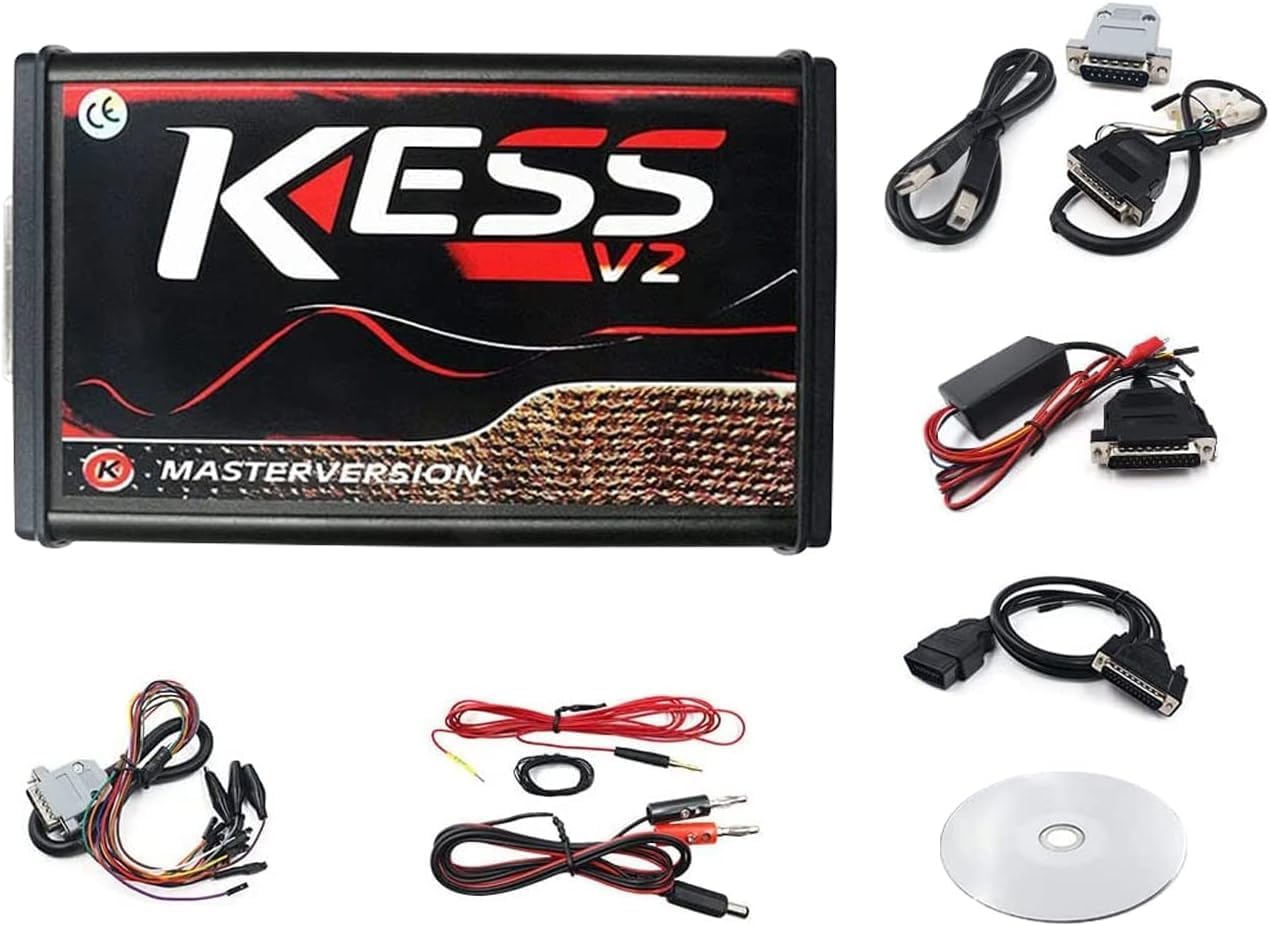
Figure 2.1: The QKVCX Kess V5.017 main unit along with its complete set of accessories, including various connection cables, adapters, and the software CD.
3. Características do produto
The Kess V5.017 ECU Programming Tool offers a comprehensive set of features designed for efficient and reliable vehicle ECU management:
- Wide Protocol Support: Covers major brands and protocols including Line, KAN, EDC17, MED17, and Ford J1850.
- Unlimited Tokens: No token limitations for all supported vehicles, allowing for lifetime use.
- Soporte de servizo en liña: Firmware V5.017 supports online services via internet connection.
- Compatibilidade ampla de vehículos: Supports various vehicle types based on engine, including cars, trucks, tractors, and bikes.
- Direct OBD2 Programming: Enables reading and writing to the ECU directly through the OBD2 port, eliminating the need to disassemble the ECU.
- Vol. de batería en tempo realtage Comprobación: Monitores de batería voltage during programming to prevent interruptions.
- Full Recovery Function: Provides a recovery option in case of programming issues.
- Automatic Checksum Correction: Ensures data integrity by automatically correcting checksums.
- Boot-Loader Mode Support: Compatible with boot-loader mode for advanced programming.
- ScanTool Function: Includes a ScanTool function to remove Diagnostic Trouble Codes (DTCs).
- Adjustable Read/Write Speed: Offers several options for adjusting reading and writing speeds.
- Partial/Full Map Writing: Option to write full files or specific sections of the ECU map.
- ECM Titanium Integration: Full integration capabilities with ECM Titanium software.

Figure 3.1: A list detailing the main functionalities of the Kess V5.017, including real-time battery voltage check, full recovery function, automatic checksum correction, and boot-loader mode support.

Figura 3.2: Detalle view of the Kess V5.017's internal circuit board, showcasing the main processor and other critical electronic components for reliable operation.
4. Configuración
4.1 Instalación de software
- Disable Firewall: Before installing the software, temporarily turn off your computer's firewall software to prevent interference during installation.
- Copy Software: Copy the entire contents of the provided software CD or USB flash drive to the C drive of your computer.
- Executar o instalador: Navigate to the copied folder on your C drive and run the installation executable. Follow the on-screen prompts to complete the installation.

Figure 4.1: An important notice advising users to disable computer firewall software before installation and to copy the software contents from the CD to the computer's C drive for proper execution.
4.2 Requisitos do sistema
The Kess V5.017 software is compatible with the following operating systems:
- Windows XP
- Windows 7
- Windows 8
- Windows 10
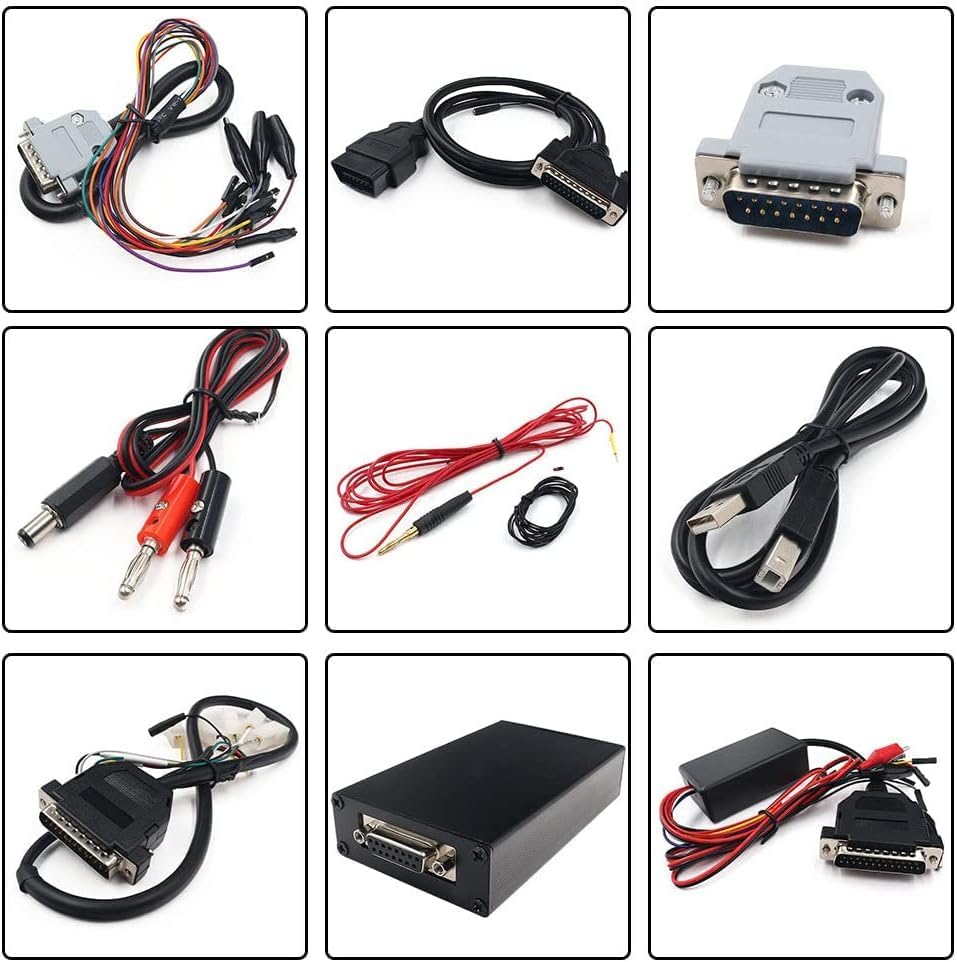
Figure 4.2: This image shows the Kess V5.017 device and its internal board, accompanied by a table outlining supported vehicle types (cars, trucks, tractors, motorcycles) and compatible operating systems (Windows XP, 7, 8, 10).
5. Instrucións de funcionamento
5.1 Connecting via OBD2
For vehicles supporting OBD2 programming, follow these steps:
- Asegúrate de que o contacto do vehículo estea apagado.
- Locate the vehicle's OBD2 port (typically under the dashboard).
- Connect the OBD2 cable from the Kess V5.017 unit to the vehicle's OBD2 port.
- Connect the Kess V5.017 unit to your computer via the USB cable.
- Turn the vehicle's ignition to the ON position (do not start the engine).
- Launch the Kess V5.017 software on your computer and follow the software's instructions for reading or writing the ECU.

Figure 5.1: This diagram demonstrates how to connect the Kess V5.017 to a vehicle's OBD2 port for ECU programming, with the device linked to a laptop.
5.2 Connecting via Tricore
For ECUs requiring Tricore programming, follow these steps:
- Disconnect the ECU from the vehicle.
- Connect the appropriate Tricore adapter cables from the Kess V5.017 unit to the ECU. Refer to the specific ECU's pinout diagram for correct connections.
- Connect the Kess V5.017 unit to your computer via the USB cable.
- Ensure the ECU is powered correctly through the adapter.
- Launch the Kess V5.017 software on your computer and follow the software's instructions for reading or writing the ECU.

Figure 5.2: This diagram illustrates the connection setup for programming an ECU using the Tricore method, showing the Kess V5.017 connected to a laptop and the vehicle's ECU.
6. Mantemento
To ensure the longevity and optimal performance of your Kess V5.017 tool, adhere to the following maintenance guidelines:
- Almacenamento: Store the device and its accessories in a dry, cool place, away from direct sunlight and extreme temperatures.
- Limpeza: Use un pano suave e seco para limpar o exterior do dispositivo. Evite o uso de produtos químicos agresivos ou materiais abrasivos.
- Coidado do cable: Handle all cables with care. Avoid bending them sharply or pulling them forcefully, which can damage internal wires.
- Actualizacións de software: Regularly check for and install official software updates to ensure compatibility with new vehicles and to benefit from performance improvements and bug fixes.
- Integridade do firmware: Do not attempt to modify the device's firmware unless instructed by official support. Unauthorized modifications can lead to device malfunction.
7 Solución de problemas
This section addresses common issues you might encounter while using the Kess V5.017 tool.
7.1 Software Installation Issues
- CD/USB Not Recognized: If your computer does not recognize the provided CD or USB flash drive, ensure your drive is functioning correctly. If the issue persists, try copying the files to another USB drive or downloading the software from an official source if available.
- Erros de instalación: Ensure your firewall and antivirus software are temporarily disabled during installation. Verify that the software files were copied completely and correctly to your C drive.
7.2 Erros de comunicación
- Dispositivo non conectado: Check all cable connections between the Kess V5.017, the vehicle/ECU, and the computer. Ensure the USB drivers for the Kess V5.017 are correctly installed on your computer.
- Vehicle Not Detected: Verify that the vehicle's ignition is in the ON position (engine off) for OBD2 connections. Ensure the correct vehicle protocol is selected in the software.
- Fallo de programación: Asegúrate de que o volume da batería do vehículotage is stable and sufficient during programming. A low battery can interrupt the process. Use the real-time battery voltage check feature. If a programming failure occurs, utilize the full recovery function.
7.3 Funcionamento xeral
- Slow Operation: If reading or writing is slow, check your computer's performance and ensure no other demanding applications are running. You can also adjust the read/write speed settings within the software.
- Unsupported ECU: If the software indicates an unsupported ECU, verify that your Kess V5.017 firmware and software versions are up to date. Not all ECUs are universally supported; consult official compatibility lists.
8. Especificacións
| Característica | Detalle |
|---|---|
| Marca | QKVCX |
| Modelo | KESS V5.017 |
| Versión de firmware | V5.017 |
| Versión de software | V2.47 (or V2.53 as per some images) |
| Compatibilidade do sistema operativo | Windows XP, Windows 7, Windows 8, Windows 10 |
| Interface de conexión | OBD2, Tricore |
| Token Limit | Ilimitado |
| Peso do elemento | Aproximadamente 2.33 libras (1.06 kg) |
| Dimensións do paquete | Aproximadamente 9.17 x 7.6 x 2.83 polgadas (23.3 x 19.3 x 7.2 cm) |
9. Garantía e soporte
For warranty information and technical support, please refer to the documentation provided with your purchase or contact the QKVCX customer service directly. Keep your purchase receipt as proof of purchase for any warranty claims.