
SUDOTACK K03
SUDOTACK K03 Wired Handheld Dynamic Vocal Microphone Instruction Manual
Brand: SUDOTACK
Modelo: K03
Introdución
Thank you for choosing the SUDOTACK K03 Wired Handheld Dynamic Vocal Microphone. This microphone is designed to deliver clear and consistent sound for various applications, including karaoke, public speaking, and performances. Its robust construction and user-friendly features ensure reliable operation. This manual provides essential information for proper setup, operation, and maintenance of your microphone.
O que hai na caixa
- 1x micrófono con cable
- 1x 3.5mm Connector

Image: SUDOTACK K03 Wired Handheld Dynamic Vocal Microphone with attached cable and included 3.5mm adapter.
Características clave
- Premium Quality Sound: Equipped with a cardioid pick-up pattern, this microphone delivers clear vocals and reduces background noise.
- Deseño Plug and Play: Features a sturdy 1/4-inch jack and includes a 3.5mm connector for broad compatibility.
- Lonxitude de cable estendida: A 9.84ft cable provides freedom of movement during use.
- Integrated ON/OFF Switch: Allows for convenient audio control.
- Durable All-Metal Construction: Built with premium metal mesh and reinforced internal components for longevity.
- Compatibilidade universal: Works with various audio equipment including speakers, mixers, amplifiers, PA systems, and karaoke machines (not compatible with passive speakers and AUX input).

Image: Diagram highlighting the microphone's studio-quality audio capabilities, including its unidirectional moving coil and wide frequency response.

Image: Visual representation of the cardioid pickup pattern, showing how it focuses on the speaker's voice and minimizes ambient sound.

Image: Close-up of the microphone demonstrating its metal construction, emphasizing durability and impact resistance.
Configuración
Conectando o micrófono
- Identify the 1/4-inch (6.35mm) microphone input on your audio device (e.g., PA system, amplifier, karaoke machine).
- If your device requires a 3.5mm input, attach the included 3.5mm connector to the 1/4-inch plug of the microphone cable.
- Firmly insert the microphone cable's plug (1/4-inch or 3.5mm with adapter) into the corresponding input on your audio device.

Image: Illustration demonstrating the microphone's wide compatibility with different audio equipment, including mixers and speakers.
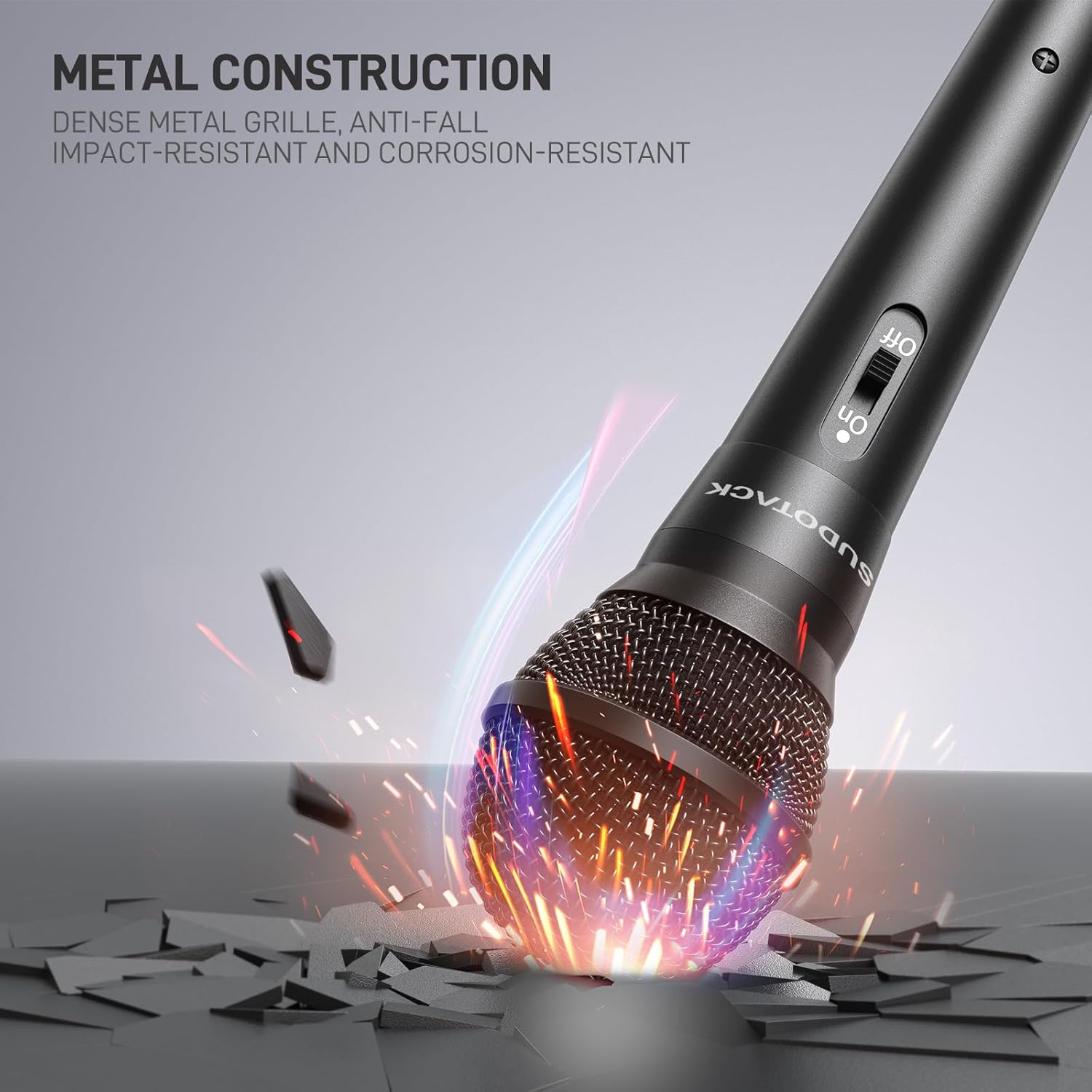
Image: The microphone's 9.84ft cable and its 1/4-inch and 3.5mm plugs, highlighting its plug-and-play convenience.
Video: Wired Microphone Connection
Video: A demonstration of connecting the SUDOTACK wired microphone to a karaoke machine, showing the 6.35mm plug and the 3.5mm adapter.
Instrucións de funcionamento
Encendido/apagado
- Locate the ON/OFF switch on the microphone handle.
- Deslice o interruptor cara a ON posición para activar o micrófono.
- Deslice o interruptor cara a DESACTIVADO position when the microphone is not in use to conserve energy and prevent unintended sound capture.

Image: A person demonstrating the easy-to-operate ON/OFF switch and the comfortable grip of the microphone.
Consellos de uso
- For optimal sound quality, hold the microphone approximately 2-5 cm (1-2 inches) from your mouth.
- Ensure the microphone's top grille is pointed directly towards the sound source to utilize its cardioid pickup pattern effectively.
- Adjust the volume on your connected audio device to achieve the desired sound level.
Mantemento
- Limpeza: Use a soft, dry cloth to clean the microphone body and grille. Avoid using liquid cleaners or abrasive materials.
- Almacenamento: Store the microphone in a dry, cool place away from direct sunlight and extreme temperatures.
- Manexo: Avoid dropping the microphone or subjecting it to strong impacts to prevent damage to internal components.
Resolución de problemas
| Problema | Causa posible | Solución |
|---|---|---|
| Sen saída de son | O interruptor do micrófono está en OFF O cable non está conectado correctamente Audio device volume is too low | Deslice o interruptor á posición ON Ensure cable is securely plugged into both microphone and audio device Increase volume on your audio device |
| Low volume or weak sound | Micrófono demasiado lonxe da boca Audio device input sensitivity is low | Hold microphone closer to your mouth Adjust input gain/sensitivity on your audio device if available |
| Son distorsionado | Audio device volume too high Microphone too close to mouth (clipping) | Reduce volume on your audio device Slightly increase distance from microphone or reduce input gain |
Especificacións
| Característica | Detalle |
|---|---|
| Número de modelo | K03 |
| Factor de forma do micrófono | Portátil |
| Patrón polar | Unidireccional (cardioide) |
| Tecnoloxía de conectividade | Auxiliar |
| Tipo de conector | 6.35 mm Jack (1/4 inch) with 3.5mm adapter |
| Lonxitude do cable | 9.84 pés |
| Material | Metal, Plástico |
| Peso do elemento | 7.8 onzas |
| Resposta en frecuencia | 16 kHz |
| Relación sinal-ruído | 70 dB |
| Dispositivos compatibles | Amplifier, Audio Interface, Karaoke Machine, PA System, Speaker |
Garantía e soporte
SUDOTACK products are manufactured with quality and performance in mind. For any product-related inquiries, technical support, or warranty information, please contact SUDOTACK customer support through the retailer's platform or the official SUDOTACK websitio. Garde o comprobante de compra para reclamacións de garantía.
Ask a question about this manual
Ask about setup, troubleshooting, compatibility, parts, safety, or missing instructions. Manuals+ will review the question and use this page’s manual context to help answer it.