
CORN SB-186
Manual do usuario do rato USB con cable CORN Gaming
Modelo: SB-186
Introdución
Thank you for choosing the CORN Gaming Wired USB Mouse. This manual provides detailed instructions for setting up, operating, and maintaining your new mouse, ensuring optimal performance and longevity. Please read this manual thoroughly before using the product.
Guía de configuración
Contido do paquete:
- 1 x CORN Gaming Wired USB Mouse (Model SB-186)
- 1 x Manual de usuario (este documento)
Requisitos do sistema:
- Operating System: Windows 2000/2003/XP/Vista/Win7/Win8/Win10, Mac OS, Android
- Porto USB dispoñible
Instalación:
- Locate an available USB port on your computer (PC, Desktop, Laptop, Macbook, Tablet).
- Insert the USB connector of the CORN Gaming Wired USB Mouse into the USB port.
- O sistema operativo detectará e instalará automaticamente os controladores necesarios. Este proceso pode tardar uns intres.
- Once the installation is complete, the mouse will be ready for use. No additional software installation is required.
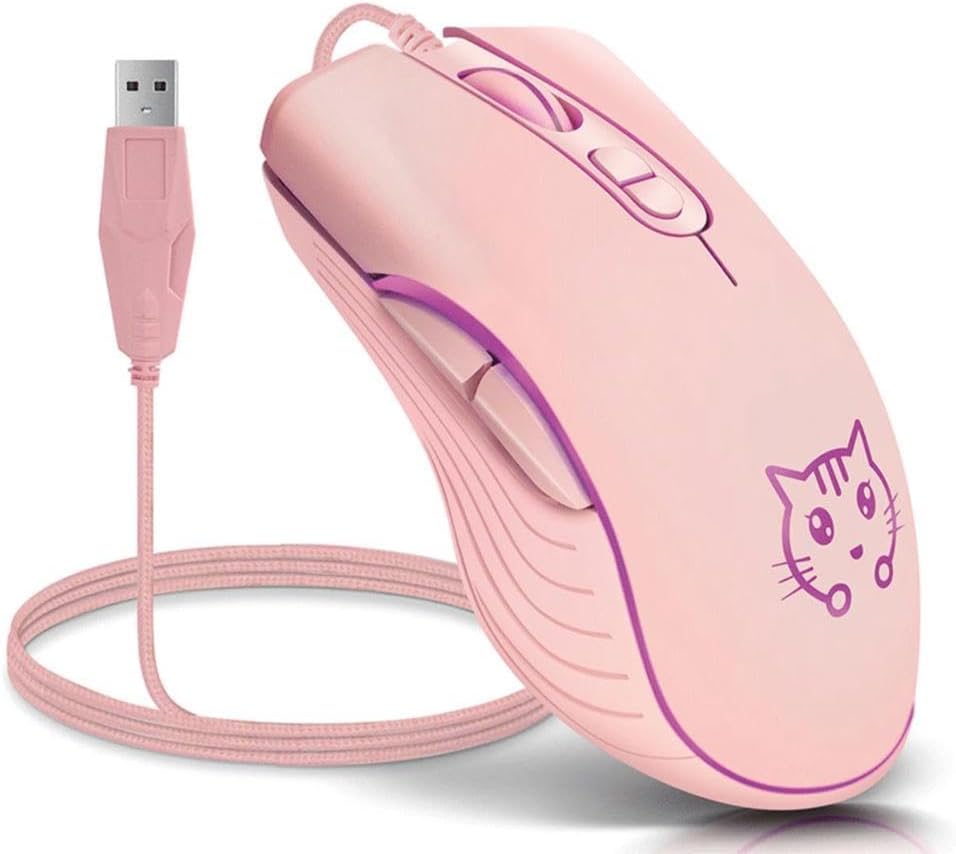
Image: The CORN Gaming Wired USB Mouse with its USB cable, illustrating the wired connection.
Instrucións de funcionamento
Mouse Layout and Functions:
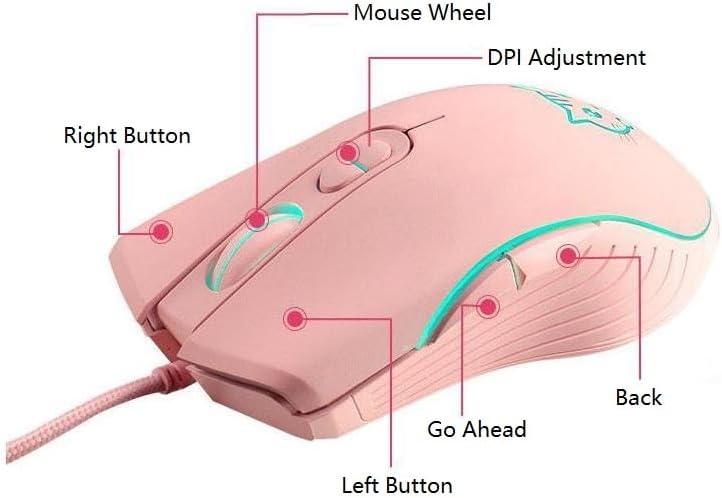
Image: Labeled diagram of the mouse showing the location and function of each button.
- Botón esquerdo: Función estándar do clic esquerdo.
- Botón dereito: Función estándar do clic dereito.
- Mouse Wheel: Scroll up or down. Can also be pressed for middle-click functionality.
- Botón de axuste de DPI: Percorre ciclicamente a configuración de DPI.
- Botón Adiante: Navega cara adiante web navegadores ou file exploradores.
- Botón Atrás: Navega cara atrás en web navegadores ou file exploradores.
Adjusting DPI (Dots Per Inch):
The mouse features 4 adjustable DPI levels, allowing you to change cursor sensitivity on the fly. Press the DPI Adjustment Button located behind the scroll wheel to cycle through the following settings:
- 800 DPI (Lowest sensitivity, suitable for precise tasks)
- 1200 DPI (Standard sensitivity)
- 1600 DPI (Increased sensitivity)
- 2400 DPI (Highest sensitivity, ideal for fast-paced gaming)
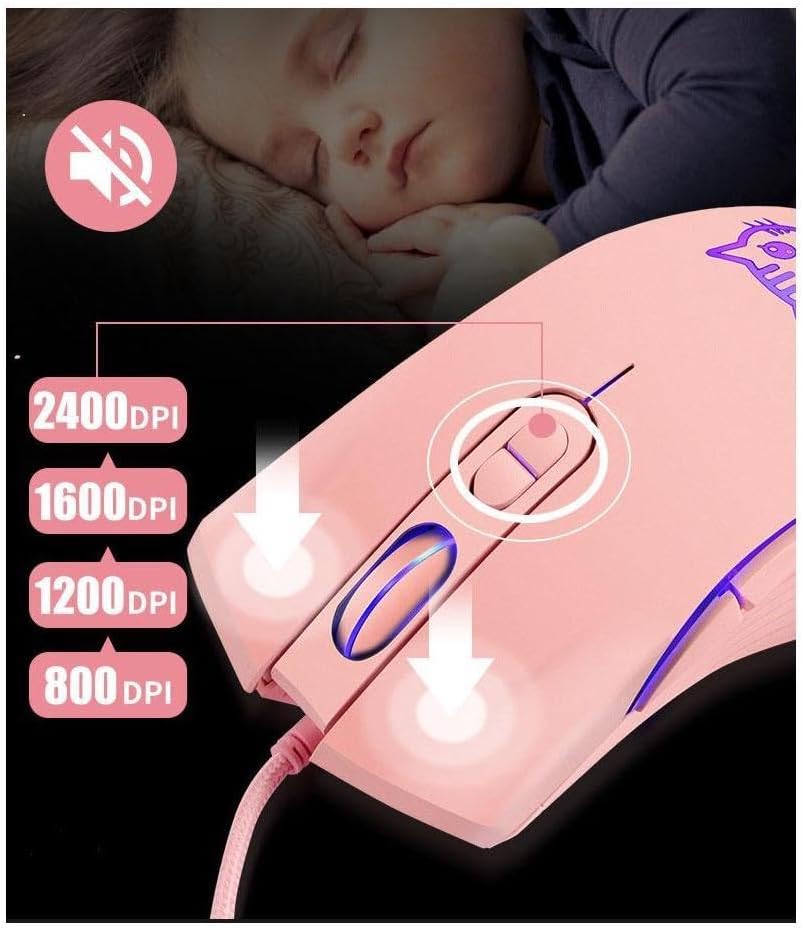
Image: Visual guide for DPI adjustment, highlighting the button and available sensitivity levels.
Silent Click Feature:
The CORN Gaming Mouse is designed with noiseless click buttons, reducing sound output during use. This feature is beneficial in quiet environments, preventing disturbance to others.

Image: Depiction of the mouse's silent click functionality, emphasizing its quiet operation.
7-Color Backlight Modes:
The mouse features a dynamic 7-color backlight system that changes automatically, adding to its aesthetic appeal. The cute kitten pattern on the mouse also illuminates with these changing colors.
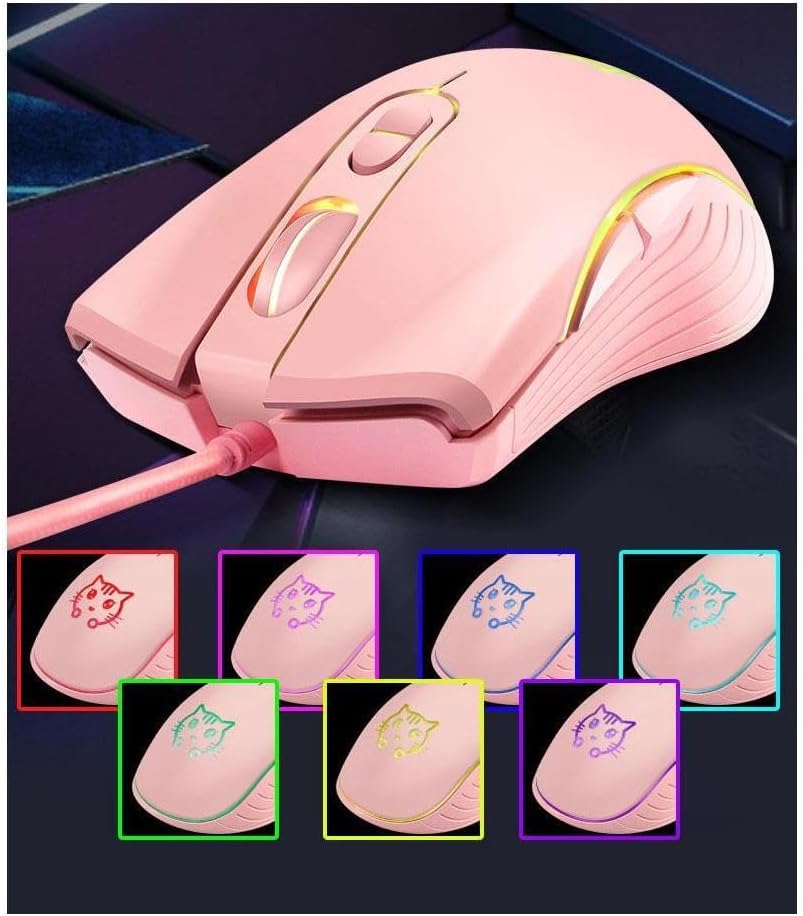
Image: The mouse showcasing its 7-color backlight modes, highlighting the visual effects.
Deseño ergonómico:
The mouse is designed to fit the natural curvature of your palm, providing a comfortable and breathable grip for extended use. Its anti-skid side wing design further enhances stability and prevents slipping.
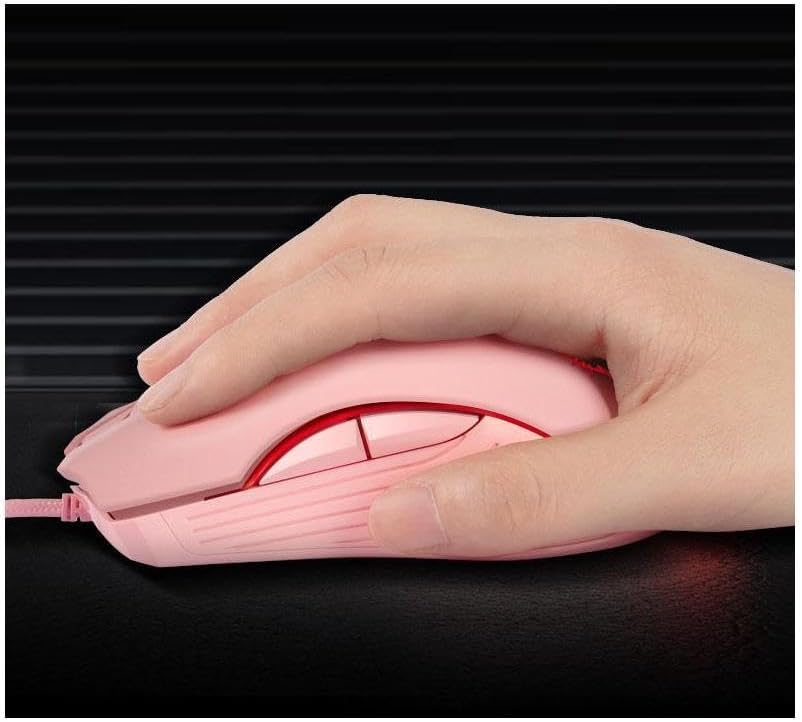
Image: A hand demonstrating the ergonomic grip of the mouse.
Mantemento
To ensure the longevity and optimal performance of your CORN Gaming Wired USB Mouse, follow these simple maintenance guidelines:
- Limpeza: Usa un pano suave e seco para limpar a superficie do rato. Para a sucidade persistente, limpa lixeiramenteampEnxágüe o pano con auga ou unha solución de limpeza suave. Evite o uso de produtos químicos agresivos ou materiais abrasivos.
- Coidados do sensor: Keep the optical sensor on the bottom of the mouse clean and free from dust or debris. Use a cotton swab or compressed air to gently clean the sensor area.
- Xestión de cables Avoid sharp bends or kinks in the USB cable. Store the mouse with the cable neatly coiled to prevent damage.
- Almacenamento: When not in use for extended periods, store the mouse in a clean, dry place away from extreme temperatures and direct sunlight.
- Evita gotas: While built with solid construction, avoid dropping the mouse or subjecting it to strong impacts, as this can damage internal components.
Resolución de problemas
If you encounter any issues with your CORN Gaming Wired USB Mouse, please refer to the following common problems and their solutions:
| Problema | Causa posible | Solución |
|---|---|---|
| O rato non responde. | USB cable not properly connected; faulty USB port; driver issue. |
|
| O movemento do cursor é errático ou irregular. | Dirty optical sensor; unsuitable mouse pad surface. |
|
| DPI adjustment button not changing sensitivity. | Software conflict; temporary glitch. |
|
| Back/Forward buttons not working. | Application specific; driver issue. |
|
Especificacións do produto
| Marca | MILLO |
| Número de modelo | SB-186 |
| Tecnoloxía de conectividade | USB con cable |
| Tecnoloxía de detección de movemento | Óptica |
| Niveis de DPI | 800/1200/1600/2400 DPI |
| Número de botóns | 6 |
| Características especiais | Ergonomic Design, LED Lights, Silent Click |
| Cor | Rosa |
| Peso do elemento | 9.9 onzas (aprox. 280 g) |
| Dimensións do paquete | 5.59 x 4.02 x 2.05 polgadas |
| Vol. Operativotage | DC 5 V |
| Corrente de funcionamento | 10 mA |
| Cambiar vida | 5 millóns de veces |
| Roller Life | 10 millóns de veces |
| Sistemas compatibles | Windows 2000/2003/XP/Vista/Win7/Win8/Win10, Mac OS, Android |

Image: Detailed product information including a labeled diagram and a table of technical specifications.
Información da garantía
CORN products are manufactured to the highest quality standards. This product comes with a standard manufacturer's warranty against defects in materials and workmanship from the date of purchase. Please retain your proof of purchase for warranty claims. The warranty does not cover damage caused by misuse, accident, unauthorized modification, or normal wear and tear.
Atención ao cliente
For further assistance, technical support, or warranty inquiries, please contact CORN customer service through the retailer's platform where you purchased the product or visit the official CORN websitio para os detalles de contacto.
We are committed to providing you with the best possible experience with your CORN product.
Ask a question about this manual
Ask about setup, troubleshooting, compatibility, parts, safety, or missing instructions. Manuals+ will review the question and use this page’s manual context to help answer it.