
1. Introdución
The Foscam FNA108HE is an 8-channel Network Video Recorder (NVR) designed for surveillance systems. It supports up to 8 PoE (Power over Ethernet) IP cameras, allowing for simplified installation with power and data transmission over a single Ethernet cable. This NVR records video at up to 8MP resolution per channel and utilizes H.264+ video compression for efficient storage. It offers continuous, motion-detection, and scheduled recording options, and supports a hard drive up to 16TB (not included) for extensive storage. View and manage your surveillance system locally via HDMI/VGA monitor or remotely through a web interface.
2. Contido do paquete
- Foscam FNA108HE 8-Channel PoE NVR
- Adaptador de alimentación
- Rato USB
- Cable Ethernet
- Guía de inicio rápido
- Mounting Screws for HDD (Hard Disk Drive not included)
3. Produto rematadoview
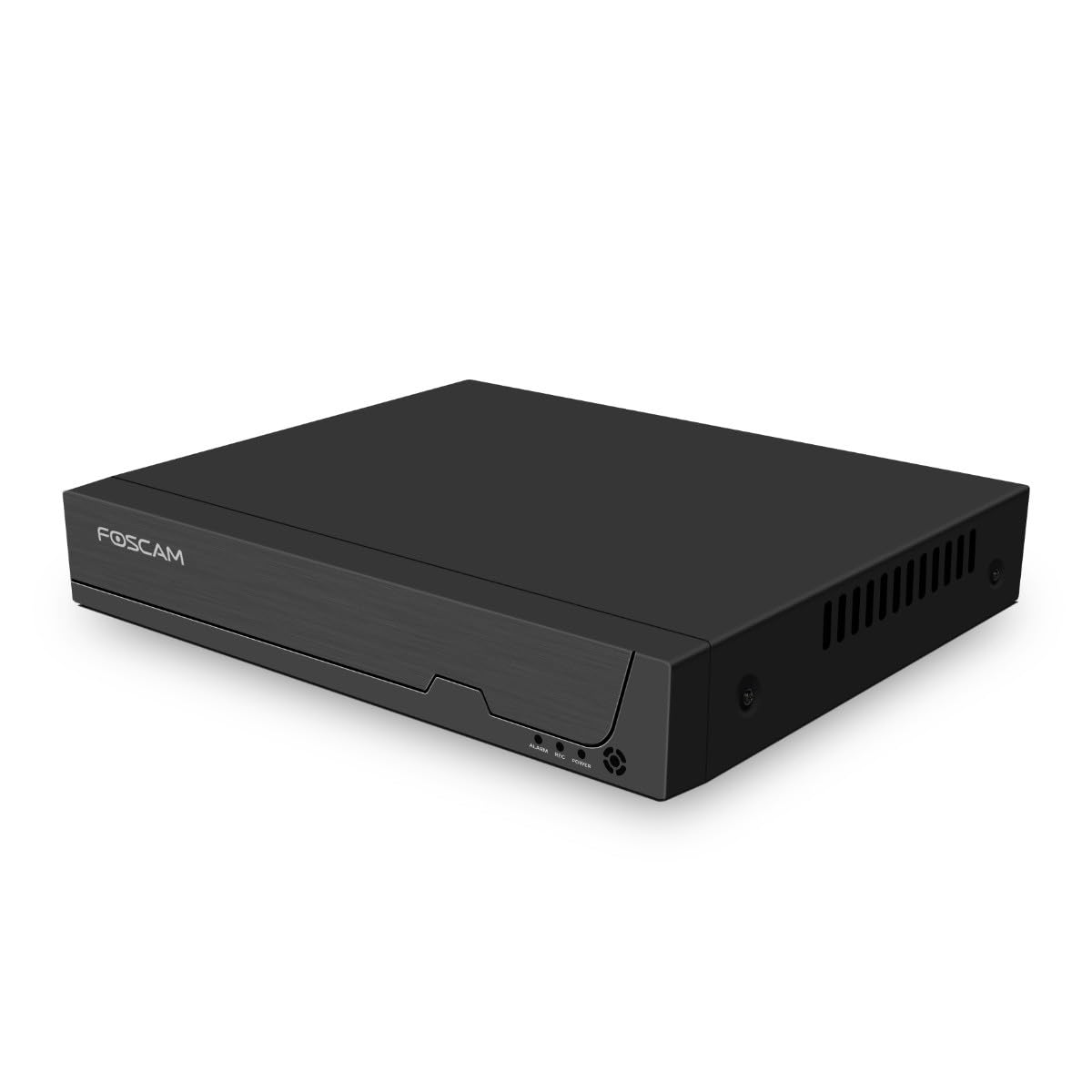
Figura 3.1: Panel frontal
This image shows the front of the Foscam FNA108HE NVR, featuring the Foscam logo on the left and indicator lights (ALARM, REC, POWER) on the right, along with a navigation button.

Figura 3.2: En ángulo View
An angled perspective of the Foscam FNA108HE NVR, highlighting its compact design and the Foscam branding.

Figura 3.3: Panel traseiro
This image displays the rear panel of the Foscam FNA108HE NVR, showing various ports including the power switch, DC 48V power input, 8 PoE ports, LAN port, A-OUT (audio output), VGA port, HD-OUT (HDMI port), and two USB ports.
3.1 Indicadores do panel frontal
- POTENCIA: Indicates the NVR is powered on.
- REC: Flashes when video is being recorded.
- ALARMA: Illuminates when an alarm event (e.g., motion detection) is triggered.
3.2 Portos do panel traseiro
- Interruptor ON / OFF: Powers the NVR on or off.
- DC 48 V: Power input for the NVR.
- Portos PoE (1-8): Connect PoE IP cameras. These ports provide both power and data.
- Porto LAN: Connects the NVR to your local network/router for internet access and remote viewing.
- A-OUT (Audio Output): Connects to an external speaker for audio output.
- Porto VGA: Connects to a VGA monitor for local display.
- HD-OUT (HDMI Port): Connects to an HDMI monitor or TV for local display.
- Portos USB (x2): Connect a USB mouse for local control and for USB backup devices.
4. Configuración
4.1 Hard Drive Installation (Optional, HDD not included)
For video recording, a 3.5-inch SATA hard drive is required. Ensure the NVR is powered off before installation.
- Desenrosque e retire a tapa superior do NVR.
- Conecte os cables de datos e alimentación SATA do NVR ao disco duro.
- Fixe o disco duro ao chasis do NVR cos parafusos fornecidos.
- Volva colocar a tapa superior e asegúreaa con parafusos.
4.2 Conexión de hardware
- Connect your PoE IP cameras to the PoE ports (1-8) on the NVR's rear panel using Ethernet cables.
- Connect a monitor to the NVR's HD-OUT (HDMI) or VGA port.
- Connect the USB mouse to one of the NVR's USB ports.
- Conecta o porto LAN do NVR ao teu enrutador ou conmutador de rede mediante un cable Ethernet.
- Connect the power adapter to the DC 48V input on the NVR and then plug it into a power outlet.
- Press the ON/OFF switch to power on the NVR.
5. En funcionamento
5.1 Initial Setup and Access
Upon first boot, the NVR will guide you through an initial setup wizard (password creation, network settings, etc.). You can access the NVR interface locally via the connected monitor and mouse, or remotely via a web navegador nun ordenador conectado á mesma rede.
5.2 En directo View
After logging in, the NVR will display the live video feeds from connected cameras. You can switch between single-camera view, grella multicámara view, and customize the display layout.
5.3 Modos de gravación
The NVR supports the following recording modes:
- Gravación continua: Grava 24 horas ao día, 7 días á semana, sen interrupcións.
- Gravación de detección de movemento: Records only when motion is detected by the cameras.
- Gravación programada: Records according to a predefined schedule (e.g., specific hours of the day).
Configure these settings in the NVR's menu under 'Record' or 'Schedule'.
5.4 Reprodución
Para review gravado footage:
- Access the 'Playback' menu on the NVR interface.
- Seleccione a(s) cámara(s) desexada(s) e o intervalo de data/hora.
- Use the timeline to navigate through recordings and play back events.
5.5 Acceso remoto
Para acceder ao NVR de forma remota:
- Asegúrate de que o NVR estea conectado a Internet.
- Configure network settings (e.g., port forwarding) on your router if necessary, or use Foscam's cloud service/P2P feature if available.
- Use the Foscam web interface or mobile application to view live feeds and manage settings from anywhere.
6. Mantemento
6.1 Xestión do disco duro
Regularly check the status of your hard drive in the NVR's storage settings. If the hard drive is new or has issues, it may need to be formatted through the NVR interface. Ensure sufficient free space for continuous recording.
6.2 Actualizacións de firmware
Periodically check the Foscam official website for firmware updates. Keeping your NVR's firmware updated ensures optimal performance, security, and access to new features. Follow the instructions provided with the firmware update carefully.
7 Solución de problemas
- Sen visualización de vídeo: Check HDMI/VGA cable connections, ensure monitor is on and set to correct input. Verify NVR is powered on.
- Cameras Not Showing: Ensure cameras are properly connected to PoE ports. Check camera power and network status. Verify camera IP addresses are within the NVR's range.
- Sen gravación: Confirm a hard drive is installed and formatted. Check recording schedules and motion detection settings. Ensure HDD has free space.
- Problemas de acceso remoto: Verify NVR has internet access. Check network settings, port forwarding, or P2P status. Ensure correct login credentials.
- O NVR non se acende: Check power adapter connection and power outlet. Ensure the ON/OFF switch is in the 'ON' position.
8. Especificacións
| Característica | Especificación |
|---|---|
| Número de modelo | FNA108HE |
| Marca | Foscam |
| Número de canles | 8 |
| Capacidade máxima de almacenamento | 16 TB (Hard Drive not included) |
| Compresión de vídeo | H.264 + |
| Tipo de entrada de vídeo | Cámara IP PoE |
| Saída de vídeo | HDMI, VGA |
| Saída de audio | A-FÓRA |
| Portos USB | 2 |
| Tecnoloxía de conectividade | HDMI, USB, VGA, Ethernet (LAN, PoE) |
| Dispositivos compatibles | Camera, Smartphone, Television |
| Peso do elemento | 880 gramos |
| Dispoñibilidade de Recambios | 1 ano |
9. Garantía e soporte
This Foscam NVR (Model FNA108HE) typically comes with a manufacturer's warranty. Spare parts are available for 1 year. For detailed warranty information, technical support, or service inquiries, please refer to the official Foscam websitio web ou póñase en contacto directamente co servizo de atención ao cliente. Garde o recibo de compra para reclamacións de garantía.