
Introdución
The JLab Nightfall Wired Gaming Headset is designed to provide an immersive audio experience for gamers across multiple platforms. Featuring 50mm drivers, cloud foam cushions, and a sound-isolating inner shelf, this headset ensures clear communication and comfortable wear during extended gaming sessions.
Contido do paquete
- JLab Nightfall Wired Gaming Headset
- Manual de instrucións
Configuración e conectividade
The Nightfall headset offers universal compatibility through its wired 3.5mm connection cable, making it suitable for a wide range of gaming and multimedia devices.
Conectando o teu auricular
- Locate the 3.5mm audio jack on your device (PC/Mac, Xbox, PlayStation 4 & 5, Nintendo Switch).
- Insert the 3.5mm connector from the headset cable firmly into the device's audio jack.
- Adjust your device's audio settings to ensure the headset is selected as the input and output device.

Image: The JLab Nightfall Wired Gaming Headset in use, connected to a gaming setup, demonstrating its universal compatibility.
Instrucións de funcionamento
Audio Quality and Immersion
Equipped with 50mm drivers and a sound-isolating inner shelf, the Nightfall headset delivers immersive and powerful sound. This design enhances your gaming experience by providing rich audio with clarity and deep bass, allowing you to hear crucial in-game details.

Imaxe: Unha explosión view diagram highlighting the 50mm audio driver and the sound-isolating inner shelf within the headset's ear cup.
Uso do micrófono
The headset features a flip-to-mute rotating boom mic, ensuring clear team communications during gaming sessions. The TeamSpeak Certified near-field directional mic captures your voice while actively eliminating background noise, ensuring your teammates hear you clearly without distractions.
- Para silenciar: Flip the microphone boom upwards.
- To Unmute: Flip the microphone boom downwards.
- The rotating design allows for optimal positioning of the mic for better voice pickup.
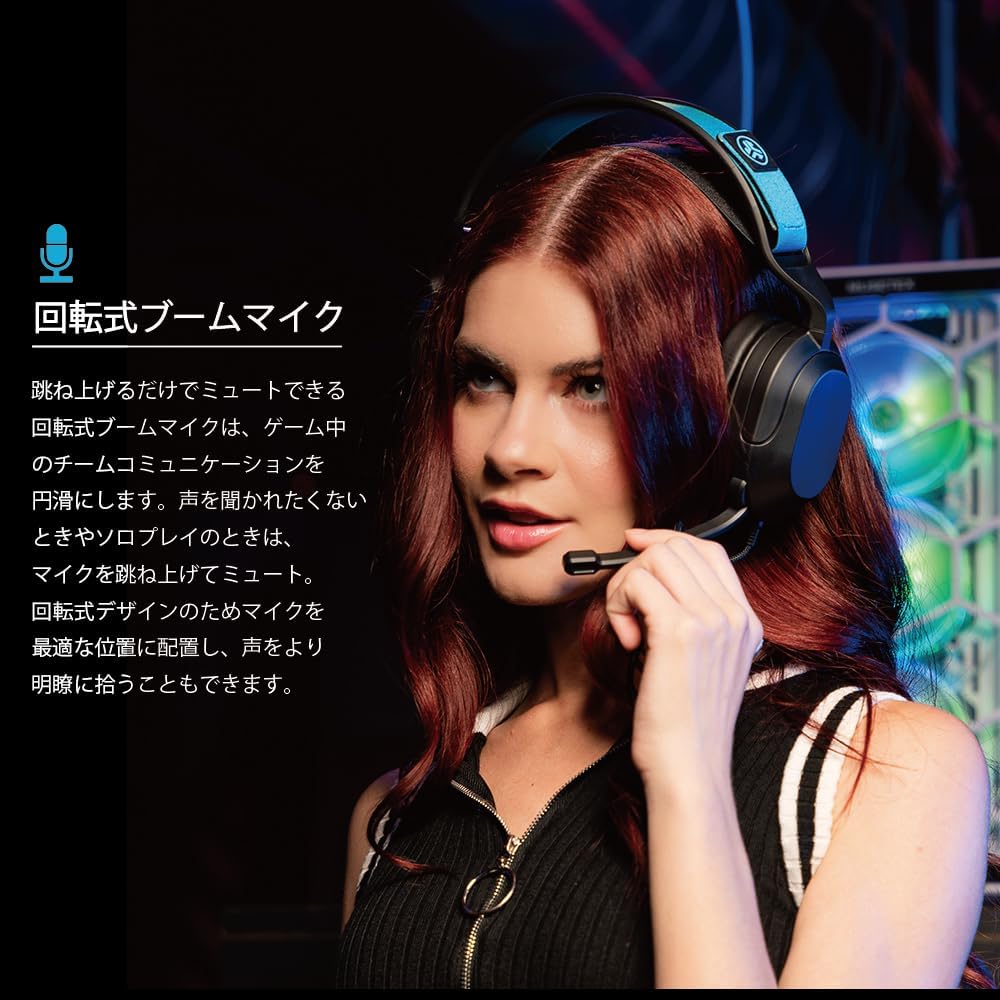
Image: A user wearing the JLab Nightfall headset, demonstrating the flexible and rotating boom microphone in an active position.

Image: A gamer wearing the JLab Nightfall headset, illustrating the effective noise elimination provided by the directional microphone for clear communication.
Comodidade e Deseño
The Nightfall headset is engineered for all-night comfort. It features super-wide stretchable and adjustable headbands that provide a customizable fit for various head sizes. The cloud foam cushions further enhance comfort, preventing discomfort during long gaming sessions.
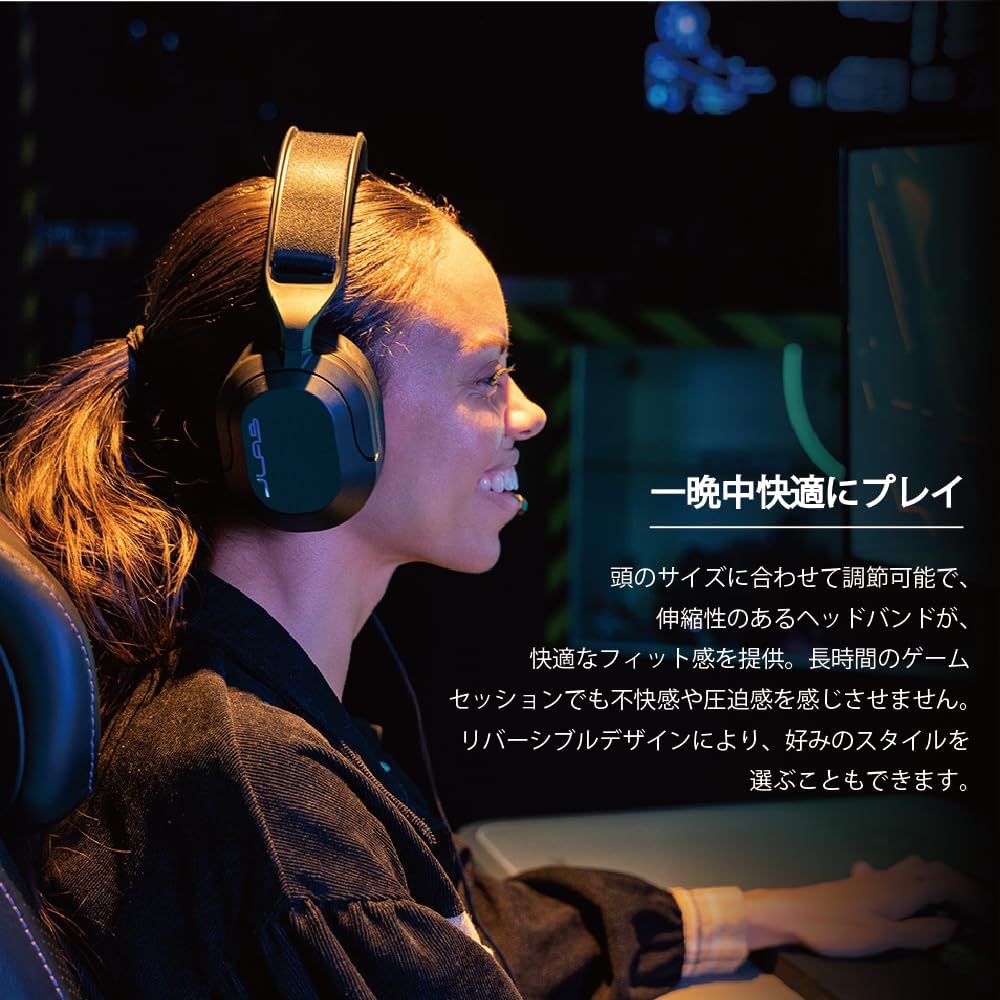
Image: A user wearing the JLab Nightfall headset, showcasing the comfortable over-ear design and adjustable headband for extended wear.

Imaxe: Unha detallada view of the JLab Nightfall headset's cloud foam ear cushions, emphasizing their soft and comfortable design.
Especificacións
| Característica | Detalle |
|---|---|
| Marca | JLab |
| Nome do modelo | Nightfall |
| Tecnoloxía de conectividade | Con cable (conector de 3.5 mm) |
| Colocación do oído | Sobre orella |
| Tamaño do controlador de audio | 50 milímetros |
| Impedancia | 32 ohmios |
| Sensibilidade | 102 dB |
| Rango de frecuencias | 20 Hz - 20,000 Hz |
| Control de ruído | Illamento acústico |
| Micrófono | Flip-to-mute rotating boom mic, TeamSpeak Certified near-field directional |
| Dispositivos compatibles | PC/Mac, Xbox, PlayStation 4, PlayStation 5, Nintendo Switch |
| Peso do elemento | 0.39 quilogramos |
| Material | Plastic, Metal, Synthetic materials |
| Características adicionais | Adjustable Headband, Cloud Foam Cushions |
Mantemento
- Limpeza: Usa un pano suave e seco para limpar os auriculares. Non empregues produtos de limpeza líquidos nin aerosois.
- Almacenamento: Garde os auriculares nun lugar fresco e seco, lonxe da luz solar directa e de temperaturas extremas.
- Coidado do cable: Evite curvas bruscas ou tirar demasiado do cable para evitar danos.
Resolución de problemas
- Sen son:
- Asegúrate de que o conector de 3.5 mm estea completamente inserido no dispositivo.
- Check your device's audio settings to confirm the headset is selected as the output device and volume is not muted.
- Proba os auriculares con outro dispositivo para descartar un problema específico do dispositivo.
- O micrófono non funciona:
- Ensure the microphone boom is flipped down to the active position (not muted).
- Verify your device's audio settings have the headset microphone selected as the input device and input volume is not muted.
- Check for any in-game or application-specific microphone settings.
- Audio distorsionado:
- Lower the volume on your device or the headset.
- Ensure the 3.5mm connection is secure and free from debris.
- Test with another audio source to determine if the issue is with the headset or the source device.
Garantía e Soporte
The JLab Nightfall Wired Gaming Headset comes with a 2-Year Warranty from the manufacturer, JLab Audio. For detailed warranty information, technical support, or service inquiries, please refer to the official JLab websitio web ou póñase en contacto directamente co servizo de atención ao cliente.
Manufacturer: JLab Audio