
Introdución
Thank you for choosing the TECKNET Wireless Rechargeable Silent Mouse. This manual provides detailed instructions to help you get the most out of your new device. Please read it carefully before use and keep it for future reference.
Contido do paquete
- TECKNET Wireless Rechargeable Silent Mouse
- Receptor USB
- Cable de carga USB-C
- Manual de usuario (este documento)
Produto rematadoview
Familiarízate cos compoñentes do rato:
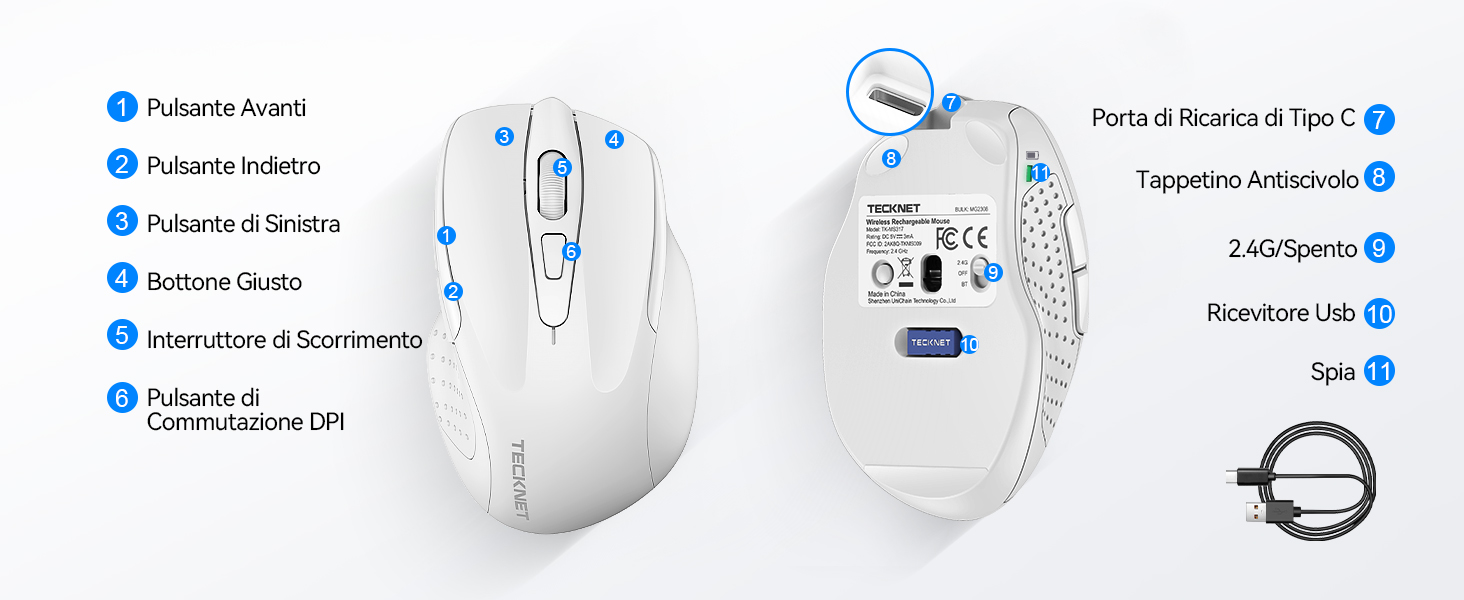
Figure 1: Mouse Components Diagram
- Botón de avance
- Botón de retroceso
- Botón Esquerdo
- Botón dereito
- Roda de desprazamento
- Botón de conmutación DPI
- Porto de carga tipo C
- Pad antideslizante
- 2.4G/Off Switch
- Almacenamento do receptor USB
- Luz indicadora
Instrucións de configuración
1. Cargar o rato
Before first use, it is recommended to fully charge the mouse. Connect the provided USB-C charging cable to the mouse's Type-C charging port and the other end to a USB power source (e.g., computer USB port, USB wall adapter).

The mouse features a 700mAh built-in battery, providing extended usage on a single charge. The indicator light will show charging status.
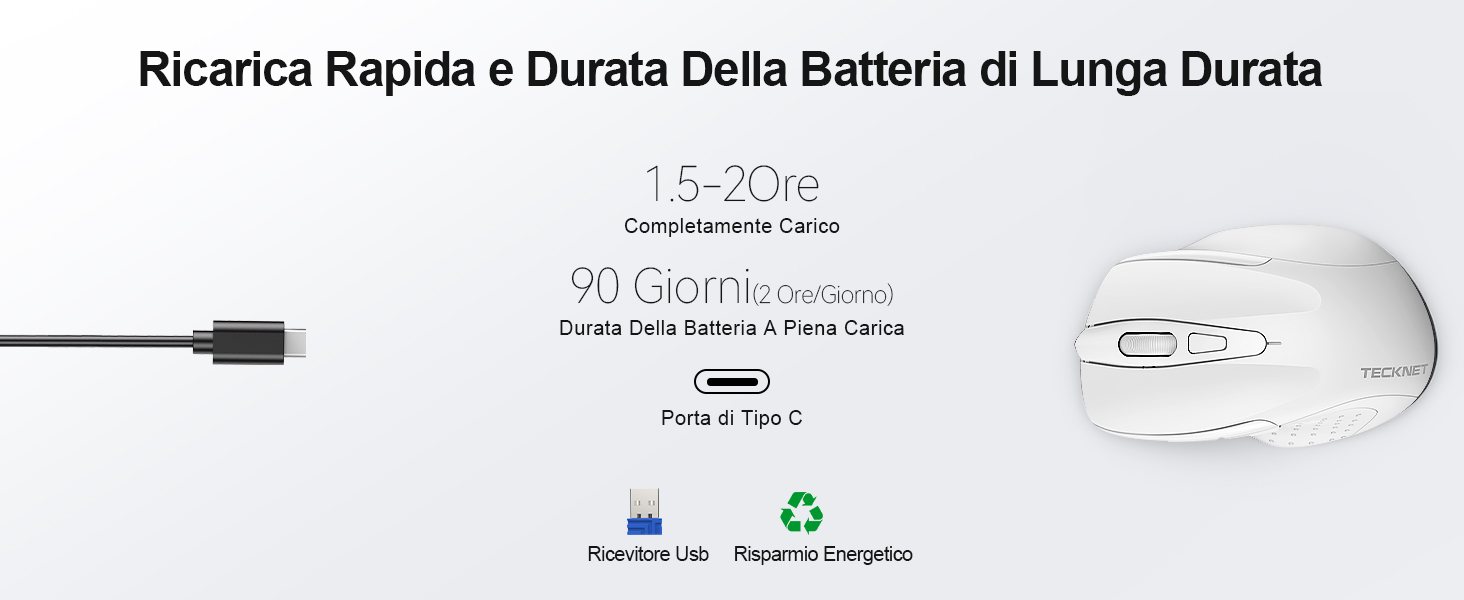
A full charge takes approximately 1.5-2 hours and can last up to 90 days (based on 2 hours/day usage).
2. Conexión do receptor USB
The mouse uses a 2.4GHz wireless connection for reliable data transmission.
- Localiza o receptor USB gardado no compartimento da parte inferior do rato.
- Plug the USB receiver into an available USB port on your computer (PC, laptop, Chromebook, etc.).
- Turn on the mouse using the 2.4G/Off switch located on the underside.
- Your computer should automatically detect and install the necessary drivers. The mouse is plug-and-play, requiring no additional software.

The effective working distance is up to 15 meters.

Ensure the mouse is switched on after plugging in the receiver.
Instrucións de funcionamento
Axuste de DPI
The mouse features 6 adjustable DPI levels (800/1200/1600/2400/3200/4800) to suit various tasks, from precise targeting to fast gaming movements. Press the DPI switch button (Component 6 in Figure 1) to cycle through the DPI settings.

Adjust DPI for optimal cursor speed and precision.
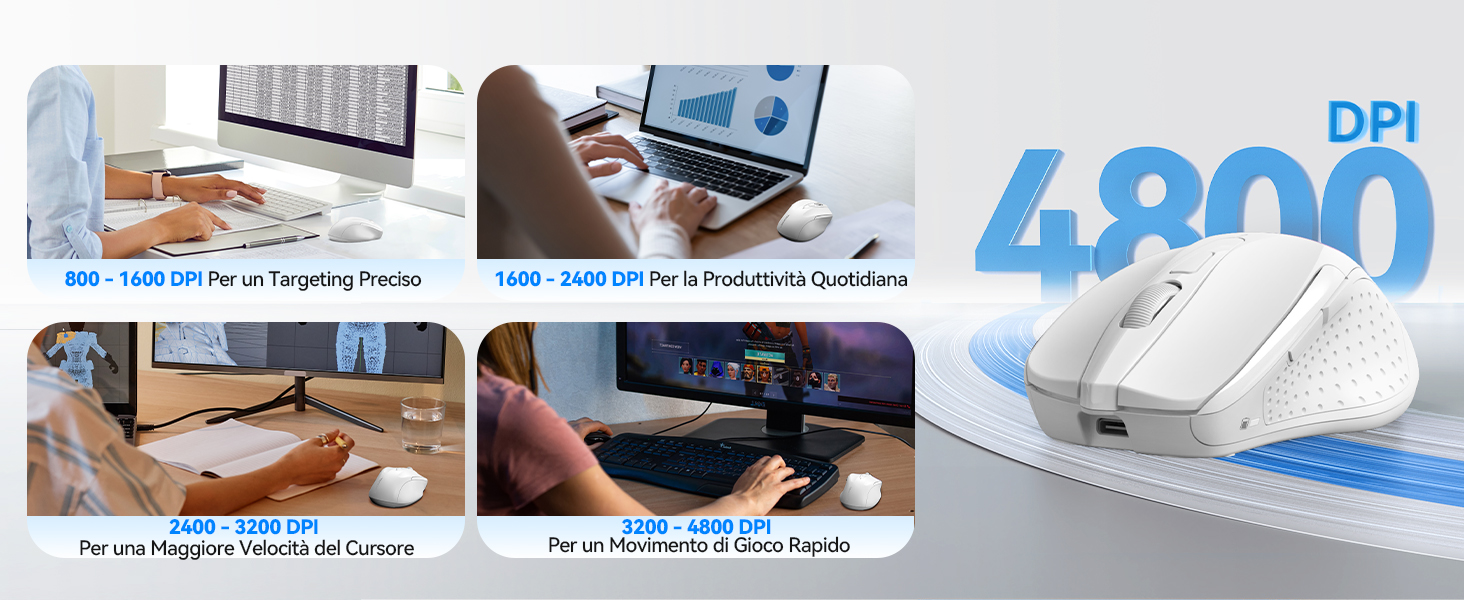
DPI settings for different usage scenarios.
Función de clic silencioso
The mouse is designed for silent operation, reducing click noise by up to 90%. This allows for a quiet working environment without disturbing others.

Enjoy a quiet working experience.
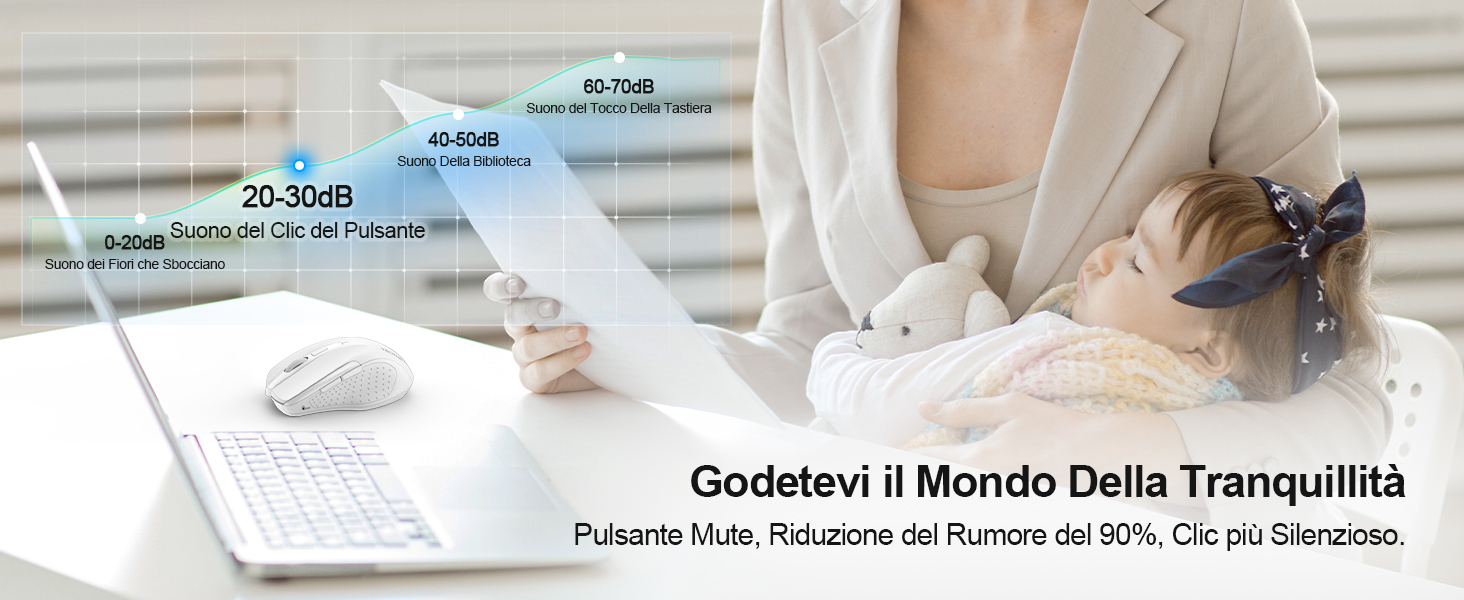
Sound level comparison demonstrating reduced click noise.
Deseño Ergonómico
The mouse is ergonomically designed to fit the natural curvature of your hand, reducing muscle pressure by up to 30% and ensuring comfortable use for extended periods. Soft natural rubber grips on the sides provide a secure and comfortable hold.

Ergonomic shape for comfortable use.
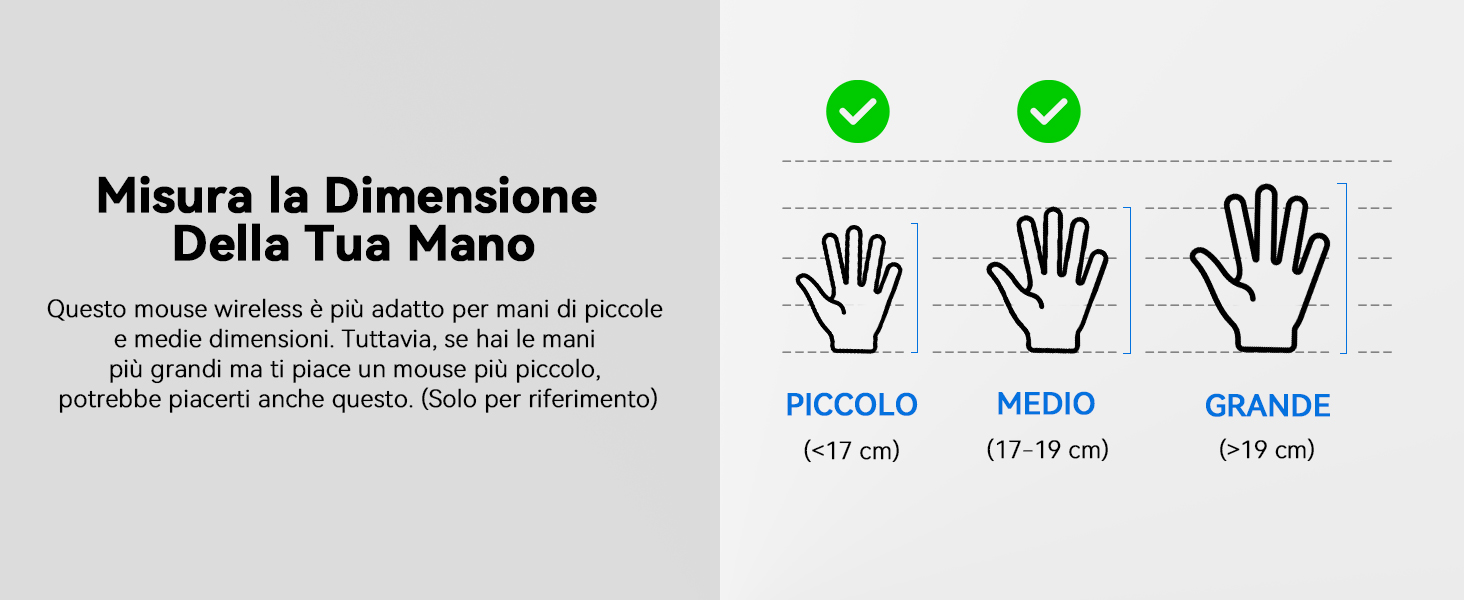
This mouse is suitable for small to medium hand sizes. Refer to the guide for reference.
Funcións de aforro de enerxía
The mouse includes intelligent power-saving features:
- Modo de suspensión automática: If inactive for 10 seconds, the mouse enters standby mode. After 10 minutes of inactivity, it enters deep sleep mode to conserve battery.
- Función de espertar: Preme calquera botón para activar o rato do modo de suspensión.
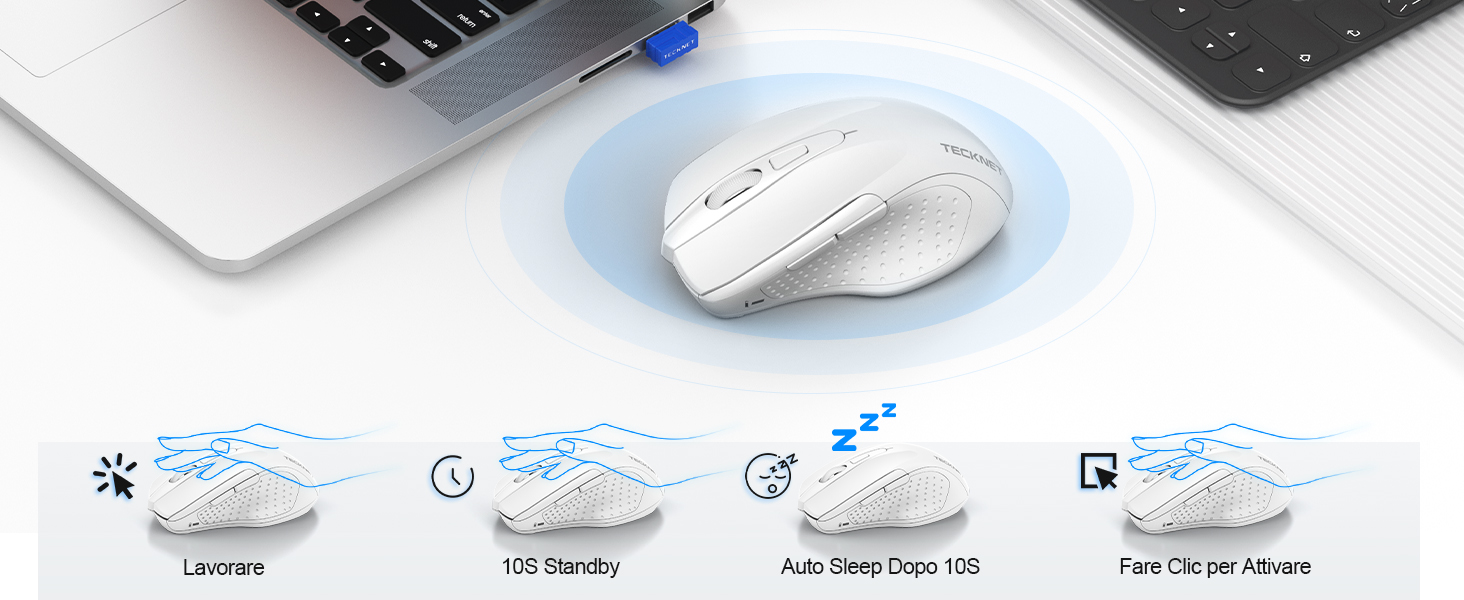
Power saving modes for extended battery life.
Mantemento
- Limpeza: Usa un pano suave e seco para limpar o rato. Para a sucidade persistente, usa un pano lixeiramente seco.amp pódese usar un pano, garantindo que non entre humidade no dispositivo.
- Cargando: Recharge the mouse when the indicator light signals low battery. Avoid completely draining the battery frequently to prolong its lifespan.
- Almacenamento: When not in use for extended periods, turn off the mouse and store the USB receiver in its designated compartment.
Resolución de problemas
| Problema | Causa posible | Solución |
|---|---|---|
| O rato non responde | Low battery; USB receiver not connected; Mouse switched off; Driver issue. | Charge the mouse; Ensure USB receiver is securely plugged in; Turn on the mouse; Try a different USB port; Restart computer. |
| Conexión intermitente ou atraso | Interference from other wireless devices; Distance from receiver; Obstructions. | Move closer to the receiver; Remove obstructions; Avoid using near other 2.4GHz devices; Try a different USB port. |
| O movemento do cursor é errático ou impreciso | Dirty optical sensor; Unsuitable surface; Incorrect DPI setting. | Clean the optical sensor; Use a mouse pad or a smooth, non-reflective surface; Adjust DPI settings. |
| Mouse does not charge | Faulty charging cable; Faulty USB port; Mouse issue. | Try a different USB-C cable; Try a different USB power source; Contact customer support if the issue persists. |
Especificacións
| Marca | TECNET |
| Número de modelo | TK-MS009 |
| Cor | Branco |
| Tecnoloxía de conectividade | Sen fíos de 2.4 GHz (receptor USB) |
| Características especiais | Rechargeable, Long Battery Life, Silent Click, Ergonomic Design |
| Tecnoloxía de detección de movemento | Óptica |
| Número de botóns | 6 |
| Orientación das mans | Destro |
| Dispositivos compatibles | Laptop, PC, Chromebook, Computer |
| Sistemas operativos | Windows 11/10/8.1/8/7/Vista/XP, Linux, Mac OS (side buttons not available on Mac OS) |
| Duración media da batería | 1050 Hours (approx. 1-2 months on 2-hour charge) |
| Sensibilidade máxima | 4800 DPI |
| distancia wireless | 15 metros |
| Dimensións (L x W) | 10.6 cm de longo x 6.8 cm de ancho |
| Material | Plástico |
Garantía e Soporte
TECKNET offers a 36 meses de garantía for registered users. If you encounter any issues during the use of your mouse, please contact our professional customer service team as soon as possible. We are committed to assisting you in resolving any problems.
For support, please visit the official TECKNET websitio web ou consulte a información de contacto que se inclúe na embalaxe do produto.
Recursos en liña:


