
1. Introdución
Thank you for choosing the BINNUNE 2.4GHz Wireless Gaming Headset. This manual provides detailed instructions to help you set up, operate, and maintain your headset for an optimal gaming and audio experience across various platforms including PS5, PS4, PC, Mac, and mobile devices via Bluetooth.
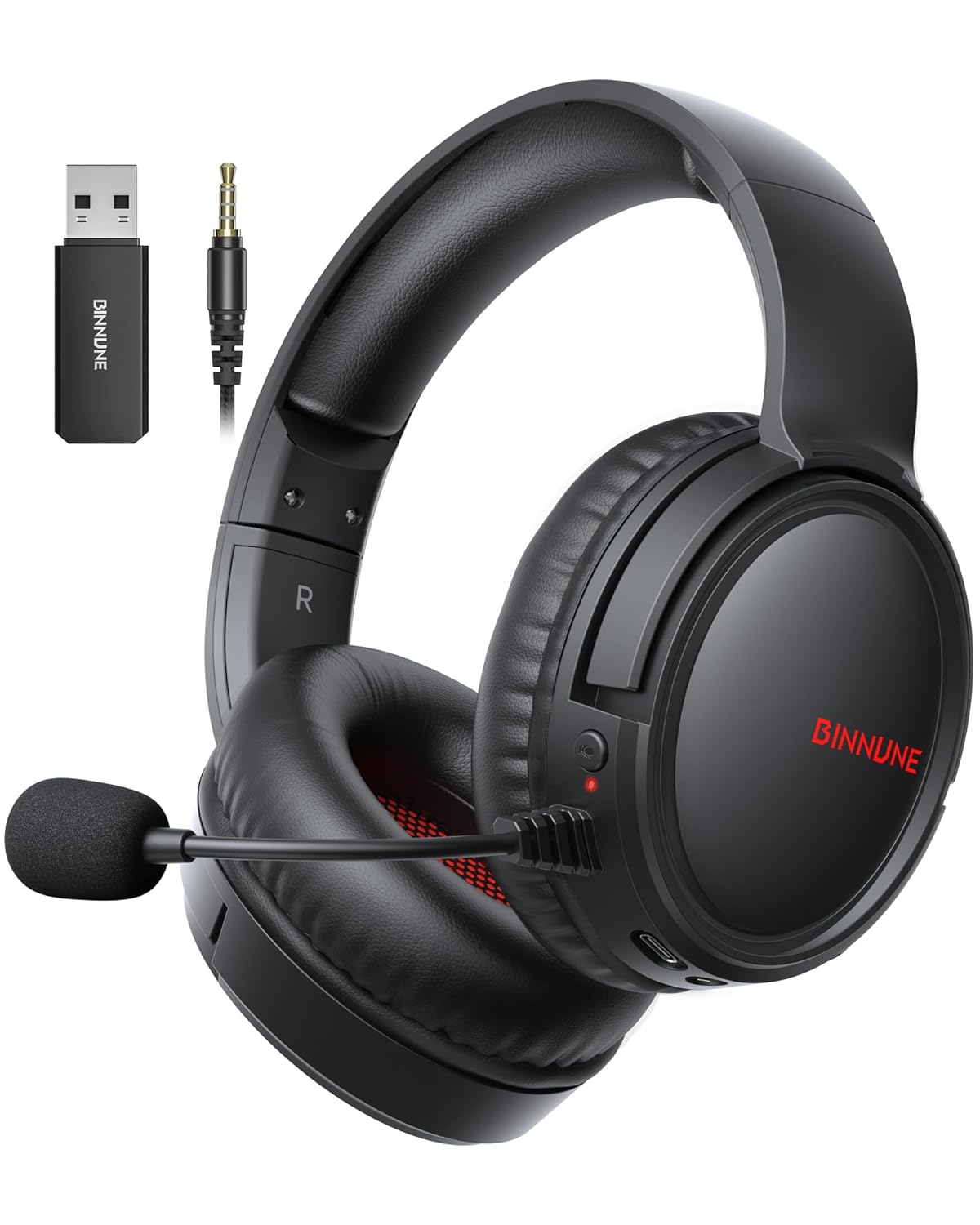
Figure 1: BINNUNE Wireless Gaming Headset (Model BW02-BT) with included accessories.
2. Que hai na caixa
- BINNUNE Wireless Gaming Headset (BW02-BT)
- Dongle USB de 2.4 GHz
- Cable de audio de 3.5 mm
- Cable de carga USB-C
- Manual de usuario

Figure 2: All components included with your BINNUNE Gaming Headset.
3. Produto rematadoview e Controis
Familiarize yourself with the headset's controls and ports for seamless operation.
- Micrófono: Dual beamforming microphones with rotatable design for clear communication. Features ENC noise-canceling technology.
- Porto USB-C: Para cargar os auriculares.
- Conector de audio de 3.5 mm: For wired connection to compatible devices.
- Indicador LED: Displays power status, charging status, and connection mode.
- Botón de encendido: Mantén premido para acender/apagar.
- Roda de volume: Axusta o volume do son.
- Botón de silencio: Silencia/activa o micrófono.
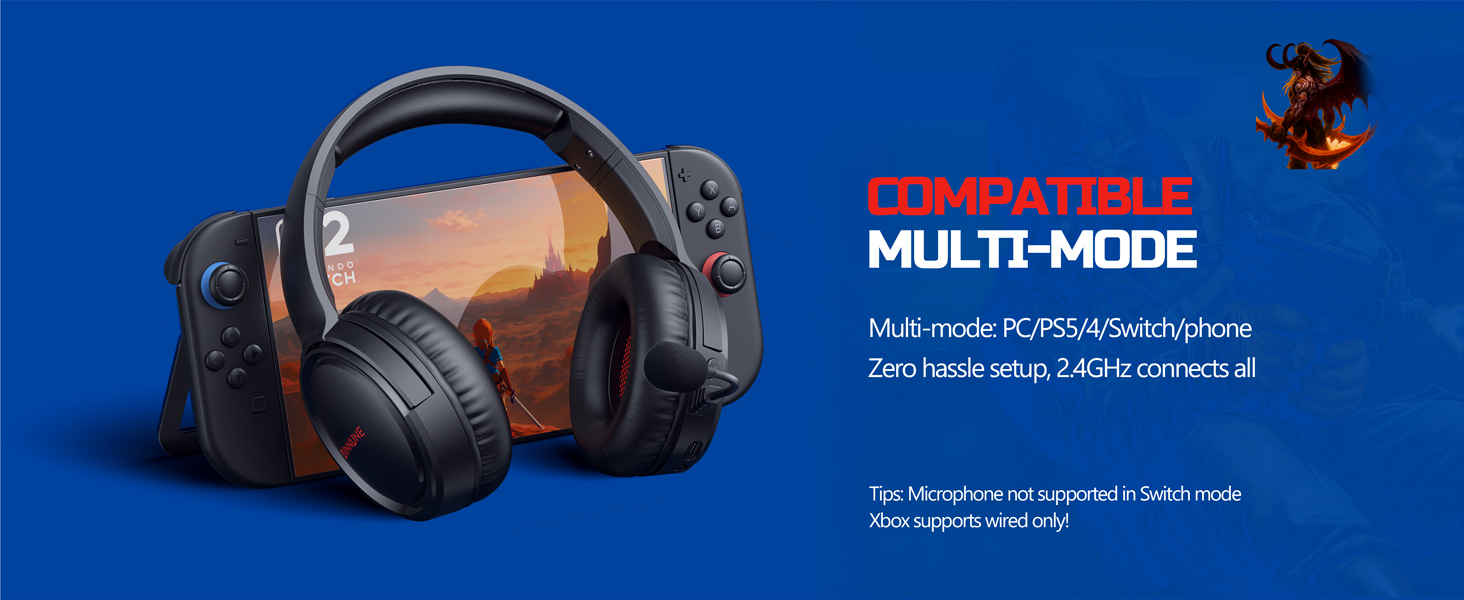
Figure 3: Key controls and ports on the BINNUNE Wireless Gaming Headset.
Vídeo 1: Unha rápida repeticiónview of the BINNUNE Gaming Headset's features and controls.
4. Configuración e conexión
4.1 Carga inicial
Before first use, fully charge your headset. Connect the USB-C charging cable to the headset's USB-C port and the other end to a USB power source. The LED indicator will show charging status and turn off when fully charged. A full charge takes approximately 6 hours.

Figure 4: The headset offers up to 40 hours of battery life on a single charge.
4.2 2.4GHz Wireless Connection (USB Dongle)
This mode provides ultra-low latency audio (≤38ms) for gaming on PS5, PS4, PC, and Mac.
- Plug the 2.4GHz USB dongle into an available USB port on your PS5/4, PC, or Mac.
- Power on your BINNUNE headset by pressing and holding the power button.
- The headset will automatically connect to the dongle. The LED indicator will show a stable light when connected.
Nota: The microphone is not available when connected to Nintendo Switch in 2.4GHz mode. Not compatible with XBOX.

Figure 5: The 2.4GHz USB dongle ensures a fast and stable connection.
4.3 Conexión Bluetooth
Use Bluetooth mode for mobile phones, tablets, iPads, and other smart devices.
- Asegúrese de que os auriculares están acendidos.
- No teu dispositivo, vai á configuración de Bluetooth e activa Bluetooth.
- Select "BINNUNE BW02-BT" from the list of available devices to pair.
- The LED indicator will flash during pairing and show a stable light once connected.
Nota: Bluetooth mode is not compatible with PS5/4. The microphone is not available when connected to Nintendo Switch in Bluetooth mode.
Conexión con cable 4.4 (cable de audio de 3.5 mm)
For devices that do not support wireless connectivity or when battery is low.
- Conecta un extremo do cable de audio de 3.5 mm á toma de audio de 3.5 mm dos auriculares.
- Connect the other end to the 3.5mm audio port on your gaming device (e.g., PS5/4 controller, PC, phone).
Nota: The microphone may not be available on some devices when using the wired connection.

Figure 6: Multiplatform compatibility of the BINNUNE headset across 2.4G, Bluetooth, and Wired modes.
Video 2: Demonstrating the multi-mode connectivity of BINNUNE Gaming Headsets for PS4/PS5/PC.
5. Instrucións de funcionamento
5.1 Encendido/apagado
Press and hold the Power Button for 3 seconds to turn the headset on or off. The LED indicator will light up or turn off accordingly.
5.2 Control de volume
Rotate the Volume Wheel up (+) to increase volume or down (-) to decrease volume.
5.3 Uso do micrófono
The headset features a rotatable microphone. Flip the microphone down to use it. Press the Mute Button to toggle microphone mute on or off. The ENC noise-canceling technology helps ensure clear voice transmission.
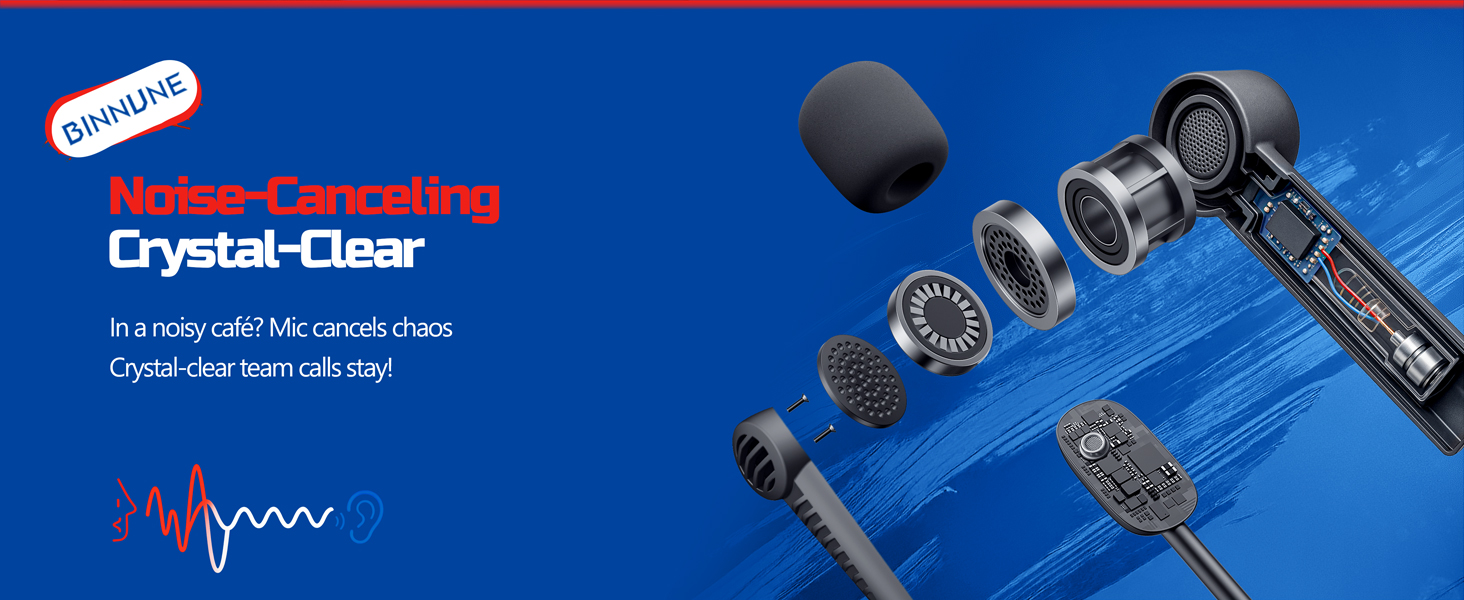
Figure 7: The noise-canceling microphone ensures crystal-clear voice calls by reducing background noise.
5.4 Cambio entre modos
The headset supports seamless switching between 2.4GHz and Bluetooth modes. Refer to section 4 for specific connection steps for each mode. The headset prioritizes the 2.4GHz connection when the dongle is active.
6. Mantemento
- Limpeza: Usa un pano suave e seco para limpar os auriculares. Evita o uso de produtos de limpeza abrasivos ou solventes.
- Almacenamento: Garde os auriculares nun lugar fresco e seco, lonxe da luz solar directa e de temperaturas extremas.
- Coidado da batería: Para prolongar a duración da batería, evite descargar completamente os auriculares con frecuencia. Cárgueos regularmente, mesmo se non os usa durante períodos prolongados.
7 Solución de problemas
| Problema | Causa posible | Solución |
|---|---|---|
| Non hai son dos auriculares. | Headset not powered on, low battery, incorrect connection mode, volume too low. | Ensure headset is on and charged. Check connection mode (2.4GHz/Bluetooth/Wired). Increase volume. |
| O micrófono non funciona. | Microphone muted, incorrect input device selected on computer/console, compatibility issue in certain modes. | Unmute microphone. Check audio settings on your device to ensure BINNUNE headset is selected as input. Note mode limitations (e.g., Switch, some wired connections). |
| Cannot connect via 2.4GHz dongle. | Dongle non inserido correctamente, interferencias, auriculares demasiado lonxe do dongle. | Ensure dongle is fully inserted. Move closer to the dongle. Try a different USB port. |
| Non se pode conectar por Bluetooth. | Os auriculares non están en modo de emparellamento, o Bluetooth do dispositivo está desactivado e xa está conectado a outro dispositivo. | Ensure headset is discoverable. Turn Bluetooth on your device. Disconnect from other devices. |
8. Especificacións
| Característica | Detalle |
|---|---|
| Nome do modelo | BW02-BT |
| Tecnoloxía de conectividade | Wireless (2.4GHz, Bluetooth 5.3), Wired (3.5mm Jack) |
| Tamaño do controlador de audio | 50 mm |
| Resposta en frecuencia | 20 Hz - 20,000 Hz |
| Sensibilidade | 96 dB |
| Audio Latency (2.4GHz) | 32 Milliseconds (≤38ms advertised) |
| Duración da batería | Ata 40 horas |
| Tempo de carga | 6 horas |
| Micrófono | Dual Beamforming with ENC Noise-Canceling |
| Material | Plastic (Headset), Leather (Ear Cushions) |
| Peso | 13.4 onzas |
| Dispositivos compatibles | Gaming Consoles (PS4, PS5), PC, Mac, Telephones, Laptops, Desktops |
9. Garantía e soporte
BINNUNE products are manufactured with high-quality standards. For any product-related inquiries, technical support, or warranty claims, please refer to the official BINNUNE store or contact their customer service directly.
Visita o BINNUNE Store on Amazon para máis información e apoio.