
1. Introdución
Thank you for choosing the Zeblaze Crystal 3 Smartwatch. This manual provides essential information for setting up, operating, maintaining, and troubleshooting your device. Please read it carefully to ensure proper use and optimal performance.
2. Produto rematadoview
The Zeblaze Crystal 3 is a versatile smartwatch designed for fitness tracking and daily use. It features a vibrant HD color display and high-precision sensors to monitor various health metrics.
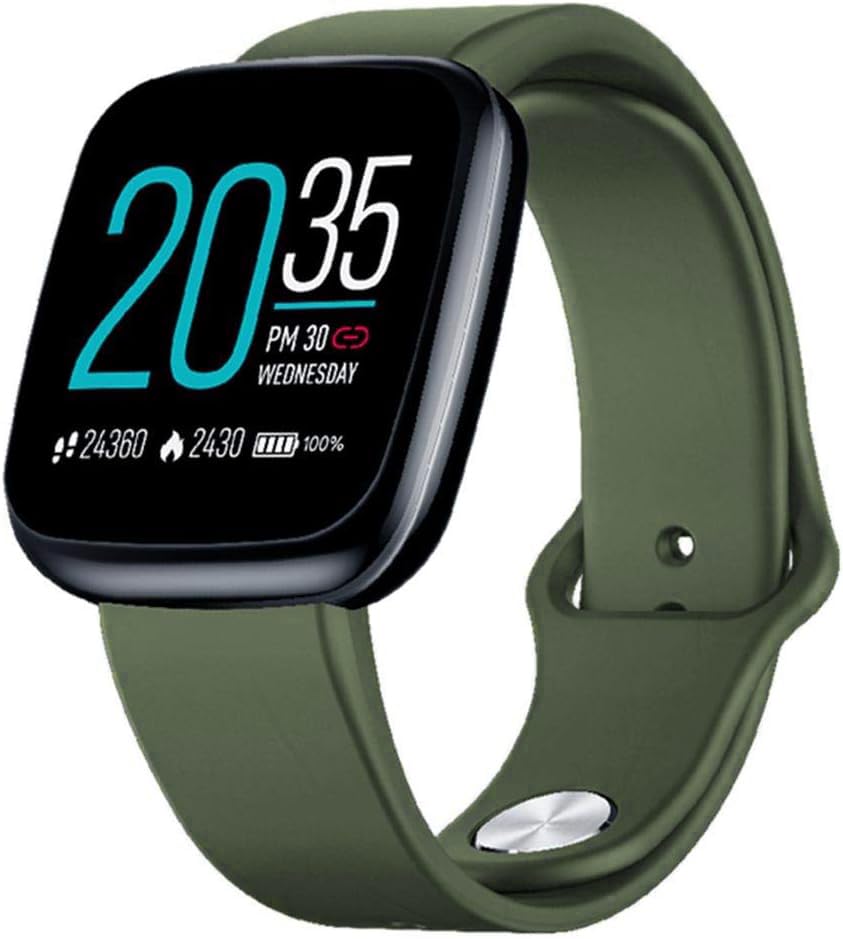
Image: Zeblaze Crystal 3 Smartwatch, showing the main display and green strap.
Características principais:
- 1.3-inch HD Color Screen: A vibrant IPS display with 240x240 pixel resolution for clear visuals.
- Sensores de alta precisión: Equipped with a heart rate sensor, proximity sensor, and accelerometer for accurate data collection.
- Resistencia á auga IP67: Designed to withstand daily water exposure, such as splashes and rain.
- Batería de longa duración: Up to 7 days of use on a single 2-hour charge, thanks to its 200 mAh battery.
- Seguimento da actividade: Monitors steps, distance, calories burned, and supports various sports modes.
- Vixilancia da saúde: Includes heart rate and sleep tracking.
- Compatibilidade con smartphones: Works with Android 4.4 or newer and iOS 8.0 or newer devices.
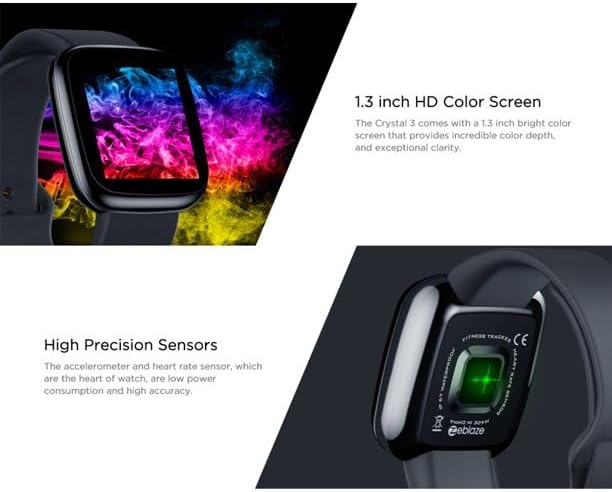
Image: Close-up of the 1.3-inch HD color screen and the high-precision heart rate sensor on the back of the watch.
3. Configuración
3.1 Cargar o reloxo intelixente
Before first use, fully charge your Zeblaze Crystal 3. Connect the charging cable to the watch's charging port and a USB power source (e.g., computer USB port or a 5V/1A USB adapter). A full charge typically takes about 2 hours.
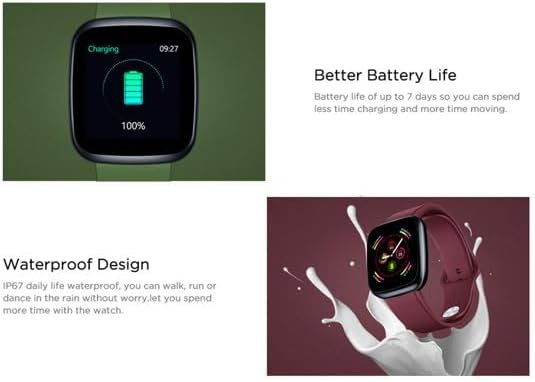
Image: Illustration showing how to connect the smartwatch to a USB port for charging.
3.2 Instalación e emparellamento da aplicación
- Descarga a aplicación: Busca the official Zeblaze companion app on your smartphone's app store (Google Play Store for Android or Apple App Store for iOS).
- Crear conta: Abre a aplicación e sigue as instrucións en pantalla para crear unha conta ou iniciar sesión.
- Parear dispositivo: Ensure Bluetooth is enabled on your smartphone. In the app, navigate to the device pairing section and select "Zeblaze Crystal 3" from the list of available devices. Confirm the pairing request on both your phone and the smartwatch.
- Profile Configuración: Complete your personal profile within the app to ensure accurate tracking of health and fitness data.
4. Instrucións de funcionamento
4.1 Navegación básica
- Activar pantalla: Levanta o pulso ou preme o botón lateral para activar a pantalla.
- Pase o dedo cara arriba/abaixo: Access notifications or quick settings.
- Pase o dedo cara á esquerda/dereita: Navigate through different functions and widgets (e.g., heart rate, activity data, weather).
- Toca: Selecciona un elemento ou confirma unha acción.
- Prensa longa: On the main watch face, long press to change watch faces.
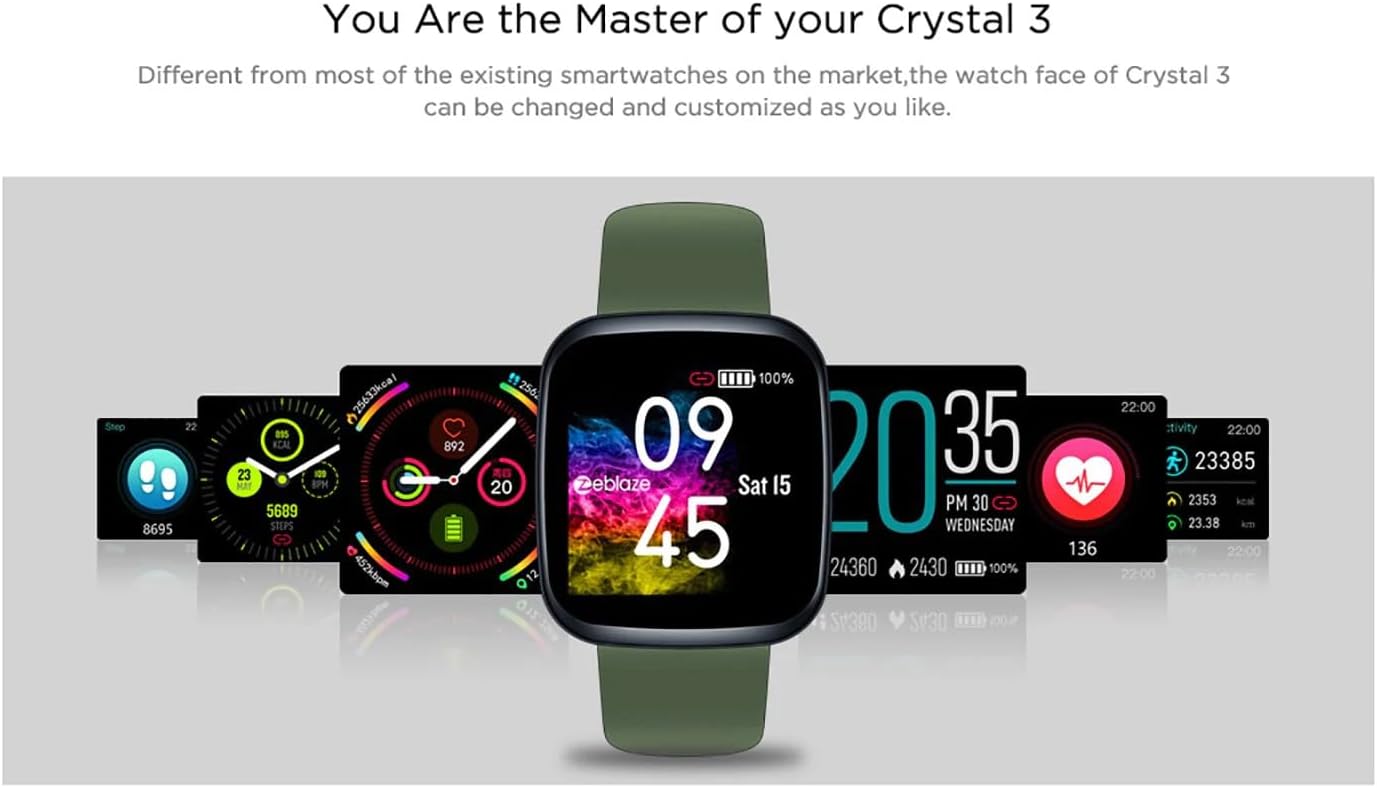
Image: The Zeblaze Crystal 3 displaying different customizable watch faces and data screens.
4.2 Seguimento de actividades
The smartwatch automatically tracks your daily steps, distance, and calories burned. You can view this data directly on the watch or in more detail within the companion app.
4.3 Monitorización da frecuencia cardíaca
The built-in heart rate sensor continuously monitors your heart rate. Ensure the watch is worn snugly on your wrist for accurate readings. View your current and historical heart rate data in the app.
4.4 Monitorización do sono
Wear the smartwatch to bed to track your sleep patterns. The device records sleep duration and quality, which can be reviewed in the app to help you understand and improve your sleep habits.
5. Mantemento
5.1 Limpeza do dispositivo
Regularly clean your smartwatch and strap to prevent skin irritation and maintain functionality. Use a soft, damp cloth to wipe the screen and strap. Avoid using harsh chemicals or abrasive materials.
5.2 Resistencia á auga (IP67)
The Zeblaze Crystal 3 is IP67 water-resistant, meaning it is protected against dust and can withstand immersion in water up to 1 meter for up to 30 minutes. It is suitable for daily use, such as washing hands, rain, or light splashes. It is not recommended for swimming, showering with hot water, or diving.

Image: Illustration highlighting the waterproof design of the Zeblaze Crystal 3 Smartwatch.
5.3 Coidado coa batería
- Evita temperaturas extremas, que poden prexudicar a duración da batería.
- Do not leave the device fully discharged for extended periods.
- Emprega só o cable de carga incluído ou un equivalente certificado.
6 Solución de problemas
6.1 O dispositivo non se acende
- Asegúrate de que o dispositivo estea completamente cargado. Conéctao ao cargador durante polo menos 30 minutos.
- Tenta premer e manter premido o botón lateral durante 10-15 segundos para forzar un reinicio.
6.2 Non se pode emparellalo co teléfono intelixente
- Make sure Bluetooth is enabled on your phone and the smartwatch is within range.
- Reinicia tanto o teu teléfono intelixente como o reloxo intelixente.
- Comproba se a aplicación está actualizada á última versión.
- Esquece o dispositivo da configuración de Bluetooth do teu teléfono e tenta emparellalo de novo a través da aplicación.
6.3 Inaccurate Heart Rate/Activity Data
- Asegúrate de levar o reloxo ben axustado ao pulso, nin demasiado axustado nin demasiado solto.
- Limpa o sensor que está na parte traseira do reloxo.
- Update the smartwatch firmware via the companion app if an update is available.
7. Especificacións
| Característica | Detalle |
|---|---|
| Marca | Zeblaze |
| Nome do modelo | Cristal 3 |
| Mostrar | Pantalla IPS a cor de 1.3 polgadas |
| Resolución | 240*240 píxeles |
| Sensores | Heart Rate Sensor, Proximity Sensor, Accelerometer |
| Resistencia á auga | IP67 |
| Capacidade da batería | 200 mAh |
| Tempo de carga | Aprox. 2 horas |
| Duración da batería | Ata 7 días |
| Compatibilidade | Android 4.4+ / iOS 8.0+ |
| Dimensións | 4.05 x 3.55 x 1.2 cm (1.59 x 1.39 x 0.47 polgadas) |
| Peso | 27 gramos (0.95 onzas) |
| Conectividade | Bluetooth (for app pairing), USB (for charging) |
| Características especiais | Activity Tracker, Heart Rate Monitor, Sleep Monitor |
8. Garantía e soporte
For warranty information and customer support, please refer to the documentation included with your purchase or visit the official Zeblaze website. If you encounter any issues not covered in this manual, please contact Zeblaze customer service for assistance.