
1. Produto rematadoview
The Inefala 3.5mm Car Microphone is designed to enhance audio input for car stereo systems, Bluetooth-enabled head units, and other compatible audio receivers. It features a 3.5mm standard plug and a 3.5-meter (9-foot) cable for flexible placement. This electret condenser microphone offers high sensitivity, low impedance, and anti-noise capabilities, incorporating DSP noise reduction and CVC intelligent noise reduction for clear sound quality in various environments.

Figure 1: Inefala 3.5mm Car Microphone with clip and cable.
Que hai na caixa:
- 1 x 3.5MM Lavalier Clip Microphone
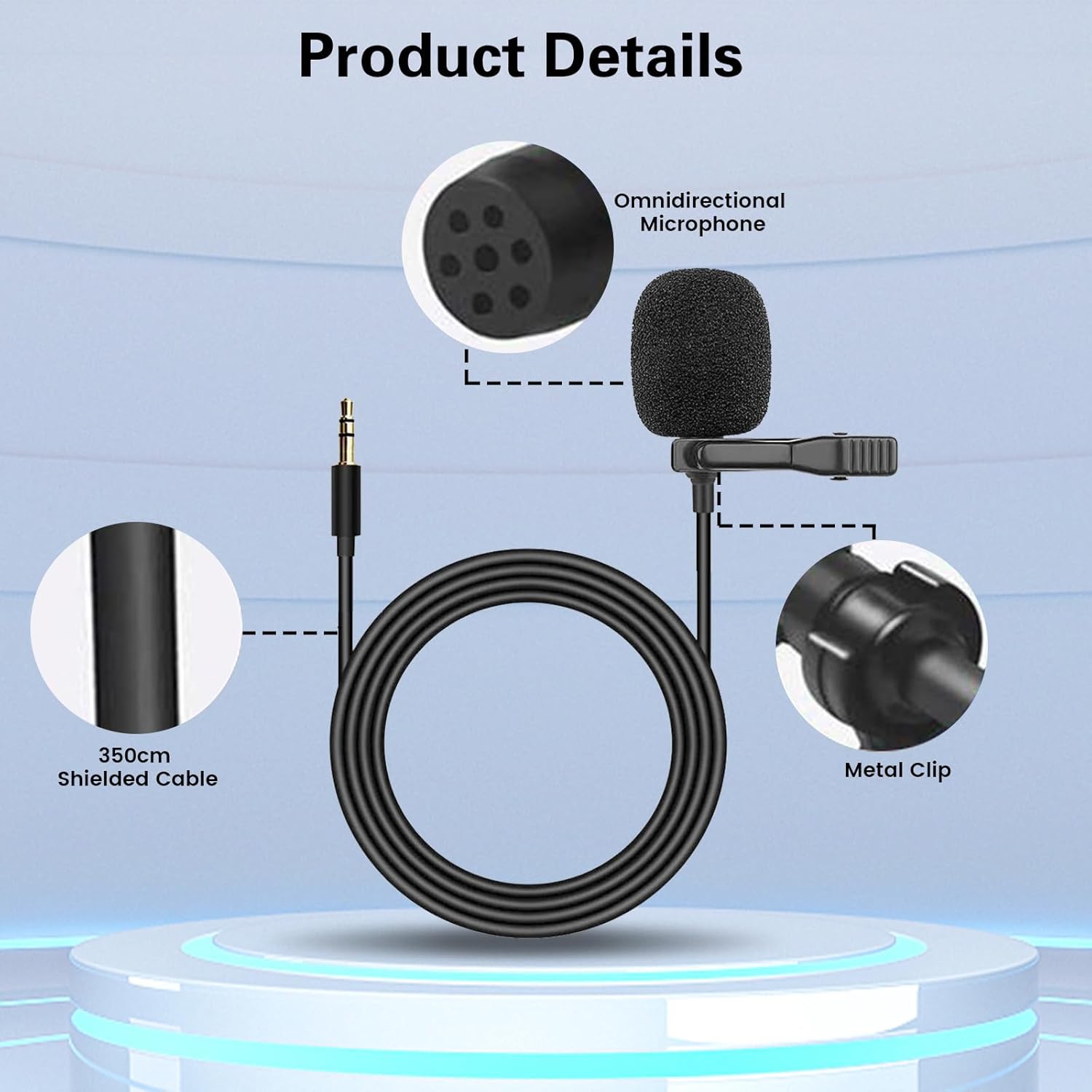
Figure 2: Product details showing the omnidirectional microphone, shielded cable, and metal clip.
2. Especificacións técnicas
| Característica | Especificación |
|---|---|
| Rango de frecuencias | 30Hz~15000Hz |
| Impedancia | 2.2K ohmios |
| Sensibilidade | -52dB ± 5dB |
| Enchufismo | 3.5 mm |
| Lonxitude do cable | 3.5 metros (9 pés) |
| Cor | Negro |
| Material | Plástico |
| Relación sinal-ruído | 52 dB |
| Patrón polar | Unidireccional |
| Peso do elemento | 1.76 onzas |
3. Configuración e instalación
Follow these steps to properly install your Inefala Car Microphone:
- Identify the Microphone Input: Locate the 3.5mm microphone input jack on your car stereo, CarPlay touch screen, vehicle head unit, or audio receiver. This is typically found on the rear panel of the unit.
- Conecta o micrófono: Insert the 3.5mm plug of the microphone cable into the designated microphone input jack.
- Ruta do cable: Utilize the 3.5-meter cable to route it discreetly through your vehicle's interior. The flexible cable allows for easy concealment along the dashboard, door frames, or under carpeting to reach your desired microphone placement location.
- Colocación do micrófono: The microphone features a U-shape fixing clip for versatile placement. Consider the following options for optimal sound pickup and hands-free operation:
- Parasol: Clip the microphone to your car's sun visor. This position is often ideal for capturing your voice clearly while minimizing ambient noise.
- Shirt Collar: For personal use, the microphone can be clipped to your shirt collar, ensuring it is close to your mouth for direct voice capture.
- Other Surfaces: The microphone can also be secured using adhesive (not included) to surfaces like the wall, glass, or other parts of the car interior, depending on your specific needs.

Figure 4: Microphone clipped to a car's sun visor.

Figure 5: Microphone clipped to a shirt collar for hands-free use.
- Proba a conexión: After installation, test the microphone with your car's audio system to ensure proper functionality and optimal sound quality.

Figure 3: Connecting the 3.5mm microphone plug to a car stereo unit.
4. Instrucións de funcionamento
The Inefala Car Microphone is designed for straightforward operation once connected to a compatible device.
- Comunicación mans libres: When connected to a car stereo or head unit with Bluetooth and hands-free calling capabilities, the microphone will automatically function as the primary audio input for calls. Ensure your car stereo settings are configured to use the external microphone if such an option is available.
- Redución de ruído: The microphone incorporates the latest DSP noise reduction chip and CVC intelligent noise reduction technology. This helps to neutralize high and low-frequency noises, effectively identifying and isolating your voice for clear communication, whether indoors or outdoors.
- Gravación de audio: If your connected device supports external microphone input for audio recording, the Inefala microphone can be used for this purpose. Refer to your device's manual for specific recording instructions.
Figure 6: Improved call clarity with the Inefala microphone.
5. Coidados e mantemento
To ensure the longevity and optimal performance of your Inefala Car Microphone, follow these simple care guidelines:
- Limpeza: Gently wipe the microphone and cable with a soft, dry cloth. Avoid using harsh chemicals, solvents, or abrasive cleaners, as these can damage the product.
- Almacenamento: When not in use, store the microphone in a cool, dry place, away from direct sunlight and extreme temperatures. Avoid tightly coiling the cable to prevent damage.
- Manexo: Handle the microphone and its cable with care. Avoid pulling on the cable or subjecting the microphone to strong impacts.
- Condicións ambientais: While the microphone is designed for in-car use, avoid exposing it to excessive moisture or dust, which can affect its performance.
6 Solución de problemas
If you encounter issues with your Inefala Car Microphone, refer to the following troubleshooting tips:
- Sen son ou volume baixo:
- Ensure the 3.5mm plug is fully inserted into the microphone input jack of your car stereo or device.
- Check the volume settings on your car stereo or connected device. Increase the microphone input level if available.
- Verify that your car stereo or device is configured to use an external microphone. Refer to your device's manual.
- Test the microphone with another compatible device if possible to rule out a device-specific issue.
- Ruído de fondo excesivo:
- Reposition the microphone. Ensure it is not too close to air conditioning vents, windows, or other sources of constant noise.
- Confirm the microphone is securely clipped or mounted to minimize vibrations.
- The microphone features DSP and CVC noise reduction; however, extreme noise environments may still affect performance.
- Conexión intermitente:
- Check the 3.5mm plug and jack for any debris or damage.
- Ensure the cable is not pinched or damaged along its route.
7. Garantía e atención ao cliente
Inefala provides the following support for your product:
- Garantía de calidade: The product comes with a 24-month quality assurance period from the date of purchase.
- Política de devolución: Hai dispoñible unha política de devolución gratuíta de 30 días.
- Atención ao cliente: For any questions, technical support, or warranty claims, please contact Inefala customer service. Online replies are typically provided within 24 hours.
Información de contacto:
Correo electrónico: inefalatech@163.com

Figure 7: Customer support contact details.