
Bytech BY-AU-BE-152-03
User Manual for Bytech Earbud Headphones
Model: BY-AU-BE-152-03
Marca: Bytech
Introdución
The Bytech BY-AU-BE-152-03 True Wireless Earbuds offer a unique "face changing" design, combining fun aesthetics with practical functionality. These earbuds are designed for ease of use, featuring auto-pairing and hands-free calling. They are compatible with voice assistants like Siri and Google Assistant, providing a versatile audio experience.

Figure 1: Front packaging of the Bytech BY-AU-BE-152-03 Earbud Headphones.
Face Changing Design
A distinctive feature of these earbuds is the "face changing" design on the charging case. The front panel of the case can be rotated to display different facial expressions, adding a playful element to the product.

Cara Triste

Cara feliz

Winking Face
Figure 5: Various expressions of the "face changing" design on the charging case.
Contido do paquete
Before proceeding with setup, please ensure all items listed below are present in your package:
- Estuche de carga
- 2 Verdadeiros auriculares sen fíos
- Cable de carga tipo C.
- Manual de instrucións
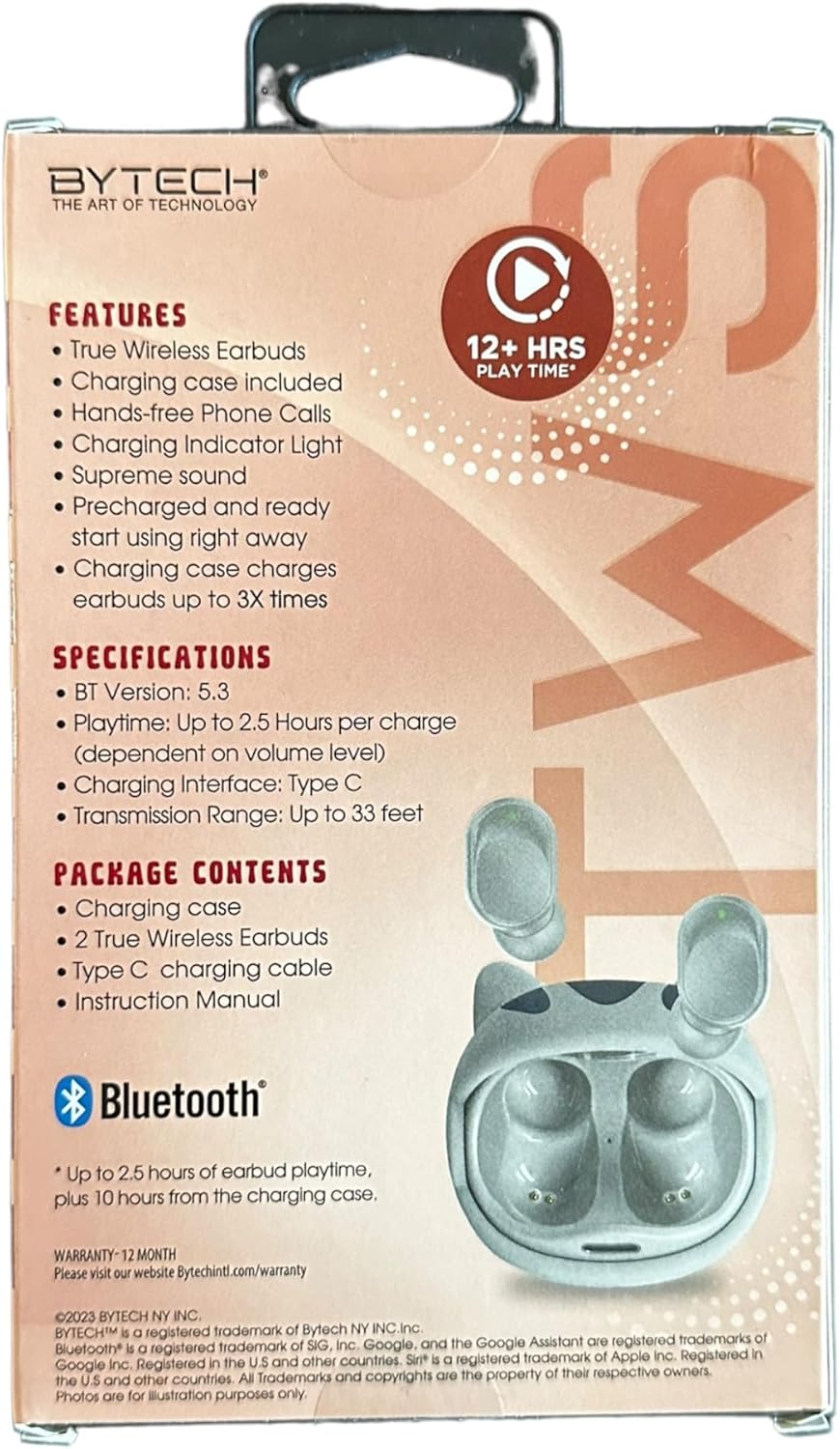
Figure 2: Back packaging detailing product features and contents.
Configuración
1. Carga dos auriculares e da funda
For optimal performance, fully charge the earbuds and the charging case before first use. The charging case can provide up to 3 full charges for the earbuds.
- Connect the provided Type C charging cable to the charging port on the case and to a compatible USB power source.
- The charging indicator light on the case will illuminate to show charging status.
- Coloca os auriculares no estoxo de carga. Comezarán a cargarse automaticamente.
- A full charge for the carrying case typically takes approximately 7.5 hours.

Figure 3: Packaging indicating charging capacity of the case.
2. Emparejamento cun dispositivo
The earbuds feature auto-pairing for convenient connection to your device.
- Asegúrate de que o Bluetooth estea activado no teu teléfono intelixente ou noutro dispositivo de son.
- Abre a caixa de carga. Os auriculares acenderanse automaticamente e entrarán no modo de emparellamento.
- On your device, search for Bluetooth devices and select "BY-AU-BE-152-03" (or similar name) from the list.
- Unha vez conectados, escoitarás un ton de confirmación e os auriculares estarán listos para usar.
- The transmission range is up to 33 feet (10 meters).
Instrucións de funcionamento
1. Acendido/apagado
- Encendido: Os auriculares acéndense automaticamente ao retiralos da caixa de carga.
- Apagado: Volva colocar os auriculares na caixa de carga para que se apaguen automaticamente e comecen a cargar.
2. Reprodución de música
Enjoy supreme sound quality for your audio. The earbuds provide up to 2.5 hours of playtime per charge.
- Reproducir/Pausa: Toca unha vez a área de control táctil de calquera dos auriculares.
- Próxima pista: Toca dúas veces o auricular dereito.
- Pista anterior: Toca dúas veces o auricular esquerdo.
- Control de volume: (Note: Volume control may be primarily managed via your connected device. Refer to your device's instructions.)
3. Xestión de chamadas
The earbuds support hands-free phone calls.
- Responder/Finalizar chamada: Toca unha vez a área de control táctil de calquera dos auriculares.
- Rexeitar a chamada: Manteña premida a área de control táctil de calquera dos auriculares durante 2 segundos.
4. Asistente de voz
Access your device's voice assistant directly from the earbuds.
- Activar o Asistente de voz (Siri/Asistente de Google): Toca tres veces a área de control táctil en calquera dos auriculares.
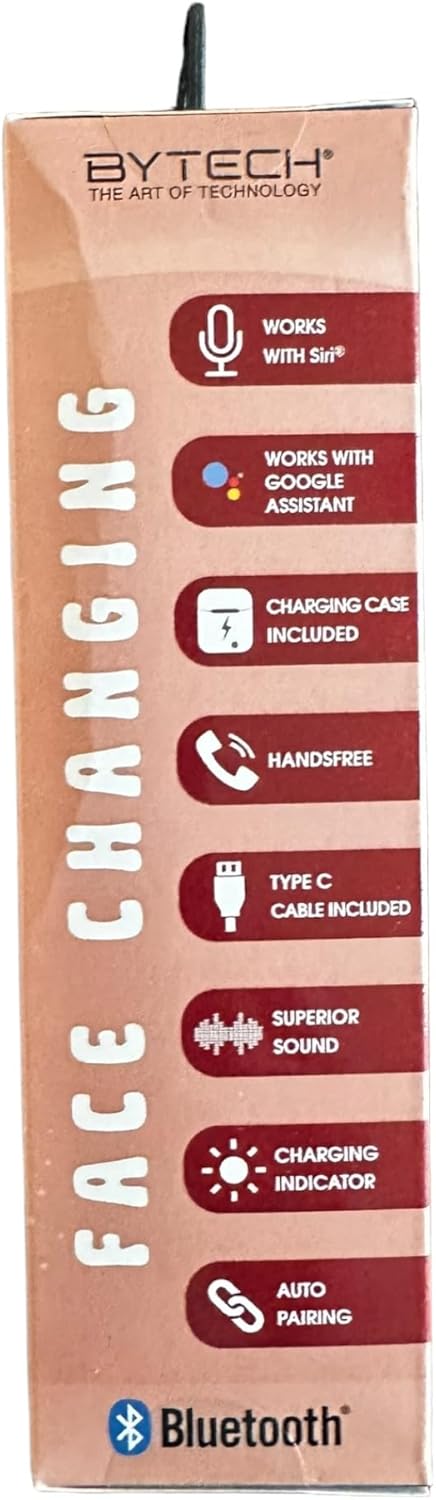
Figure 4: Packaging highlighting key operational features.
Mantemento
Un mantemento axeitado garante a lonxevidade e o rendemento óptimo dos teus auriculares.
- Limpeza: Usa un pano suave, seco e sen pelusa para limpar os auriculares e a funda de carga. Non empregues produtos químicos agresivos nin materiais abrasivos.
- Almacenamento: Cando non estean en uso, garde os auriculares no seu estoxo de carga para protexelos e mantelos cargados.
- Evitar a humidade: Manteña os auriculares e a funda lonxe da auga, da humidade e das temperaturas extremas.
- Cargando: Cargue o dispositivo regularmente, mesmo se non o usa con frecuencia, para manter a batería en bo estado.
Resolución de problemas
If you encounter issues with your Bytech Earbud Headphones, refer to the following common solutions:
| Problema | Posible Solución |
|---|---|
| Os auriculares non se emparejan. |
|
| Non se escoita son polos auriculares. |
|
| Os auriculares non cargan. |
|
| Mala calidade da chamada. |
|
Especificacións
Detailed technical specifications for the Bytech BY-AU-BE-152-03 Earbud Headphones:
| Característica | Detalle |
|---|---|
| Nome do modelo | BY-AU-BE-152-03 |
| Versión Bluetooth | 5.3 |
| Tempo de reprodución por carga | Ata 2.5 horas |
| Interfaz de carga | Tipo C |
| Alcance de transmisión | Ata 33 pés (10 metros) |
| Duración media da batería da caixa de transporte | 7.5 Hours (additional playtime) |
| Tempo de carga da batería na caixa de transporte | 7.5 horas |
| Tipo de control | Google Assistant, Siri (Voice Control) |
| Compoñentes incluídos | Cable, Manual de usuario |
| Material | Plástico |
| Peso do elemento | 3.1 onzas |
| Fabricante | BYTECH |
| UPC | 805112118816 |
Información da garantía
Este produto está cuberto por a 12 meses de garantía from the date of purchase. For detailed warranty terms and conditions, please visit the official Bytech websitio:
Conserve o comprobante de compra para calquera reclamación de garantía.
Apoio
For further assistance, technical support, or inquiries regarding your Bytech Earbud Headphones, please visit the Bytech official websitio ou póñase en contacto co seu servizo de atención ao cliente.
Oficial Websitio: www.bytechintl.com
Consulte o websitio web para obter información de contacto, preguntas frecuentes e recursos adicionais.
Ask a question about this manual
Ask about setup, troubleshooting, compatibility, parts, safety, or missing instructions. Manuals+ will review the question and use this page’s manual context to help answer it.