
Ctronics CTIPC-640C-M12B
Ctronics 4K 8MP Wi-Fi PTZ Outdoor Security Camera
Manual de usuario
1. Introdución
Thank you for choosing the Ctronics 4K 8MP Wi-Fi PTZ Outdoor Security Camera. This manual provides detailed instructions for the installation, operation, and maintenance of your new security camera. Please read this manual thoroughly before use to ensure proper functionality and safety.
This camera is designed to provide comprehensive outdoor surveillance with advanced features such as 4K Ultra HD resolution, Pan-Tilt-Zoom capabilities, intelligent detection, and versatile storage options.

Image: The Ctronics 4K 8MP Wi-Fi PTZ Outdoor Security Camera, showcasing its sleek black design and dual antennas.
2. Información de seguridade
Observe as seguintes precaucións de seguridade para evitar danos ao produto ou lesións a vostede mesmo ou a outras persoas:
- Ensure the power supply matches the camera's specifications (12 Volts, 24 Watts).
- Do not expose the camera to extreme temperatures outside its operating range.
- Evite a exposición directa á luz solar intensa durante períodos prolongados, xa que pode afectar á calidade da imaxe.
- Manteña a cámara lonxe de campos magnéticos fortes.
- Non intente desmontar nin modificar a cámara. Encargue calquera mantemento a persoal cualificado.
- Ensure all cables are properly secured to prevent tripping hazards or accidental disconnection.
3. Contido do paquete
Verifica que todos os elementos estean incluídos no teu paquete:
- Ctronics 4K 8MP Wi-Fi PTZ Outdoor Security Camera
- Adaptador de alimentación
- Parafusos de montaxe e tacos de parede
- Waterproof Kit for Network Cable
- Guía de inicio rápido
4. Produto rematadoview
Familiarize yourself with the main components of your camera:
- Lente: Captura vídeo footage.
- LEDs IR: Provide infrared illumination for night vision.
- Focos: Enhance color night vision and act as deterrents.
- Micrófono: Captura audio para a comunicación bidireccional.
- Relator: Outputs audio for two-way communication and alarms.
- Antenas: Para conectividade Wi-Fi.
- Ranura para tarxeta Micro SD: For local storage (supports up to 256GB, not included).
- Botón de reinicio: Úsase para restablecer a cámara á configuración de fábrica.
- Porto de alimentación: Conéctase ao adaptador de alimentación.
- Porto Ethernet: Para conexión de rede con cable (opcional).
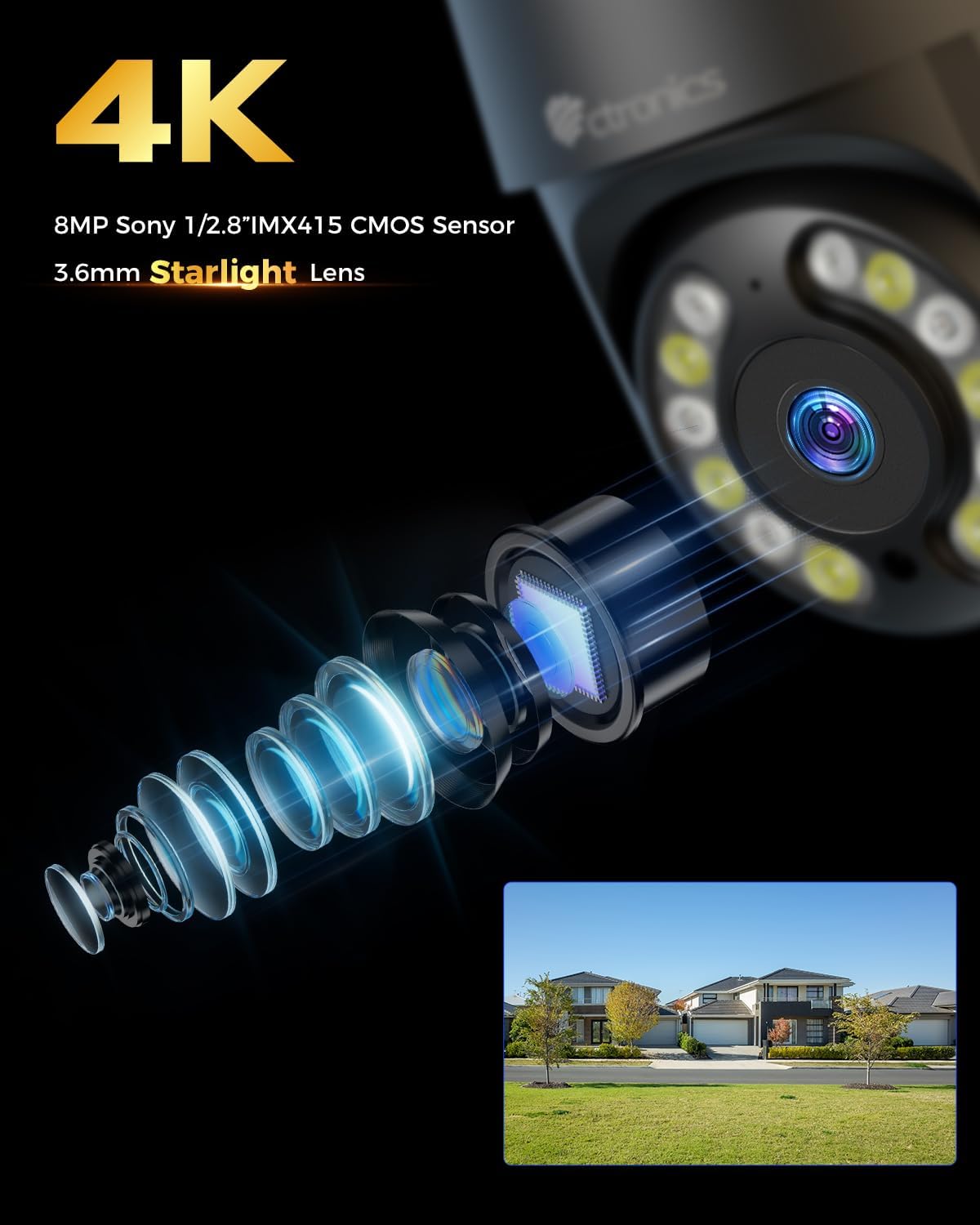
Imaxe: Primeiro plano view of the camera's 4K 8MP Sony 1/2.8" IMX415 CMOS Sensor and 3.6mm Starlight Lens, highlighting its advanced optical components.
5. Configuración
5.1 Instalación física
A cámara admite tanto a montaxe no teito como na parede. Escolla unha localización que proporcione a imaxe desexada viewing angle and is within Wi-Fi range or near an Ethernet port.
- Marcar as posicións de perforación: Use the mounting template (if provided) or the camera base to mark the screw holes on the wall or ceiling.
- Perforación: Fai buratos nas posicións marcadas e introduce os tacos de parede.
- Protexe a cámara: Align the camera base with the drilled holes and secure it with the provided screws.
- Conectar enerxía: Conecta o adaptador de corrente ao porto de alimentación da cámara e conéctao a unha toma de corrente.

Image: Illustrates two flexible installation methods for the Ctronics camera: wall-mounted and ceiling-mounted, demonstrating its versatility.
5.2 Conexión de rede
The camera supports dual-band Wi-Fi (2.4GHz and 5GHz) for flexible connectivity.
- Conexión Wi-Fi: For wireless setup, ensure your Wi-Fi network is active. The camera will connect to your chosen network during the app setup process.
- Conexión Ethernet (opcional): For a stable wired connection, connect an Ethernet cable from your router to the camera's Ethernet port.
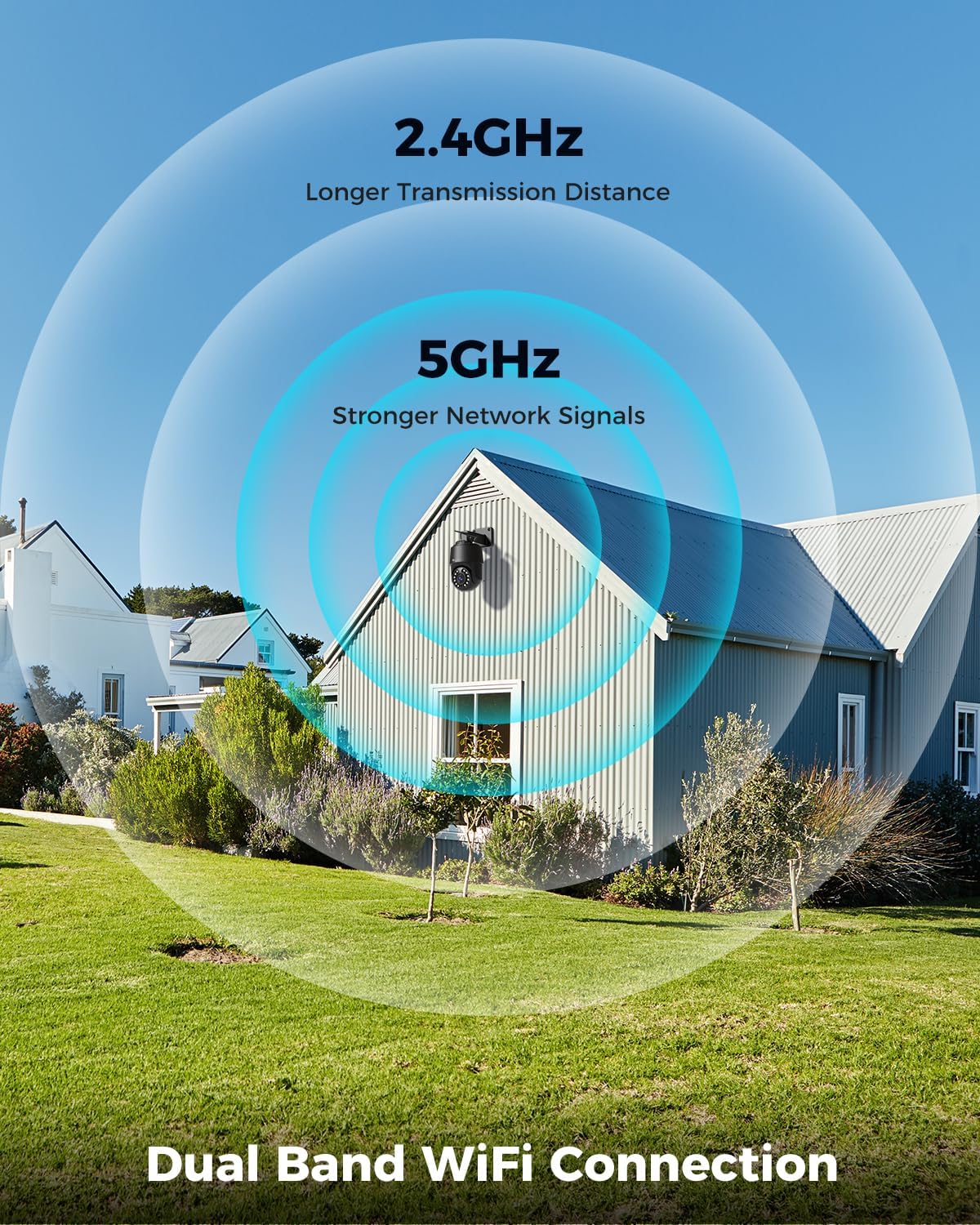
Image: Depicts the camera's dual-band Wi-Fi capability, showing 2.4GHz for longer transmission distance and 5GHz for stronger network signals, ensuring reliable connectivity.
5.3 Instalación da aplicación e configuración inicial
Download the 'Ctronics PRO' or 'HIP2P' app from your mobile app store (iOS/Android) or the Ctronics website for PC/Mac clients.
- Descarga a aplicación: Busca "Ctronics PRO" or "HIP2P" in the App Store or Google Play Store and install it.
- Rexistrar conta: Abre a aplicación e rexistra unha nova conta ou inicia sesión se xa tes unha.
- Engadir dispositivo: Tap the "+" icon to add a new device. Follow the on-screen instructions to scan the QR code on the camera or manually enter the device ID.
- Configurar a rede: If connecting via Wi-Fi, select your Wi-Fi network and enter the password. The camera will then connect.
- Definir contrasinal: Create a strong password for your camera for security.

Image: Shows the broad compatibility of the Ctronics camera with various operating systems and platforms, including iOS, Android, Mac OS, Windows, Ctronics Pro app, and HiP2P client.
6. Funcionamento da cámara
6.1 En directo View
Once connected, you can access the live video feed from your camera through the app. This allows you to monitor your property in real-time.
6.2 PTZ Control (Pan, Tilt, Zoom)
The camera features 355° pan and 90° tilt capabilities, along with 5x optical zoom.
- Panorama/inclinación: Use the directional controls in the app to move the camera horizontally and vertically.
- Zoom: Use the zoom controls in the app to optically zoom in or out on objects.
- Posicións predefinidas: Set up to 8 preset positions for quick navigation to specific areas.

Image: Illustrates the camera's PTZ (Pan-Tilt-Zoom) functionality, showing its 355° pan and 90° tilt range for comprehensive coverage.
6.3 Detection Features & Auto Tracking
The camera can accurately detect people, vehicles, and pets, and automatically track them.
- Activar a detección: In the app settings, enable person, vehicle, or pet detection.
- Seguimento automático: When enabled, the camera will automatically follow detected subjects within its field of view.
- Notificacións de alarma: Receive real-time alarm notifications on your mobile device when motion is detected.
- Alarma sonora e luminosa: The camera can activate a sound and red/blue light alarm at night to deter intruders. This feature can be toggled on/off in the app.

Image: Demonstrates the camera's advanced detection capabilities, highlighting its ability to identify and auto-track humans, vehicles, and pets, keeping them in focus.
6.4 Visión nocturna
The camera offers both infrared (IR) and color night vision modes.
- Visión nocturna IR: Provides clear black and white images up to 50 meters in low light or complete darkness.
- Visión nocturna en cor: Utilizes built-in spotlights to provide full-color images up to 45 meters at night.

Image: Shows the camera's 4K Color/IR Night Vision capabilities, with bright spotlights illuminating a dark scene, available for audio and red & blue light alarm.
6.5 Audio bidireccional
Comuníquese cos visitantes ou disuada os intrusos usando o micrófono e o altofalante integrados.
- Fala: Toca a icona do micrófono na aplicación para falar polo altofalante da cámara.
- Escoitar: O micrófono da cámara capta o son do seu contorno.
6.6 Opcións de gravación
A cámara admite varios métodos de gravación:
- Tarxeta Micro SD: Insert a Micro SD card (up to 256GB, not included) into the camera's slot for continuous 24/7 recording or scheduled recordings.
- NVR/NAS: Connect the camera to a Network Video Recorder (NVR) or Network Attached Storage (NAS) for extended recording and management.
- Almacenamento na nube: Optional cloud storage services may be available through the app for secure off-site backup of your footage.

Image: Displays the camera's versatile storage options, including support for up to 256GB Micro SD card (not included), NVR/NAS for 24/7 recording, FTP, and Ctronics Cloud storage.
6.7 Multi-User Sharing and Remote Access
Share camera access with family and friends, and view footage remotamente desde calquera lugar.
- Compartindo: Share access to the camera feed with up to four users simultaneously through the app.
- Acceso remoto: Acceso en directo view and recorded videos from your iOS, Android, Mac, or Windows devices via the Ctronics PRO or HIP2P app/software.
7. Mantemento
To ensure optimal performance and longevity of your Ctronics camera, follow these maintenance guidelines:
- Limpeza: Regularly wipe the camera lens and body with a soft, dry cloth to remove dust and dirt. Do not use harsh chemicals or abrasive cleaners.
- Actualizacións de firmware: Check the app periodically for firmware updates. Keeping your camera's firmware up-to-date ensures you have the latest features and security enhancements.
- Inspección de cables: Periodically inspect all cables and connections for any signs of wear or damage. Ensure waterproof connections are sealed properly.
- Xestión de almacenamento: If using a Micro SD card, regularly back up important footage and consider formatting the card periodically to maintain performance.
8 Solución de problemas
Se tes problemas coa túa cámara, consulta os seguintes problemas e solucións comúns:
| Problema | Causa posible | Solución |
|---|---|---|
| Cámara sen conexión | No power; Wi-Fi signal weak/disconnected; Router issue | Check power connection; Move camera closer to router or use Ethernet; Restart router |
| Mala calidade de imaxe | Dirty lens; Insufficient lighting; Network bandwidth issue | Clean lens; Ensure adequate lighting or enable color night vision; Check network speed |
| A detección de movemento non funciona | Detection sensitivity too low; Detection zone not set; Obstructions | Adjust sensitivity in app; Configure detection zones; Clear obstructions |
| O audio bidireccional non funciona | Microphone/speaker disabled in app; Volume too low; Network delay | Enable audio in app; Adjust volume; Check network stability |
| Cannot connect to 5GHz Wi-Fi | Router settings; Distance from router | Ensure router supports 5GHz and is configured correctly; 5GHz has shorter range, move camera closer |
If the problem persists, please contact Ctronics customer support for assistance.
9. Especificacións
| Característica | Especificación |
|---|---|
| Número de modelo | CTIPC-640C-M12B |
| Resolución | 4K (3840x2160p), 8 Megapixels |
| Zoom óptico | 5X |
| Rango de panorámica/inclinación | Panorama: 355°, Inclinación: 90° |
| Range de visión nocturna | IR: 50m, Color: 45m |
| Conectividade Wi-Fi | Dobre banda de 2.4 GHz/5 GHz |
| Opcións de almacenamento | Micro SD (up to 256GB), NVR/NAS, Cloud |
| Resistencia á auga | IP66 (Impermeable) |
| Fonte de alimentación | 12 voltios, 24 vatios |
| Material | Metal |
| Dimensións (L x W x H) | 21.99 x 15.99 x 22 cm |
| Peso | 1.28 kg |
| Dispositivos compatibles | Computer, Laptop, Tablet, Smartphone |
| Sistemas operativos | iOS, Android, Mac OS, Windows |
10. Garantía e soporte
Ctronics products come with a standard warranty. Please refer to the warranty card included in your package or visit the official Ctronics websitio web para obter información detallada sobre os termos e condicións da garantía.
For technical support, troubleshooting assistance, or any inquiries regarding your product, please contact Ctronics customer service through the following channels:
- Oficial Websitio: Visit the Ctronics official websitio web con preguntas frecuentes, artigos de soporte e información de contacto.
- Soporte por correo electrónico: Send an email to the support team (email address typically found on the website or quick start guide).
- Soporte na aplicación: Some issues can be resolved directly through the support features within the Ctronics PRO app.
When contacting support, please have your product model number (CTIPC-640C-M12B) and purchase information ready.
Ask a question about this manual
Ask about setup, troubleshooting, compatibility, parts, safety, or missing instructions. Manuals+ will review the question and use this page’s manual context to help answer it.