
Bmax Y13
Bmax Y13 13.3-inch Convertible Laptop User Manual
Modelo: Y13
Introdución
This manual provides essential information for setting up, operating, maintaining, and troubleshooting your Bmax Y13 13.3-inch Convertible Laptop. Please read this guide thoroughly to ensure proper use and to maximize the performance and longevity of your device.
Configuración
Desempaquetando o dispositivo
Carefully remove all components from the packaging. The box should contain the following items:
- Bmax Y13 Laptop
- 24W DC Power Adapter with replaceable plugs (US, UK, EU standards)
- Guía do usuario (este documento)
- Tarxeta de Garantía
- Documento de seguridade

The Bmax Y13 laptop in a convertible configuration, showcasing its flexible design.
Initial Charging and Power On
- Connect the power adapter to the laptop's charging port and then to a power outlet. Allow the laptop to charge for at least 30 minutes before first use.
- Press the power button, typically located on the side or top right of the keyboard, to turn on the laptop.
- Follow the on-screen instructions to complete the initial Windows 10 setup, including language, region, network connection, and user account creation.
Instrucións de funcionamento
Xestión de enerxía
- Encendido: Preme o botón de acendido.
- Modo de suspensión: Prema brevemente o botón de acendido ou peche a tapa.
- Apagar: Fai clic no botón Inicio e, a seguir, en Acendido/Apagar > Apagar.
Convertible Modes
The Bmax Y13 features a 360-degree hinge, allowing it to transform into various modes:
- Modo portátil: Configuración estándar de portátil para escribir e ser produtivo.
- Modo tenda: Fold the screen back to form an inverted 'V' shape, ideal for watching videos or presentations in confined spaces.
- Modo de soporte: Fold the screen back further, resting the keyboard face down, suitable for touch-based interaction.
- Modo tableta: Fold the screen completely back against the base, converting the device into a tablet for portable use.
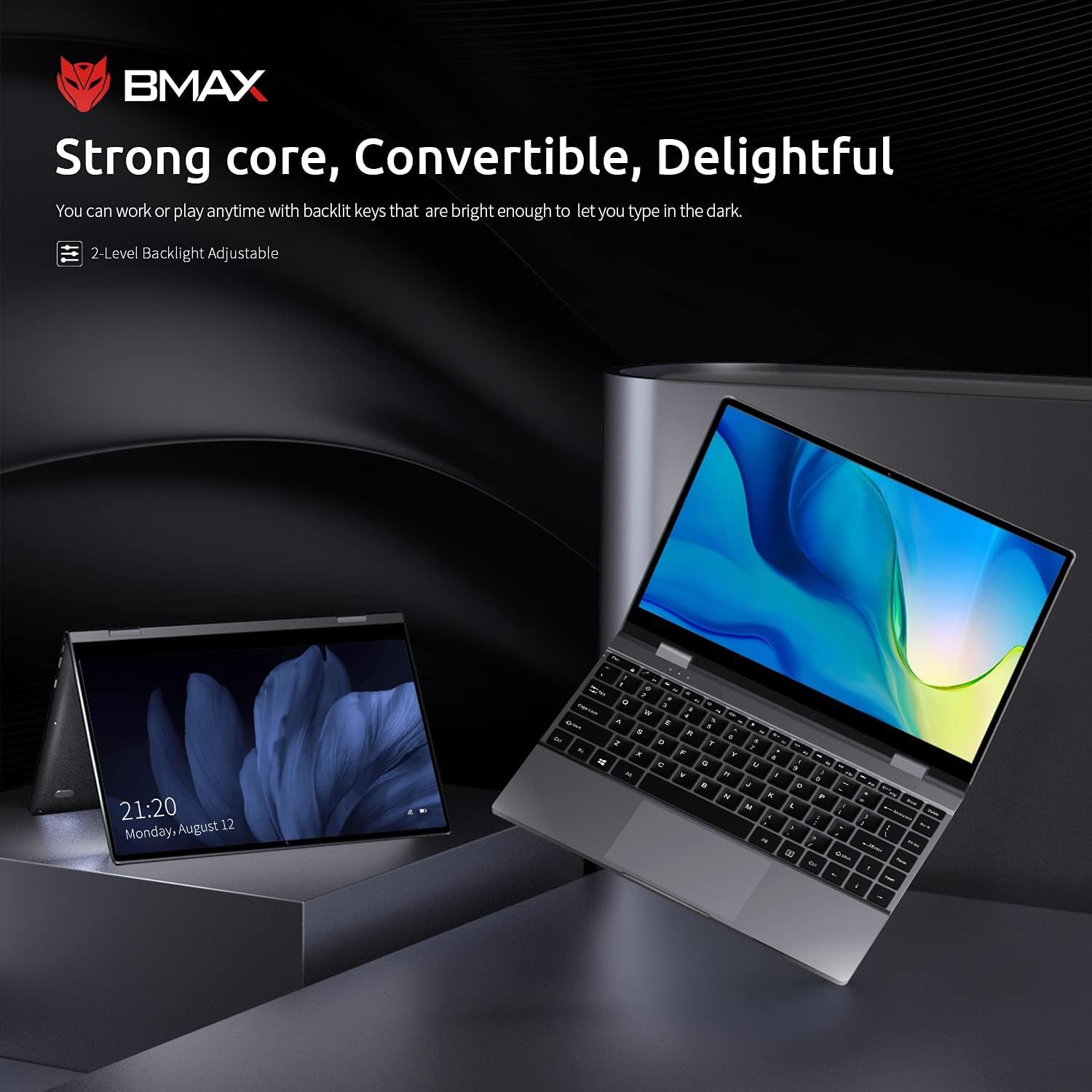
The Bmax Y13 laptop shown in both traditional laptop and tent modes, demonstrating its 2-in-1 versatility.
Funcionamento da pantalla táctil
The 13.3-inch FHD IPS display supports 10-point multi-touch. Use gestures similar to a smartphone or tablet for navigation, zooming, and interaction with applications.
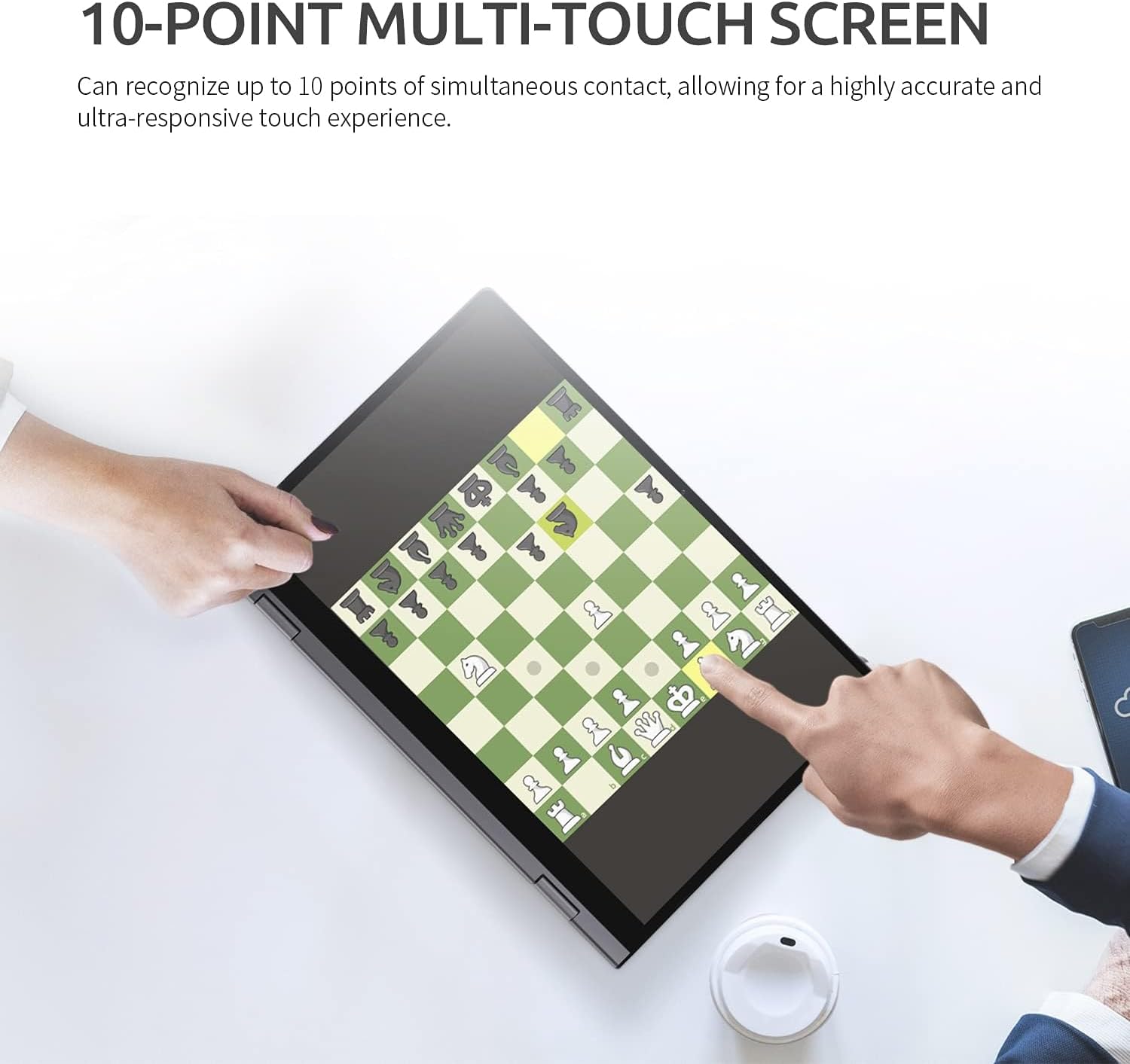
A user interacting with the Bmax Y13's 10-point multi-touch screen, playing a chess game, to demonstrate touch responsiveness.
Teclado e Touchpad
- Teclado retroiluminado: Preme o Fn + F2 keys to adjust the 2-level backlight brightness or turn it off.
- Touchpad: Supports multi-touch gestures for scrolling, zooming, and other functions. Refer to Windows settings for customization.
Conexión de periféricos
The laptop is equipped with various ports:
- Portos USB-C (x2): One port supports Power Delivery, HDMI output, and USB 3.0 data transfer. The second port supports USB 3.0 data transfer.
- Lector de tarxetas SD: Insert an SD card for expanded storage or data transfer.
- Conector combinado de audio: Conecta uns auriculares ou uns auriculares con micrófono.
Conectividade sen fíos
- Wi-Fi: Supports 802.11a/b/g/n/ac for high-speed wireless internet access. Configure through Windows network settings.
- Bluetooth 4.2: Connect wireless accessories such as mice, keyboards, or headphones. Enable and pair devices through Windows Bluetooth settings.
Mantemento
Limpeza do teu portátil
- Pantalla: Use un pano suave e sen pelusa lixeiramente dampLavar con auga ou cun limpador de pantallas. Evitar produtos químicos agresivos.
- Teclado e chasis: Usa un pano suave e seco. Para a sucidade persistente, un pano lixeiramente seco.amp pódese usar un pano, garantindo que non entre líquido nas aberturas.
- Portos: Use aire comprimido para limpar con coidado o po dos portos.
Coidado da batería
- Evite descargar completamente a batería con frecuencia.
- Do not expose the laptop to extreme temperatures.
- Se gardas o portátil durante un período prolongado, asegúrate de que a batería estea cargada aproximadamente entre o 50 e o 70 %.
Atención Xeral
- Protexa a pantalla de rabuñaduras pechando a tapa con coidado e evitando colocar obxectos enriba do teclado.
- Avoid dropping or subjecting the laptop to strong impacts.
Resolución de problemas
If you encounter issues with your Bmax Y13 laptop, refer to the following common problems and solutions:
- O portátil non se acende:
- Asegúrate de que o adaptador de corrente estea conectado correctamente tanto ao portátil como a unha toma de corrente que funcione.
- Verifica que a toma de corrente funcione conectando outro dispositivo.
- Se a batería está completamente descargada, déixea cargar un tempo antes de tentar acenderla.
- Problemas de visualización (por exemplo, ausencia de imaxe, parpadeo):
- Reinicie o portátil.
- Comprobe a configuración da pantalla en Windows para garantir que a resolución e a frecuencia de actualización sexan correctas.
- A pantalla táctil non responde:
- Reinicie o portátil.
- Ensure there are no physical obstructions or dirt on the screen.
- Check for updated touchscreen drivers in Device Manager.
- Problemas de conectividade Wi-Fi ou Bluetooth:
- Asegúrate de que o Wi-Fi/Bluetooth estea activado na configuración de Windows.
- Reinicia o teu router/módem para solucionar problemas co wifi.
- Remove and re-pair Bluetooth devices.
- Update wireless drivers.
- Rendemento lento:
- Pecha as aplicacións innecesarias que se executan en segundo plano.
- Check available storage space; a full drive can impact performance.
- Executar unha análise de virus.
If these steps do not resolve your issue, please refer to the support section for further assistance.
Especificacións
The following table outlines the key technical specifications for the Bmax Y13 laptop:

Diagram illustrating the Intel Core m5-6Y54 processor, highlighting its role in the laptop's performance.
| Característica | Detalle |
|---|---|
| Procesador | Intel Core m5-6Y54 (up to 2.70GHz with Turbo Boost, 4MB Cache) |
| Sistema Operativo | Windows 10 Pro 64 bits |
| Gráficos | Gráficos Intel HD 515 integrados |
| RAM | 8 GB DDR4 2133 MHz (Onboard) |
| Almacenamento | 256 GB M.2 2280 SATA SSD |
| Mostrar | 13.3-inch FHD (1920 x 1080) IPS Glossy Multi-touch (10-point) |
| Cámara | Cámara HD de 720p |
| Audio | Built-in Two-channel Speaker |
| Duración da batería | Up to 6 hours (FHD) |
| Dimensións (ancho x profundo x alto) | 307.5 x 208 x 14.7 mm (12.1 x 8.2 x 0.6 polgadas) |
| Peso | 1.25 kg (2.75 lb) |
| Conectividade | 802.11a/b/g/n/ac Wi-Fi, Bluetooth 4.2 |
| Portos | 1x USB-C (Power Delivery, HDMI, USB 3.0), 1x USB-C (USB 3.0), 1x SD Card Reader, Audio Combo Jack |

Close-up of the Bmax Y13 display, emphasizing its 13.3-inch FHD IPS panel with 10-point touch precision and thin bezel.
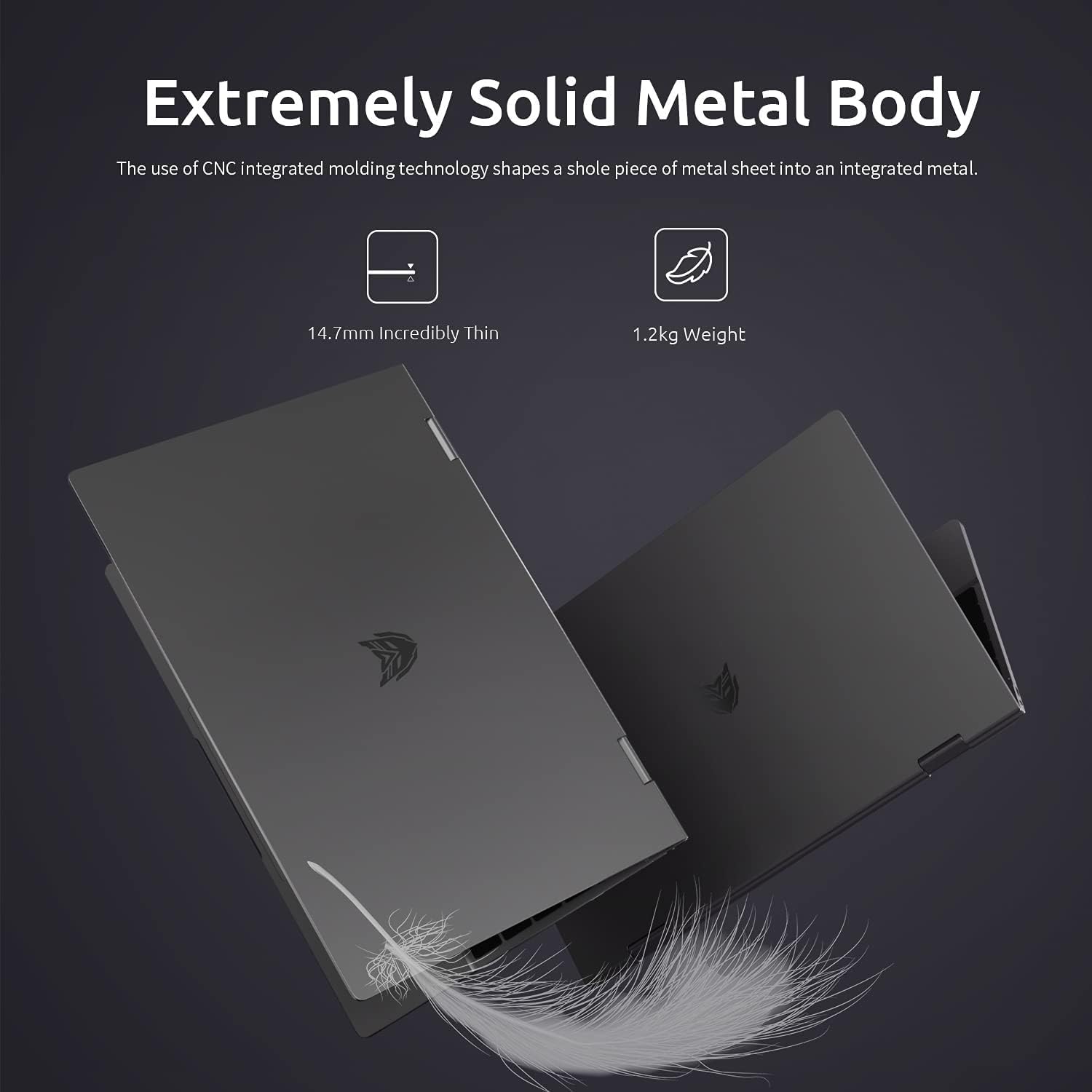
Two Bmax Y13 laptops shown from the side, illustrating their thin profile (14.7mm) and lightweight design (1.2kg).
Garantía e Soporte
Información da garantía
Your Bmax Y13 laptop comes with a standard manufacturer's warranty. Please refer to the included Guarantee Card for specific terms, conditions, and duration of your warranty coverage. Keep your proof of purchase for warranty claims.
Atención ao cliente
For technical assistance, service inquiries, or further information, please visit the official Bmax website or contact their customer support channels as detailed on your Guarantee Card or product packaging. When contacting support, please have your product model (Y13) and serial number ready.
Documentos relacionados - Y13
 |
Manual de usuario e guía de instalación do mini PC BMAX This is the official user manual and installation guide for the BMAX Mini PC, model B8 A Pro. It provides detailed instructions for initial setup, hardware upgrades including M.2 SSD, 2.5-inch HDD/SSD, and RAM installation. It also covers product overview, important safety information, FCC compliance, smart recovery, and mounting options. |
 |
Y13 Smartwatch User Manual Comprehensive user manual for the Y13 smartwatch, detailing setup, features like activity tracking, heart rate monitoring, sleep tracking, and more. Learn how to connect, operate, and utilize all functions of your Y13 smartwatch. |
 |
Manual de usuario e guía de instalación do mini PC BMAX Manual de usuario completo para o BMAX Mini PC, que abrangue a configuración inicial, a configuración do idioma, a instalación do hardware (SSD M.2, disco duro/SSD de 2.5 polgadas, módulos de memoria) e o ambiente de recuperación. Inclúe información sobre o cumprimento da normativa FCC e avisos de seguridade. |
 |
BMAX Mini PC User Manual & Warranty: Setup, Installation, and Support User manual and warranty information for the BMAX Mini PC (B6 Pro/B6 Plus). Covers setup, language settings, component identification, M.2 SSD installation, mounting, and recovery. |
 |
Manual do usuario da tableta BMAX Kids I9 Plus: características e funcionamento Manual de usuario oficial da tableta BMAX Kids I9 Plus, con Android 15, 8 GB de RAM, 64 GB de ROM, unha pantalla de 10.1 polgadas e un procesador Allwinner RK3562. Obtén información sobre a configuración, as características e a seguridade. |
 |
Manual do usuario e información sobre a garantía do mini PC BMAX B2 PLUS Guía completa para o mini PC BMAX B2 PLUS, que abrangue a configuración, as características e os detalles da garantía. Inclúe instrucións multilingües e especificacións técnicas. |
Ask a question about this manual
Ask about setup, troubleshooting, compatibility, parts, safety, or missing instructions. Manuals+ will review the question and use this page’s manual context to help answer it.