
1. Introdución
Grazas pola compraasing the VTech XS1050 Cordless Phone. This manual provides essential information for setting up, operating, and maintaining your new phone. Please read it thoroughly to ensure proper use and to take full advantage das súas características.

Figure 1: VTech XS1050 Cordless Phone and Base Unit
This image shows the VTech XS1050 cordless phone handset resting in its white base unit. The handset features a digital display and a numeric keypad. The base unit also has controls for the answering machine.
2. Configuración
2.1 Contido do paquete
Antes de comezar, asegúrate de que estean presentes todos os elementos:
- VTech XS1050 Handset
- VTech XS1050 Base Unit
- Adaptador de corrente para a unidade base
- Cable de Liña Telefónica
- 2 x Product-Specific Batteries (included)
- Manual de usuario (este documento)
2.2 Instalación da batería
- Abra a tapa do compartimento da batería na parte traseira do auricular.
- Insert the two supplied batteries, observing the correct polarity (+ and -).
- Pecha a tapa do compartimento da batería de forma segura.
2.3 Conexión da unidade base
- Connect the power adapter to the base unit and plug it into a wall outlet.
- Connect one end of the telephone line cord to the base unit and the other end to your telephone wall jack.
2.4 Cargo inicial
Place the handset on the base unit. The battery indicator on the handset display will show charging. Allow the handset to charge for at least 16 hours before initial use to ensure optimal battery performance.
3. Instrucións de funcionamento
3.1 Facer e recibir chamadas
- Facendo unha chamada: Pick up the handset, dial the number, and press the Chamar botón.
- Recibindo unha chamada: Cando soe o teléfono, prema a tecla Chamar botón.
- Finalizando unha chamada: Preme o Finalizar chamada botón ou volva colocar o auricular na unidade base.
3.2 Using the Answering Machine
The VTech XS1050 features a digital answering machine with up to 30 minutes of recording time.
- Reproducindo mensaxes: Preme o Xogar botón na unidade base.
- Recording a Greeting: Refer to the detailed instructions in the full manual for custom greeting setup.
Altofalante mans libres 3.3
To activate the hands-free speakerphone during a call, press the Altavoz button on the handset. Press it again to switch back to handset mode.

Figure 2: Hands-Free Speakerphone Function
This image shows a person in a kitchen setting, using the VTech XS1050 handset on speakerphone mode while performing other tasks, indicating the convenience of the hands-free function.
3.4 Axuste de volume
Durante unha chamada, use o Subir volume e Baixar o volume buttons on the side of the handset to adjust the earpiece volume. The base unit also has volume controls for the speakerphone and answering machine playback.
3.5 Phonebook and Speed Dial
- Axenda telefónica: Store up to 100 names and numbers. Access and manage entries via the handset menu.
- Marcación rápida: Assign frequently called numbers to 8 dedicated speed dial keys for quick access.
3.6 Caller ID and Call History
The phone displays caller information (if available from your service provider) and stores a history of the last 20 incoming calls.

Figure 3: Caller ID and Call History Display
This image illustrates the handset's display showing multiple entries in the call history, including caller names and numbers, demonstrating the caller ID and call waiting features.
3.7 Conference Function
The intercom/hands-free function allows multiple users to participate in a conversation simultaneously, facilitating three-way conference calls.

Figure 4: Three-Way Conference Call
This image depicts three individuals engaged in separate phone conversations, symbolizing the three-way conference call capability of the VTech XS1050.
3.8 Función de alarma e silencio
The handset includes an alarm function for reminders and a mute function to temporarily silence your microphone during a call.

Figure 5: Alarm and Mute Function Icons
This image shows the VTech XS1050 handset on a table, with graphic overlays of an alarm clock and a muted speaker icon, illustrating the alarm and mute functionalities.
4. Características clave
4.1 volume Ampmáis vivo
The VTech XS1050 features an integrated volume amplifier that boosts incoming sound and voice for enhanced clarity and volume. This feature is particularly beneficial for users with hearing impairments or those who prefer a louder audio experience.

Figure 6: Volume Amplifier in Action
This image visually represents the volume amplification feature, showing sound waves emanating from the handset and an ear icon with a plus sign, indicating increased audio output for clearer conversations.
4.2 Digital Answering Machine
Record and store incoming calls when you are unavailable. The digital answering machine offers a maximum storage duration of 30 minutes, ensuring you don't miss important messages.
4.3 Backlit Screen and Keypad
The handset features a backlit screen and keypad, providing improved visibility in low-light conditions and enhancing ease of use.

Figure 7: Backlit Screen and Keypad
This image highlights the illuminated display and keys of the VTech XS1050 handset, demonstrating its backlit feature for better visibility in dim environments.
4.4 Long Battery Life
Enjoy extended conversations with up to 18 hours of talk time on a single charge, ensuring your phone is ready when you need it.

Figure 8: Up to 18 Hours Battery Life
This image features a woman talking on the VTech XS1050 handset, with a graphic overlay indicating '18 hours' talk time, emphasizing the product's long battery endurance.
4.5 Adjustable Ringtone Volume and Melodies
Customize your phone experience by adjusting the ringtone volume and choosing from various melodies to suit your preference.

Figure 9: Adjustable Ringtone Settings
This image shows the VTech XS1050 handset with graphic icons representing a bell (ringtone) and musical notes, indicating the ability to adjust ringtone volume and select melodies.
4.6 Multilingual Help Messages
The phone supports multilingual help messages, providing assistance in various languages for user convenience.
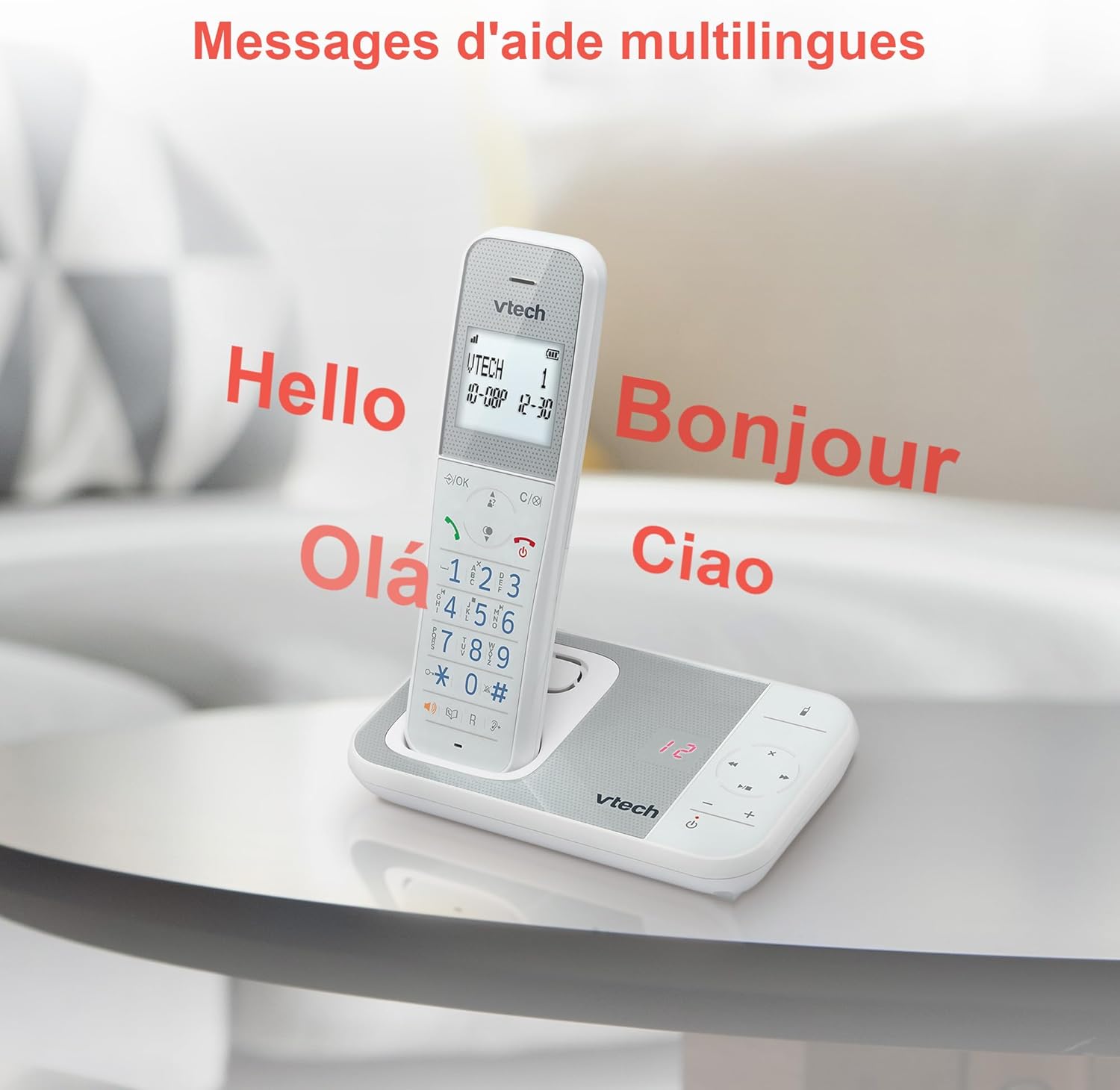
Figure 10: Multilingual Help Messages
This image displays the VTech XS1050 handset with various greetings like 'Hello', 'Bonjour', 'Olá', and 'Ciao' floating around it, illustrating the multilingual support feature.
5. Mantemento
5.1 Limpeza
Limpe o teléfono e a unidade base cun pano suave eamp pano. Non empregues produtos de limpeza abrasivos nin disolventes. Asegúrate de que non entre líquido nas aberturas do teléfono.
5.2 Coidado coa batería
- Always use the supplied batteries.
- Se non vai usar o teléfono durante un período prolongado, retire as baterías para evitar fugas.
- Elimina as pilas antigas de forma responsable segundo a normativa local.
6 Solución de problemas
If you experience issues with your VTech XS1050, please refer to the following common problems and solutions:
| Problema | Causa posible | Solución |
|---|---|---|
| Sen ton de marcación | Telephone line cord is not connected properly. | Asegúrese de que o cable da liña telefónica estea conectado correctamente á unidade base e á toma de corrente da parede. |
| O teléfono non se acende | Batteries are not charged or incorrectly installed. | Check battery polarity and ensure the handset is properly seated on the base unit for charging. Verify power adapter connection. |
| Mala calidade de son | Interferencias doutros dispositivos electrónicos. | Move the base unit or handset away from other electronic devices such as TVs, computers, or microwaves. |
| O contestador automático non grava | Memoria chea ou o contestador automático está desactivado. | Delete old messages to free up space. Ensure the answering machine function is activated. |
7. Especificacións
| Característica | Detalle |
|---|---|
| Marca | VTech |
| Modelo | XS1050 |
| Cor | Branco |
| Tipo de teléfono | Sen fíos (DECT) |
| Número de baterías | 2 (Product Specific - Included) |
| Material | Plástico |
| Fonte de enerxía | Alimentado por batería |
| Tipo de marcador | Teclado único |
| Dimensións do artigo (L x W x H) | 18.5 x 15.1 x 6.6 centímetros |
| Tipo de contestador automático | Dixital |
| Peso do elemento | 400 gramos |
| Answering Machine Capacity | Ata 30 minutos |
| Capacidade da axenda telefónica | 100 nomes e números |
| Historial de chamadas | 20 entradas |
| Tempo de conversa | Ata 18 horas |
8. Garantía e soporte
8.1 Información da garantía
Para obter información detallada sobre a garantía, consulte a tarxeta de garantía incluída co produto ou visite o sitio web oficial de VTech. websitio. Garde o recibo da compra como xustificante da mesma.
8.2 Atención ao cliente
If you require further assistance or have questions not covered in this manual, please contact VTech customer support. Contact details can typically be found on the VTech websitio ou na embalaxe do produto.