
1. Introdución
Thank you for choosing the MONODEAL DV68 Bone Conduction Headphones. These headphones are designed to provide a comfortable and safe listening experience, especially during sports and outdoor activities. Utilizing advanced bone conduction technology and Bluetooth 5.3, they deliver clear audio while keeping your ears open to ambient sounds. The integrated smart light enhances visibility and safety during nighttime use.
2. Contido do paquete
Comprobe se o paquete contén os seguintes elementos:
- MONODEAL DV68 Bone Conduction Headphones
- Cable de carga magnética
- Manual de usuario
- Earplugs (optional, for enhanced sound isolation)
3. Produto rematadoview
Familiarize yourself with the components of your MONODEAL DV68 headphones.
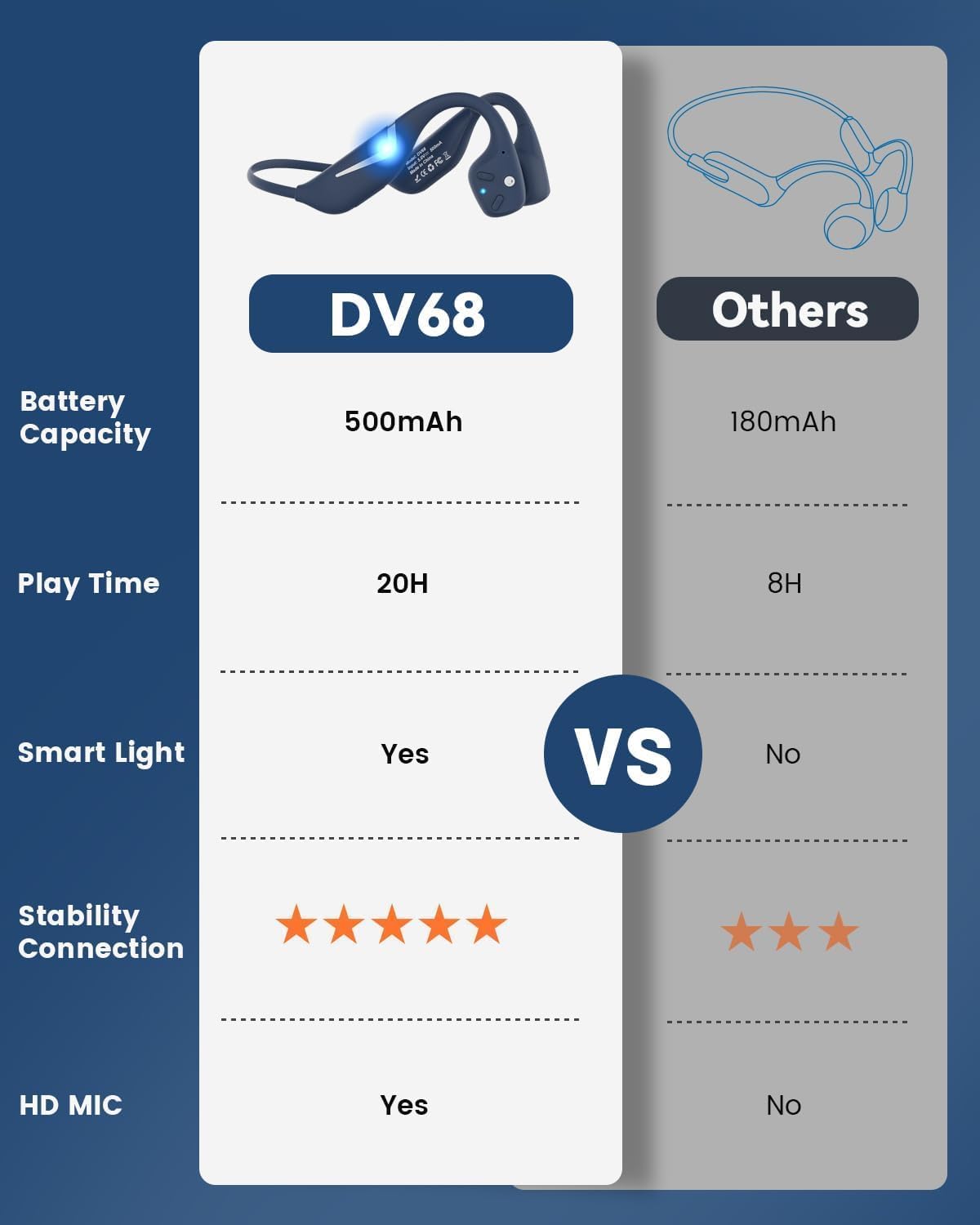
Figure 3.1: MONODEAL DV68 Bone Conduction Headphones, showing the overall design.

Figura 3.2: Explotado view illustrating the bone conduction transducer and built-in microphone.
3.1 Controis e portos
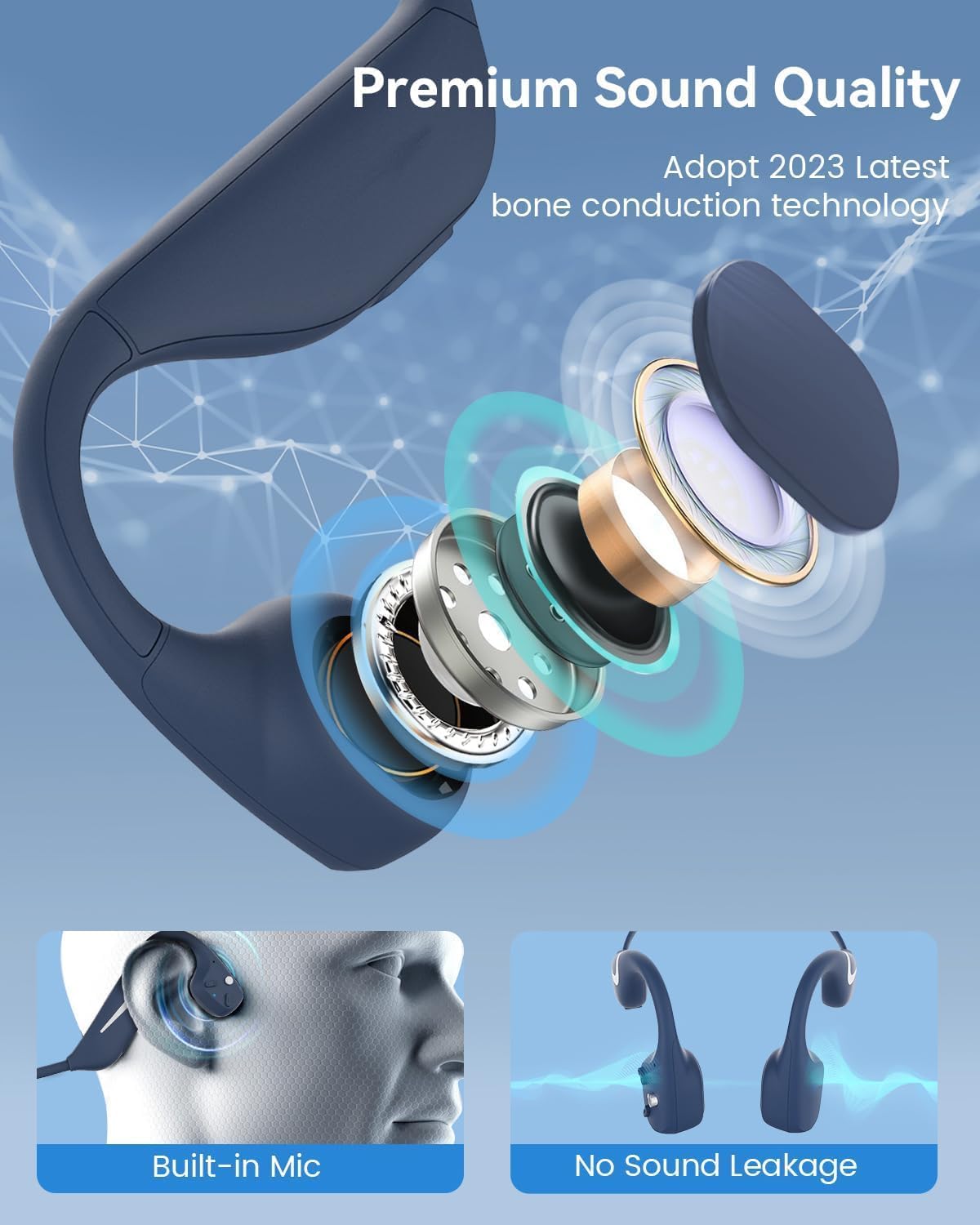
Figura 3.3: Lateral view of the headphones highlighting the control buttons.

Imaxe 3.4: Primeiro plano view of the magnetic charging port.
The headphones feature physical buttons for power, volume, and playback control. The magnetic charging port is located on one of the ear pieces for convenient charging.
4. Especificacións
| Característica | Especificación |
|---|---|
| Número de modelo | DV68 |
| Versión Bluetooth | 5.3 |
| Capacidade da batería | 500 mAh |
| Hora de xogo | Ata 20 horas |
| Clasificación de resistencia á auga | IP67 (Sweat, rain, and splash resistant) |
| Peso | 34 gramos |
| Rango de frecuencias | 20 Hz - 20,000 Hz |
| Tecnoloxía de conectividade | Sen fíos (Bluetooth) |
| Tipo de controlador de audio | Condución ósea |
| Características especiais | Smart LED Light, Built-in Microphone, Multipoint Pairing |

Figura 4.1: Máisview of key features including Open-Ear design, IP67 Waterproofing, 500mAh Battery, Bluetooth V5.3, Lightweight, HD Microphone, Multipoint Pairing, and RGB Light.
5. Configuración
5.1 Carga dos auriculares
Antes do primeiro uso, carga completamente os auriculares.
- Conecta o cable de carga magnético ao porto de carga dos auriculares.
- Conecta o outro extremo do cable a un adaptador de corrente USB (non incluído) ou ao porto USB dun ordenador.
- O indicador LED mostrará o estado de carga. Unha carga completa adoita tardar aproximadamente 2 horas.

Figure 5.1: Illustration of 20-hour battery life and quick charge feature (10 minutes charging for 2 hours playtime).
5.2 Emparejamento Bluetooth
Para conectar os auriculares a un dispositivo:
- Asegúrese de que os auriculares estean apagados.
- Manteña premido o botón de acendido/apagado ata que o indicador LED parpadee en vermello e azul, o que indica o modo de emparellamento.
- No teu dispositivo (teléfono intelixente, tableta, ordenador), activa o Bluetooth e busca os dispositivos dispoñibles.
- Select "MONODEAL DV68" from the list of found devices.
- Unha vez conectado, o indicador LED acenderase en azul fixo ou parpadeará en azul lentamente.
Os auriculares admiten o emparellamento multipunto, o que permite a conexión a dous dispositivos simultaneamente. Consulta a configuración de Bluetooth do teu dispositivo para xestionar varias conexións.
6. Instrucións de funcionamento
6.1 Encendido/apagado
- Encendido: Manteña premido o botón de acendido durante 3 segundos.
- Apagado: Manteña premido o botón de acendido durante 5 segundos.
6.2 Reprodución de música
- Reproducir/Pausa: Prema o botón multifunción unha vez.
- Próxima pista: Press and hold the Volume + button for 2 seconds.
- Pista anterior: Press and hold the Volume - button for 2 seconds.
- Subir volume: Preme o botón Volume +.
- Baixar volume: Prema o botón de Volume -.
6.3 Xestión de chamadas
- Responder/Finalizar chamada: Prema o botón multifunción unha vez.
- Rexeitar a chamada: Manteña premido o botón multifunción durante 2 segundos.
- Asistente de voz: Prema dúas veces o botón multifunción.
6.4 Smart LED Light
The headphones feature a smart LED light for enhanced visibility during nighttime activities.
- Acender/Apagar a luz: Refer to the specific button combination in your quick start guide (usually a dedicated light button or a long press of a volume button).
- The light can cycle through different colors (e.g., blue, green, red) to increase your safety and visibility.

Figure 6.1: A runner demonstrating the smart LED light feature for night safety.
7. Mantemento
7.1 Limpeza
To maintain hygiene and product longevity:
- After sweating or intense workouts, gently wipe the headphones with a damp pano ou pano húmido.
- Evite o uso de produtos químicos agresivos ou produtos de limpeza abrasivos.
7.2 Almacenamento
- Garde os auriculares nun lugar fresco e seco, lonxe da luz solar directa e de temperaturas extremas.
- When not in use, it is recommended to store them in their original packaging or a protective case.
7.3 Resistencia á auga
The MONODEAL DV68 headphones are IP67 rated, meaning they are resistant to sweat, rain, and splashes. However, they are not suitable for swimming or submersion in water.

Figure 7.1: A person exercising with the headphones, demonstrating their IP67 water resistance against sweat and rain. Note: Not for swimming.
8 Solución de problemas
Se tes problemas cos teus auriculares, consulta as seguintes solucións habituais:
- Sen enerxía:
Ensure the headphones are fully charged. Connect them to the charging cable and a power source. - Non se pode emparellar:
Make sure the headphones are in pairing mode (LED flashing red and blue). Turn off Bluetooth on other nearby devices that may have previously connected. Try restarting both the headphones and your device. - Sen son/Volume baixo:
Check the volume levels on both the headphones and your connected device. Ensure the headphones are properly positioned on your cheekbones. If using earplugs, ensure they are correctly inserted. - Conexión intermitente:
Ensure your device is within the Bluetooth range (up to 15 meters) and there are no significant obstacles between the headphones and your device. Avoid strong electromagnetic interference. - Baixa calidade das chamadas:
Ensure the microphone is not obstructed. Move to an area with better network reception for your phone.
9. Garantía e soporte
9.1 Información da garantía
MONODEAL provides a 2 ano de garantía for the DV68 Bone Conduction Headphones from the date of purchase. This warranty covers manufacturing defects and ensures the product meets its specified performance. Please retain your proof of purchase for warranty claims.
9.2 Atención ao cliente
For further assistance, technical support, or warranty inquiries, please contact MONODEAL customer service through the retailer where you purchased the product or visit the official MONODEAL websitio para información de contacto.