
TREBLAB HD-Max
Manual do usuario do altofalante sen fíos TREBLAB HD-Max
Model: HD-Max
Introdución
Thank you for choosing the TREBLAB HD-Max Wireless Speaker. This manual provides essential information for the proper setup, operation, and maintenance of your device. Please read it thoroughly to ensure optimal performance and longevity of your speaker.
Contido do paquete
Verifique que todos os elementos que se indican a continuación estean incluídos no seu paquete:
- TREBLAB HD-Max Bluetooth Speaker
- Cable AUX de 3.5 mm
- Correa de transporte
- Abrebotellas
- USB/Type-C Charging cable
- TREBLAB HD-Max User Manual
- Tarxeta de garantía
- Adhesivo
- Catálogo

Image: All items included in the TREBLAB HD-Max speaker package.
Produto rematadoview
The TREBLAB HD-Max speaker features a robust design with intuitive controls and versatile connectivity options.

Imaxe: Fronte view of the TREBLAB HD-Max speaker, showcasing its cylindrical shape and integrated carrying strap.

Imaxe: Traseira view of the TREBLAB HD-Max speaker, highlighting the protected port panel for charging and auxiliary connections.
Configuración
Cargando o altofalante
Before first use, fully charge your TREBLAB HD-Max speaker. Connect the provided USB Type-C charging cable to the speaker's charging port and a compatible USB power source. The LED indicator will show charging status. A full charge takes approximately 5 hours and provides up to 20 hours of playtime at 10% volume.
Encendido/apagado
- To power on: Press and hold the Power button until the LED indicator illuminates.
- Para apagar: manteña premido o botón de acendido/apagado ata que o indicador LED se apague.
Emparejamento Bluetooth
- Ensure the speaker is powered on and in pairing mode (LED will flash).
- No teu dispositivo (teléfono intelixente, tableta, ordenador), activa o Bluetooth.
- Busca available devices and select "TREBLAB HD-Max".
- Unha vez conectado, o indicador LED deixará de parpadear e permanecerá fixo.
Emparejamento True Stereo Wireless (TWS)
To achieve a stereo sound experience, you can pair two TREBLAB HD-Max speakers together:
- Ensure both HD-Max speakers are powered on and not connected to any other Bluetooth device.
- On one speaker, press and hold the TWS button until you hear a confirmation tone. This speaker will be the primary unit.
- The primary speaker will automatically search for the secondary speaker. Once connected, you will hear another confirmation tone.
- Now, connect your device to the primary HD-Max speaker via Bluetooth as described above. Audio will play through both speakers in stereo.

Image: Two TREBLAB HD-Max speakers positioned to demonstrate True Wireless Stereo pairing for an immersive audio experience.
Conexión AUX
Use the provided 3.5mm AUX cable to connect the speaker to devices without Bluetooth capability. Insert one end into the speaker's AUX input and the other into your device's audio output. The speaker will automatically switch to AUX mode.
Reproducción USB
Insira unha unidade flash USB que conteña audio files into the USB-A port. The speaker will automatically detect and begin playing music from the drive.
Instrucións de funcionamento
Controis básicos
- Subir/Baixar o volume: Prema os botóns "+" ou "-".
- Reproducir/Pausa: Preme o botón Reproducir/Pausa.
- Próxima pista: Manteña premido o botón "+".
- Pista anterior: Manteña premido o botón '-'.
Modos de son
The HD-Max offers three distinct sound modes to optimize your listening experience:
- Modo interior: Balanced audio for enclosed spaces.
- Modo ao aire libre: Enhanced volume and clarity for open environments.
- Modo de aumento de graves: Amplified low frequencies for a deeper bass response.
Press the Mode button to cycle through these options.
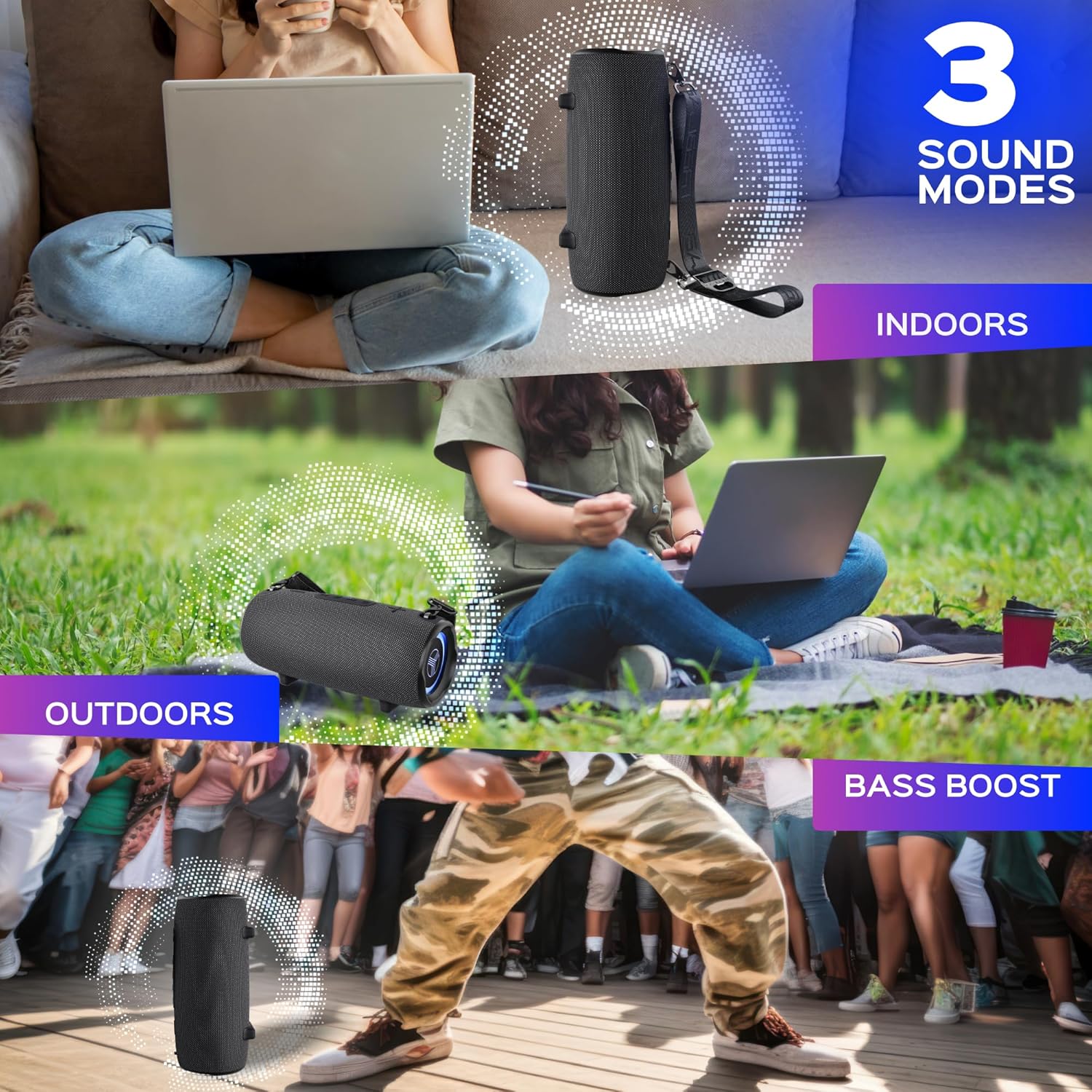
Image: Visual representation of the three sound modes (Indoor, Outdoor, Bass Boost) and their intended use scenarios.
Chamadas mans libres
With the built-in microphone, you can answer calls directly through the speaker when connected via Bluetooth:
- Responder chamada: Preme o botón Reproducir/Pausa.
- Finalizar a chamada: Prema de novo o botón Reproducir/Pausa.
- Rexeitar a chamada: Manteña premido o botón Reproducir/Pausa.

Image: A user engaging in a hands-free call using the TREBLAB HD-Max speaker's integrated microphone.
Función Power Bank
The HD-Max can function as a power bank to charge your mobile devices. Connect your device's charging cable to the USB-A output port on the speaker. The speaker's 6600mAh battery will provide power to your device.
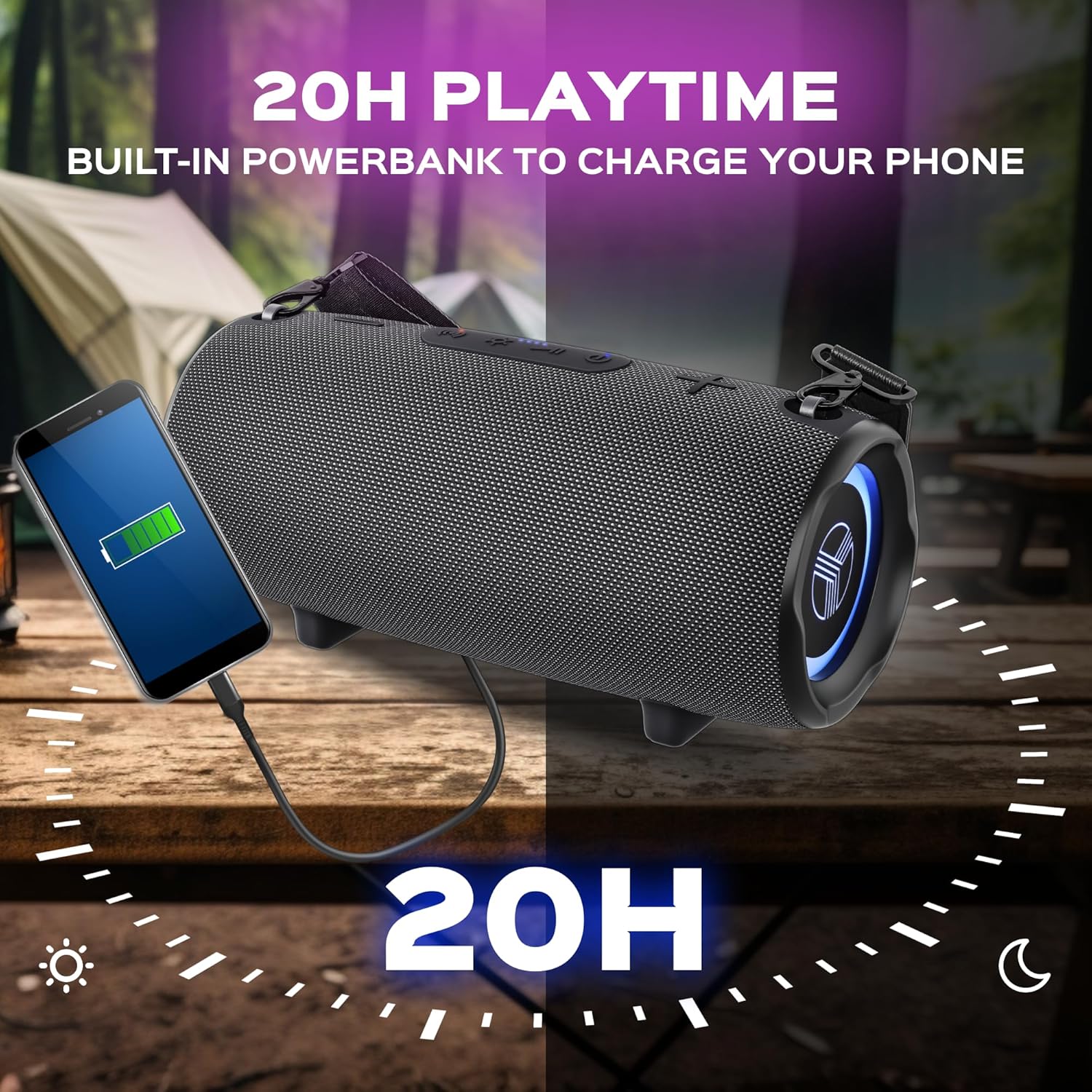
Image: The TREBLAB HD-Max speaker actively charging a smartphone, demonstrating its power bank capability.
Iluminación RGB
The speaker features dynamic RGB lighting. Press the Light button to cycle through different lighting modes or to turn the lights off.
Mantemento
Limpeza
Limpe o altofalante cun suave, damp cloth. Do not use abrasive cleaners or solvents. Ensure all port covers are securely closed before cleaning or exposing to water.
Almacenamento
Garda o altofalante nun lugar fresco e seco, lonxe da luz solar directa e de temperaturas extremas. Se o gardas durante un período prolongado, carga a batería aproximadamente ao 50 % cada poucos meses para manter o estado da batería.
Resistencia á auga (IPX7)
The TREBLAB HD-Max is rated IPX7, meaning it can be submerged in water up to 1 meter (3 feet) for 30 minutes. Ensure all port covers are firmly sealed before exposing the speaker to water. This rating protects against accidental submersion but is not intended for prolonged underwater use.

Image: The TREBLAB HD-Max speaker shown partially submerged in water, highlighting its IPX7 water resistance feature.
Resolución de problemas
| Problema | Causa posible | Solución |
|---|---|---|
| O altofalante non se acende | Batería baixa; o botón de acendido non se premeu correctamente | Cargar o altofalante; premer e manter premido o botón de acendido durante 3 segundos. |
| Non se pode emparellar por Bluetooth | O altofalante non está en modo de emparellamento; Bluetooth do dispositivo desactivado; O altofalante xa está conectado a outro dispositivo | Ensure speaker LED is flashing; Enable Bluetooth on your device; Disconnect from other devices. |
| Sen son | Volume too low; Incorrect input source; Device not playing audio | Increase speaker and device volume; Check AUX cable connection or Bluetooth status; Ensure audio is playing on your device. |
| Fallou o emparellamento TWS | Speakers too far apart; One speaker already paired to a device; Incompatible Bluetooth versions (for older models) | Place speakers closer; Ensure both speakers are disconnected from other devices; Note that new Bluetooth 5.3 speakers may not pair with older 4.2/5.0 models in TWS mode. |
| O banco de enerxía non carga o dispositivo | Batería baixa do altofalante; Problema co cable; Dispositivo non compatible | Charge the speaker; Try a different USB cable; Ensure your device is compatible with USB charging. |
Especificacións
| Característica | Detalle |
|---|---|
| Nome do modelo | HD-Máx |
| Tecnoloxía sen fíos | Bluetooth 5.3 |
| Rango de sinal | 33 pés / 10 metros |
| Potencia de saída | 60 vatios |
| Dynamics Quantity | 4 |
| Hora de xogo | Ata 20 horas (ao 10 % do volume) |
| Tempo de carga | Ata 5 horas |
| Capacidade da batería | 6600 mAh (13200 mililitros)amp Horas) |
| Resistencia á auga | IPX7 |
| Dimensións do produto | 5.43" D x 5.51" W x 12.2" H |
| Peso do elemento | 5.94 libras |
| Método de control | Toca |
| Modo de saída de audio | Estéreo |
| Características especiais | Powerbank, 3 Sound Modes, Built-in Mic, RGB Lighting |
| UPC | 860005982578 |
Garantía e Soporte
The TREBLAB HD-Max Wireless Speaker comes with a 1 ano de garantía e a Política de devolución de 30 días, ensuring a risk-free purchase. For any questions, technical support, or warranty claims, please visit the official TREBLAB store or contact customer service through the retailer where you purchased the product.
Para obter máis información e asistencia, pode visitar o TREBLAB Store on Amazon.
Ask a question about this manual
Ask about setup, troubleshooting, compatibility, parts, safety, or missing instructions. Manuals+ will review the question and use this page’s manual context to help answer it.