
1. Introdución
Thank you for choosing the GoveeLife Wireless Smart Pool Thermometer B5109. This device provides accurate, real-time water temperature monitoring for various aquatic environments, including pools, spas, aquariums, and bathtubs. With its IPX7 waterproof rating, app connectivity, and remote monitoring capabilities, you can easily keep track of water conditions from anywhere. This manual will guide you through the setup, operation, and maintenance of your new thermometer.
2. Información de seguridade
- Lea atentamente todas as instrucións antes de usar o dispositivo.
- Manteña o dispositivo fóra do alcance dos nenos.
- Ensure the battery compartment is securely sealed before placing the thermometer in water to maintain its IPX7 waterproof rating.
- Do not expose the Wi-Fi gateway to water or extreme humidity. It is designed for indoor use.
- Use only specified AAA batteries. Do not mix old and new batteries or different types of batteries.
- Elimina as baterías segundo a normativa local.
- Evite desmontar ou modificar o dispositivo, xa que isto anulará a garantía e pode causar danos.
3. Contido do paquete
Comprobe que estean presentes todos os compoñentes:
- 1 x GoveeLife Wireless Smart Pool Thermometer
- 1 x Wi-Fi Gateway
- 2 x Rubber Rings (one pre-installed, one spare)
- 1 x corda
- 1 x AAA Battery (for thermometer)
- 1 x Manual de usuario (este documento)
4. Produto rematadoview
The GoveeLife B5109 system consists of a floating wireless thermometer and a Wi-Fi gateway. The thermometer measures water temperature and transmits data to the gateway, which then sends it to the Govee Home app on your smartphone.

Figure 4.1: GoveeLife Wireless Smart Pool Thermometer in use.
Características principais:
- Impermeable IPX7: Designed to withstand immersion in water, ensuring accurate readings without damage.
- Alta precisión: Measures temperatures from -4°F to 158°F (-20°C to 70°C) with an accuracy of ±0.9°F (±0.5°C).
- Frecuencia de actualización rápida: Temperature updates every 2 seconds for near real-time monitoring.
- Monitorización remota: Connects to the Govee Home app via a Wi-Fi gateway, allowing you to check water temperature from anywhere.
- Sistema ampliable: The Wi-Fi gateway can support up to 10 sensors, expanding your monitoring capabilities.
- Almacenamento e exportación de datos: View 20-day data charts online and export up to 2 years of historical data.
- Uso versátil: Suitable for swimming pools, spas, hot tubs, aquariums, fish ponds, and baby baths.
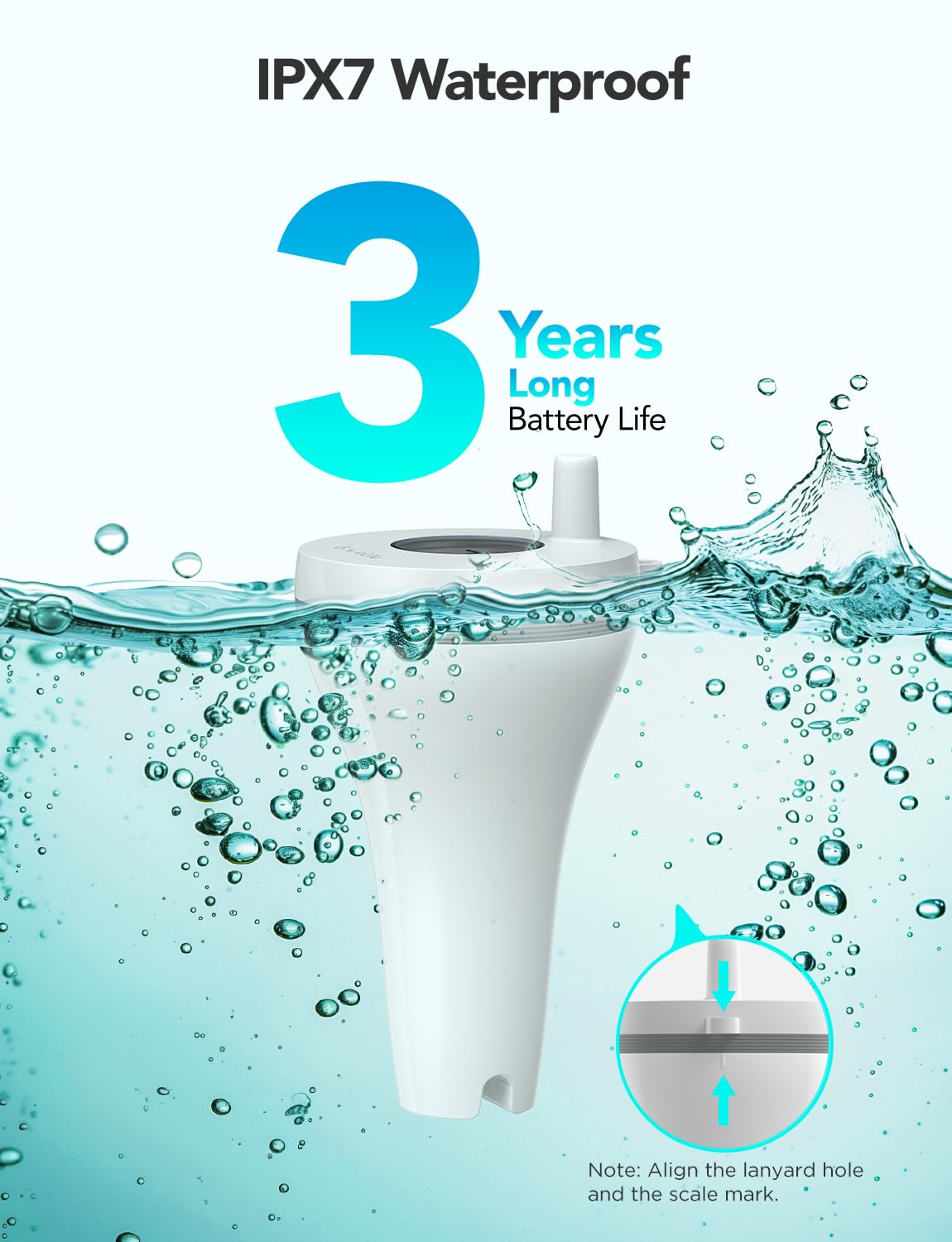
Figure 4.2: IPX7 Waterproof design and long battery life.

Figure 4.3: Internal components highlighting fast 2-second screen refresh and ±0.5°C accuracy.
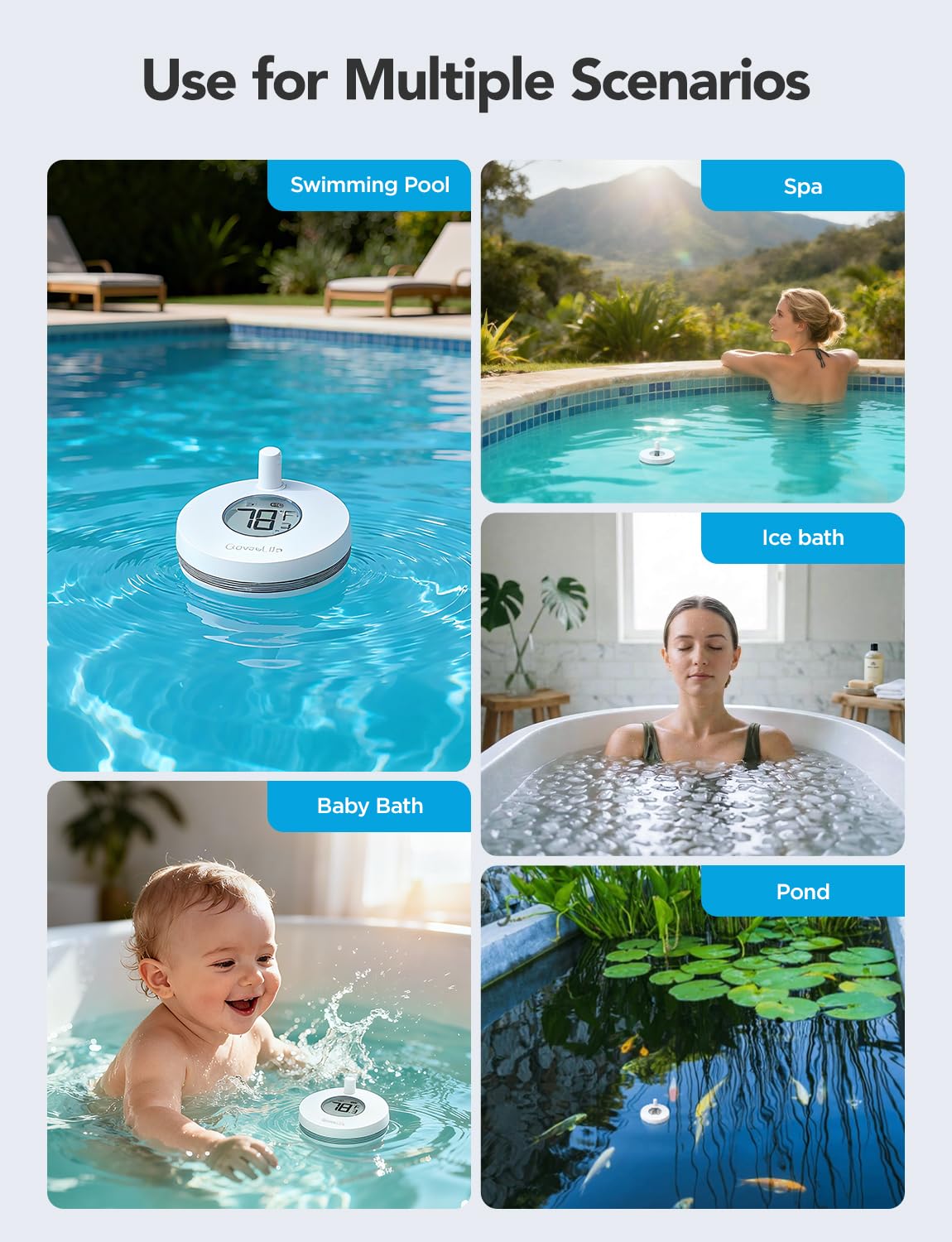
Figure 4.4: Versatile applications of the GoveeLife thermometer.
5. Guía de configuración
Follow these steps to set up your GoveeLife Wireless Smart Pool Thermometer:
5.1 Download the Govee Home App
- Scan the QR code provided in the quick start guide (or search "Govee Home" in your app store) to download the Govee Home app.
- Crea unha conta ou inicia sesión se xa tes unha.
5.2 Install Battery in Thermometer
- Unscrew the cap of the thermometer to access the battery compartment.
- Insert the provided AAA battery, ensuring correct polarity.
- Carefully screw the cap back on, ensuring it is perfectly straight and tight to maintain the waterproof seal. This is crucial for IPX7 protection.
5.3 Connect the Wi-Fi Gateway
- Plug the Wi-Fi gateway into a power outlet indoors, within range of your Wi-Fi router (2.4 GHz Wi-Fi only).
- Ensure your smartphone is connected to your 2.4 GHz Wi-Fi network.
- Open the Govee Home app, tap the "+" icon in the top right corner.
- The app should automatically detect the gateway. If not, select the gateway model from the device list.
- Follow the in-app instructions to connect the gateway to your Wi-Fi network. The gateway's indicator light should flash blue during pairing and turn solid blue once connected.

Figure 5.1: Connection diagram of the thermometer, gateway, and app, illustrating up to 328ft (100m) connection distance.
5.4 Pair the Thermometer with the Gateway
- Once the gateway is connected, the app should prompt you to add the thermometer.
- With the thermometer's cap removed (from battery installation), locate the small button next to the battery compartment.
- Press and hold this button for approximately 3 seconds until the thermometer's indicator light flashes.
- The app should automatically detect and pair with the thermometer. Once paired, the water temperature will appear in the app.
5.5 Placement of the Thermometer
- Place the thermometer in the water body you wish to monitor (pool, spa, pond, etc.).
- Use the provided rope to secure the thermometer if necessary, preventing it from floating away.
- The orange loop rubber can be interchanged to enhance visibility of the thermometer on the water surface.
6. Instrucións de funcionamento
6.1 Monitorización da temperatura
- Open the Govee Home app on your smartphone.
- Select your GoveeLife Wireless Smart Pool Thermometer from the device list.
- The current water temperature will be displayed on the main screen, updating every 2 seconds.
6.2 Unidades de temperatura de conmutación (°F/°C)
- To switch between Fahrenheit (°F) and Celsius (°C), double-click the internal button on the thermometer (the same button used for pairing).
- Alternatively, this setting can often be adjusted within the Govee Home app settings for the device.
6.3 Rexistro e exportación de datos
- The Govee Home app provides access to historical temperature data.
- View 20-day data charts directly in the app.
- You can export data recorded over the past 2 years for analysis.
6.4 Alertas e notificacións intelixentes
- Set custom temperature thresholds within the Govee Home app.
- Receive push notifications on your smartphone if the water temperature goes above or below your set limits.
- The device supports integration with voice assistants like Alexa for convenient temperature inquiries.

Figura 6.1: Example of a smart alert notification on the Govee Home app.
7. Mantemento
7.1 Limpeza
- Regularly clean the exterior of the thermometer with a soft, damp pano.
- Evita o uso de produtos de limpeza abrasivos ou solventes, xa que poden danar o dispositivo.
- Ensure the display screen is kept clean for optimal readability.
7.2 Substitución da batería
- When the battery level is low, the app will notify you.
- To replace the battery, carefully unscrew the cap of the thermometer.
- Replace the old AAA battery with a new one, observing polarity.
- Crucially, ensure the cap is screwed back on perfectly straight and tight to maintain the IPX7 waterproof seal. The device comes with a spare rubber gasket; inspect the gasket for wear and replace if necessary.
7.3 Almacenamento
- If storing the thermometer for an extended period, remove the battery to prevent leakage.
- Garda o dispositivo nun lugar fresco e seco lonxe da luz solar directa.
8 Solución de problemas
8.1 Device Not Pairing with Gateway
- Comproba a wifi: Ensure your phone and gateway are connected to a 2.4 GHz Wi-Fi network. The Govee Home app only supports 2.4 GHz for initial setup.
- Gateway Status: Verify the gateway's indicator light is solid blue, indicating a successful connection to your Wi-Fi. If not, try unplugging and replugging the gateway.
- Thermometer Battery: Ensure the thermometer has a fresh AAA battery and is correctly inserted.
- Proximidade: Bring the thermometer closer to the gateway during the pairing process.
- Reset Thermometer: If issues persist, try resetting the thermometer by pressing and holding the internal button for a longer duration (e.g., 5-10 seconds) or removing and reinserting the battery. Then attempt pairing again.
8.2 Lecturas de temperatura inexactas
- Colocación do sensor: Ensure the thermometer is fully immersed in the water and not near any heat sources or direct sunlight that could affect readings.
- Calibración: The Govee Home app may offer a calibration option. Refer to the app's settings for your device.
- Comparación: Compare readings with another reliable thermometer to confirm accuracy discrepancies.
8.3 No Data in App / Connection Lost
- Conexión de pasarela: Check if the Wi-Fi gateway is powered on and connected to your home Wi-Fi (solid blue light).
- Rango: Ensure the thermometer is within the 328ft (100m) range of the gateway. Obstructions like thick walls can reduce this range.
- Actualización da aplicación: Close and reopen the Govee Home app.
- Problemas do router: Reinicia o teu enrutador Wi-Fi.
9. Especificacións
| Modelo | B5109 |
| Rango de temperatura | -4 °F a 158 °F (-20 °C a 70 °C) |
| Precisión da temperatura | ± 0.9 ° F (± 0.5 ° C) |
| Tempo de resposta | 2 segundos |
| Clasificación impermeable | IPX7 |
| Conectividade sen fíos | 433MHz (thermometer to gateway), 2.4GHz Wi-Fi (gateway to router/app) |
| Distancia de conexión | Up to 328ft (100m) in unobstructed conditions |
| Power Source (Thermometer) | 1 x batería AAA (incluída) |
| Power Source (Gateway) | AC Power (plug-in) |
| Dimensións (termómetro) | Approx. 8.8 cm (Length) |
| Compoñentes incluídos | Thermometer, Wi-Fi Gateway, 2 Rubber Rings, Rope, AAA Battery |
10. Garantía e atención ao cliente
GoveeLife products come with a limited warranty. For detailed warranty information, please refer to the warranty card included with your product or visit the official GoveeLife websitio.
If you encounter any issues or have questions regarding your GoveeLife Wireless Smart Pool Thermometer B5109, please contact GoveeLife Customer Support:
- Websitio: www.govee.com (ou sitio rexional relevante)
- Correo electrónico: Refer to the Govee Home app or product packaging for support email.
- Soporte na aplicación: Access support directly through the Govee Home app.
Teña á man o número de modelo (B5109) e a información de compra cando contacte co servizo de asistencia.