
Introdución
Thank you for choosing the HyperGear Halo Waterproof LED Wireless Speaker. This manual provides essential information for setting up, operating, and maintaining your speaker to ensure optimal performance and longevity. The Halo speaker combines powerful HD sound with a vibrant 360° multicolor LED light show, designed for both indoor and outdoor use. Its IPX6 waterproof rating makes it suitable for various environments, from poolside parties to everyday listening.
O que hai na caixa
- HyperGear Halo Waterproof LED Wireless Speaker
- Cable de carga USB-C
- 3.5mm Aux Cord
Guía de configuración
1. Cargando o altofalante
Before first use, fully charge your Halo speaker. Connect the included USB-C charging cable to the speaker's charging port and the other end to a USB power adapter (not included). The LED indicator will show charging status and turn off when fully charged.
2. Acendido/apagado
Press and hold the Power button on the speaker's top panel to turn it on or off. A sound prompt will indicate the power status.
3. Emparellamento Bluetooth
- Asegúrate de que o altofalante estea acendido e en modo de emparellamento Bluetooth (indicado por un LED intermitente).
- No teu dispositivo (teléfono intelixente, tableta, ordenador), activa o Bluetooth e busca os dispositivos dispoñibles.
- Select "HyperGear Halo" from the list.
- Unha vez emparellado, o altofalante emitirá un son de confirmación e o LED deixará de parpadear.
O altofalante volverá conectarse automaticamente co último dispositivo emparellado ao acendelo, se está dentro do alcance.

The top panel of the HyperGear Halo speaker, showing controls and its connection to a smartphone via Bluetooth.
Instrucións de funcionamento
Controis básicos
| Botón/Función | Acción |
|---|---|
| Botón de encendido | Press and hold to Power On/Off |
| Reproducir/Pausa | Press once to Play/Pause music |
| Subir volume (+) | Preme unha vez para aumentar o volume |
| Baixar volume (-) | Preme unha vez para baixar o volume |
| Próxima pista | Press and hold Volume Up (+) |
| Pista anterior | Press and hold Volume Down (-) |
| Responder/Finalizar chamada | Preme o botón Reproducir/Pausa unha vez |
| Rexeitar a chamada | Press and hold Play/Pause button |
| Botón de modo de luz | Prema para alternar entre 6 modos de luz LED |
Party Mode (Stereo Pairing)
To achieve immersive stereo sound, you can pair two HyperGear Halo speakers together:
- Ensure both Halo speakers are powered on and not connected to any other Bluetooth device.
- On one speaker (this will be the primary speaker), double-press the Power button. It will enter pairing mode for Party Mode.
- The two speakers will automatically connect to each other. A confirmation sound will indicate successful pairing.
- Now, connect your device to the primary speaker via Bluetooth as described in the 'Bluetooth Pairing' section. Both speakers will play synchronized audio and light shows.

Two HyperGear Halo speakers paired together for Party Mode, offering synchronized audio and light effects.
Alternative Playback Modes

The side panel of the HyperGear Halo speaker, revealing the AUX, microSD, and USB-C ports for versatile connectivity.
- Entrada auxiliar: Connect your device using the included 3.5mm Aux cord to the speaker's AUX port for a wired audio connection.
- Tarxeta microSD: Insert a microSD card loaded with audio files into the designated slot. The speaker will automatically play music from the card.
Funcións rematadasview
- Clasificación de impermeabilidade IPX6: Designed to withstand splashes, rain, and spills, making it ideal for outdoor adventures and poolside use.
- Powerful 5W Front-Firing Sound: Equipped with a 52mm full-range driver for rich, dynamic audio with pulse-pounding bass. The front-firing design ensures clearer sound projection.
- 360° Multicolor LED Lights: Features a vibrant light ring that synchronizes with your music, offering 6 different lighting modes to enhance your listening experience.
- Micrófono incorporado: Permite realizar chamadas mans libres comodamente.
- Tecnoloxía Bluetooth 5.3: Provides a stable, stutter-free wireless connection with a range of up to 33 feet.
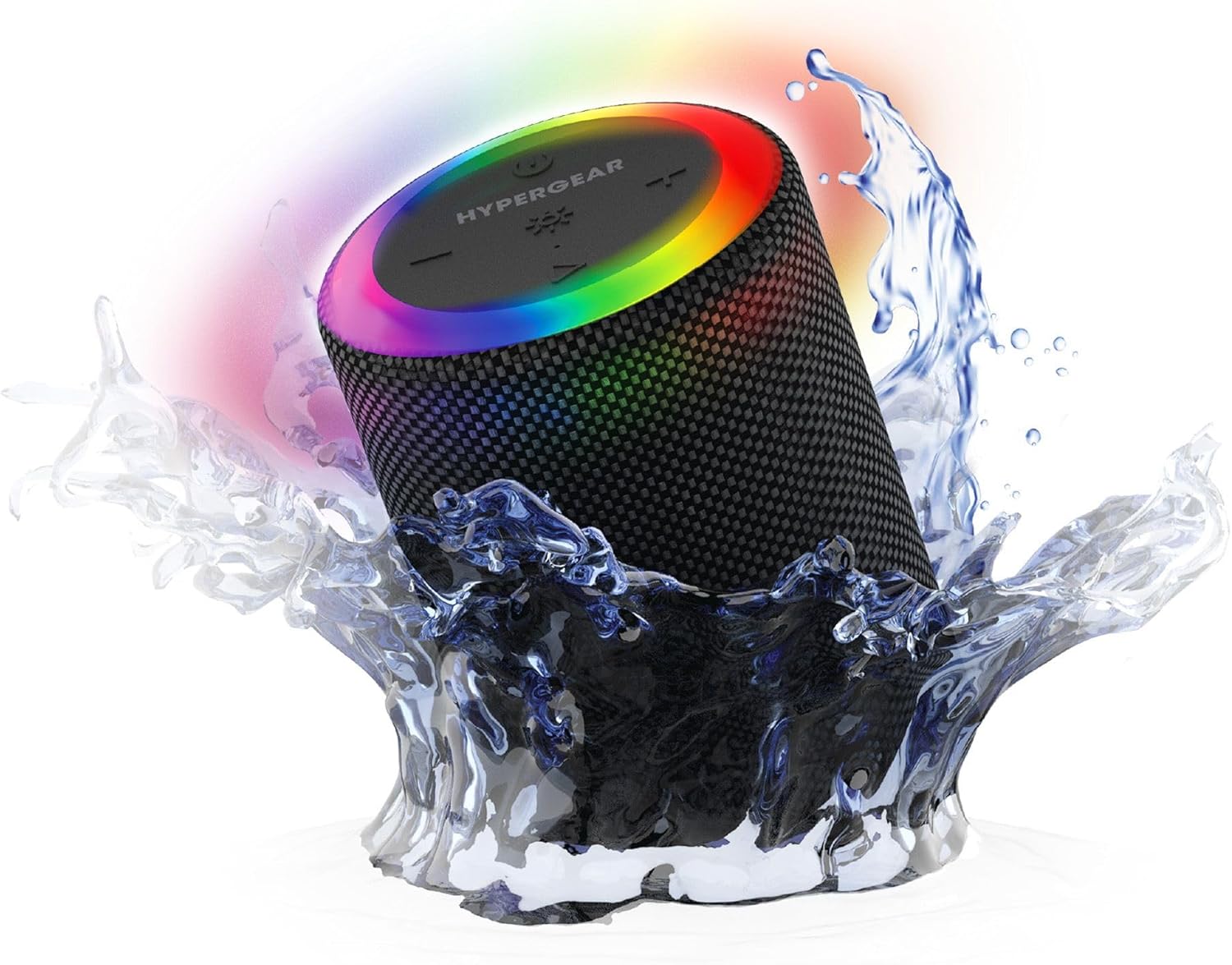
The HyperGear Halo speaker immersed in water, highlighting its robust waterproof design.

Visual representation of the HyperGear Halo speaker's powerful audio features, including its 5W output and 52mm driver.

The HyperGear Halo speaker showcasing its beat-synced 360° multicolor LED light ring with various lighting modes.
Especificacións
| Característica | Detalle |
|---|---|
| Nome do modelo | Halo Waterproof LED Wireless Speaker |
| Tipo de altofalante | Multimedia |
| Tecnoloxía de conectividade | Bluetooth 5.3 |
| Modo de saída de audio | Mono (Stereo with Party Mode) |
| Potencia de saída máxima do altofalante | 5 vatios |
| Tamaño do controlador de audio | 52 milímetros |
| Nivel de resistencia á auga | Impermeable IPX6 |
| Dimensións do produto | 3.27" D x 3.27" W x 4.13" H |
| Peso do elemento | 1.05 libras |
| Fonte de enerxía | Alimentado por batería |
| Compoñentes incluídos | USB-C Charging Cable, 3.5mm Aux Cord |
| Método de control | Botón |
| UPC | 633755158858 |
Mantemento
- Limpeza: Limpe o altofalante cun suave, damp pano. Non use produtos químicos agresivos ou produtos de limpeza abrasivos.
- Almacenamento: Garde o altofalante nun lugar fresco e seco, lonxe da luz solar directa e de temperaturas extremas.
- Coidado da batería: To preserve battery life, avoid fully discharging the speaker frequently. Charge it regularly, even if not in use for extended periods.
- Selo impermeable: Ensure the silicone cover for the charging and AUX ports is securely closed when near water to maintain its IPX6 rating.
Resolución de problemas
| Problema | Posible Solución |
|---|---|
| O altofalante non se acende. | Asegúrate de que o altofalante estea cargado. Conéctao a unha fonte de alimentación e inténtao de novo. |
| Non se pode sincronizar co dispositivo Bluetooth. | Make sure the speaker is in pairing mode (flashing LED). Turn off and on Bluetooth on your device. Ensure no other devices are connected to the speaker. Move speaker closer to your device. |
| Non se escoita son do altofalante. | Check volume levels on both the speaker and your device. Ensure the correct input mode (Bluetooth, Aux, MicroSD) is selected. If using Aux, ensure the cable is fully inserted. |
| Party Mode not working. | Ensure both speakers are fully charged and not connected to any other Bluetooth devices. Try resetting both speakers by powering them off and on, then re-attempt Party Mode pairing. |
| As luces LED non funcionan. | Press the Light Mode button to cycle through modes. Ensure the speaker is powered on. |
Garantía e Soporte
The HyperGear Halo Waterproof LED Wireless Speaker comes with a Garantía limitada. For specific details regarding warranty coverage, duration, and claims, please refer to the warranty card included with your product or visit the official HyperGear website. For technical support or further assistance, please contact HyperGear customer service through their official channels.