
1. Introdución
The QKVCX KTAG V7.020 V2.25 Professional ECU Diagnostic Set is a sophisticated tool designed for advanced Engine Control Unit (ECU) programming and diagnostics. This device supports various communication protocols including J-Tag, Motorola BDM/Nexus, and Bootloader for Mitsubishi/Infineon Tricore/ST, enabling comprehensive vehicle management. This manual provides essential information for the proper setup, operation, and maintenance of your KTAG dispositivo.
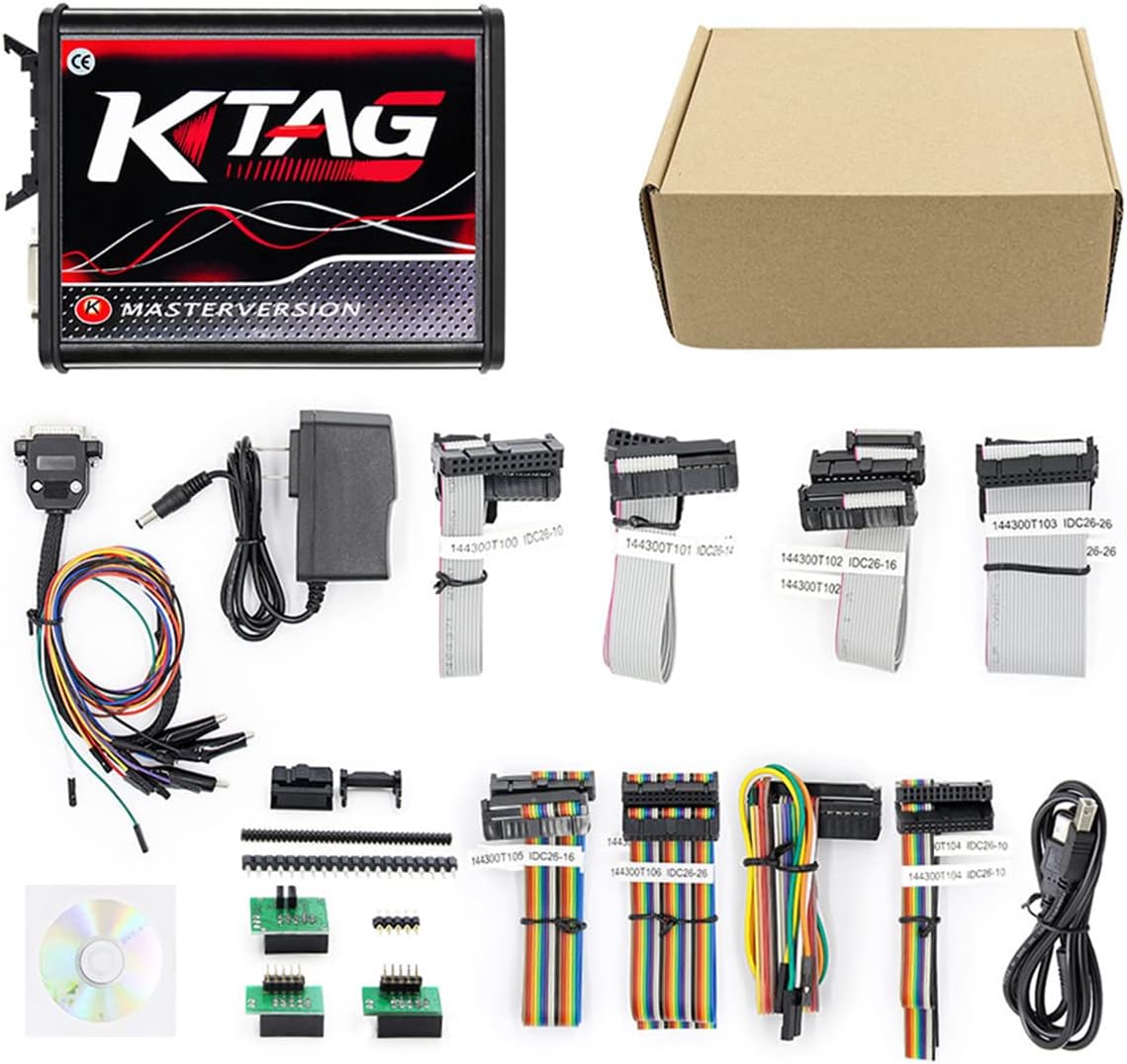
Figure 1: QKVCX KTAG V7.020 V2.25 Professional ECU Diagnostic Set.

Figura 2: O KTAG V7.020 V2.25 is compatible with applications that diagnose engines, transmissions, ABS, and instrument panels.
2. Contido do paquete
Verifique que todos os elementos que se indican a continuación estean incluídos no seu paquete:
- 1 x KTAG 7.020 Unidade principal
- 1 x 144300T 104 Cable
- 1 x 144300T 103 Cable
- 1 x 144300T 101 Cable
- 1 x 144300T 106 Cable
- 1 x 144300T 102 Cable
- 1 x 144300T 105 Cable
- 1 x 144300T 100 Cable
- 3 x Chips Inside
- 1 x Multi-Color Cable
- 1 x cable USB
- 1 x adaptador de alimentación
- 1 CD (software)
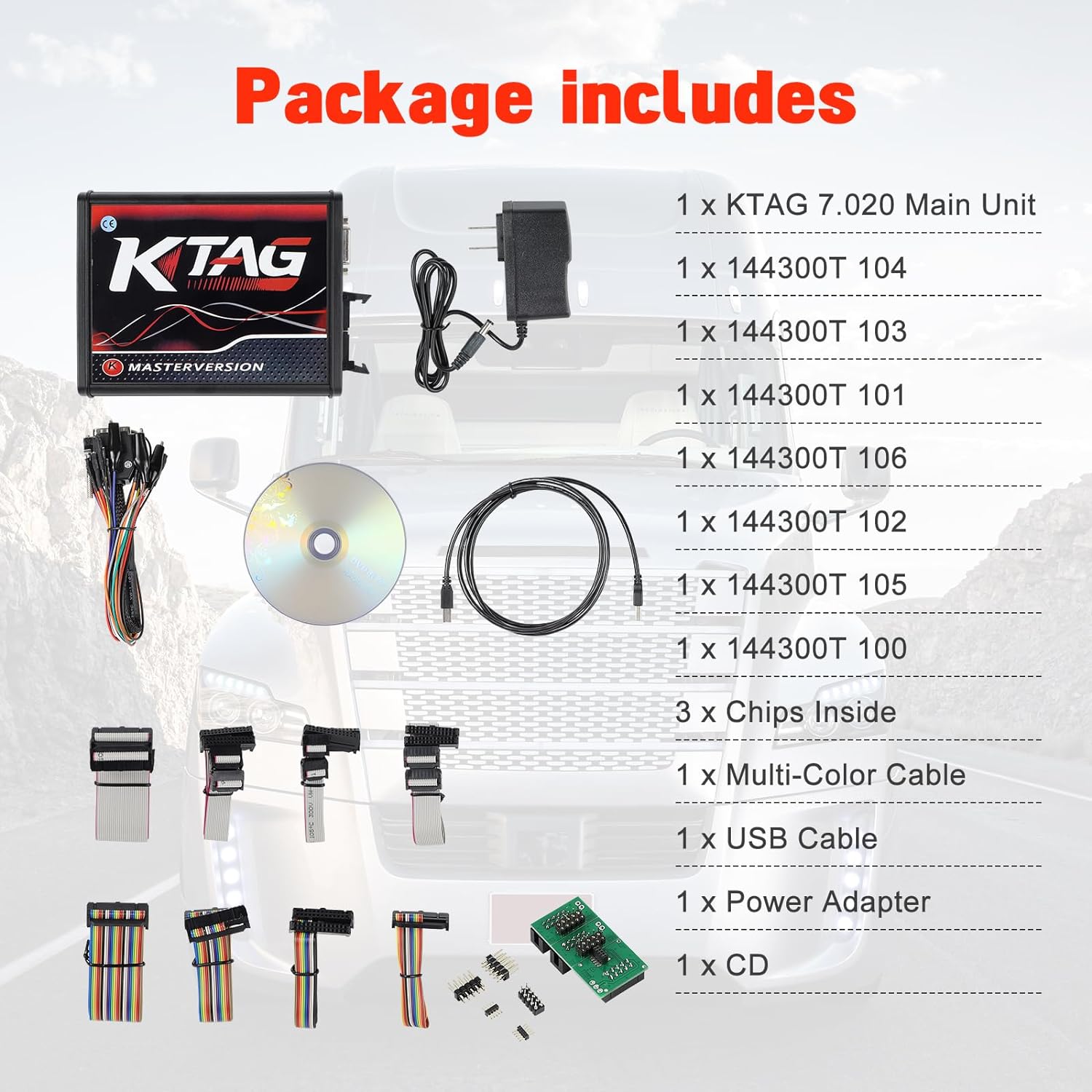
Figure 3: All components included in the KTAG V7.020 V2.25 package.

Figura 4: detallada view of various cables and adapters.
3. Configuración
3.1 Instalación de software
- Disable Anti-Virus: Before installation and use, please turn off your computer's anti-virus program.
- Copy Software: Copy the contents of the provided CD to the C drive of your computer.
- Run Software: Abrir o copiado files from your C drive and run the software.
- Unidade flash USB: If your computer does not recognize the CD-ROM drive, a silver USB flash drive is included in the packaging box, which contains all necessary files.

Figure 5: Important notice for software installation.
3.2 Connecting the KTAG Unidade
Connect the KTAG main unit to your computer using the provided USB cable. For vehicle connection, use the appropriate cables and adapters. The KTAG unit features BDM/JTAG and Boot Mode ports on one side, and Power, USB, and 12/24V DC ECU/ON ports on the other.

Figure 6: KTAG unit connection diagram.
4. Instrucións de funcionamento
4.1 Funcionamento xeral
O KTAG V7.020 V2.25 is designed for direct ECU programming, primarily through J-Tag, Motorola BDM/Nexus, and Bootloader protocols. It is important to note that KTAG fai NON support OBD (On-Board Diagnostics) communication. For OBD communication, a separate tool like KESS v2 is typically used.
To use the KTAG effectively, ensure the RLink Lite driver mode of the RLink Platform is enabled. Then, open the corresponding OEM diagnostic software for vehicle diagnostics.
4.2 Using Special Adapters
For optimal use on various Electronic Control Units, a wide range of special adapters are available. These adapters are designed to be soldered onto the ECU or used with a positioning frame, facilitating precise connections for programming.
Video 1: Demonstration of a BDM Frame with Probe Pins, useful for connecting to ECUs for programming with tools like KTAG.
5. Mantemento
5.1 Actualizacións de software
Software updates are provided via CD. Always ensure your anti-virus program is closed when running software updates to prevent interference. IMPORTANT: Do NOT update the KTAG unit online, as this will damage the device and render it unusable.
5.2 Coidados xerais
Keep the KTAG unit and its accessories clean and free from dust and moisture. Store the device in its protective packaging when not in use to prevent damage.
6 Solución de problemas
- Problemas de instalación do software: If your computer does not recognize the CD-ROM driver, use the silver USB flash drive included in the packaging box, which contains all the necessary installation files.
- Device Malfunction after Online Update: O KTAG a unidade é NON designed for online updates. Attempting to update the device online will cause permanent damage and make it unusable. Always use the provided CD for updates.
- Problemas de conectividade: Ensure all cables are securely connected to the KTAG unit, your computer, and the vehicle's ECU. Verify that the RLink Lite driver mode is enabled in your OEM diagnostic software.
7. Especificacións
| Característica | Detalle |
|---|---|
| Versión de hardware | V7.020 |
| Versión de software | V2.25 |
| Soporte para PC | Windows XP Professional/Win7/Win8 |
| Idiomas admitidos | Italian, Deutsch, English, French, Portuguese, Spanish |
| Método de actualización | By CD (Offline) |
| Peso do elemento | 2.03 libras |
| Dimensións do paquete | 9.21 x 7.6 x 2.87 polgadas |
| Número de modelo | KTAG-V2.25 |
8. Apoio
For further assistance or inquiries regarding your QKVCX KTAG V7.020 V2.25 Professional ECU Diagnostic Set, please refer to the contact information provided with your purchase documentation or visit the official QKVCX support channels.