
1. Instrucións de seguridade importantes
Lea e comprenda toda a información de seguridade antes de usar este produto. O incumprimento destas instrucións pode provocar descargas eléctricas, incendios ou lesións graves.
- Seguridade eléctrica: Always ensure the charger is disconnected from the power outlet before making or breaking connections to the battery. Do not expose the charger to rain or wet conditions.
- Seguridade da batería: Batteries can produce explosive gases. Ensure adequate ventilation when charging. Wear eye protection and protective clothing. Avoid sparks or flames near the battery.
- OBD2 Scanner Safety: Do not attempt to connect or disconnect the scanner while the vehicle's ignition is on or the engine is running. This could damage the vehicle's electronic system or the scanner.
- Precaucións xerais: Keep out of reach of children. Do not operate if the product or cables are damaged. Use only as intended.
2. Produto rematadoview
2.1 MOTOPOWER MP00205B 12V Battery Charger/Maintainer
The MOTOPOWER MP00205B is an automatic 12-volt battery charger and maintainer designed for lead-acid, flooded, or sealed maintenance-free batteries (AGM and gel cell). It features a compact and durable design, utilizing pulse charging technology to optimize battery performance and extend life. The charger incorporates multiple safety protections, including spark-free technology and automatic shut-off to prevent overcharging.

Figure 1: MOTOPOWER MP00205B 12V Battery Charger Maintainer in use.
2.2 MOTOPOWER MP69040 OBD2 Diagnostic Scanner
The MOTOPOWER MP69040 is an OBD2 diagnostic scanner designed to support all OBDII protocols, including KWP2000, J1850 VPW, ISO9141, J1850 PWM, and CAN. It is compatible with most 1996 US-based, 2003 EU-based, and 2008 Asian-based vehicles, as well as newer OBD2 and CAN vehicles. The scanner features a 2.8-inch TFT color screen and a user-friendly interface for efficient vehicle diagnostics.
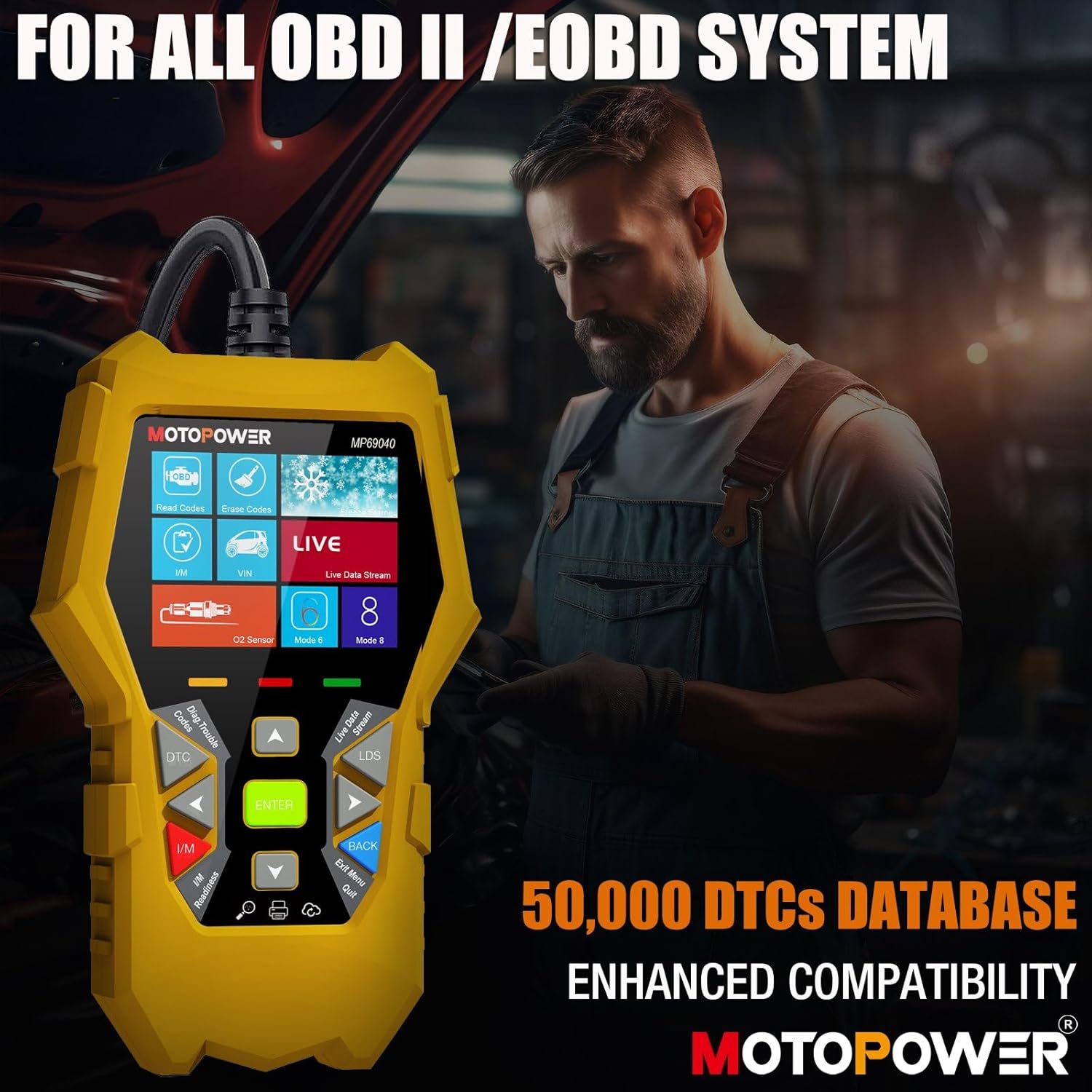
Figure 2: MOTOPOWER MP69040 OBD2 Diagnostic Scanner.
3. Contido do paquete
Verifica que todos os elementos estean presentes no paquete:
- MOTOPOWER MP00205B 12V Battery Charger/Maintainer
- Caimán Clamp Harness (50amp)
- Ring Terminal Harness (7.5amp fuse protected)
- MOTOPOWER MP69040 OBD2 Diagnostic Scanner

Figure 3: MP00205B Charger and its accessories.
4. MOTOPOWER MP00205B Charger/Maintainer Setup and Operation
4.1 Conexión do cargador
- Asegúrate de que o cargador estea desconectado da toma de corrente alterna.
- Escolla o conector axeitado:
- Caimán Clamps: Conecta o cl vermelloamp ao terminal positivo (+) da batería e ao cl negroamp ao terminal negativo (-) da batería.
- Terminais de anel: If permanently installing, connect the red ring terminal to the positive (+) battery post and the black ring terminal to the negative (-) battery post.
- Connect the SAE quick-release connector from the chosen harness to the charger's output cable.
- Plug the charger into a standard 120V AC power outlet.
4.2 Proceso de carga
The MP00205B operates automatically. Once connected and powered, it will begin its multi-stagproceso de carga electrónica:
- Desulfating: If the battery is deeply discharged or sulfated, the charger may enter a desulfation stage to recover the battery.
- Cargando: The charger delivers a steady current to bring the battery to a full charge.
- Absorción: The charger switches to a constant voltage, gradually reducing current as the battery approaches full capacity. This stage includes pulse charging technology to maximize battery performance.
- Charged/Maintain: Once fully charged, the charger automatically switches to maintenance mode, providing a float charge at 13.6V to keep the battery at optimal levels indefinitely without overcharging.
The LED indicators on the charger will show the current charging stage. The device features spark-free technology for enhanced safety during connection and disconnection.

Figure 4: Charger indicating Pulse Boost Technology and charging stages.

Figure 5: Charger displaying automatic operation and safety protections.
5. MOTOPOWER MP69040 OBD2 Scanner Setup and Operation
5.1 Conexión do escáner
- Locate the vehicle's 16-pin Data Link Connector (DLC), typically under the dashboard on the driver's side.
- Asegúrese de que o contacto do vehículo estea apagado.
- Plug the scanner's OBD2 cable into the vehicle's DLC.
- Turn the vehicle's ignition to the ON position (engine can be off). The scanner will power on automatically.
5.2 Funcións básicas
The MP69040 scanner provides various diagnostic functions through its user-friendly interface:
- Ler códigos: Recupera os códigos de diagnóstico de problemas (DTC) do ordenador do vehículo.
- Borrar códigos: Borra os códigos de avaría DTC do ordenador do vehículo. Note: Clearing codes does not fix the underlying problem.
- Datos en directo: Displays real-time data streams from the vehicle's sensors, such as Engine RPM, Fuel Pressure, and more.
- Dispoñibilidade I / M: Comproba o estado dos monitores relacionados coas emisións para determinar se o vehículo está listo para unha proba de emisións.
- Vehicle Identification (VIN): Reads the Vehicle Identification Number and other vehicle information.
- Biblioteca DTC: Ofrece definicións para códigos xenéricos e específicos do fabricante.
- Actualización: Supports lifetime free online updates for the latest functions and vehicle compatibility.

Figure 6: MP69040 Scanner user interface.

Figure 7: Key features of the MP69040 Scanner.

Figure 8: Live Data display on the MP69040 Scanner.
6. Mantemento
- Limpeza: Limpe os dispositivos cun pano suave e seco. Non empregue produtos de limpeza abrasivos nin solventes.
- Almacenamento: Store both the charger and scanner in a cool, dry place away from direct sunlight and extreme temperatures. Ensure cables are neatly coiled to prevent damage.
- Inspección de cables: Regularly inspect all cables and connectors for any signs of damage, fraying, or corrosion. Replace if necessary.
7 Solución de problemas
7.1 MP00205B Charger/Maintainer
- O cargador non se acende: Check the AC power connection. Ensure the outlet is functional. Verify the battery connections are secure.
- O indicador de carga non se acende: Confirme o volumen da bateríatage is above 2V. If the battery is severely discharged, it might take a few minutes for the charger to detect it. Ensure proper polarity.
- Charger not maintaining charge: Ensure the charger remains connected to both the AC outlet and the battery. Check for any loose connections.
7.2 MP69040 OBD2 Scanner
- O escáner non se acende: Ensure the OBD2 cable is securely connected to the vehicle's DLC. Verify the vehicle's ignition is in the ON position.
- Erro de comunicación: Check the vehicle's ignition status. Ensure the OBD2 cable is not damaged. Try connecting to a different vehicle (if available) to rule out a vehicle-specific issue. Verify the vehicle is OBDII compliant.
- Pantalla conxelada: Disconnect the scanner from the vehicle, wait a few seconds, and reconnect.
8. Especificacións
8.1 MOTOPOWER MP00205B Charger/Maintainer
| Especificación | Valor |
|---|---|
| Vol. De entradatage | 120 V CA (estándar) |
| Vol. De saídatage | 12 voltios DC |
| Corrente de saída | 1000 mA (1 A) |
| Lonxitude do cable | Up to 8.5FT (18AWG UL standard) |
| Características de seguridade | Spark-free, Overcharge Protection |
| Certificacións | CE, FCC, UL |
8.2 MOTOPOWER MP69040 OBD2 Scanner
| Especificación | Valor |
|---|---|
| Mostrar | Pantalla TFT a cor de 2.8 polgadas |
| Protocolos admitidos | KWP2000, J1850 VPW, ISO9141, J1850 PWM, CAN |
| Compatibilidade de vehículos | 1996 US-based, 2003 EU-based, 2008 Asian-based and newer OBD2/CAN vehicles (excluding new energy/hybrid) |
| Base de datos DTC | 50,000+ codes |
| Linguas | 10 idiomas incorporados |
9. Garantía e soporte
MOTOPOWER products are designed for reliability and performance. For warranty information, technical support, or service inquiries, please contact MOTOPOWER customer support through their official website or the retailer where the product was purchased. Please have your product model number and purchase date available when contacting support.