
Introdución
The MAONO AU-PM325T is a professional condenser microphone designed for high-quality audio capture. Featuring a 25mm large diaphragm and a cardioid polar pattern, it is suitable for various applications including podcasting, music recording, live streaming, gaming, and vocal performances. This manual provides essential information for setting up, operating, and maintaining your microphone.
Contido do paquete
Verifique que todos os elementos que se indican a continuación estean incluídos no seu paquete:
- Condenser Microphone (1)
- Soporte de choque (1)
- Table Stand (1)
- Pop Filter (1)
- Wind Foam (1)
- XLR-3.5mm Cable (1)
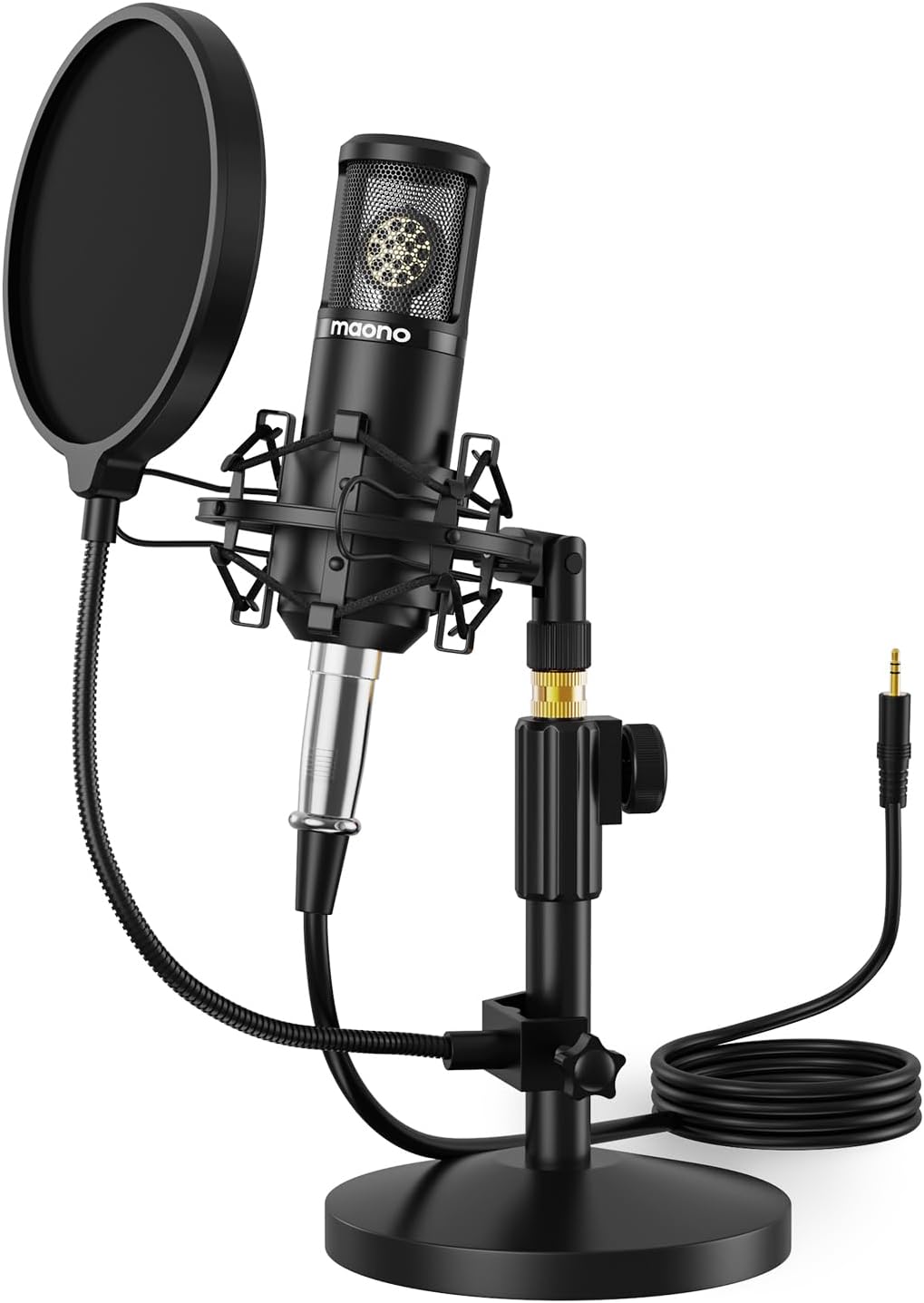
Image: The MAONO AU-PM325T microphone with its shock mount, pop filter, table stand, and connecting cable.
Características
- 25mm Large Diaphragm: Equipped with a professional sound chipset and a 25mm electret condenser transducer, providing exquisite sound quality with a flat frequency response of 20Hz-20kHz. Ideal for detailed audio capture.
- Conectividade Plug & Play: Features an XLR to 3.5mm connection for easy compatibility with computers and smartphones. Offers strong output, no distortion, and low power consumption.
- Construción metálica completa: Built with high-quality metal materials for durability and protection of internal components. The stable all-metal base and height-adjustable metal tube provide robust support.
- Patrón polar cardioide: Designed to reduce the pickup of surrounding noise, focusing on sound directly in front of the microphone for an immersive recording experience.
- Noise Reduction Accessories: Includes a shock mount to minimize vibration-induced noise, and a pop filter and wind foam to reduce wind and plosive sounds, ensuring clear vocal recordings.

Imaxe: Primeiro plano view of the MAONO AU-PM325T microphone's 25mm large diaphragm, highlighting its studio-quality sound capability.
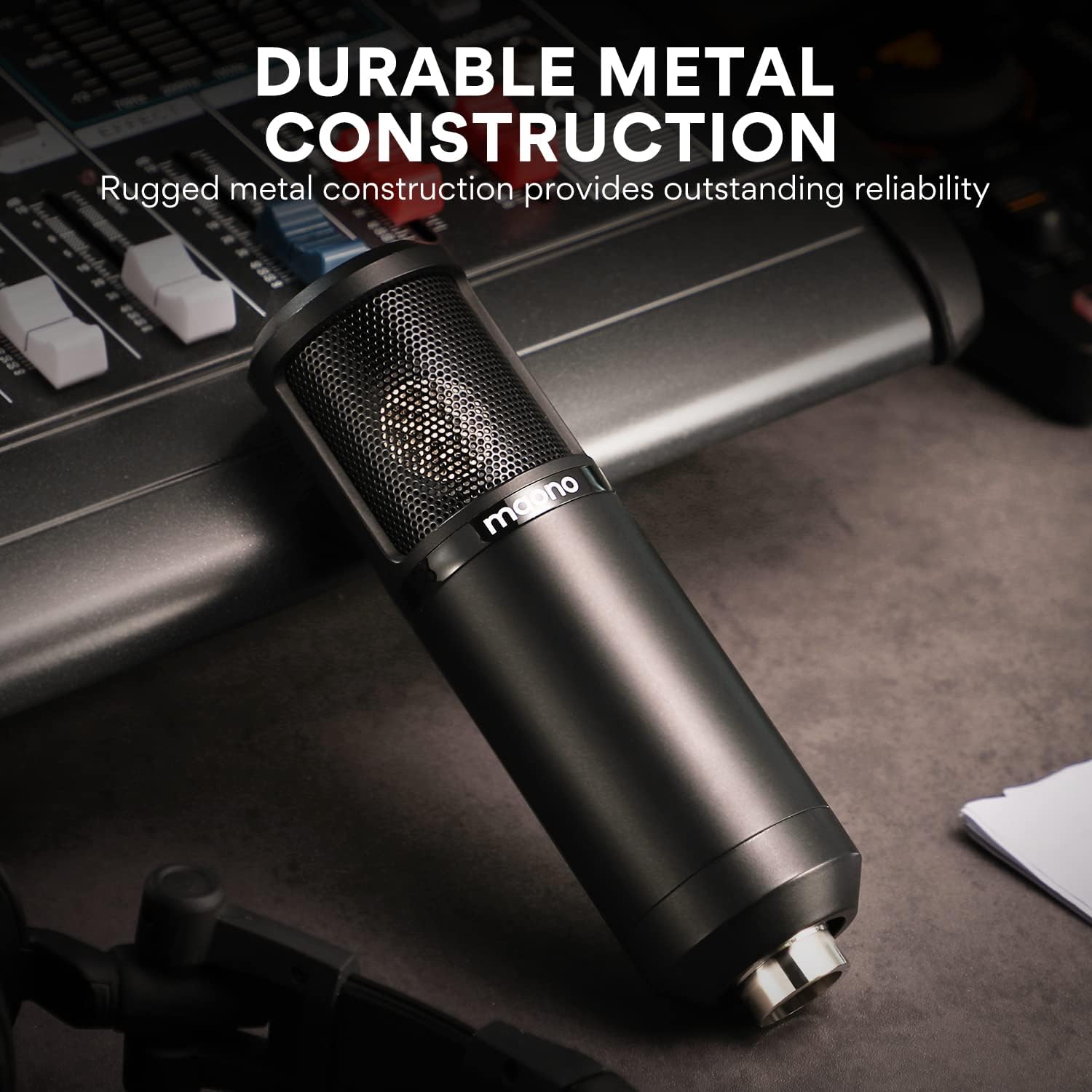
Image: The MAONO AU-PM325T microphone showcasing its durable full metal construction, designed for reliability.
Guía de configuración
- Assemble the Table Stand: Securely attach the microphone to the provided table stand. Ensure the stand is stable on a flat surface.
- Instalar o soporte de amortiguador: Mount the microphone into the shock mount. The shock mount helps isolate the microphone from physical vibrations that can cause unwanted noise.
- Attach Pop Filter and Wind Foam:
- Slide the wind foam over the microphone capsule to reduce plosives and wind noise.
- Attach the pop filter to the stand and position it approximately 2-3 inches in front of the microphone. This further minimizes plosive sounds (like 'p' and 'b').
- Connect the XLR-3.5mm Cable:
- Connect the XLR end of the cable to the microphone's XLR port.
- Connect the 3.5mm end of the cable to your computer's microphone input, smartphone's audio jack (with adapter if needed), or an audio interface.
- Posicionamento: For optimal sound capture, position the microphone directly in front of the sound source (e.g., your mouth) within a few inches. The cardioid polar pattern is most sensitive to sounds from the front.

Image: The MAONO AU-PM325T microphone set up with its stand, shock mount, and pop filter, connected to a laptop, demonstrating its plug-and-play compatibility with various devices including Windows, macOS, and audio interfaces.

Image: The MAONO AU-PM325T microphone connected to an audio interface, illustrating its use in a professional recording setup.
Instrucións de funcionamento
Once the microphone is set up and connected to your device, follow these general guidelines for operation:
- Configuración do software: Ensure your recording software, operating system settings, or communication application recognizes the MAONO AU-PM325T as the input device. Adjust input levels to prevent clipping or distortion.
- Colocación óptima: Maintain a consistent distance from the microphone, typically 6-12 inches, for balanced audio levels. Speak or sing directly into the front of the microphone, where the cardioid pattern is most effective.
- Monitor Your Sound: If your audio interface or computer allows, monitor your audio with headphones to ensure desired sound quality and to identify any unwanted background noise.
- Consideracións ambientais: Record in a quiet environment to maximize the microphone's noise reduction capabilities. The cardioid pattern helps, but it cannot eliminate all ambient sound.

Image: A user recording vocals while playing a guitar, utilizing the MAONO AU-PM325T microphone for clear audio capture.

Image: The MAONO AU-PM325T microphone integrated into a home studio setup, connected to an audio mixer, demonstrating its use for professional recording.
Mantemento
- Limpeza: Use a soft, dry cloth to wipe the microphone body. Avoid using liquid cleaners or solvents, as they may damage the finish or internal components.
- Pop Filter and Wind Foam: The pop filter screen can be gently cleaned with a damp cloth if necessary. The wind foam can be hand-washed with mild soap and water, then air-dried completely before re-use.
- Almacenamento: When not in use, store the microphone in a dry, dust-free environment. Disassemble the pop filter and wind foam if storing for extended periods.
- Manexo: Handle the microphone with care. Avoid dropping it or exposing it to extreme temperatures or humidity, which can affect its performance and lifespan.
Resolución de problemas
| Problema | Causa posible | Solución |
|---|---|---|
| Sen saída de son |
|
|
| Mala calidade de son / Ruído de fondo |
|
|
| Microphone unstable on stand |
|
|
Especificacións
| Característica | Detalle |
|---|---|
| Marca | MAONO |
| Nome do modelo | PM325T |
| Factor de forma do micrófono | Diafragma grande |
| Patrón polar | Unidireccional (cardioide) |
| Tecnoloxía de conectividade | Auxiliary (XLR to 3.5mm) |
| Tipo de conector | Jack de 3.5 mm |
| Sensibilidade Audio | 45 decibeis |
| Relación sinal-ruído | 78 dB |
| Resposta en frecuencia | 20 Hz - 20 kHz |
| Fonte de enerxía | Eléctrico con cable |
| Material | Aluminio |
| Cor | Negro |
| Peso do elemento | 3.58 libras |
| Dimensións do paquete | 10.55 x 8.23 x 4.45 polgadas |
| Dispositivos compatibles | Audio Interface, Audio Mixer, Personal Computer, Smartphone |
| Usos recomendados | Singing, Gaming, Streaming, Voice Recording, Video Recording, Speech, Video Conference |
Garantía e Soporte
For warranty information and technical support, please refer to the official MAONO website or contact MAONO customer service directly. Keep your purchase receipt for warranty claims.
You can visit the MAONO Store for more information: MAONO Official Store


