
1. Introdución
Grazas pola compraasing the eKids Marvel Deadpool Wireless Earbuds. These earbuds are designed to provide a high-quality audio experience with the convenience of wireless connectivity. This manual will guide you through the setup, operation, and maintenance of your new earbuds.
Lea este manual atentamente antes de usar o produto e gárdeo para futuras consultas.
2. Produto rematadoview
The eKids Marvel Deadpool Wireless Earbuds feature a distinctive Deadpool design and offer wireless stereo sound streaming with a built-in microphone for calls. They come with a portable charging case and multiple ear cushion sizes for comfort.
Características principais:
- Wireless stereo sound streaming
- Micrófono incorporado para chamadas
- Three sizes of rubber ear cushions (small, medium, large) for personalized comfort
- Conexión de carga USB-C
- Conectividade Bluetooth
- Up to 22 hours total music playtime with charging case
- Ergonomic shape for comfort
- Construción lixeira
- Compatible with iPhone, Android, smartphones, tablets, and computers
- Suitable for gaming, audiobooks, video calls, and various entertainment/educational content
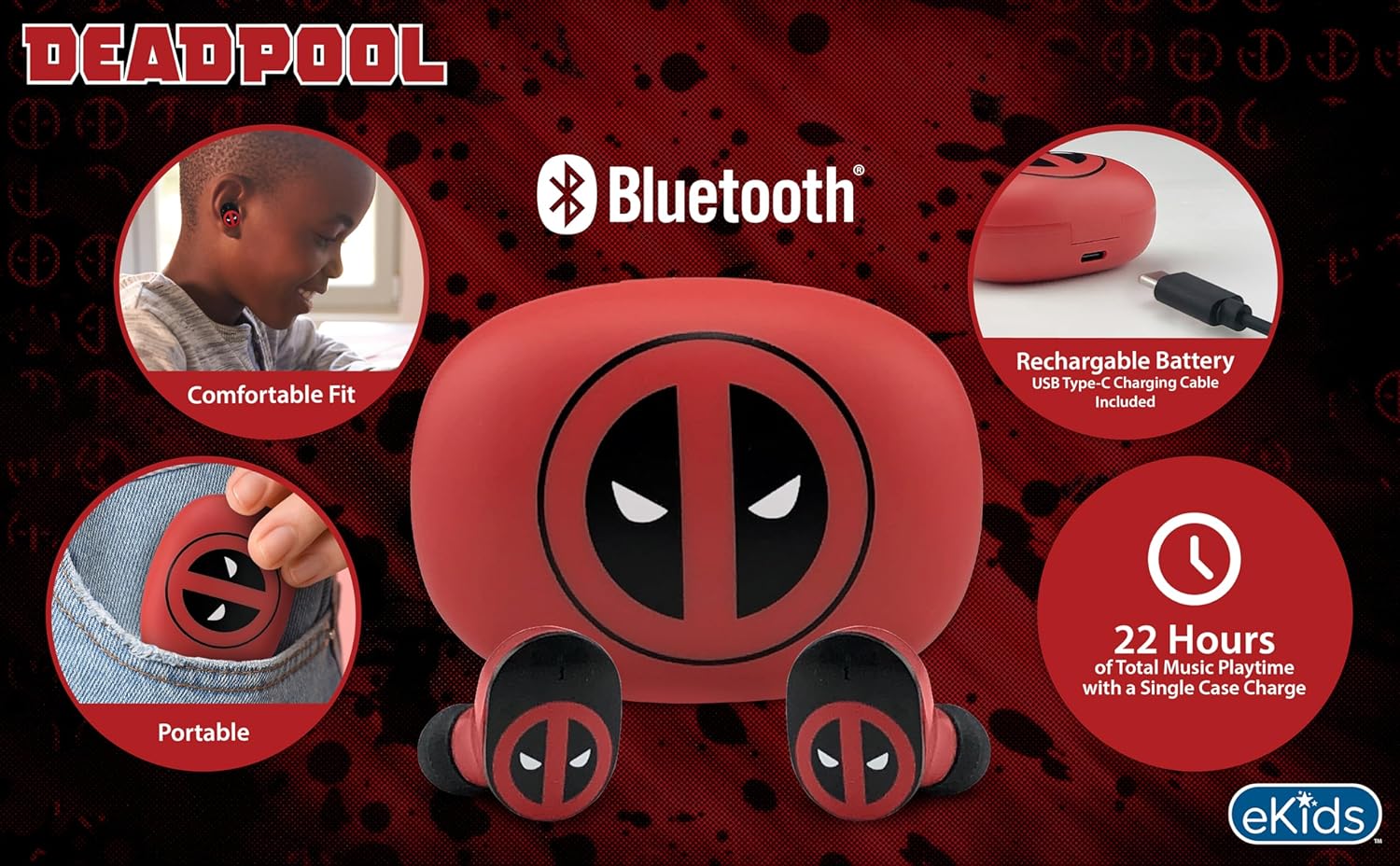
Image 2.1: The eKids Marvel Deadpool Wireless Earbuds and their charging case, showcasing the distinctive Deadpool logo.
3. Configuración
3.1 Carga dos auriculares e da funda
- Open the charging case and place both earbuds inside, ensuring they are correctly seated.
- Connect the provided USB-C charging cable to the charging port on the case.
- Connect the other end of the USB-C cable to a compatible USB power source (e.g., computer, wall adapter).
- A luz indicadora da caixa de carga acenderase para mostrar o estado da carga. Unha vez cargada completamente, a luz pode cambiar de cor ou apagarse.
A full charge provides up to 22 hours of total music playtime, with the case offering 2.5 times extra charge for the earbuds.

Image 3.1: The Deadpool-themed charging case with the USB-C charging cable connected, illustrating the charging process.
3.2 Emparellamento cun dispositivo Bluetooth
- Asegúrate de que os auriculares estean cargados e colocados na caixa de carga.
- Open the charging case. The earbuds will automatically power on and attempt to connect to the last paired device.
- No teu dispositivo (teléfono intelixente, tableta, ordenador), vai á configuración de Bluetooth.
- Busca available devices and select "eKids Deadpool Earbuds" (or similar name).
- Once connected, the LED light on the earbuds will stop flashing or change to a solid color.
The earbuds are compatible with iPhone, Android, and other Bluetooth-enabled devices.
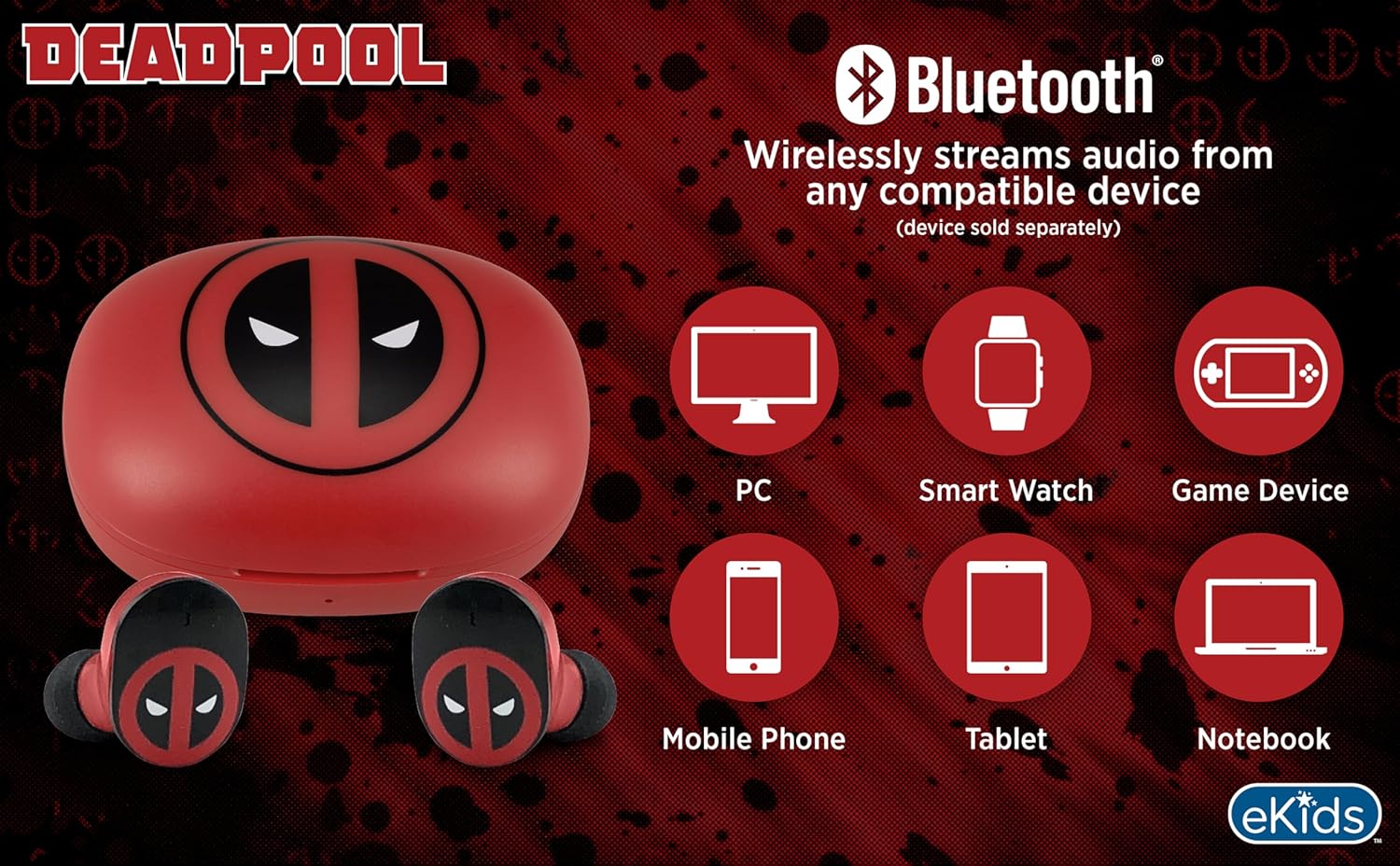
Image 3.2: An illustration showing the Bluetooth connectivity of the earbuds with various devices such as PCs, smartwatches, game devices, mobile phones, tablets, and notebooks.
3.3 Selecting Ear Cushions for Comfort
The earbuds come with three sizes of rubber ear cushions (small, medium, large) to ensure a comfortable and secure fit. Experiment with different sizes to find the best fit for your ears. A proper fit enhances sound quality and comfort.
- Gently remove the pre-installed ear cushions from the earbuds.
- Select a different size ear cushion.
- Carefully attach the new ear cushion to the earbud, ensuring it is securely fastened.

Image 3.3: The Deadpool earbuds shown with the three different sizes of ear cushions included for a customized fit.
4. Funcionamento dos auriculares
4.1 Encendido/apagado
- Encendido: Abre a caixa de carga e os auriculares acenderanse automaticamente e tentarán conectarse ao último dispositivo emparellado.
- Apagado: Volve colocar os auriculares na caixa de carga e pecha a tapa. Apagaranse automaticamente e comezarán a cargar.
4.2 Reprodución de música
- Reproducir/Pausa: Toca calquera dos auriculares unha vez.
- Próxima pista: Toca dúas veces o auricular dereito.
- Pista anterior: Toca dúas veces o auricular esquerdo.
- Control de volume: Adjust volume directly from your connected device.
4.3 Chamadas telefónicas
O micrófono incorporado permite facer chamadas mans libres.
- Responder/Finalizar chamada: Toca calquera dos auriculares unha vez.
- Rexeitar a chamada: Mantén premido calquera dos auriculares durante 2 segundos.
5. Mantemento
- Limpeza: Usa un pano suave e seco para limpar os auriculares e a caixa de carga. Non uses produtos de limpeza abrasivos nin disolventes.
- Almacenamento: Cando non estean en uso, garde os auriculares no seu estoxo de carga para protexelos e mantelos cargados.
- Evitar auga: Estes auriculares non son impermeables. Evita a exposición á auga ou á humidade excesiva.
- Temperatura: Do not expose the earbuds or case to extreme temperatures.
6 Solución de problemas
| Problema | Solución |
|---|---|
| Os auriculares non se emparejan. | Ensure earbuds are charged. Turn off Bluetooth on your device and turn it back on. Forget the device in your Bluetooth settings and re-pair. |
| Sen son dun auricular. | Volva colocar os dous auriculares na caixa de carga, peche a tapa e ábraa de novo. Comproba a configuración do balance de son do dispositivo. |
| A caixa de carga non carga. | Comproba o cable USB-C e o adaptador de corrente. Asegúrate de que o cable estea conectado correctamente tanto á carcasa como á fonte de alimentación. |
| Mala calidade de son. | Ensure earbuds are properly seated in your ears with the correct size ear cushions. Move closer to your connected device to avoid interference. |
7. Especificacións
- Marca: eKids
- Modelo: B0D1CS61NB
- Cor: Deadpool (Red/Black)
- Colocación do oído: En Orella
- Factor de forma: En Orella
- Impedancia: 32 ohmios
- Distancia Bluetooth: ≥ 10M / 32ft
- Sensibilidade: 100dB ± 3dB at 1kHz spl
- Duración da batería: Up to 22 hours total playtime with charging case
- Porto de carga: USB-C
- Dimensións (caso): Approximately 2.4 in / 6.2 cm (width) x 1.8 in / 4.6 cm (height) x 1.2 in / 3.1 cm (depth)
- Dimensions (Earbud): Approximately 0.9 in / 2.5 cm (height) x 0.7 in / 1.8 cm (width)

Image 7.1: A detailed diagram illustrating the dimensions and key specifications of the Deadpool wireless earbuds and their charging case.
8. Garantía e soporte
Para obter información sobre a garantía e a atención ao cliente, consulte a documentación incluída coa súa compra ou visite o sitio web oficial de eKids. websitio. Garda o comprobante de compra para calquera reclamación de garantía.
For additional assistance, you may contact eKids customer service directly.
9. Vídeo oficial do produto
Vídeo 9.1: Presentación oficial dun produto en vídeoasing the eKids Marvel Deadpool Wireless Earbuds, highlighting their features and design. This video provides a visual overview da funcionalidade e aparencia do produto.