
1. Introdución
Grazas pola compraasing the plplaaoo Cordless Table LampEste manual proporciona información esencial para o funcionamento seguro e eficiente do seu novo vehículo.ampLéao detidamente antes do uso e gárdeo para futuras consultas.
2. Instrucións de seguridade
- Non expoña o lamp á auga ou á humidade excesiva.
- Evitar desmontar ou modificar o lamp, xa que isto pode anular a garantía e supoñer riscos de seguridade.
- Use só o cable USB tipo C fornecido para cargar.
- Manteña o lamp away from heat sources and direct sunlight to prevent battery damage.
- Asegurar o lamp colócase sobre unha superficie estable e plana para evitar que se volque.
- Este lamp está deseñado só para uso en interiores.
3. Contido do paquete
Verifica que todos os elementos estean presentes no teu paquete:
- 1 x Cordless Table Lamp
- 1 x cable de carga USB tipo C

4. Produto rematadoview
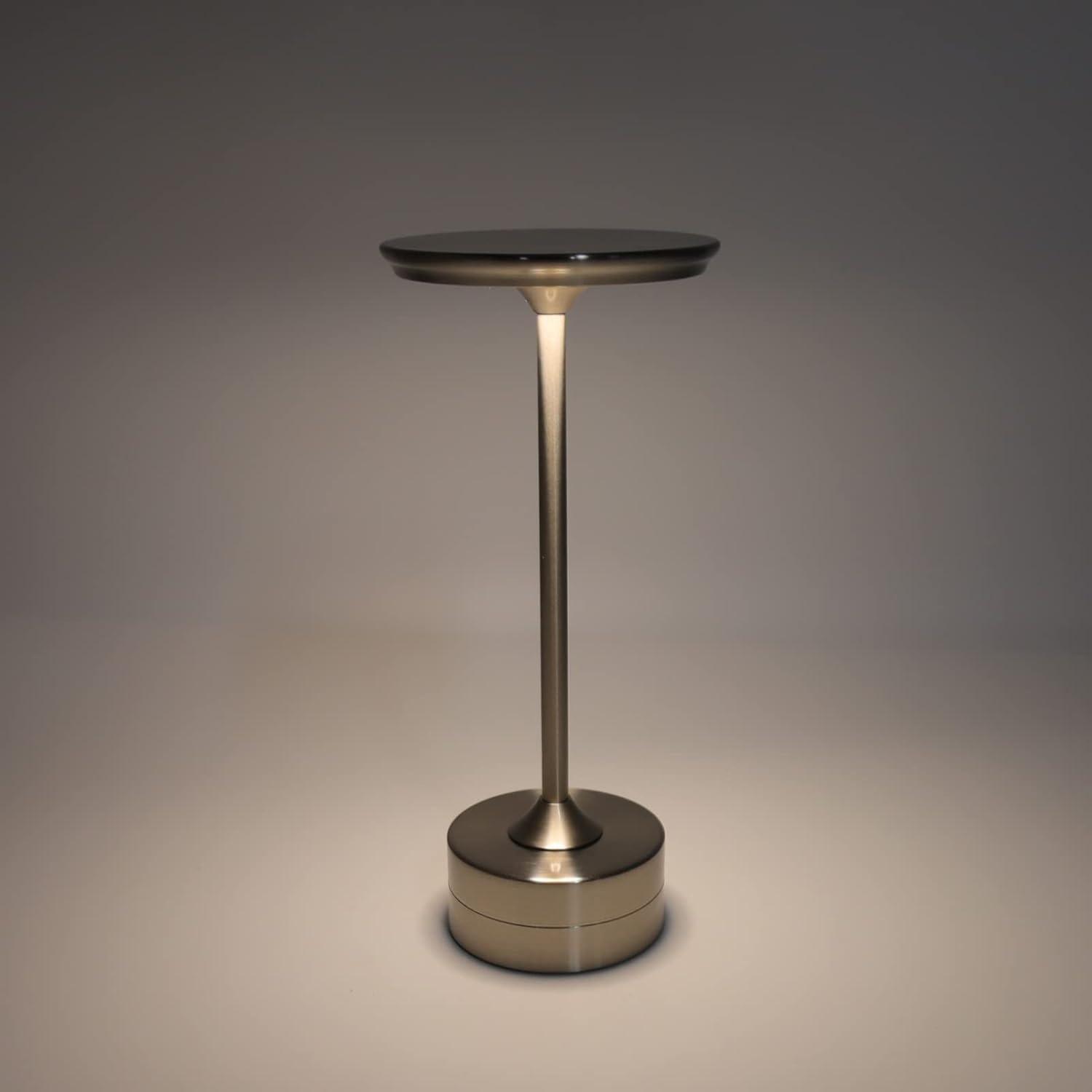
The plplaaoo Cordless Table Lamp features a sleek design with a durable iron, aluminum, and acrylic construction. It includes a built-in 2000mAh rechargeable lithium battery, offering 10-15 hours of working time on a full charge. The lamp provides three light sources: white light, warm light, and ordinary light, with adjustable brightness up to 150lm.


5. Configuración
Carga inicial
Antes do primeiro uso, cargue completamente o lamp. Connect the provided USB Type-C cable to the charging port on the lamp's base and plug the other end into a compatible USB power adapter (not included).
- Locate the USB Type-C charging port on the base of the lamp.
- Insert the USB Type-C cable into the lampo porto de carga.
- Connect the USB-A end of the cable to a standard USB power adapter (e.g., phone charger, computer USB port).
- The charging indicator (if present) will show the charging status. Allow several hours for a full charge.
6. Instrucións de funcionamento
Acendido/apagado e axuste do brillo
O lamp features both a bottom switch and a top touch control for operation.
- Interruptor inferior: Flip the switch on the bottom of the lamp to the 'ON' position to enable the touch control function.
- Top Touch Control: Gently touch the top surface of the lamp to cycle through the three light modes: white light, warm light, and ordinary light. Continue touching to adjust brightness levels within each mode.
- Para apagar o lamp, either cycle through all light modes until it turns off via touch control, or flip the bottom switch to the 'OFF' position.


7. Mantemento
- Limpeza: Limpe o lamp cun pano suave e seco. Non empregue produtos de limpeza abrasivos nin disolventes.
- Almacenamento: Cando non o use durante períodos prolongados, garde o lamp nun lugar fresco e seco. Asegúrese de que a batería estea parcialmente cargada antes de gardala para prolongar a súa vida útil.
- Coidado da batería: To maintain battery health, avoid completely draining the battery frequently. Recharge the lamp when the light output becomes noticeably dim.
8 Solución de problemas
| Problema | Causa posible | Solución |
|---|---|---|
| Lamp non acende. | Battery is depleted. Bottom switch is off. | Carga o lamp using the USB Type-C cable. Ensure the bottom switch is in the 'ON' position. |
| A luz é tenue ou parpadea. | Batería baixa. | Recarga o lamp. |
| Cannot change light mode/brightness. | Bottom switch is off. Touch control malfunction. | Ensure the bottom switch is 'ON'. Try restarting the lamp by turning the bottom switch off and on again. |
| Lamp non cobra. | Faulty cable or adapter. Charging port issue. | Try a different USB Type-C cable and power adapter. Ensure the cable is fully inserted. |
9. Especificacións
| Característica | Detalle |
|---|---|
| Modelo | B0D2LG61MQ |
| Material | Iron, Aluminum, Acrylic |
| Altura | Aprox. 28.5 cm / 11.2 polgadas |
| Diámetro | Aprox. 13 cm / 5.1 polgadas |
| Peso | Approx. 0.66 kg / 23.4 oz |
| Batería incorporada | Litio 2000mAh |
| Fonte de luz | White light, Warm light, Ordinary light (3 levels brightness) |
| Brillo máximo | 150 lm |
| Método de carga | USB tipo C |
| Control | Bottom switch, Top touch control |

10. Garantía e soporte
This product is covered by a standard manufacturer's warranty. For specific warranty details, please refer to the product packaging or contact the retailer where you purchased the item. For technical support or inquiries, please visit the official plplaaoo store or contact customer service.