
Introdución
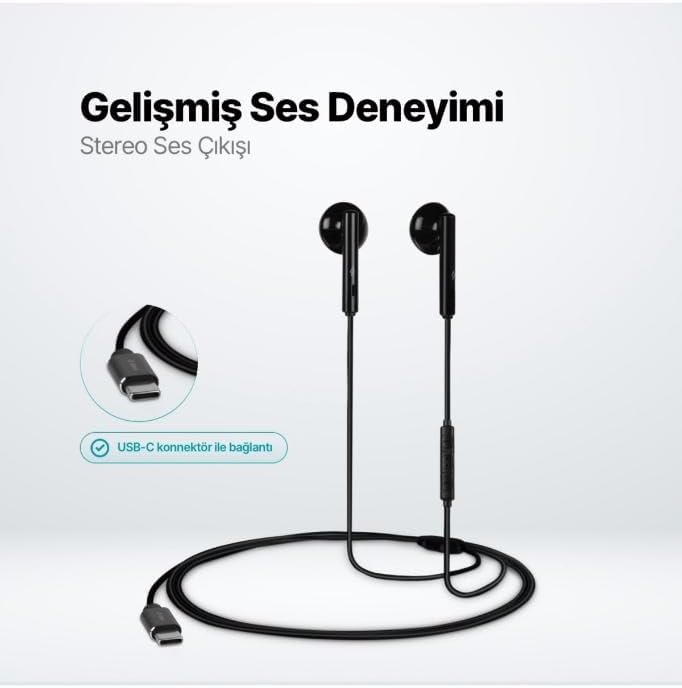
The TTEC Rio 2 Stereo USB-C Headset with Microphone is designed to provide a high-quality audio experience for music and calls. Its comfortable, lightweight design ensures a perfect fit and effective ambient noise isolation, allowing for hands-free communication and entertainment.
Características principais:
- Advanced stereo sound output for an immersive audio experience.
- Integrated microphone for clear phone calls.
- Smart inline controller for easy management of volume, calls, and music playback.
- Lightweight and ergonomic design for extended comfort.
- Universal USB-C connection.
Configuración
To begin using your TTEC Rio 2 headset, follow these simple steps:
- Conecta os auriculares: Locate the USB-C port on your device (smartphone, tablet, laptop, etc.). Insert the USB-C connector of the TTEC Rio 2 headset firmly into the device's USB-C port.
- Recoñecemento de dispositivos: Your device should automatically recognize the headset. If prompted, select the TTEC Rio 2 as the audio output and input device.
- Axustar axuste: Place the earbuds comfortably in your ears. The ergonomic design ensures a snug fit for optimal sound quality and noise isolation.
Instrucións de funcionamento
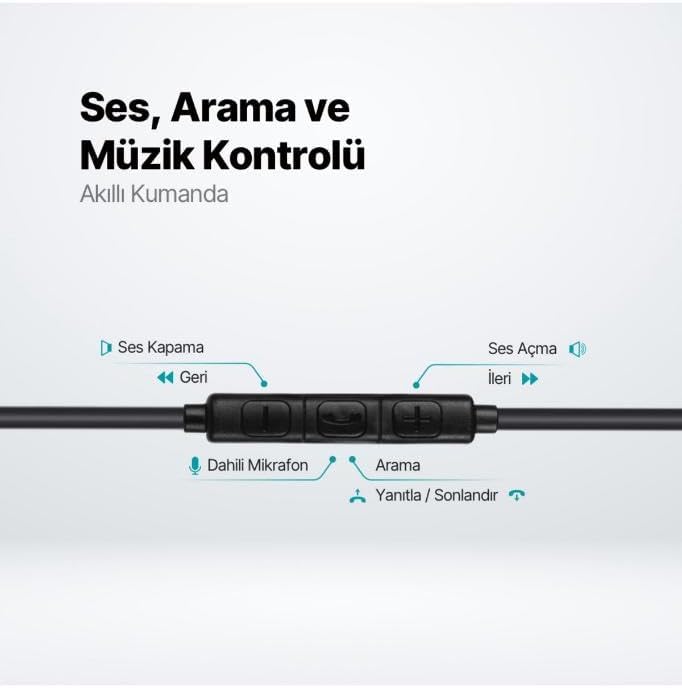
The TTEC Rio 2 headset features an inline smart controller for convenient management of your audio and calls.
Inline Controller Functions:
- Subir volume (+): Prema para aumentar o volume do son.
- Baixar o volume (-): Prema para baixar o volume do son.
- Play/Pause/Answer/End Call (Center Button):
- Single press to play or pause music.
- Single press to answer an incoming call.
- Single press to end an active call.
- Mantén presionado para rexeitar unha chamada entrante.
- Next Track (Forward Button): Preme para ir á seguinte canción.
- Previous Track (Backward Button): Press to go back to the beginning of the current song or to the previous song.
- Micrófono incorporado: Located on the inline controller, it captures your voice for calls and voice commands.
Mantemento
Proper care will extend the life and performance of your TTEC Rio 2 headset.
- Limpeza: Limpe con coidado os auriculares e o cable cun pano suave e seco. Non empregue produtos químicos agresivos nin materiais abrasivos.
- Almacenamento: When not in use, store the headset in a clean, dry place. Avoid extreme temperatures. The included cable organizer clip can help prevent tangling.
- Evitar a humidade: Non expoñas os auriculares á auga nin a humidade excesiva.
- Manipular con coidado: Avoid pulling on the cable or applying excessive force to the connectors.

Resolución de problemas
If you encounter issues with your TTEC Rio 2 headset, refer to the following common solutions:
| Problema | Posible Solución |
|---|---|
| Non hai son dos auriculares. |
|
| O micrófono non funciona. |
|
| A calidade do son é deficiente ou distorsionada. |
|
| Hissing or static noise. |
|
Especificacións
| Característica | Detalle |
|---|---|
| Marca | TTEC |
| Número de modelo | 2KMM14S |
| Conectividade | USB-C |
| Factor de forma dos auriculares | In-Ear |
| Colocación do oído | In-Ear |
| Micrófono | Integrado |
| Dimensións do paquete | 19.8 x 8.5 x 3.1 cm |
| Peso do elemento | 40 gramos |
| ASIN | B0D3XJ5SP7 |
Garantía e Soporte
For warranty information and customer support, please refer to the documentation included with your purchase or visit the official TTEC websitio. Garda o comprobante de compra para calquera reclamación de garantía.