
Niceday DE-3609
Manual do usuario do exercitador de pedal Niceday DE-3609
Model: DE-3609
1. Información importante de seguridade
Please read all instructions carefully before using the Niceday Pedal Exerciser. Retain this manual for future reference.
- Consulta co teu médico antes de comezar calquera programa de exercicios, especialmente se tes algunha condición médica preexistente.
- Use the exerciser on a flat, stable surface. Ensure adequate space around the unit.
- Manteña os nenos e as mascotas lonxe do aparello de exercicios durante o seu uso.
- Inspect the unit for any loose or damaged parts before each use. Do not use if damaged.
- Wear appropriate footwear during exercise.
- Non se poña de pé no exercitador de pedales. Está deseñado só para uso sentado.
- Deixar de facer exercicio inmediatamente se sentes dor, mareos ou falta de aire.
- Maximum user weight is not specified, but ensure the unit is stable and does not shift during use.
2. Contido do paquete
Comprobe que todos os compoñentes estean presentes antes da montaxe:
- Niceday Pedal Exerciser Main Unit
- Pedais (2)
- Barra estabilizadora frontal
- Barra estabilizadora trasera
- Assembly Tools (Wrench, Screwdriver)
- Manual de usuario (este documento)
- AAA Batteries (2) for LCD Monitor
3. Configuración e montaxe
The Niceday Pedal Exerciser is designed for quick and easy assembly, typically within 10 minutes. Most of the unit comes pre-assembled.
- Fixar as barras estabilizadoras: Securely attach the front and rear stabilizer bars to the main unit using the provided screws and tools. Ensure they are firmly tightened to prevent wobbling.
- Fixar os pedais: Identify the left (L) and right (R) pedals. The left pedal typically screws counter-clockwise, and the right pedal screws clockwise. Thread them into the crank arms and tighten them securely with the wrench.
- Instalar baterías: Open the battery compartment on the LCD monitor and insert 2 AAA batteries, observing the correct polarity. Close the compartment.

Image: Assembly components and process. The unit is largely pre-assembled, requiring attachment of pedals and stabilizer bars using included tools.
4. Instrucións de funcionamento
4.1. Colocación e estabilidade
Place the pedal exerciser on a stable, non-slip surface. The unit features extended leg tubes and an anti-slip rubber coating on its sturdy frame to ensure stability during use.

Image: Stability features including extended leg tubes and anti-slip rubber coating.
4.2. Axuste da resistencia
The Niceday Pedal Exerciser features 8 levels of smooth magnetic resistance. To adjust the resistance:
- Locate the resistance knob on the main unit.
- Xira o botón no sentido das agullas do reloxo para aumentar a resistencia (para un adestramento máis desafiante).
- Turn the knob counter-clockwise to decrease resistance (for an easier workout or rehabilitation).
- Levels 1-4 are generally suitable for elderly users or rehabilitation to improve mobility.
- Levels 5-8 are generally suitable for youth and adults to strengthen muscles and maintain activity.
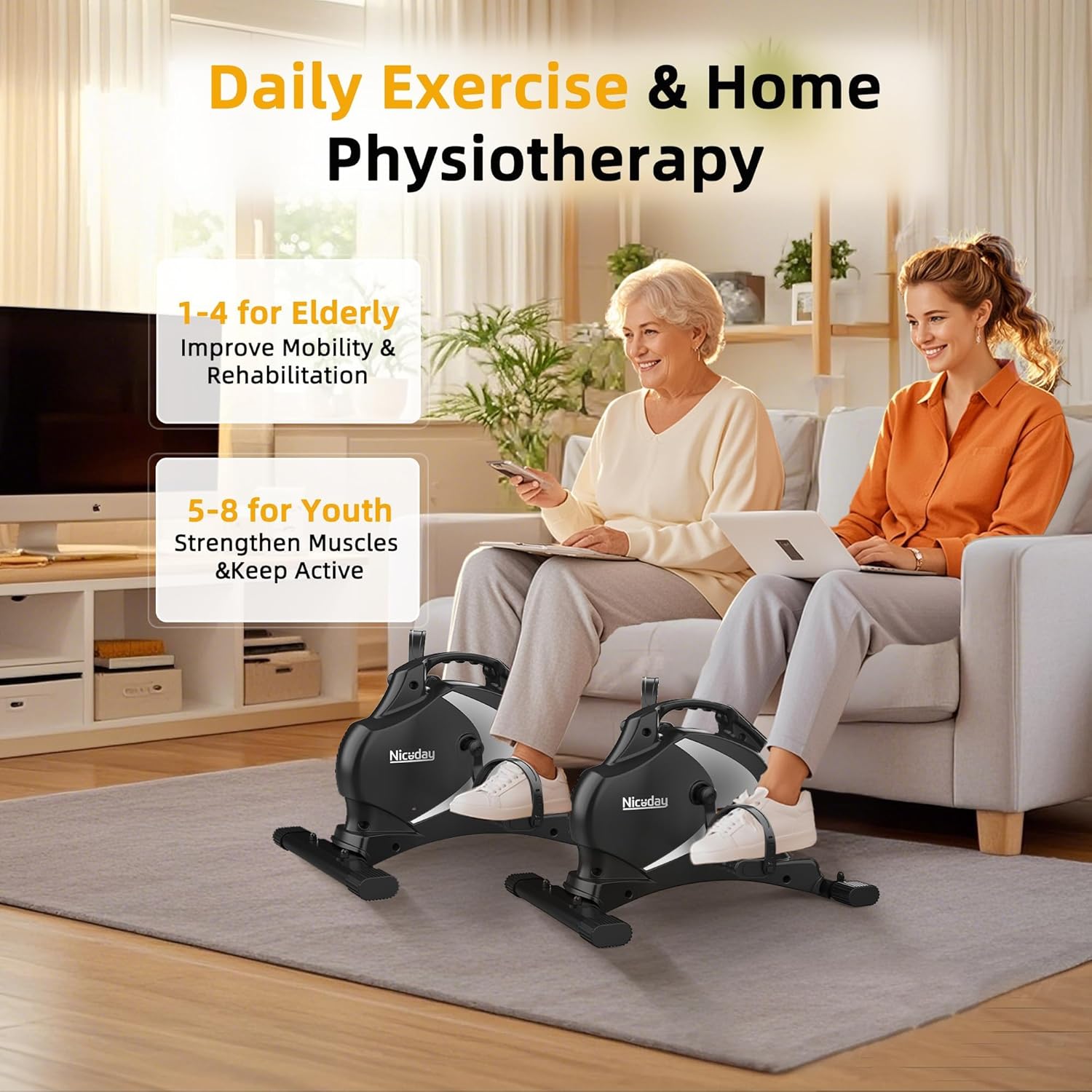
Image: Recommended resistance levels for different user groups.
4.3. Uso do monitor LCD
The integrated LCD monitor tracks your workout data in real-time. It displays the following metrics:
- ESCANEAR: Automatically cycles through all metrics every few seconds.
- HORA: Duración da túa sesión de adestramento actual.
- DIST (Distancia): Distancia estimada percorrida durante o adestramento.
- RPM (revolucións por minuto): Your current pedaling speed.
- CAL (calorías): Calorías estimadas queimadas durante o teu adestramento.
- ODO (Odómetro): Total accumulated distance from all workouts.
Para operar o monitor:
- The monitor automatically turns on when you start pedaling.
- Press the red button to cycle through the display modes (Time, Distance, RPM, Calories, Odometer, Scan).
- To reset the current workout data (Time, Distance, RPM, Calories), press and hold the red button for a few seconds. The Odometer (ODO) cannot be reset.
- The monitor will automatically turn off after a few minutes of inactivity to conserve battery life.

Image: LCD monitor displaying real-time workout data.
4.4. Funcionamento silencioso
The Niceday Pedal Exerciser utilizes an ultra-quiet magnetic resistance system, ensuring minimal noise during operation (typically less than 5dB). This allows for discreet use in various environments, such as offices or shared living spaces, without causing disturbance.

Image: Pedal exerciser in use under a desk, demonstrating silent operation.
5. Mantemento
- Limpeza: Limpar a unidade cun anuncioamp un pano despois de cada uso. Evite produtos de limpeza abrasivos ou solventes.
- Inspección: Regularly check all bolts and screws to ensure they are tight. Tighten if necessary.
- Almacenamento: Store the exerciser in a cool, dry place away from direct sunlight and extreme temperatures. Its compact design and portable handle make it easy to store.
- Substitución da batería: Replace the AAA batteries in the LCD monitor when the display becomes dim or stops functioning.

Image: Portable design with handle for easy storage.
6 Solución de problemas
| Problema | Causa posible | Solución |
|---|---|---|
| O monitor LCD non mostra | Dead batteries; Incorrect battery installation; Unit not in use | Replace AAA batteries; Check battery polarity; Start pedaling to activate the monitor |
| Unit wobbles or is unstable | Stabilizer bars not tightened; Uneven surface | Ensure all screws on stabilizer bars are fully tightened; Move unit to a flat, level surface |
| Os pedais parecen soltos ou fan ruído | Pedals not fully tightened | Retighten pedals with the provided wrench. Remember left pedal is reverse threaded. |
| A resistencia non cambia | O botón de resistencia non está ben encaixado ou está danado | Ensure the resistance knob is turning freely and engaging. If issue persists, contact customer support. |
7. Especificacións
- Número de modelo: DE-3609
- Marca: Bo día
- Dimensións (L x W x H): 55 cm x 45 cm x 35.5 cm (21.7 po x 17.7 po x 14 po)
- Peso do artigo: 9.5 kg (20.9 lb)
- Material: Metal
- Cor: Negro
- Tipo de resistencia: Magnético
- Niveis de resistencia: 8
- Tipo de visualización: LCD
- Controis: Botón
- Power Source (LCD): 2 pilas AAA (incluídas)
- Compoñentes incluídos: Pedal Exerciser, Assembly Tools, User Manual, Batteries
8. Garantía e soporte
Niceday products are designed for quality and durability. While specific warranty details are not provided in this manual, Niceday generally offers customer support and stands by its products.
For any questions, concerns, or technical assistance regarding your Niceday Pedal Exerciser DE-3609, please contact Niceday customer support through the retailer where you purchased the product or visit the official Niceday websitio para información de contacto.
Please have your model number (DE-3609) and purchase information ready when contacting support.
Ask a question about this manual
Ask about setup, troubleshooting, compatibility, parts, safety, or missing instructions. Manuals+ will review the question and use this page’s manual context to help answer it.