
1. Produto rematadoview
The SJOYBRING Wireless Double Din Carplay & Android Auto Car Stereo is a 7-inch full HD capacitive touchscreen unit designed to enhance your in-car entertainment and connectivity. It features wireless Apple CarPlay and Android Auto, Bluetooth, 4-channel RCA output, high power output, subwoofer support, and includes a backup camera.
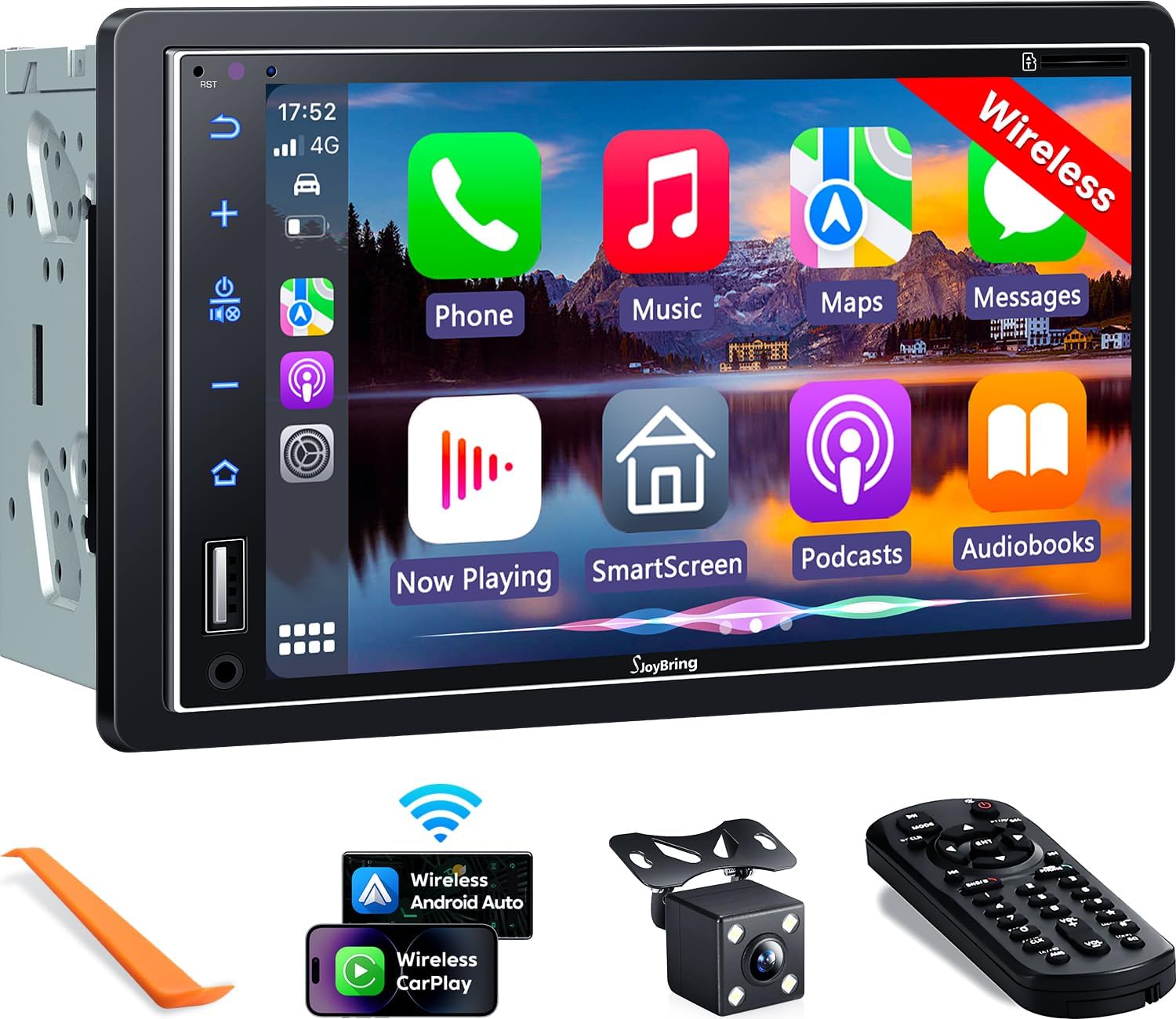
Imaxe 1.1: Fronte view of the SJOYBRING car stereo displaying the CarPlay interface.
2. Contido do paquete
Verifique que todos os elementos que se indican a continuación estean incluídos no seu paquete:
- Unidade principal (estéreo do coche)
- Marco
- Traseira View Cámara
- Cable de cámara de respaldo
- Cableado
- Control remoto
- Manual de usuario (este documento)
- Soportes de montaxe
- Ferramenta de desmontaxe
- Parafusos (varios tamaños)

Image 2.1: Visual representation of the SJOYBRING car stereo package contents.
3. Configuración e instalación
3.1 Important Installation Tips
- The standard size of this unit is 170mm x 97mm. Ensure your vehicle's dashboard opening matches this size.
- If the stereo size does not fit your dash, an additional suitable dash kit may be required (not included).
- Read this instruction manual thoroughly before beginning installation.
- Some vehicles may require additional accessories for installation, such as a wire harness adapter and a radio antenna adapter specific to your car model (not included).
3.2 Diagrama de cableado
Consulta o seguinte diagrama para coñecer as conexións de cableado correctas. Un cableado incorrecto pode danar a unidade ou o sistema eléctrico do teu vehículo.

Image 3.1: ISO Standard Double DIN wiring and dimension diagram.
3.3 Traseira View Conexión da cámara
The included HD night vision rear view camera provides a 170° ultra-wide viewing angle and is waterproof. Connect the camera as shown in the diagram below. The display will automatically switch to the rear view cando o vehículo está en marcha atrás.

Image 3.2: One-step wiring connection for the rear camera.
4. Instrucións de funcionamento
Apple CarPlay e Android Auto sen fíos 4.1
Connect your smartphone to the car stereo via Bluetooth and Wi-Fi for wireless Apple CarPlay or Android Auto functionality. This allows access to navigation, music, messages, and other phone features directly on the stereo's screen. Voice control via Siri or Google Assistant is supported for safer operation.
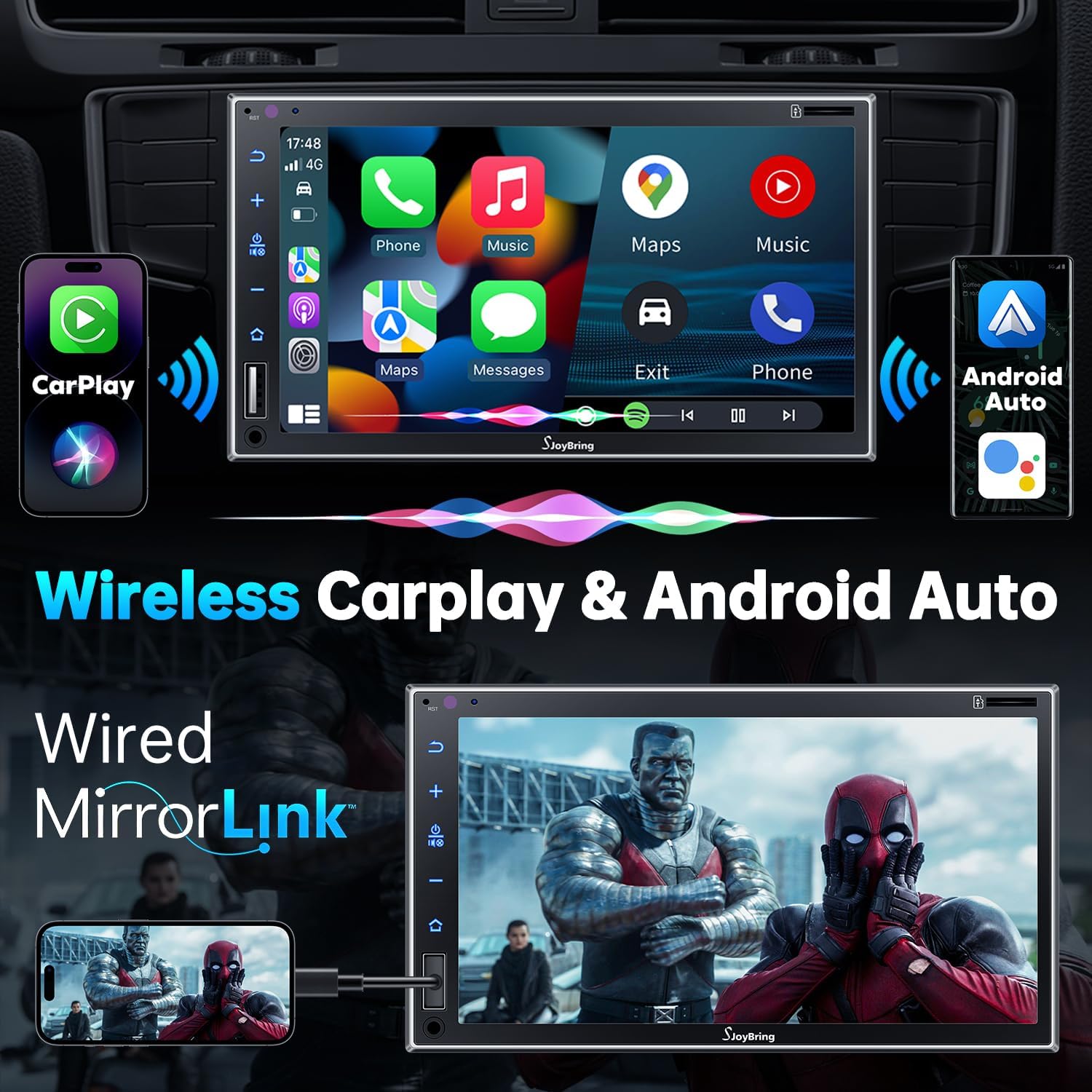
Image 4.1: Wireless Apple CarPlay and Android Auto in operation.
4.2 Wired Mirror Link
The unit supports wired mirror link for both iOS and Android phones (no version limit). Use a USB connection to mirror your smartphone's screen, displaying apps like Google Maps, Spotify, or YouTube on the 7-inch HD touchscreen.

Image 4.2: Wired Mirror Link functionality.
4.3 Funcións de audio
- 4.2-Channel Audio Output: Features 4 channels of pre-amplifier (RCA) for front right, front left, rear right, and rear left speakers, allowing for precise sound adjustment.
- Saída do subwoofer: Includes two high RMS power subwoofer outputs for enhanced bass effects.
- EQ de 10 bandas: An integrated 10-band audio equalizer allows customization of the music effect.

Image 4.3: 4.2 Channel Audio Output diagram.

Image 4.4: 10-Band Equalizer interface.
4.4 Conectividade Bluetooth
Utilizes the latest Bluetooth technology with an independent Bluetooth module and antenna for a strong and stable connection, ensuring clear calls and uninterrupted music playback.

Image 4.5: Latest Bluetooth technology for stable connection.
4.5 Control do volante (SWC)
The unit supports steering wheel controls, allowing you to manage audio functions without taking your hands off the wheel. Refer to the wiring diagram for SWC connections and the unit's settings for programming.

Image 4.6: Steering Wheel Control setup interface.
4.6 FM & AM Radio
Access FM radio frequencies from 87.5 to 107.9 MHz and AM radio frequencies from 530 to 1710 KHz. The unit allows for station presets and scanning.

Image 4.7: FM & AM Radio interface.
5. Mantemento
To ensure the longevity and optimal performance of your SJOYBRING car stereo, follow these maintenance guidelines:
- Limpeza da pantalla: Usa un pano suave e sen pelusa para limpar con suavidade a pantalla táctil. Para manchas difíciles, limpa lixeiramenteampEnxugue o pano con auga ou un limpador de pantallas. Evite produtos químicos agresivos ou materiais abrasivos.
- Eliminación de po: Limpe regularmente o po das aberturas de ventilación e dos botóns da unidade cun cepillo suave ou aire comprimido.
- Control de temperatura: Evite expoñer a unidade a temperaturas extremas durante períodos prolongados.
- Inspección de cableado: Periodically check all wiring connections to ensure they are secure and free from damage.
6 Solución de problemas
If you encounter issues with your SJOYBRING car stereo, refer to the following common troubleshooting steps:
- Sen enerxía: Check all power connections, including the ACC (accessory) and 12V constant power wires. Ensure the vehicle's fuse for the stereo is not blown.
- Sen son: Verify speaker connections are correct. Check the volume level and ensure the mute function is not activated. Confirm the audio source is properly selected.
- Problemas de conexión Bluetooth: Ensure Bluetooth is enabled on both the stereo and your smartphone. Delete previous pairings and attempt to re-pair. Move closer to the unit if interference is suspected.
- CarPlay/Android Auto non conecta: For wireless connection, ensure both Bluetooth and Wi-Fi are active on your phone and the stereo. For wired mirror link, try a different USB cable or port.
- Non se mostra a cámara de marcha atrás: Check the camera's power and video signal connections. Ensure the reverse gear trigger wire is correctly connected to the vehicle's reversing light circuit.
- Pantalla táctil sen resposta: Tenta reiniciar a unidade. Se o problema persiste, ponte en contacto co servizo de atención ao cliente.
If these steps do not resolve the issue, please contact SJOYBRING customer support for further assistance.
7. Especificacións
| Número de modelo | 7825d65e-cac9-443c-8d2b-17a564819d91 |
| Mostrar | 7 Inch Full HD Capacitive Touchscreen (1024 x 600 resolution) |
| Conectividade | Wireless Apple CarPlay, Wireless Android Auto, Bluetooth, Wired Mirror Link (USB) |
| Modo de saída de audio | Estéreo |
| Configuración da canle de son envolvente | 4 Channel (RCA Pre-amp saídas) |
| Saída do subwoofer | 2 High RMS Power Outputs |
| Ecualizador | EQ de 10 bandas |
| Potencia máxima de saída | 60W x 4 |
| Traballo Voltage | DC 12 V |
| Frecuencias de radio | FM: 87.5~107.9MHz, AM: 530~1710KHz |
| Codificación de vídeo | H.264, H.265/HEVC, MPEG-4 |
| Peso do elemento | 2.7 libras |
| Dimensións do paquete | 9.25 x 6.3 x 5.94 polgadas |
| Fabricante | SJOYBRING |
8. Garantía e soporte
8.1 Información da garantía
For specific warranty details regarding your SJOYBRING car stereo, please refer to the warranty card included in your product packaging or contact SJOYBRING customer support directly. Warranty terms typically cover manufacturing defects for a specified period from the date of purchase.
8.2 Atención ao cliente
If you have any questions, require technical assistance, or need to report an issue, please contact SJOYBRING customer support. Contact information can usually be found on the manufacturer's official websitio web ou na embalaxe do produto.
Manufacturer: SJOYBRING
For the most up-to-date support information, visit the official SJOYBRING store on Amazon: SJOYBRING Store