
1. Introdución
Thank you for choosing the TREBLAB HD-360 Pro Ultra High-Tech Bluetooth Speaker. This manual provides essential information for setting up, operating, and maintaining your speaker to ensure optimal performance and longevity. The HD-360 Pro delivers immersive 360° surround sound with a 90W high-powered 5-driver system, subwoofer, and 8 bass radiators, designed for home, party, and outdoor use.
2. Que hai na caixa
- TREBLAB HD-360 Pro Speaker
- Cable de carga USB-C
- Cable AUX de 3.5 mm
- Guía de inicio rápido
- Tarxeta de garantía
3. Produto rematadoview
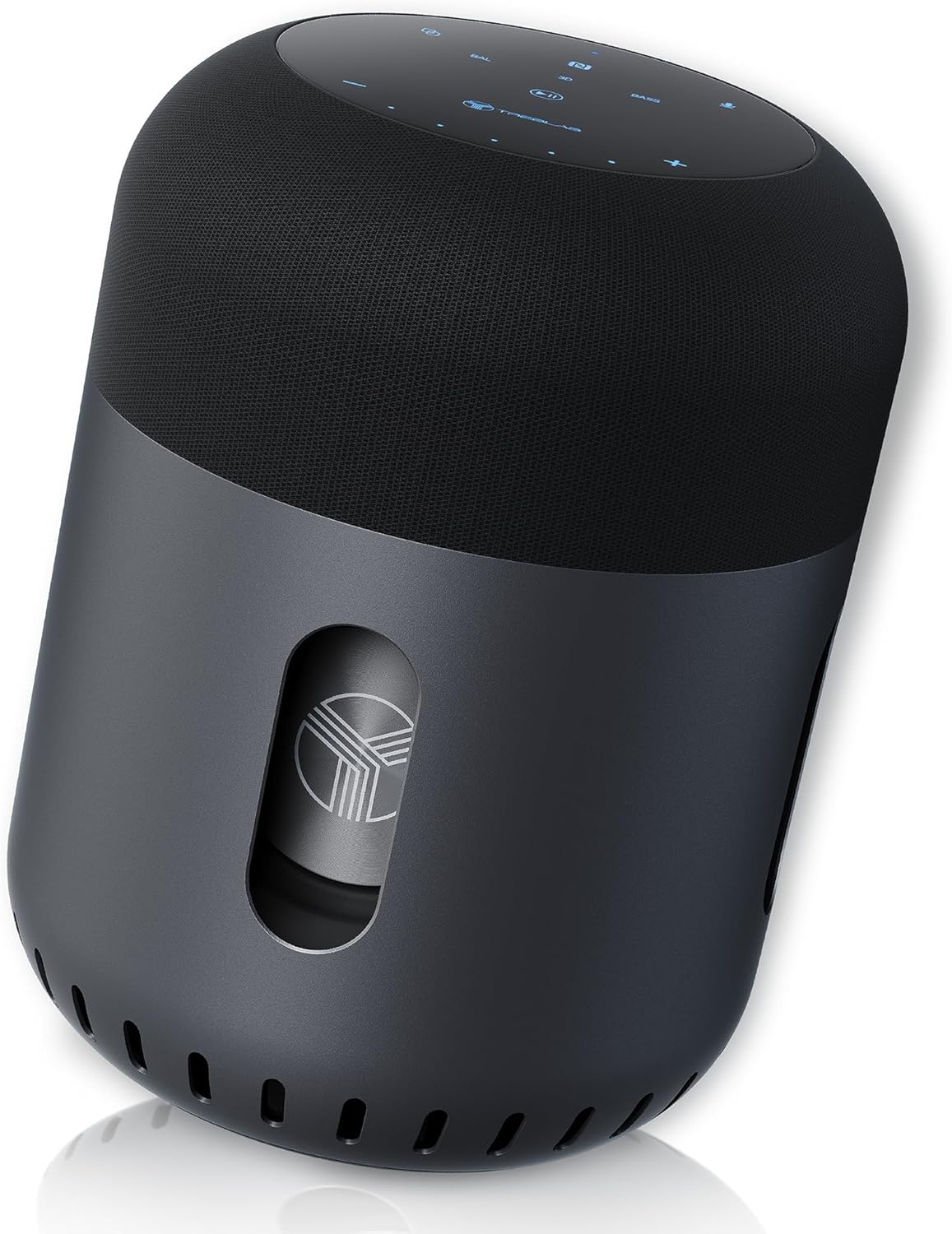
Fronte view of the TREBLAB HD-360 Pro speaker, showcasinpolo seu deseño elegante e a súa robusta construción.
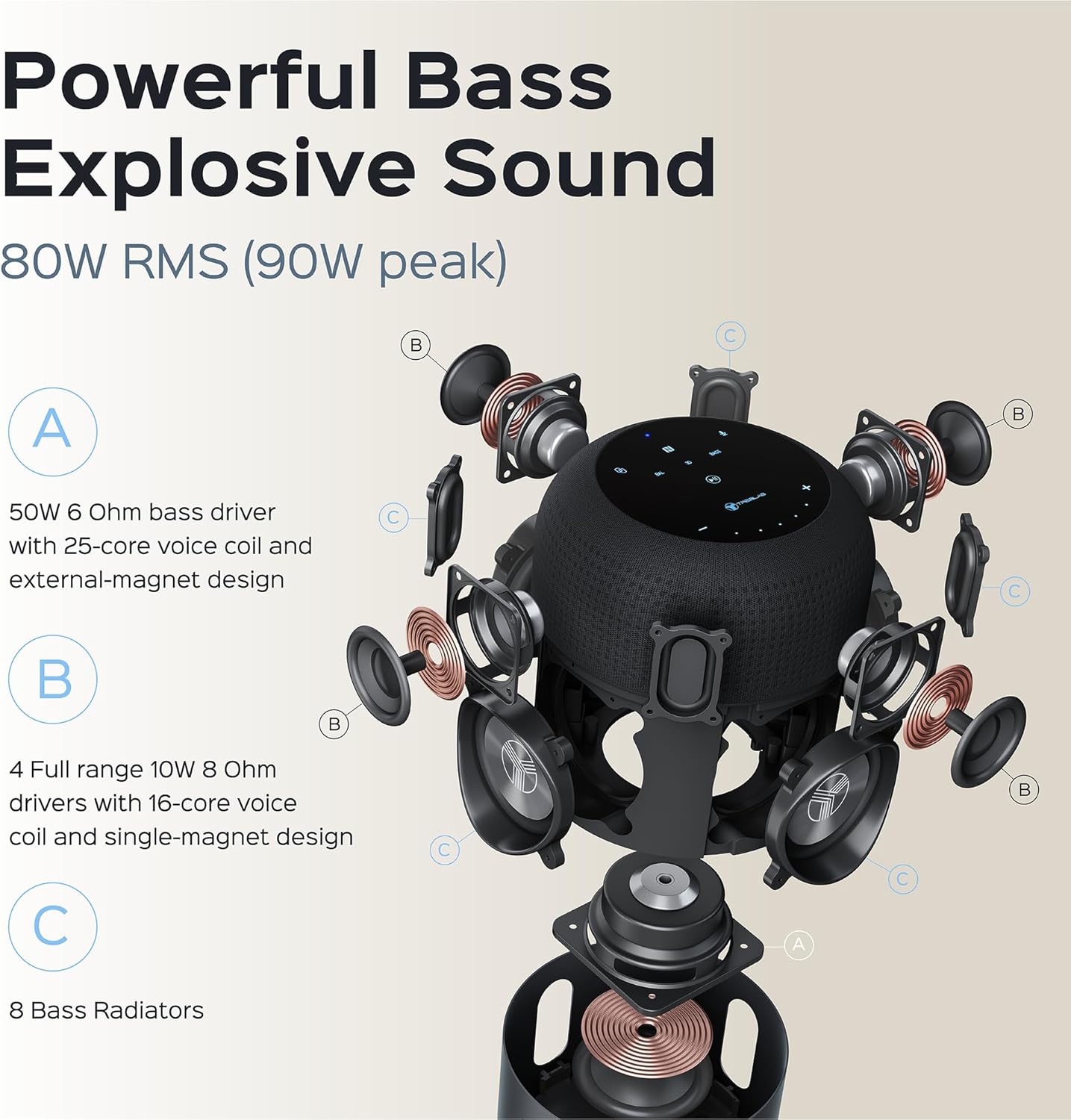
Explosión detallada view illustrating the 5-driver system, subwoofer, and 8 bass radiators for powerful, explosive sound.
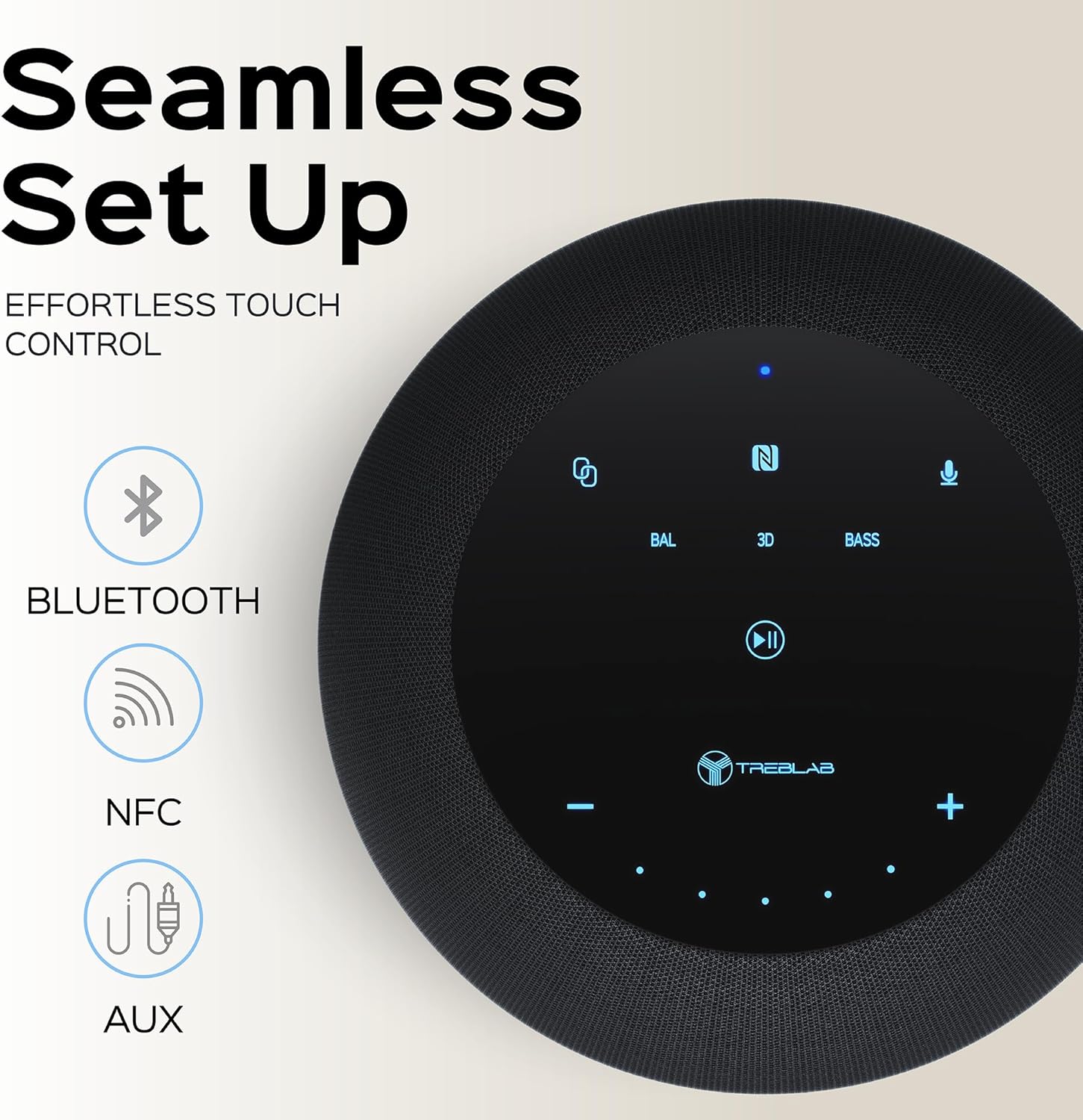
Top panel showing the intuitive touch controls for seamless operation, including Bluetooth, NFC, and AUX input options.

The speaker features an IPX4 waterproof rating, making it resistant to splashes and light rain, suitable for various environments.
4. Configuración
4.1 Carga inicial
Before first use, fully charge your TREBLAB HD-360 Pro speaker. Connect the provided USB-C charging cable to the speaker's charging port and a compatible USB power adapter (not included). The charging indicator light will show the charging status. A full charge takes approximately 2 hours.
4.2 Acendido/Apagado
To power on the speaker, press and hold the Power button on the top panel until you hear an audible prompt and the indicator lights illuminate. To power off, press and hold the Power button again until the lights turn off.
5. Instrucións de funcionamento
5.1 Emparejamento Bluetooth
- Ensure the speaker is powered on and in pairing mode (indicated by a blinking blue light).
- No teu dispositivo (teléfono intelixente, tableta, portátil), activa o Bluetooth.
- Busca available Bluetooth devices and select "TREBLAB HD-360 Pro" from the list.
- Once connected, the indicator light will turn solid blue, and you will hear a confirmation sound.
The speaker supports Bluetooth 5.0 for fast and stable connections up to 34 feet (10 meters).
5.2 Emparellamento estéreo sen fíos verdadeiro (TWS)
For an enhanced stereo experience, you can pair two TREBLAB HD-360 Pro speakers together:
- Asegúrate de que ambos altofalantes estean acendidos e non conectados a ningún outro dispositivo Bluetooth.
- Nun altofalante (este será o altofalante principal), manteña premido o botón TWS ata que escoite unha indicación.
- The speakers will automatically search for and connect to each other. Once paired, you will hear a confirmation sound, and the indicator lights will synchronize.
- Conecta o dispositivo ao altofalante principal a través de Bluetooth como se describe na sección 5.1.

Illustration of two HD-360 Pro speakers connected via TWS for a doubled audio experience.
5.3 Controis táctiles
The HD-360 Pro features intuitive touch controls on its top panel:
- Subir/Baixar o volume: Tap the '+' or '-' icons.
- Reproducir/Pausa: Toca a icona Reproducir/Pausa.
- Seguimento / Seguimento anterior: Swipe left or right on the touch surface.
- Responder/Finalizar chamada: Toca a icona Teléfono.
- Activar o asistente de voz: Tap the Microphone icon.
- Modos de son: Tap 'BAL' for Balanced, '3D' for 3D Surround, or 'BASS' for Bass Boost mode.
5.4 Facer chamadas
When connected via Bluetooth, the speaker's built-in microphone allows you to make and receive calls hands-free. Use the Phone icon on the touch panel to manage calls.
6. Cargando
The TREBLAB HD-360 Pro is equipped with a 15600 mAh battery, providing up to 22 hours of playtime on a single charge. To charge, use the included USB-C cable. The speaker can be used while charging.

Primeiro plano view of the USB-C charging port and AUX input, protected by a rubber flap.
7. Mantemento e coidado
- Limpeza: Limpe o altofalante cun pano suave e seco. Non empregue produtos de limpeza abrasivos nin disolventes.
- Resistencia á auga: The speaker has an IPX4 rating, meaning it is splash-proof. Do not submerge the speaker in water. Ensure the charging port cover is securely closed when near water.
- Almacenamento: Garde o altofalante nun lugar fresco e seco, lonxe de temperaturas extremas e da luz solar directa.
8 Solución de problemas
| Problema | Causa posible | Solución |
|---|---|---|
| O altofalante non se acende | Batería baixa; o botón de acendido non se premeu o tempo suficiente | Charge the speaker; Press and hold Power button for 3-5 seconds |
| Non se pode emparellar por Bluetooth | O altofalante non está en modo de emparellamento; Bluetooth do dispositivo desactivado; O altofalante xa está conectado a outro dispositivo | Ensure speaker is blinking blue; Turn on device Bluetooth; Disconnect from other devices |
| Sen son | Volume demasiado baixo; Fonte de entrada incorrecta; Dispositivo non conectado | Increase volume on speaker and device; Check Bluetooth connection; Ensure AUX cable is fully inserted |
| Fallou o emparellamento TWS | Speakers too far apart; One speaker already paired to a device | Place speakers closer; Ensure both speakers are disconnected from other devices before TWS pairing |
9. Especificacións
| Característica | Detalle |
|---|---|
| Nome do modelo | HD-360-Pro |
| Tipo de altofalante | Subwoofer, altofalante Bluetooth portátil |
| Potencia de saída | 90 vatios (máximo) / 80 W RMS |
| Tecnoloxía de conectividade | Bluetooth 5.0, AUX, NFC |
| distancia wireless | Ata 33 pés (10 metros) |
| Duración da batería | Ata 22 horas |
| Capacidade da batería | 15600 millónsamp Horario |
| Tempo de carga | 2 Hours (USB-C Fast Charging) |
| Resistencia á auga | IPX4 (a proba de salpicaduras) |
| Material | Metal (Aluminum), ABS, Fabric |
| Dimensións (D x W x H) | 5.79" D x 7.68" W x 5.79" H |
| Peso do elemento | 5.2 libras (2.36 kg) |
| Micrófonos | 4 (for calls) |
| Canle de son envolvente | 3.0 |
10. Información de seguridade
- Non expoñas o altofalante a temperaturas extremas, luz solar directa ou humidade elevada.
- Evite deixar caer ou someter o altofalante a fortes impactos.
- Manter fóra do alcance dos nenos.
- Non intente desmontar nin modificar o altofalante. Isto anulará a garantía e pode causar danos.
- Use só o cable de carga proporcionado.
- Desfágase da batería de forma responsable segundo a normativa local.
11. Garantía e soporte
The TREBLAB HD-360 Pro comes with a limited warranty. Please refer to the included Warranty Card for details regarding coverage and terms. For technical support, troubleshooting assistance, or warranty claims, please visit the official TREBLAB websitio ou póñase en contacto co seu servizo de atención ao cliente.
You can also find the full User Manual in PDF format aquí.
Visit the TREBLAB Store for more products and information: TREBLAB Official Store