
Xiaomi VHU4737EU
Xiaomi Redmi Pad Pro User Manual
Model: VHU4737EU
1. Introdución
Thank you for choosing the Xiaomi Redmi Pad Pro. This tablet is designed to provide an immersive and powerful experience with its 12.1-inch display, long-lasting battery, and robust performance. This manual will guide you through the setup, operation, and maintenance of your device to ensure optimal use.

Figure 1.1: Xiaomi Redmi Pad Pro. This image displays the tablet from both the front, highlighting its large screen, and the back, showing the camera setup.
2. Información de seguridade
Please read all safety information carefully before using your device to ensure safe and proper operation and to learn how to dispose of the product properly.
- Seguridade da batería: Do not disassemble, impact, crush, or throw the battery into fire. Avoid high temperatures or direct sunlight.
- Cargando: Use only approved chargers and cables. Unplug the charger once the device is fully charged.
- Auga e humidade: Manteña o dispositivo seco. Non o expoña á auga nin a alta humidade.
- Eliminación: Dispose of this product responsibly. Do not dispose of it with household waste. Refer to local regulations for proper electronic waste disposal.
3. Contido do paquete
Asegúrate de que todos os elementos estean presentes no paquete do produto:
- Xiaomi Redmi Pad Pro Tablet
- Cable USB Tipo-C
- Adaptador de corrente (pode variar segundo a rexión)
- Guía de inicio rápido
- Tarxeta de garantía
4. Dispositivo rematadoview
Familiarize yourself with the physical components of your Redmi Pad Pro.

Figure 4.1: Device Dimensions and Screen Size. This image illustrates the physical dimensions of the tablet, including its width (280.0 mm), height (181.9 mm), and thickness (7.5 mm), along with the 12.1-inch screen size.
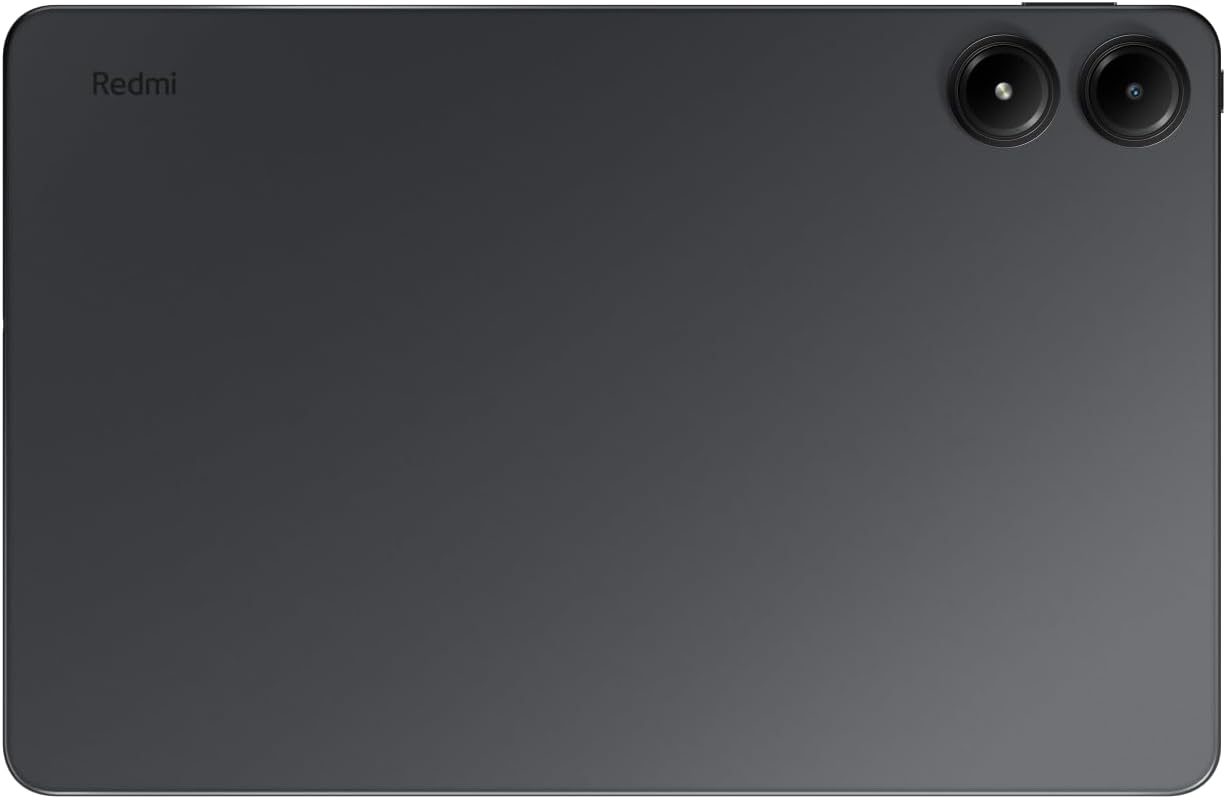
Figura 4.2: Traseira View. This image shows the back of the tablet, featuring the Redmi branding and the dual camera system.
Compoñentes clave:
- Visualización: 12.1-inch 2.5K (2560 x 1600 pixels) LCD with 120Hz refresh rate.
- Cámaras: 8MP rear camera, 8MP front camera.
- Relatores: Four Dolby Atmos speakers for immersive audio.
- Portos: USB Type-C port for charging and data transfer, 3.5mm headphone jack.
- Botóns: Botón de acendido, botóns de volume.
- Ranura para tarxetas: MicroSD card slot for expandable storage up to 1.5TB.
5. Configuración
5.1 Carga inicial
Before first use, it is recommended to fully charge your Redmi Pad Pro. Connect the USB Type-C cable to the tablet's charging port and the other end to the power adapter. Plug the adapter into a power outlet. The battery indicator on the screen will show charging progress.
The tablet supports 33W fast charging.
5.2 Acendido/Apagado
- Para acender: Mantén premido o botón de acendido/apagado ata que apareza o logotipo de Xiaomi.
- Para apagar: Mantén premido o botón de acendido/apagado ata que apareza o menú de acendido/apagado e, a seguir, selecciona "Apagar".
- Para reiniciar: Manteña premido o botón de acendido/apagado ata que apareza o menú de acendido/apagado e, a seguir, seleccione "Reiniciar".
5.3 Asistente de configuración inicial
Ao acender por primeira vez, a tableta guiarache a través dun proceso de configuración inicial. Isto inclúe:
- Seleccionando o teu idioma.
- Conectando a unha rede wifi.
- Iniciando sesión coa túa conta de Google.
- Setting up screen lock (PIN, pattern, password, or facial recognition).
- Reviewaceptando os termos e condicións.
6. Instrucións de funcionamento
6.1 Pantalla e navegación
The 12.1-inch display offers a 2.5K resolution and a 120Hz refresh rate for smooth visuals. Navigation is primarily touch-based.
- Toca: Selecciona un elemento ou abre unha aplicación.
- Pasar o dedo: Desprazarse por páxinas ou listas.
- Pinch-to-Zoom: Achegar ou afastar imaxes ou web páxinas.
- Prensa longa: Acceder a menús contextuais ou mover iconas.

Figure 6.1: Core Features Overview. This image highlights the tablet's main features, including its high-resolution, high-refresh-rate display, the Xiaomi HyperOS, the large 10000mAh battery, the Snapdragon 7s Gen 2 processor, and the quad Dolby Atmos speaker system.
6.2 Conectividade
- Wi-Fi: Go to Settings > Network & internet > Wi-Fi to connect to available networks. The tablet supports Wi-Fi 6 (802.11ax) for fast internet access.
- Bluetooth: Go to Settings > Connected devices > Bluetooth to pair with Bluetooth devices like headphones or keyboards.
6.3 Uso da cámara
The Redmi Pad Pro features an 8MP rear camera and an 8MP front camera. Open the Camera app to capture photos and videos.
- Cambiar cámaras: Toca a icona da cámara para cambiar entre as cámaras dianteira e traseira.
- Modos: Select different modes like Photo, Video, Portrait, etc.
- Configuración: Adjust resolution, timer, and other camera settings.
6.4 Xestión do almacenamento
Your tablet comes with 128GB of internal storage. You can expand this storage up to 1.5TB using a microSD card.
- Insira a tarxeta MicroSD: Locate the card slot on the side of the tablet. Gently insert the microSD card until it clicks into place.
- Xestionar o almacenamento: Vaia a Configuración > Almacenamento para view uso e xestión do almacenamento files.

Figure 6.2: Design and Connectivity Features. This image details the tablet's premium monocoque metal design, the inclusion of a 3.5mm headphone jack, support for Wi-Fi 6, the capability for up to 1.5TB of expandable storage, and the specifications of its 8MP front and rear cameras.
6.5 Interconnectivity Features
The Redmi Pad Pro, running on Xiaomi HyperOS, offers enhanced interconnectivity with other Xiaomi devices.

Figure 6.3: Interconnectivity Features. This image demonstrates various ways the tablet can connect and interact with other devices, including extended home screen functionality, synchronized networks, collaborative content sharing, and integration with the Xiaomi Smart Hub.
- Home Screen+: Extend your phone's home screen to the tablet for a larger view.
- Sync Networks: Seamlessly share network connections between devices.
- Colaboración: Share and edit content across your Xiaomi devices.
- Xiaomi Smart Hub: Centralized control for your smart home devices.
7. Mantemento
7.1 Limpeza do dispositivo
Para limpar a tableta, use un pano suave e sen pelusa. Para manchas difíciles, dóreo lixeiramenteampEnxágüe o pano con auga ou un limpador de pantallas. Evite o uso de produtos químicos agresivos ou materiais abrasivos.
7.2 Actualizacións de software
Xiaomi regularly releases software updates to improve performance, add features, and enhance security. To check for updates, go to Settings > About tablet > MIUI version (or Android version) and tap "Check for updates." Ensure your device is connected to Wi-Fi and has sufficient battery before starting an update.
8 Solución de problemas
| Problema | Posible Solución |
|---|---|
| O dispositivo non se acende. | Asegúrate de que a batería estea cargada. Conecta o cargador e agarda uns minutos antes de tentar acender de novo. |
| A pantalla non responde. | Realiza un reinicio forzado premendo e mantendo premido o botón de acendido durante uns 10-15 segundos. |
| Non se pode conectar á wifi. | Check if Wi-Fi is enabled in settings. Restart your router. Forget the network and reconnect. |
| As aplicacións fallan ou conxélanse. | Clear the app's cache (Settings > Apps > [App Name] > Storage > Clear cache). If the issue persists, reinstall the app or perform a factory reset (backup data first). |
| A batería esgotarase rapidamente. | Reduce screen brightness, close background apps, disable unnecessary features like GPS or Bluetooth when not in use. Check battery usage in settings to identify power-hungry apps. |
9. Especificacións
| Característica | Detalle |
|---|---|
| Marca | Xiaomi |
| Nome do modelo | REDMI PAD PRO 6+ 128 |
| Número de modelo | VHU4737EU |
| Cor | Gris |
| Sistema Operativo | Android 14 (with Xiaomi HyperOS) |
| Procesador | Qualcomm Snapdragon 7s de 2.ª xeración |
| RAM | 6 GB |
| Almacenamento interno | 128 GB |
| Almacenamento ampliable | Up to 1.5 TB via MicroSD |
| Tamaño da pantalla | 12.1 polgadas |
| Resolución de pantalla | 2560 x 1600 píxeles (2.5K) |
| Taxa de actualización | 120 Hz |
| Cámara traseira | 8 megapíxeles |
| Cámara frontal | 8 megapíxeles |
| Chipset gráfico | Qualcomm Integrated |
| Conectividade sen fíos | Wi-Fi 6 (802.11ax), Bluetooth |
| Capacidade da batería | 10000 mAh (polímero de litio) |
| Duración da batería | Up to 12 hours (video playback), Up to 33.9 days (standby) |
| Dimensións (L x W x H) | 28 x 18 x 0.7 cm |
| Peso | 840 gramos |
| Características especiais | Immersive 12.1-inch screen with 4 speakers, Exceptional battery life |
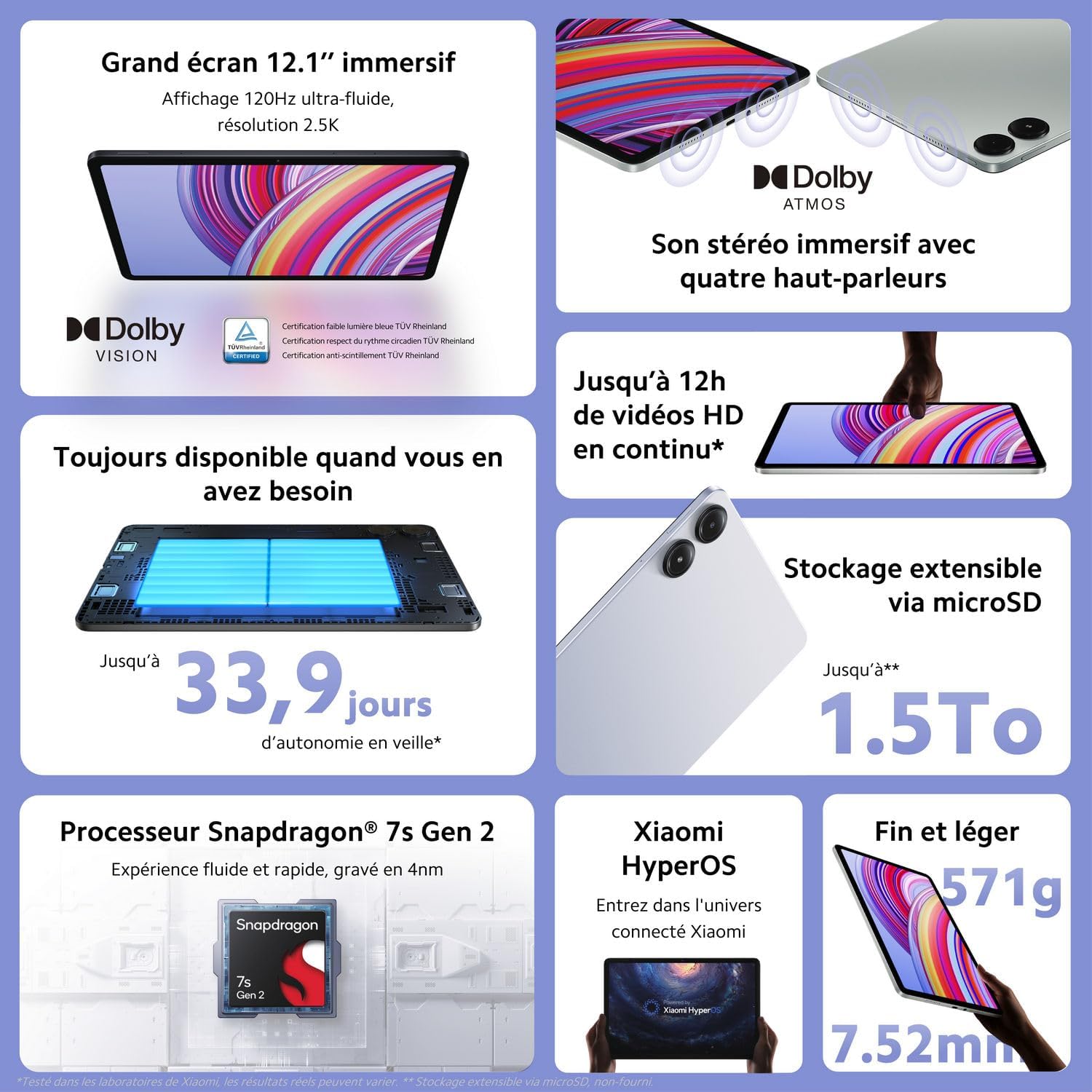
Figure 9.1: Key Performance and Design Features. This infographic provides a quick overview of the tablet's high-performance display, extended battery life for video playback and standby, large expandable storage, powerful Snapdragon processor, efficient HyperOS, and its slim, lightweight design.
10. Garantía e soporte
For warranty information, please refer to the warranty card included in your product package. For technical support, visit the official Xiaomi websitio ou póñase en contacto co seu servizo de atención ao cliente.
Information regarding software updates is not available for a guaranteed period. Availability of spare parts is also not available.

Figure 10.1: Repairability Index. This document indicates the repairability score for the Xiaomi Redmi Pad Pro, which is 7.7 out of 10, reflecting aspects like documentation availability, ease of disassembly, and spare parts availability.
Ask a question about this manual
Ask about setup, troubleshooting, compatibility, parts, safety, or missing instructions. Manuals+ will review the question and use this page’s manual context to help answer it.