
STRONG SRT32HG6733C
STRONG SRT32HG6733C 32-inch HD Android Smart TV User Manual
Model: SRT32HG6733C
Introdución
This manual provides essential information for the setup, operation, and maintenance of your STRONG SRT32HG6733C 32-inch HD Android Smart TV. Please read these instructions carefully before using the product to ensure proper functionality and safety.
O que hai na caixa
Upon unpacking, verify that all items listed below are present and in good condition:
- STRONG SRT32HG6733C TV Unit
- Remote control with voice recognition
- 2 pilas AAA
- Manual de usuario (este documento)

Image: The STRONG SRT32HG6733C TV unit with its central stand, remote control, and included accessories.
Configuración
1. Colocación do soporte
Carefully place the TV screen-down on a soft, clean surface to prevent scratches. Align the central stand with the mounting holes on the bottom of the TV. Secure the stand using the provided screws. Ensure the stand is firmly attached before proceeding.

Imaxe: Traseira view of the TV showing the central stand attachment points and various input ports.
2. Potencia de conexión
Plug the power cord into the TV's power input, then into a wall outlet. The TV will enter standby mode.
3. Configuración inicial e conexión de rede
Upon first power-on, the TV will guide you through the initial setup process. This includes language selection, country, and network connection. For optimal Smart TV functionality, connect to your Wi-Fi network. You can also connect via an Ethernet cable for a stable wired connection.

Image: The TV screen displaying connectivity options, highlighting Wi-Fi and Bluetooth symbols.
Instrucións de funcionamento
Funcións básicas
- Encendido/apagado: Prema o botón de acendido/apagado do mando a distancia ou do televisor.
- Selección de canles: Use the CH+/- buttons or the number pad on the remote.
- Control de volume: Use os botóns VOL+/-.
- Fonte de entrada: Press the SOURCE button to select between HDMI, AV, DVB-T/T2, DVB-C, DVB-S/S2 inputs.
Funcións da Smart TV (Google TV)
Your TV runs on Google TV, providing access to a wide range of applications and services.
- Pantalla de inicio: Access your favorite apps, movies, and shows directly from the customizable home screen.
- Aplicacións de transmisión en tempo real: Pre-installed apps include Netflix, Prime Video, YouTube, and Disney+. Additional apps can be downloaded from the Google Play Store.
- Asistente de Google: Use the voice recognition remote to control your TV, search for content, and get information by pressing the Google Assistant button and speaking your command.
- Google Cast: Stream content from your compatible smartphone or tablet directly to the TV.

Image: The TV screen showing the Google TV interface with icons for Netflix, YouTube, Prime Video, Disney+, and other streaming services.

Image: A user holding the voice-controlled remote, with a visual representation of Google Assistant responding to a voice command on the TV screen.
Conectividade
O televisor ofrece varios portos para conectar dispositivos externos:
- Portos HDMI (x2): Connect Blu-ray players, game consoles, or other HDMI-enabled devices.
- Porto USB (x1): Reproducir medios file(fotos, vídeos, música) desde un dispositivo de almacenamento USB.
- Porto Ethernet (RJ45): Para unha conexión a internet por cable.
- Antenna (ANT in) / Satellite (SAT in) Inputs: Conecta a túa antena terrestre ou de satélite para ver a televisión en directo.
- Ranura CI: Para que os módulos de acceso condicional (CAM) descifren os canais cifrados.
- Saída SPDIF: Para a saída de audio dixital a unha barra de son ou a un sistema de cine na casa.
- Entrada AV: Para conectar dispositivos antigos que usan vídeo composto e audio estéreo.
- Saída de auriculares: Para conectar auriculares.

Imaxe: Parte traseira detallada view of the TV highlighting all available input and output ports, including AV in, HDMI, USB, Ethernet, S/PDIF, ANT in, SAT in, CI slot, and Headphone output.
Vídeo: Unha breve presentaciónview demonstrating the TV's use in a mobile setting, such as a camper van, showing its compact size and clear display for entertainment on the go.
Mantemento
Limpeza do televisor
Para limpar a pantalla, limpe con coidado cun pano suave e sen pelusa. Para manchas difíciles, límpeaa lixeiramenteampen the cloth with water or a screen-cleaning solution. Avoid using harsh chemicals or abrasive materials. Clean the TV casing with a dry, soft cloth.
Actualizacións de software
Your Android TV may receive software updates periodically. Ensure your TV is connected to the internet to receive these updates. Updates can improve performance, add new features, and enhance security. You can check for updates manually in the TV's settings menu.
Resolución de problemas
| Problema | Posible Solución |
|---|---|
| Sen poder | Check if the power cord is securely plugged into the TV and the wall outlet. Ensure the outlet is functional. |
| Sen imaxe, pero hai son | Verifique que estea seleccionada a fonte de entrada correcta. Comprobe as conexións dos cables aos dispositivos externos. |
| Sen son, pero si imaxe | Check the volume level and mute status. Ensure audio cables are correctly connected if using external speakers. |
| O control remoto non funciona | Substitúa as pilas. Asegúrese de que non haxa obstrucións entre o mando a distancia e o sensor de infravermellos do televisor. |
| Non se pode conectar á wifi | Asegúrate de que o teu enrutador estea acendido e funcione. Volve introducir o contrasinal da wifi. Tenta reiniciar tanto o televisor como o enrutador. |
| Smart TV apps are slow or unresponsive | Check your internet connection speed. Close unused applications. Restart the TV. |
Especificacións
| Característica | Detalle |
|---|---|
| Número de modelo | SRT32HG6733C |
| Tamaño da pantalla | 32 polgadas (81 cm) |
| Tecnoloxía de visualización | LED |
| Resolución | HD Ready (1366 x 768p) |
| Sistema Operativo | Google TV |
| Conectividade | Wi-Fi, Bluetooth, 2x HDMI, 1x USB, Ethernet (RJ45), AV In, SPDIF, ANT in, SAT in, CI Slot |
| Sintonizadores | DVB-T/T2, DVB-C, DVB-S/S2 (HEVC 265 codec) |
| Características especiais | Google Assistant, Google Cast, Dolby Audio |
| Dimensións (ancho x profundo x alto) | 71.8 x 22.3 x 45.2 cm (con soporte) |
| Compoñentes incluídos | TV, Voice Remote, 2x AAA Batteries, Manual |
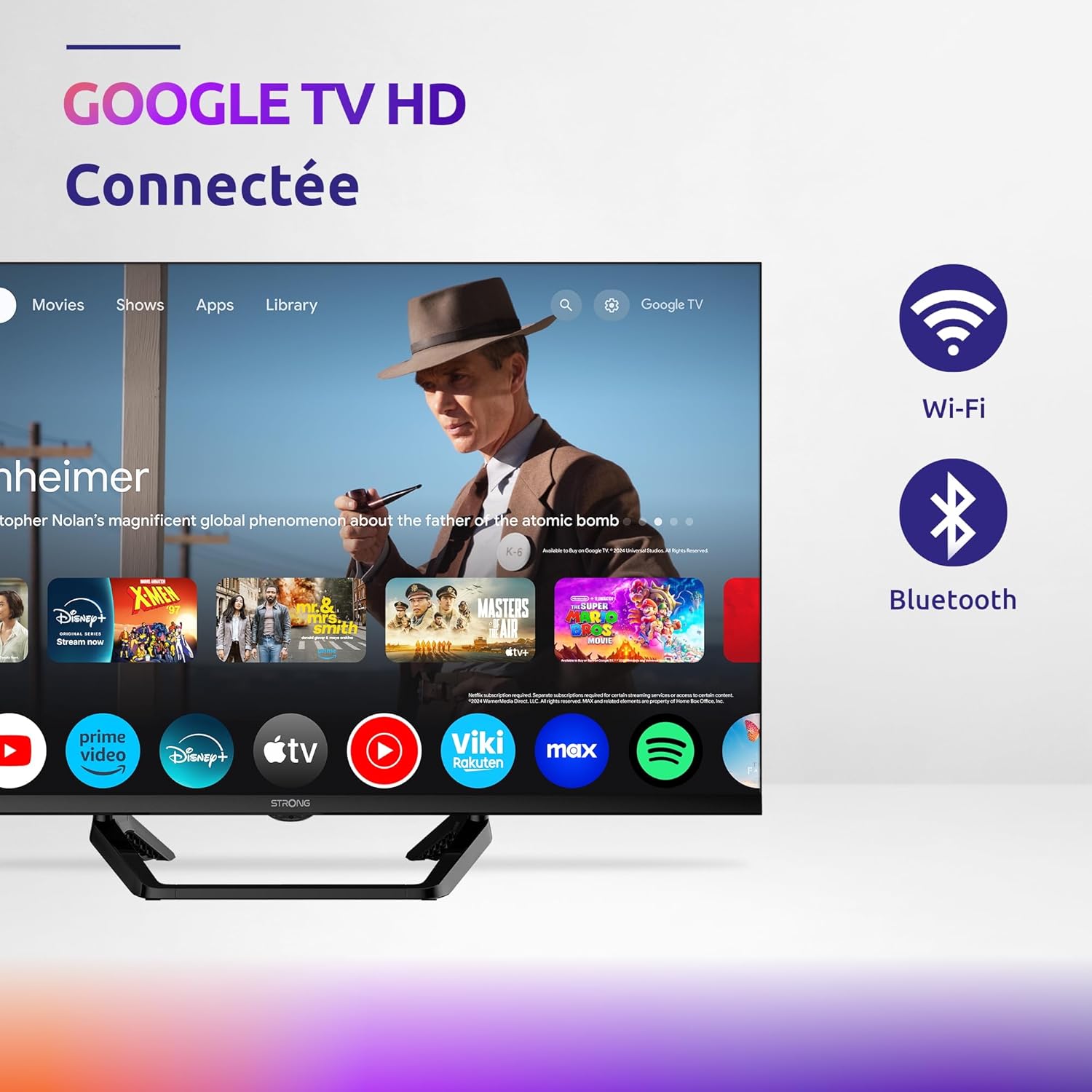
Image: Diagram showing the dimensions of the STRONG SRT32HG6733C TV, including width, height, and depth with the central stand.
Garantía e Soporte
This product comes with a manufacturer's warranty of 24 months. For warranty claims or technical support, please refer to the contact information provided on the official STRONG websitio web ou a documentación da súa compra.
For frequently asked questions and additional resources, visit the STRONG Brand Store.


Images: Icons representing warranty information and frequently asked questions.
Ask a question about this manual
Ask about setup, troubleshooting, compatibility, parts, safety, or missing instructions. Manuals+ will review the question and use this page’s manual context to help answer it.