
Transformers TF-T01 (TFT0103-BLUE)
Manual do usuario dos auriculares sen fíos Transformers TF-T01
Model: TF-T01 (TFT0103-BLUE) | Brand: Transformers
1. Introdución
The Transformers TF-T01 True Wireless Earbuds offer a unique blend of iconic design and advanced audio technology. Designed for comfort and durability, these earbuds provide a superior listening experience with deep bass sound and smart noise cancelling capabilities. They are built to withstand various activities, from intense workouts to daily commutes, ensuring reliable performance.
Características principais:
- Transformers-Inspired Design: Housed in a metal charging case with a magnetic closure, reflecting the futuristic spirit of the Transformers universe.
- Ajuste cómodo e seguro: IPX5 Waterproof rating, suitable for workouts and outdoor adventures.
- Tecnoloxía avanzada Bluetooth 5.4: Ensures exceptional audio-video sync, ultra-low latency, and superior interference resistance.
- Control táctil intelixente: Easy management of music and calls with simple touch gestures.
- Batería de longa duración: Up to 60 hours of playback time with the charging case.
2. Que hai na caixa?
Upon unboxing your Transformers TF-T01 True Wireless Earbuds, please ensure all components are present:
- Auriculares sen fíos TF-T01 x 1 par
- Caixa de carga portátil x 1
- Cable de carga USB-C x 1
- Manual de usuario x 1
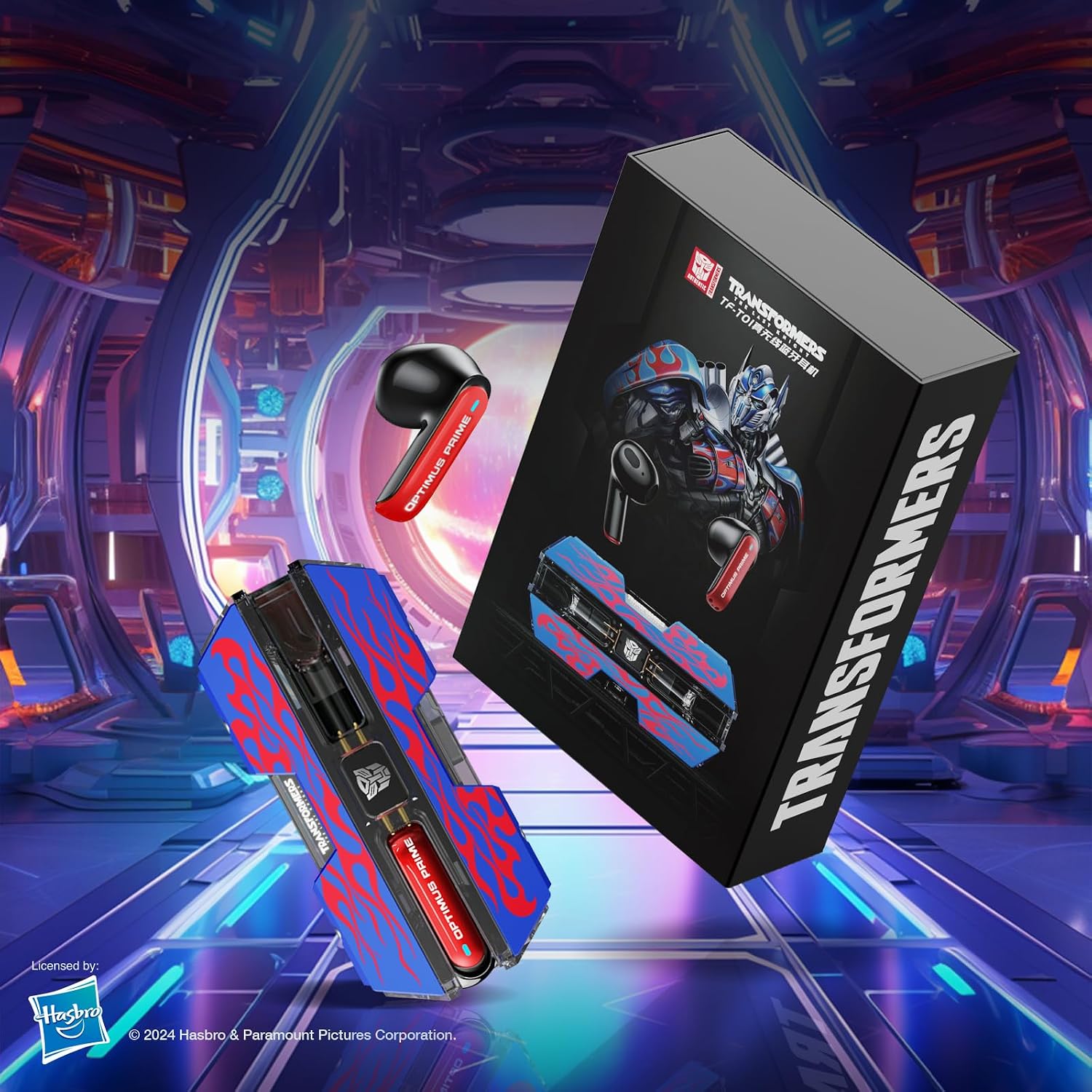
Figure 2.1: Included components of the TF-T01 package.
3. Configuración e uso inicial
3.1 Carga inicial
Before first use, fully charge the portable charging box and earbuds. Connect the provided USB-C charging cable to the charging port on the case and a power source. The charging case takes approximately 1.5 hours to fully charge. The earbuds will charge automatically when placed inside the case.
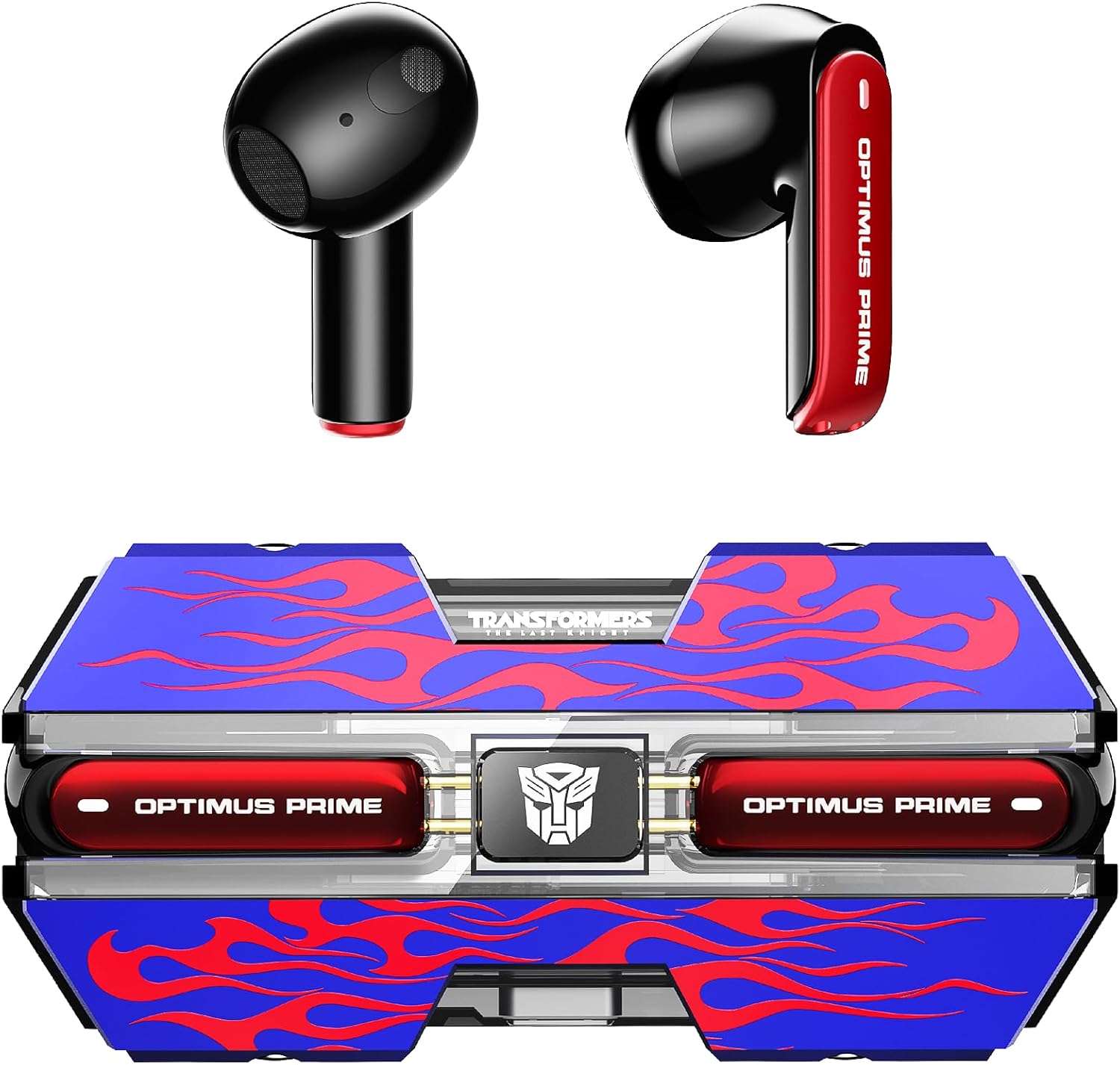
Figure 3.1: Earbuds in their charging case.
3.2 Emparejamento Bluetooth
The TF-T01 earbuds feature one-step pairing for convenience.
- Asegúrate de que a caixa de carga estea cargada e que os auriculares estean dentro.
- Abre a caixa de carga. Os auriculares entrarán automaticamente no modo de emparellamento.
- On your device (smartphone, tablet, etc.), navigate to Bluetooth settings.
- Select "TF-T01" from the list of available devices to connect.
- Unha vez conectado, escoitarás un aviso sonoro que confirmará a correcta vinculación.
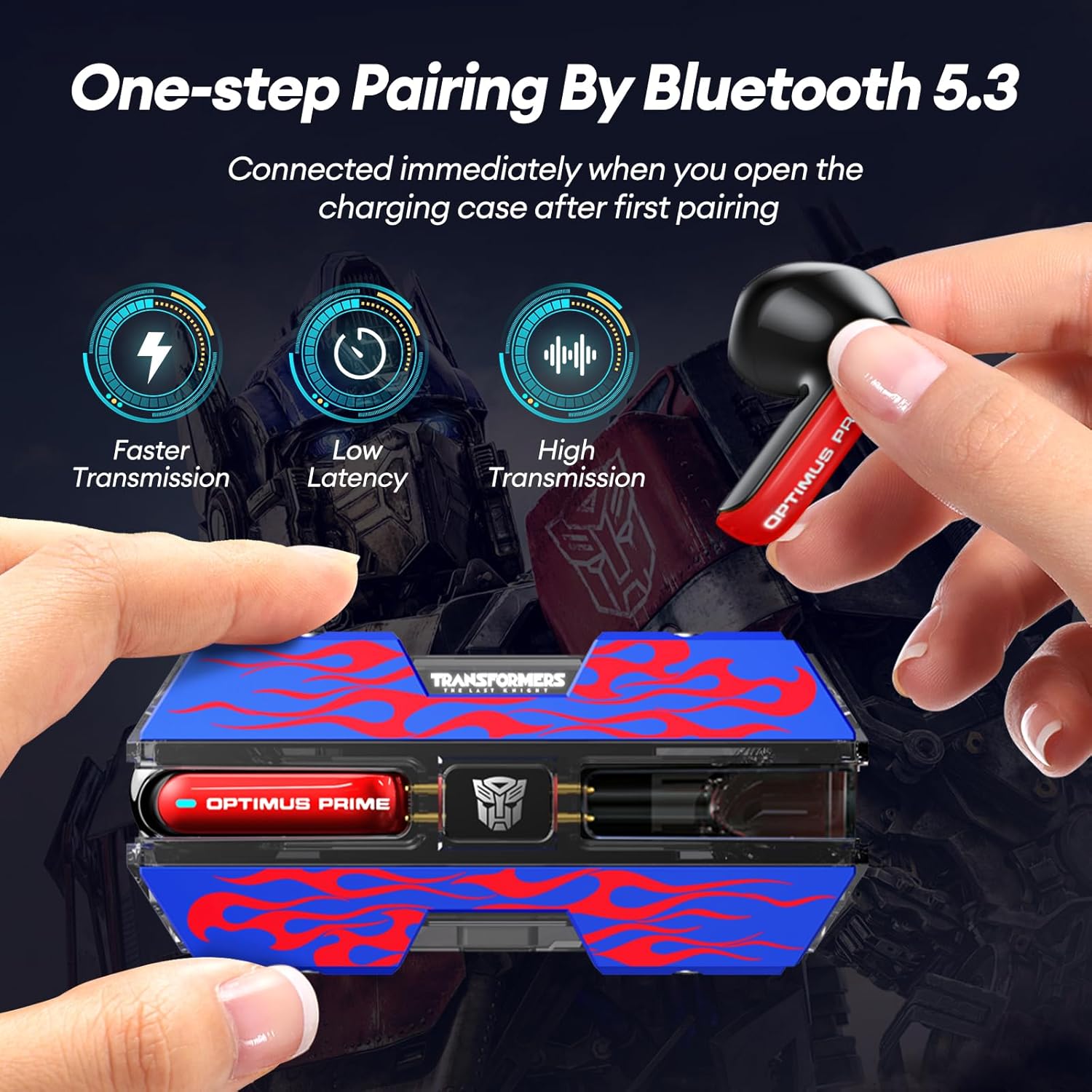
Figure 3.2: One-step pairing process.

Figure 3.3: Bluetooth 5.4 connectivity for stable pairing.
Video 3.1: Demonstration of Transformers TF-T01 Wireless Earbuds features, including pairing and design. (Source: WHH Global)
4. Funcionamento dos auriculares
Controis táctiles intelixentes 4.1
The TF-T01 earbuds feature intuitive touch controls on each earbud for easy management of audio and calls. Specific gestures control various functions:
| Acción | Función |
|---|---|
| Toque único (auricular esquerdo/dereito) | Reproducir/Pausar música, Responder/Finalizar chamada |
| Toca dúas veces (auricular dereito) | Próxima pista |
| Toca dúas veces (auricular esquerdo) | Pista anterior |
| Presión longa (auricular esquerdo/dereito) | Activar o asistente de voz / Rexeitar chamada |
| Triplo toque (auricular esquerdo/dereito) | Toggle Game/Music Mode |
4.2 Xestión de chamadas
With the built-in microphone, you can easily manage calls wirelessly. The smart noise cancelling feature helps ensure clear communication.
- Atender / finalizar chamadas: Toque unha vez en calquera dos auriculares.
- Rexeitando chamadas: Prema de xeito prolongado calquera dos auriculares.

Figure 4.1: Clear calls with ENC Noise Reduction.
4.3 Modo dual de xogos/música
The TF-T01 earbuds offer a dual mode for optimized audio experience. Triple tap either earbud to switch between Game Mode (for ultra-low latency and immersive gaming sound) and Music Mode (for high-fidelity audio playback).

Figure 4.2: Enjoying gaming with specialized audio mode.
Vídeo 4.1: Breve preestreaview of TRANSFORMERS Wireless Ear Buds features. (Source: WHH Global)
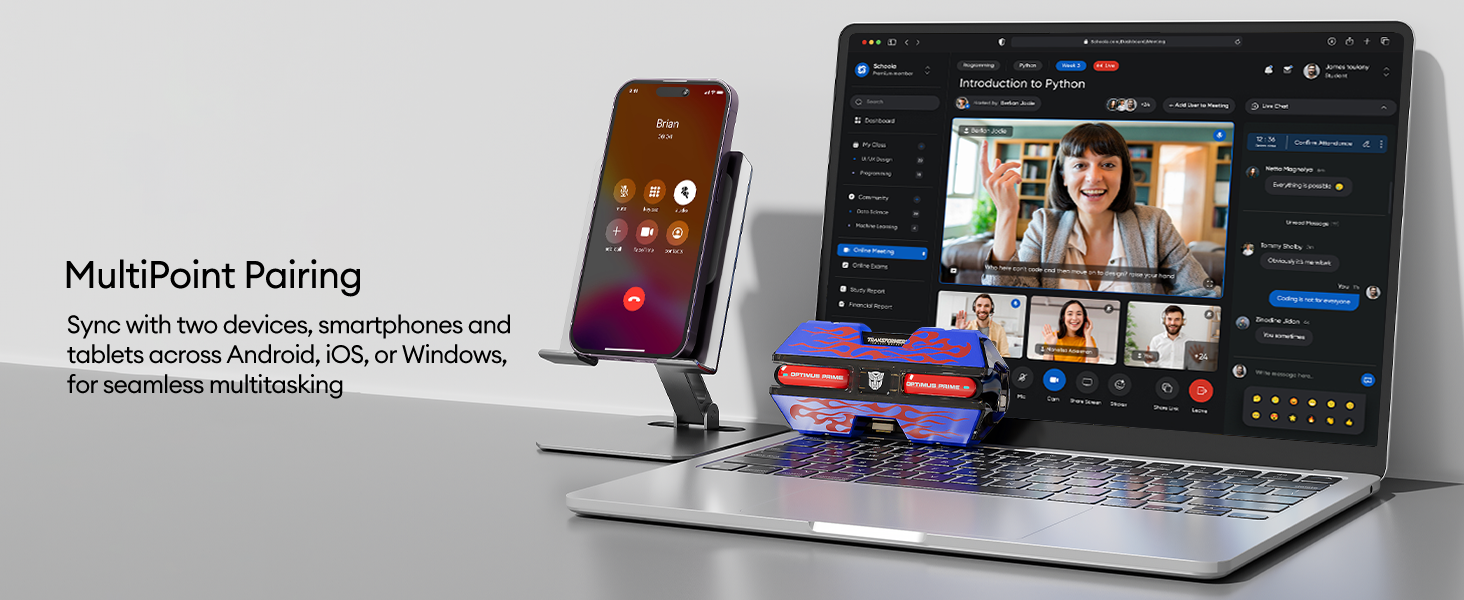
Figure 4.3: MultiPoint Pairing for seamless device switching.
5. Duración e carga da batería
The TF-T01 earbuds provide extended listening times:
- Reprodución de auriculares: 5-6 hours of continuous use on a single charge.
- Reprodución total coa caixa: Up to 60 hours with multiple charges from the portable charging box.
The charging case itself has a 300 mAh capacity and charges fully in approximately 1.5 hours using the included USB-C cable.
6. Mantemento e coidados
6.1 Resistencia á auga (IPX5)
The earbuds are rated IPX5 waterproof, meaning they are resistant to splashes and sweat. This makes them suitable for workouts and light rain. However, they are not designed for submersion in water or for use during swimming.
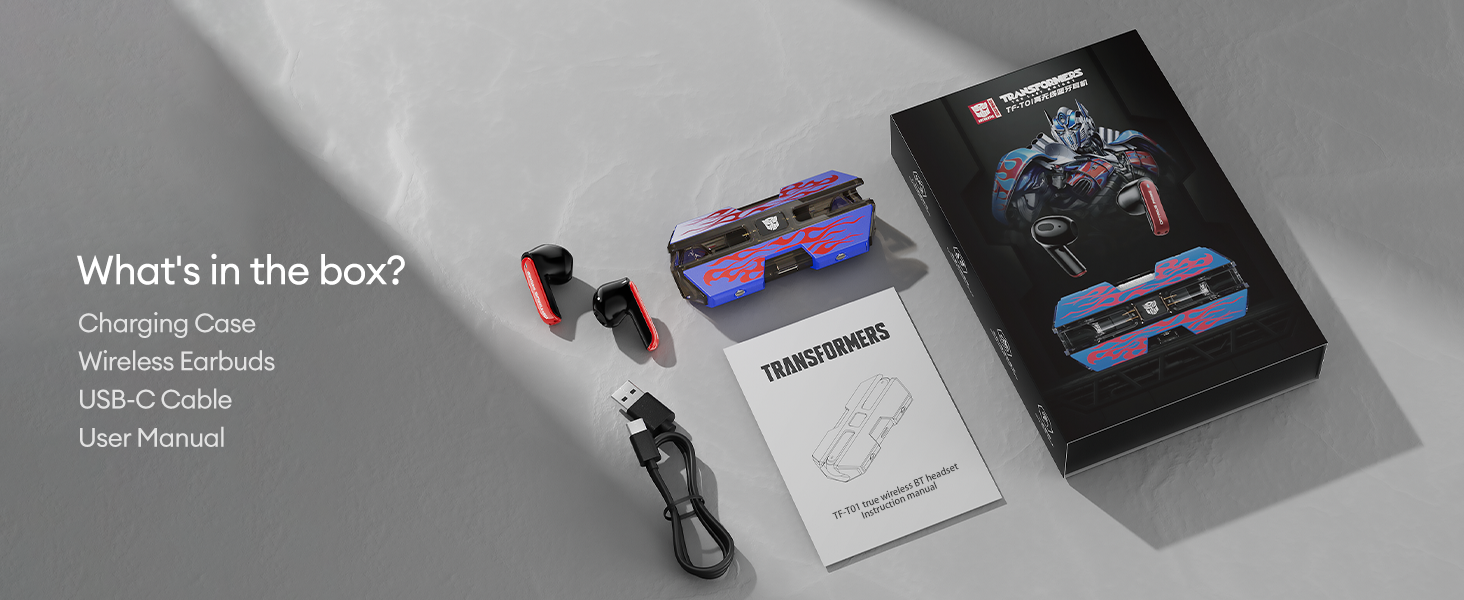
Figure 6.1: IPX5 Water Resistance for active use.
6.2 Limpeza e almacenamento
Para manter un rendemento e unha hixiene óptimos:
- Limpe os auriculares e a funda de carga cun pano suave, seco e sen fiapos regularmente.
- Evite o uso de materiais abrasivos, solventes ou aerosois.
- Garda os auriculares no seu estuche de carga cando non estes en uso para protexelos e mantelos cargados.
- Manteña o produto lonxe de temperaturas e humidade extremas.
7 Solución de problemas
If you encounter issues with your TF-T01 earbuds, try the following common troubleshooting steps:
- Sen problemas de son/conexión:
- Asegúrate de que os auriculares estean cargados.
- Verifica que o Bluetooth estea activado no teu dispositivo.
- Forget "TF-T01" from your device's Bluetooth list and re-pair.
- Place earbuds back in the case, close, wait a few seconds, then open to reset.
- Un auricular non funciona:
- Asegúrate de que os dous auriculares estean cargados.
- Place both earbuds back in the case, close, and then open to re-sync them.
- Problemas de carga:
- Comprobe se o cable USB-C e o adaptador de corrente están danos.
- Asegúrate de que os contactos de carga dos auriculares e do interior da funda estean limpos e libres de residuos.
For further assistance, please refer to the official Transformers support channels.
8. Especificacións
| Característica | Detalle |
|---|---|
| Nome do modelo | TFT0103 |
| Tecnoloxía de conectividade | Sen fíos (Bluetooth 5.4) |
| Control de ruído | Cancelación de ruído pasiva |
| Nivel de resistencia á auga | Impermeable IPX5 |
| Tipo de control | Control táctil |
| Tipo de controlador de audio | Driver dinámico |
| Tamaño do controlador de audio | 13 milímetros |
| Rango de frecuencias | 20 Hz - 20,000 Hz |
| Duración da batería (auriculares) | 5-6 horas (uso continuo) |
| Duración da batería do estuche de transporte | Up to 60 hours (additional charges) |
| Tempo de carga (caso) | 1.5 horas |
| Material da caixa de transporte | Metal |
| Dispositivos compatibles | iOS, Android e outros dispositivos compatibles con Bluetooth |
| Peso do elemento | 5.9 onzas |
| Fabricante | TRANSFORMADORES |
9. Garantía e soporte
The Transformers TF-T01 True Wireless Earbuds come with a standard manufacturer's warranty. For detailed warranty information, including coverage and duration, please refer to the warranty card included in your product packaging or visit the official Transformers product support websitio.
For technical support, troubleshooting assistance, or any product-related inquiries, please contact Transformers customer service. Contact details can typically be found on the product packaging, the official website, or within the included user manual.
Ask a question about this manual
Ask about setup, troubleshooting, compatibility, parts, safety, or missing instructions. Manuals+ will review the question and use this page’s manual context to help answer it.