
1. Introdución
This manual provides detailed instructions for the installation, operation, maintenance, and troubleshooting of your Stiflix Single Din 10.1-inch CarPlay Touchscreen Car Stereo. Please read this manual thoroughly before using the product to ensure proper function and safety.
2. Contido do paquete
Verifica que todos os elementos estean presentes no paquete:
- Single Din Android Radio Unit
- Arnés e cables
- Cable USB
- Antena GPS
- Kits de montaxe
- Manual de usuario (este documento)
3. Configuración e instalación
The Stiflix 10.1-inch car stereo is designed for single DIN and most double DIN dash openings. Professional installation is recommended.
3.1 Comprobacións previas á instalación
- Ensure your vehicle's electrical system is compatible with the stereo's power requirements.
- Desconecte a batería do vehículo antes de comezar a instalación.
- Identify the correct wiring for power, ground, speakers, and accessories in your vehicle.
3.2 Diagrama de cableado
Refer to the included wiring diagram for specific connections. Match the color-coded wires from the stereo's harness to your vehicle's wiring harness. Secure all connections properly.
3.3 Montaxe da unidade
- Install the single DIN chassis into your vehicle's dash opening using the provided mounting kits.
- Attach the 10.1-inch display to the chassis. The display is detachable and can be adjusted for optimal viewing.
- Conecte a antena GPS e diríxaa a unha localización con claras view do ceo.
- Connect any optional accessories such as a backup camera or external ampmáis vivo.

Image: The Stiflix 10.1-inch Single Din Car Stereo, showcasing its rotatable and adjustable screen. This image provides an overview of the product's design and key features.

Image: An illustration of the 10.1-inch Single Din Android Car Stereo with icons representing its features like CarPlay, Android Auto, Bluetooth, Mirrorlink, Voice Control, Offline Maps, WiFi Hotspot, Touchscreen, Backup Camera Input, and 2GB RAM + 64GB ROM.
4. Instrucións de funcionamento
4.1 Acendido/apagado e controis básicos
- Preme o botón de acendido para acender ou apagar a unidade.
- Adjust volume using the dedicated controls or touchscreen interface.
- Navigate through menus and applications using the 10.1-inch capacitive IPS touchscreen.
4.2 CarPlay sen fíos e Android Auto
Connect your smartphone wirelessly via Bluetooth and Wi-Fi to access CarPlay or Android Auto features. This allows for safe access to navigation, calls, messages, music, and voice commands while driving.

Image: The car stereo display showing the Wireless CarPlay and Android Auto interface with various app icons like Maps, Spotify, YouTube Music, and Phone, demonstrating voice command integration.

Image: A woman driving, interacting with the car stereo using Wireless Apple CarPlay and Siri voice commands for navigation and communication.

Image: A woman driving, interacting with the car stereo using Wireless Android Auto and Google Assistant voice commands for navigation and music playback.
4.3 High Definition IPS Display
The unit features a 1280*720 HD capacitive IPS touchscreen with a 178° full-viewing angle. This provides a clear display and responsive touch controls.

Image: A graphic highlighting the features of the 10.1-inch IPS display, including HD 1280x720 resolution, capacitive screen, touchable hot buttons, and 178-degree viewángulo de ing.
4.4 Adjustable and Rotatable Floating Screen
The 10.1-inch display is detachable and can be adjusted in three directions and rotated 360° to achieve comfortable viewing angles, whether horizontal or vertical.

Image: Demonstrates the 360-degree rotation and 30-degree tilt adjustments of the floating screen, allowing for flexible positioning in the vehicle.

Image: A visual representation of the rotatable floating touchscreen, illustrating its 360-degree rotation and 30-degree adjustment capabilities for optimal viewing.
4.5 Conectividade Bluetooth
Built-in Bluetooth technology enables hands-free calling, phonebook access, and music streaming for safe and convenient driving.

Image: A graphic emphasizing seamless Bluetooth connectivity, featuring a Bluetooth 5.3 chip and icons for calls, music, and Wi-Fi.
Radio AM/FM 4.6
Tune into AM/FM radio with 30 station presets for news, music, and weather forecasts.

Image: A visual representation of FM AM Radio functionality, displaying frequency ranges (AM: 530-1710KHz, FM: 87.5-107.9MHz) with sound wave graphics.
4.7 GPS Navigation & Offline Maps
The unit includes built-in GPS engines and an antenna for stable satellite signals, providing real-time navigation. Offline maps can be downloaded for use in areas without internet access.
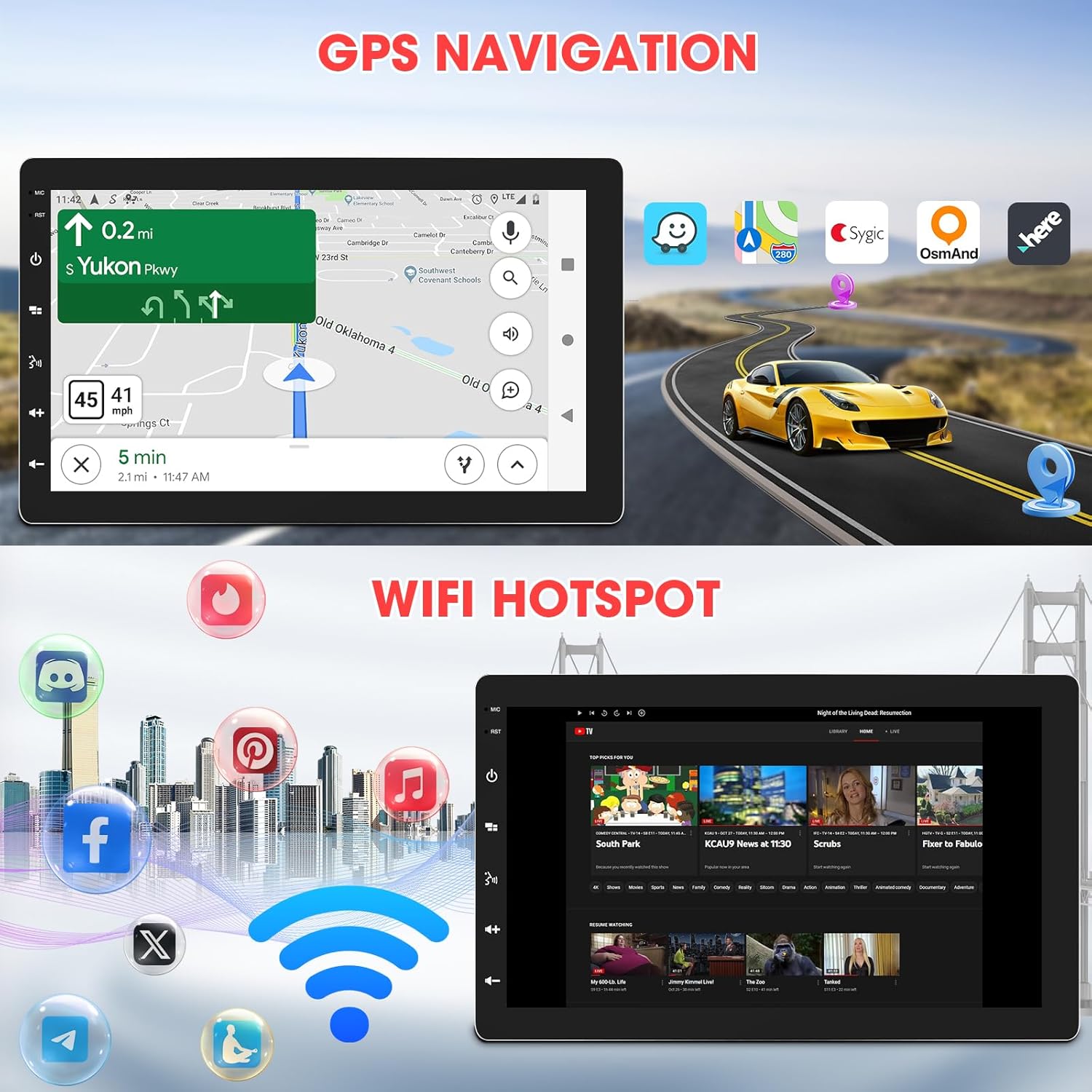
Image: The car stereo displaying GPS navigation, alongside an illustration of WiFi hotspot connectivity with various social media and streaming app icons.

Image: A split image showing the WiFi Hotspot feature on the left, with various app icons, and GPS Navigation on the right, displaying a map with a car icon.
4.8 Punto de acceso WiFi
The stereo supports 2.4 GHz & 5 GHz Wi-Fi for a smooth internet connection, enabling streaming and map downloads.
4.9 Mirrorlink & Fast Charge
Mirrorlink allows casting unsupported apps and content from your phone to the stereo. USB inputs provide 2.1A charging for devices.

Image: Illustrates the Mirrorlink function, showing a smartphone screen mirrored onto the car stereo, and a phone charging via USB, highlighting the fast charge capability.
4.10 Funcións de audio
- Configuración de ecualización: Enhance your music with dynamic customized equalizer settings.
- pre-amp and Subwoofer Output: Features 2-volt 4-channel pre-amp and subwoofer audio output with peak power 50W*4.
- Mechless Audio: Reproducir audio files a través de USB.

Image: A graphic detailing the Mechless HIFI Sound Quality, highlighting 2V Preamp Output, Preset EQ, Subwoofer Output, and Built-in DSP for enhanced audio.
4.11 Saída de vídeo
Video output is available to connect to headrest monitors for additional video playback.

Image: Illustrates the car stereo's ability to deliver high-quality sound and output video to rear headrest monitors, enhancing entertainment for passengers.
4.12 Traseira View Entrada da cámara
The unit is capable of connecting to a rear view camera for easier reversing and parking.
5. Mantemento
Un mantemento regular garante a lonxevidade e o rendemento óptimo do equipo de música do teu coche.
- Limpeza da pantalla: Usa un pano suave e sen fiapos para limpar con coidado a pantalla táctil. Non empregues produtos de limpeza abrasivos nin disolventes.
- Actualizacións de software: Comprobe periodicamente o fabricante website for available software updates to ensure the best performance and access to new features.
- Comprobacións de conexión: Asegúrese de que todas as conexións do cableado estean seguras e libres de corrosión.
6 Solución de problemas
Se tes algún problema, consulta os seguintes problemas e solucións comúns:
| Problema | Causa posible | Solución |
|---|---|---|
| Sen Poder | Cableado incorrecto; fusible fundido; batería do vehículo desconectada. | Check power and ground connections; Inspect vehicle fuses; Reconnect battery. |
| Sen son | Cables do altofalante desconectados; Volume demasiado baixo; Función de silenciamento activa. | Verify speaker connections; Increase volume; Deactivate mute. |
| Problemas de conexión Bluetooth | Device not paired; Bluetooth off on phone/stereo; Interference. | Ensure Bluetooth is enabled on both devices; Re-pair the device; Move closer to the stereo; Restart both devices. |
| CarPlay/Android Auto non se conecta | Incorrect Wi-Fi/Bluetooth settings; Software glitch; Phone compatibility. | Verify Wi-Fi and Bluetooth are active and connected; Restart phone and stereo; Check for software updates; Ensure phone is compatible. |
| Perda de sinal GPS | GPS antenna obstructed or disconnected; Poor satellite coverage. | Asegúrate de que a antena GPS teña unha visión clara view of the sky; Check antenna connection; Move to an open area. |
| A pantalla non responde | Temporary software issue; Screen calibration needed. | Restart the unit; Perform a factory reset (refer to advanced settings); Contact support if issue persists. |
If the problem persists after attempting these solutions, please contact Stiflix customer support.
7. Especificacións
| Característica | Especificación |
|---|---|
| Dimensións do produto | 6.8 x 10 x 5.9 polgadas |
| Peso do elemento | 2.8 libras |
| Número de modelo do artigo | SF20250929B0D5QMLXYL |
| Marca | Stiflix |
| Tecnoloxía de conectividade | Bluetooth, USB, Wi-Fi |
| Tipo de controlador | Android |
| Mostrar | 10.1-inch IPS Touchscreen, 1280*720 HD, 178° Viewángulo ing |
| Características especiais | 360° Rotatable Adjustable Detachable Touchscreen, Wireless Apple CarPlay, Wireless Android Auto, Voice Control, Mirrorlink, Online GPS Navigation, Offline Map, WIFI Hotspot, 2GB RAM, 64GB ROM, Bluetooth Calling, Wireless Audio Streaming, AV Input, Backup Camera Input, USB Charging, FM AM Tuner, Preset EQ, Video Output, Amplifier Subwoofer Output |
| Dispositivos compatibles | Amplifier, Smartphone, Speaker, Subwoofer |
| Total de portos HDMI | 2 |
| Tipo de conector | RCA |
| Modo de saída de audio | Estéreo |
| Configuración da canle de son envolvente | 5.1 |
| Codificación de vídeo | H.264, H.265/HEVC, MPEG-4, etc. |
8. Información da garantía
For warranty details, please refer to the warranty card included with your product or visit the official Stiflix websitio. Garde o recibo da compra como proba de compra para calquera reclamación de garantía.
9. Atención ao cliente
If you require further assistance, technical support, or have questions not covered in this manual, please contact Stiflix customer service through their official websitio ou a información de contacto proporcionada coa súa compra.

Image: A customer service representative smiling, symbolizing available support for product inquiries.