
1. Produto rematadoview
The pTron Zenbuds 1 V2 ANC Bluetooth Earbuds are designed to provide an immersive audio experience with advanced noise cancellation and clear call quality. Featuring 32dB Active Noise Cancellation (ANC) and Quadpro ANC Microphones with TruTalk Environmental Noise Cancellation (ENC), these earbuds minimize background distractions and enhance voice clarity during calls. Dynamic 13mm Hyperdrivers deliver rich sound with deep bass, while Bluetooth v5.3 ensures stable wireless connectivity. The earbuds also offer a low-latency mode for gaming and music, and a combined playtime of up to 40 hours with the charging case.

Image: pTron Zenbuds 1 V2 ANC Bluetooth Earbuds and their charging case.
2. Que hai na caixa
Comprobe o contido do paquete para asegurarse de que estean presentes todos os elementos:
- pTron Zenbuds 1 V2 ANC Earbuds
- Estuche de carga
- Cable de carga USB tipo C
- Almofadas de silicona suave para os oídos, tamaño T/M/L
- Manual de usuario

Image: The pTron Zenbuds 1 V2 earbuds, charging case, and included accessories.
3. Configuración e carga
3.1 Carga inicial
Before first use, fully charge the earbuds and the charging case. Connect the provided USB Type-C cable to the charging port on the case and a compatible power source. The charging time is approximately 1.5 hours for a full charge.

Image: The pTron Zenbuds 1 V2 charging case connected via a USB-C cable, highlighting its 40-hour playtime.
3.2 Emparejamento Bluetooth
- Asegúrate de que os auriculares estean cargados e colocados dentro da caixa de carga.
- Abre a tapa da caixa de carga. Os auriculares entrarán automaticamente no modo de emparellamento.
- No teu dispositivo (teléfono intelixente, tableta, portátil), activa o Bluetooth.
- Busca available Bluetooth devices and select "pTron Zenbuds 1 V2" from the list.
- Unha vez conectado, escoitarás un aviso sonoro e as luces indicadoras dos auriculares cambiarán.
The earbuds feature 1-step pairing for quick and easy connection. They support Bluetooth v5.3 technology for a stable wireless connection up to 10 meters.
4. Instrucións de funcionamento
4.1 Encendido/apagado
- Encendido: Open the charging case lid, or long-press the touch sensor on both earbuds for a few seconds if they are outside the case and off.
- Apagado: Place the earbuds back into the charging case and close the lid, or long-press the touch sensor on both earbuds for a few seconds until they power off.
4.2 Controis táctiles
The pTron Zenbuds 1 V2 feature intuitive touch controls for managing music, calls, and voice assistant functions. Specific touch gestures may vary; refer to the quick start guide included in your package for detailed controls.
4.3 Cancelación activa de ruído (ANC) e modo de transparencia
The earbuds offer 32dB ANC to reduce ambient noise, providing a focused listening experience. Transparency Mode allows you to hear your surroundings without removing the earbuds, which is useful for situational awareness. Switch between these modes using the touch controls.

Image: Explanation of ANC and ENC features, showing how background noise is cancelled and voice clarity is enhanced.
4.4 Game/Music Modes
Optimize your audio experience with dedicated modes:
- Modo de xogo: Provides ultra-low latency (40ms) for synchronized audio during gaming, ensuring a seamless experience.
- Modo de música: Offers in-depth analysis of sound quality and HiFi audio for an enhanced music listening experience.
Switch between these modes using the touch controls on the earbuds.
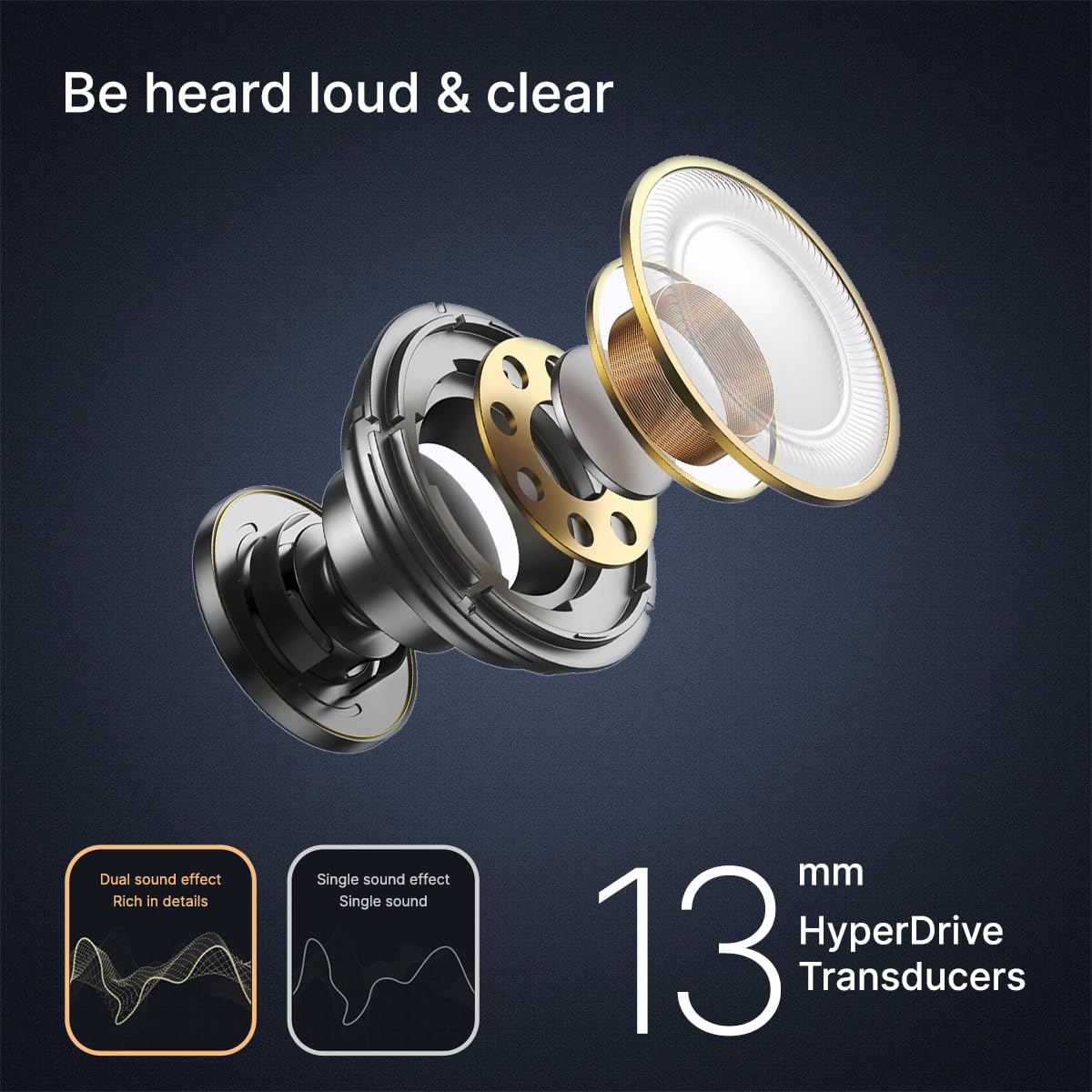
Image: Visual representation of Game Mode and Music Mode, detailing their respective benefits.
4.5 Funcións de chamada
The earbuds are equipped with 4 Quadpro ANC Microphones and TruTalk ENC technology to ensure clear voice calls by filtering out environmental noise.
5. Mantemento
5.1 Limpeza
Regularly clean your earbuds and charging case to maintain optimal performance and hygiene. Use a soft, dry, lint-free cloth. Do not use abrasive cleaners or immerse the earbuds in water.
5.2 Resistencia á auga
The pTron Zenbuds 1 V2 are IPX5 rated for sweat and water resistance. This means they can withstand splashes of water and sweat, making them suitable for workouts and light rain. They are not designed for swimming or submersion in water.
5.3 Almofadas para os oídos
The package includes S/M/L soft silicone eartips. Choose the size that provides the most comfortable and secure fit for your ear canal to ensure optimal sound quality and noise isolation.
6 Solución de problemas
If you encounter issues with your pTron Zenbuds 1 V2, try the following steps:
- Sen son: Ensure the earbuds are charged, properly paired, and the volume on both the earbuds and your device is turned up.
- Problemas de emparellamento: Turn off Bluetooth on your device, then turn it back on. Reset the earbuds by placing them in the case, closing the lid, and then reopening it. Try pairing again.
- Conexión intermitente: Asegúrate de estar dentro do alcance de 10 metros do Bluetooth e de que non haxa obstrucións significativas entre os auriculares e o dispositivo.
- Problemas de carga: Check the charging cable and adapter. Ensure the charging contacts on the earbuds and inside the case are clean and dry.
Para obter máis axuda, póñase en contacto co servizo de atención ao cliente.
7. Especificacións
| Característica | Especificación |
|---|---|
| Nome do modelo | Zenbuds |
| Control de ruído | Cancelación activa de ruído (32 dB) |
| Micrófonos | 4 Quadpro ANC Mics with TruTalk ENC |
| Tamaño do controlador de audio | 13 Millimetres Dynamic Driver |
| Versión Bluetooth | 5.3 |
| Alcance Bluetooth | 10 metros |
| Latencia de audio | 40 milisegundos (modo xogo) |
| Duración da batería | Ata 40 horas (con funda de carga) |
| Tempo de carga | 1.5 horas |
| Porto de carga | USB tipo C |
| Resistencia á auga | IPX5 (resistente á suor e á auga) |
| Método de control | Toca |
| Peso do elemento | 45 gramos |
| Compoñentes incluídos | Cable, Eartip, User Manual |
8. Vídeos de produtos
8.1 pTron Zenbuds 1 V2 Overview
Vídeo: Un breve resumoview of the pTron Zenbuds 1 V2, highlighting key features like ANC, quad microphones, 13mm drivers, and Type-C charging.
8.2 Detailed Product Features
Video: A comprehensive presentation of the pTron Zenbuds 1 V2, covering design, key features, battery life, and included accessories.
9. Garantía e soporte
The pTron Zenbuds 1 V2 ANC Bluetooth Earbuds come with a 1 ano de garantía do fabricante desde a data de compra, cubrindo defectos de fabricación.
For any support, queries, or warranty claims, please contact:
- Correo electrónico: support@ptron.in
- Teléfono: 040-67138888
Manufacturer details: Palred Electronics Pvt. Ltd., SY.NO. 56, 1ST FLOOR, GUNDLAPOCHAMPALLY VILLAGE, TECH PARK MTP, TSIIC-IALA NACHARAM, HYDERABAD - 500076, TELANGANA, INDIA.