
1. Introdución
This manual provides instructions for the safe and efficient operation of the Chainway C71 Android Barcode Scanner. The C71 is a robust and versatile handheld device designed for various applications, including warehouse inventory management and forklift operations. It features a Zebra SE55 long-range 2D/1D/QR code reader, runs on Android 13, and offers comprehensive connectivity options.
Please read this manual thoroughly before using the device and retain it for future reference.
2. Produto rematadoview
2.1 Características principais
- Deseño duradeiro e versátil: Suitable for both indoor and outdoor environments, ideal for warehouse inventory and forklift scanning.
- Zebra SE55 Long Range Scanner: Capable of scanning 2D, 1D, and QR codes from distances up to 40 feet (depending on barcode size and media).
- Sistema operativo Android 13: Provides access to the latest Android features and the Google Play Store for application downloads.
- Conectividade sen fíos: Features fast and reliable WiFi, Bluetooth 5.0, NFC, and GPS for seamless data transmission and real-time updates.
- Large Vivid Screen: A bright and clear display for easy reading and interaction in various lighting conditions.
- Batería de alta capacidade: Equipped with a 5000mAh battery for extended operational periods.
- Procesador de oito núcleos: Ensures fast and responsive performance for demanding applications.
2.2 Compoñentes do dispositivo
The Chainway C71 scanner features a robust design with an integrated display, scanning engine, and various ports and buttons.
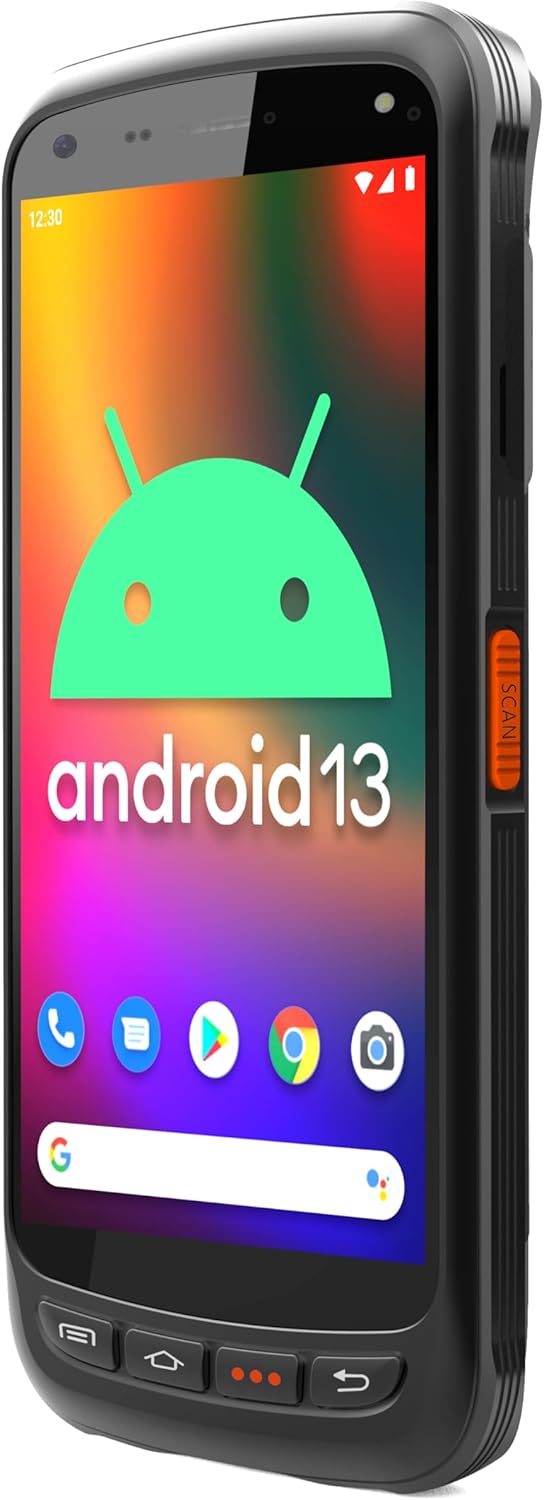
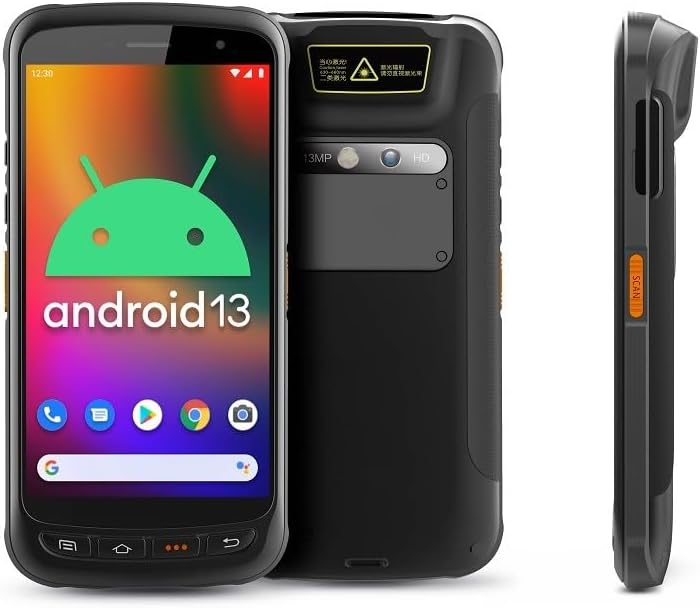
- Visualización: Large vivid touchscreen for user interaction.
- Botón de escaneo: Located on the side for convenient barcode scanning activation.
- Zebra SE55 Scan Engine: Integrated at the top rear for long-range barcode capture.
- Cámara traseira: For image capture (13MP).
- Cámara frontal: For video calls or selfies (5MP).
- Botóns físicos: Power, volume, and programmable function keys.
- Portos: USB-C para carga e transferencia de datos.
3. Configuración
3.1 Instalación e carga da batería
The Chainway C71 requires one Lithium Ion battery for operation. Ensure the battery is correctly installed before first use.
- Localiza a tapa do compartimento da batería na parte traseira do dispositivo.
- Open the cover and insert the Lithium Ion battery, ensuring the contacts align correctly.
- Pecha a tapa do compartimento da batería de forma segura.
- Connect the device to a power source using the provided USB-C cable and power adapter. The device will begin charging.

3.2 Encendido inicial
- Press and hold the Power button (usually on the side) until the device vibrates and the screen illuminates.
- Follow the on-screen prompts to complete the initial Android 13 setup, including language selection, Wi-Fi connection, and Google account login.
4. Instrucións de funcionamento
4.1 Barcode Scanning with Zebra SE55 Engine
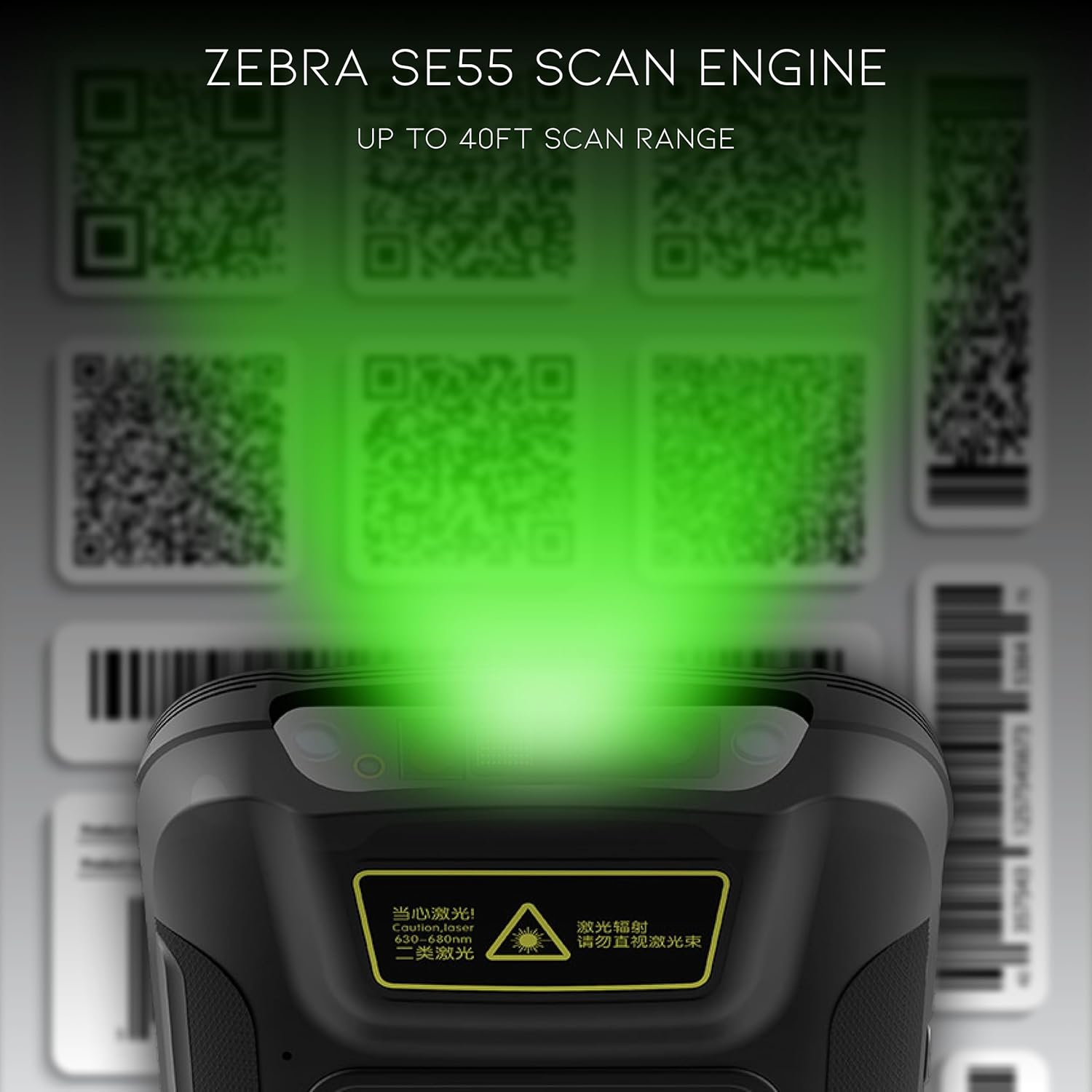
The Chainway C71 is equipped with a powerful Zebra SE55 scan engine for efficient barcode capture.
- Open the desired application that requires barcode scanning (e.g., inventory management app).
- Point the top of the device, where the scan engine is located, towards the barcode.
- Press the dedicated scan button on the side of the device. A green aiming pattern will appear.
- Align the aiming pattern with the barcode. The device will emit a sound or vibrate upon successful scan.
- The scanned data will be input into the active field of your application.
Nota: The Zebra SE55 can scan barcodes from up to 40 feet away, depending on the barcode size and quality. For optimal performance, ensure clear line of sight and adequate lighting.
4.2 Sistema operativo Android 13
The C71 runs on Android 13, providing a familiar and intuitive user experience. You can navigate the interface using touch gestures.

- Pantalla de inicio: Access your installed applications and widgets.
- Notificacións: Pasa o dedo cara abaixo desde a parte superior da pantalla ata view notificacións e configuracións rápidas.
- Google Play Store: Download and install additional applications relevant to your workflow.
4.3 Conectividade
The device supports multiple connectivity options for data transfer and communication.
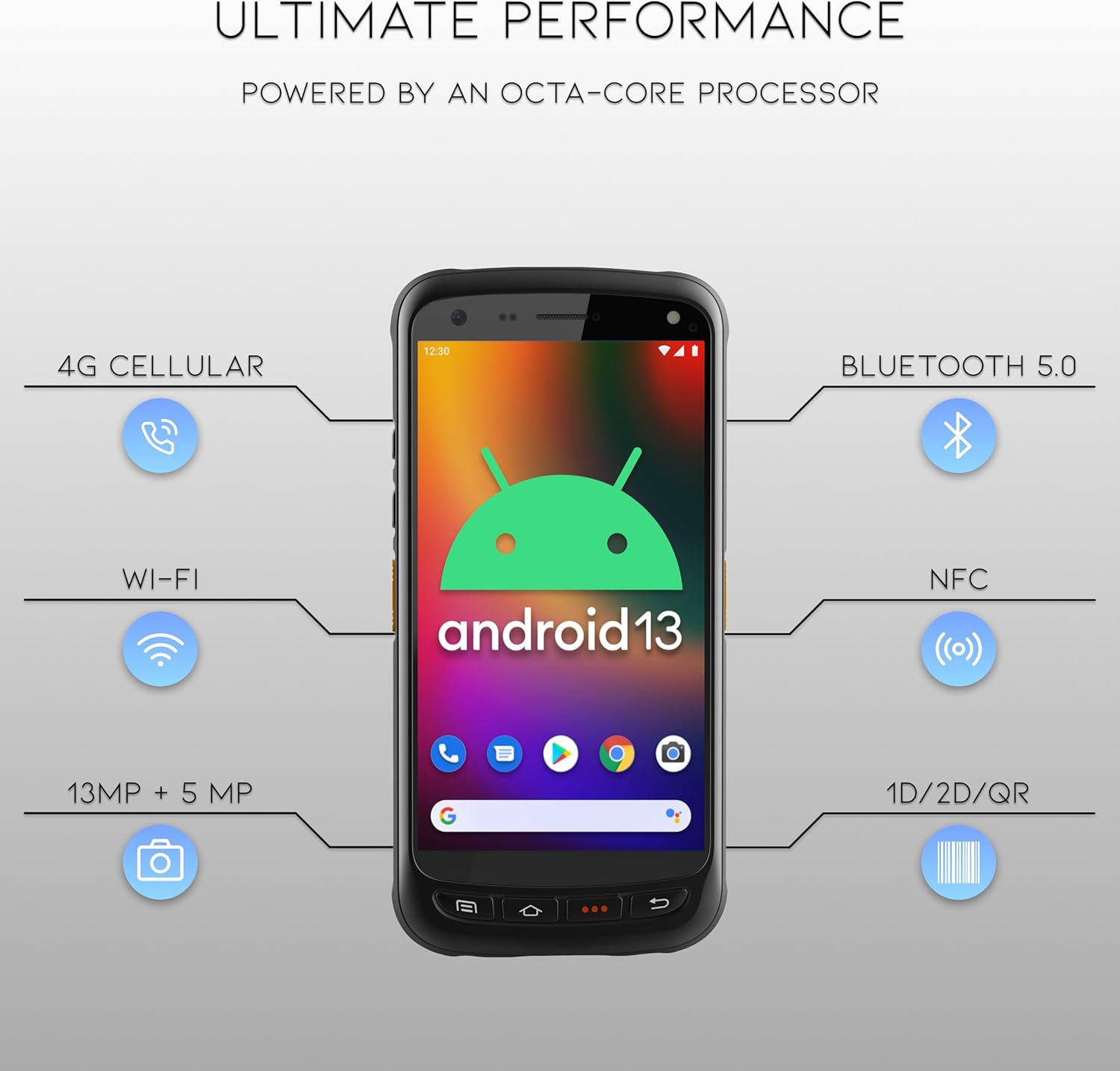
- Wi-Fi: Connect to wireless networks for internet access and data synchronization. Go to Configuración > Rede e internet > Wi-Fi.
- Bluetooth 5.0: Pair with Bluetooth-enabled devices such as headsets or printers. Go to Configuración > Dispositivos conectados > Bluetooth.
- NFC: For near-field communication applications.
- GPS: For location-based services.
- Móbil 4G: (If equipped with SIM card slot) For mobile data connectivity.
5. Mantemento
5.1 Limpeza do dispositivo
- Use un pano suave e sen pelusa lixeiramente dampened with water or a mild, non-abrasive cleaning solution to clean the screen and exterior.
- Non empregues produtos químicos agresivos, solventes ou materiais abrasivos, xa que poden danar o dispositivo.
- Asegúrese de que non entre líquido nos portos ou aberturas.
5.2 Coidado coa batería
- Evite expoñer a batería a temperaturas extremas (quente ou fría).
- Cargue a batería regularmente, pero evite deixala completamente descargada durante períodos prolongados.
- Use only the manufacturer-approved charging accessories.
6 Solución de problemas
This section addresses common issues you might encounter with your Chainway C71 scanner.
6.1 O dispositivo non se acende
- Asegúrese de que a batería estea correctamente instalada e completamente cargada.
- Connect the device to the charger and attempt to power it on after a few minutes.
- Se o problema persiste, póñase en contacto co servizo de atención ao cliente.
6.2 Barcode Not Scanning
- Verify that the scanning application is open and ready to receive input.
- Ensure the barcode is clean, undamaged, and within the scanner's range (up to 40 feet).
- Check for adequate lighting; extreme glare or insufficient light can affect scanning performance.
- Confirm the scan engine is pointed directly at the barcode.
6.3 Problemas de conectividade Wi-Fi
- Check if Wi-Fi is enabled in the device settings.
- Ensure you are within range of a known Wi-Fi network.
- Verify the Wi-Fi password if connecting to a new network.
- Restart the device and the Wi-Fi router if necessary.
7. Especificacións
Technical specifications for the Chainway C71 Android Barcode Scanner.
| Característica | Detalle |
|---|---|
| Número de modelo | C71 |
| Sistema Operativo | Android 13 |
| Escáner de código de barras | Zebra SE55 (2D/1D/QR, up to 40ft range) |
| Procesador | 2.0 GHz Octa-Core Processor |
| Batería | Ión de litio de 5000 mAh (requírese 1) |
| Conectividade | Wi-Fi, Bluetooth 5.0, NFC, GPS, 4G Cellular (optional) |
| Cámaras | 13 MP traseiro, 5 MP dianteiro |
| Dispositivos compatibles | Smartphone, Tablet (as a handheld device) |
| Fonte de enerxía | Alimentado por batería |
| Fabricante | Chainway |

8. Garantía e soporte
For warranty information and technical support, please contact the seller, BARCODE-USA. Details regarding specific warranty periods and coverage will be provided at the point of purchase or upon request from the seller.
Vendedor: BARCODE-USA
For assistance, refer to your purchase documentation or visit the BARCODE-USA store page on Amazon: BARCODE-USA Store