
1. Introdución
Grazas pola compraasing the Zenwire D300S Mini Projector. This manual provides essential information for the safe and efficient operation of your device. Please read it thoroughly before use and retain it for future reference.
Precaucións de seguridade
- Non mire directamente á lente do proxector cando estea aceso.amp está activado.
- Garantir unha ventilación adecuada para evitar o sobrequecemento. Non bloquee as aberturas de ventilación.
- Use só o adaptador de alimentación proporcionado.
- Manteña o proxector lonxe da auga ou outros líquidos.
- Evite colocar o proxector en superficies inestables.
- Non intente desmontar nin reparar o proxector vostede mesmo. Póñase en contacto co persoal de servizo cualificado.
2. Contido do paquete
Comprobe que todos os artigos estean presentes no seu paquete:
- Zenwire D300S Mini Projector
- Control remoto
- Adaptador de alimentación
- Cabo AV
- Manual de usuario (este documento)
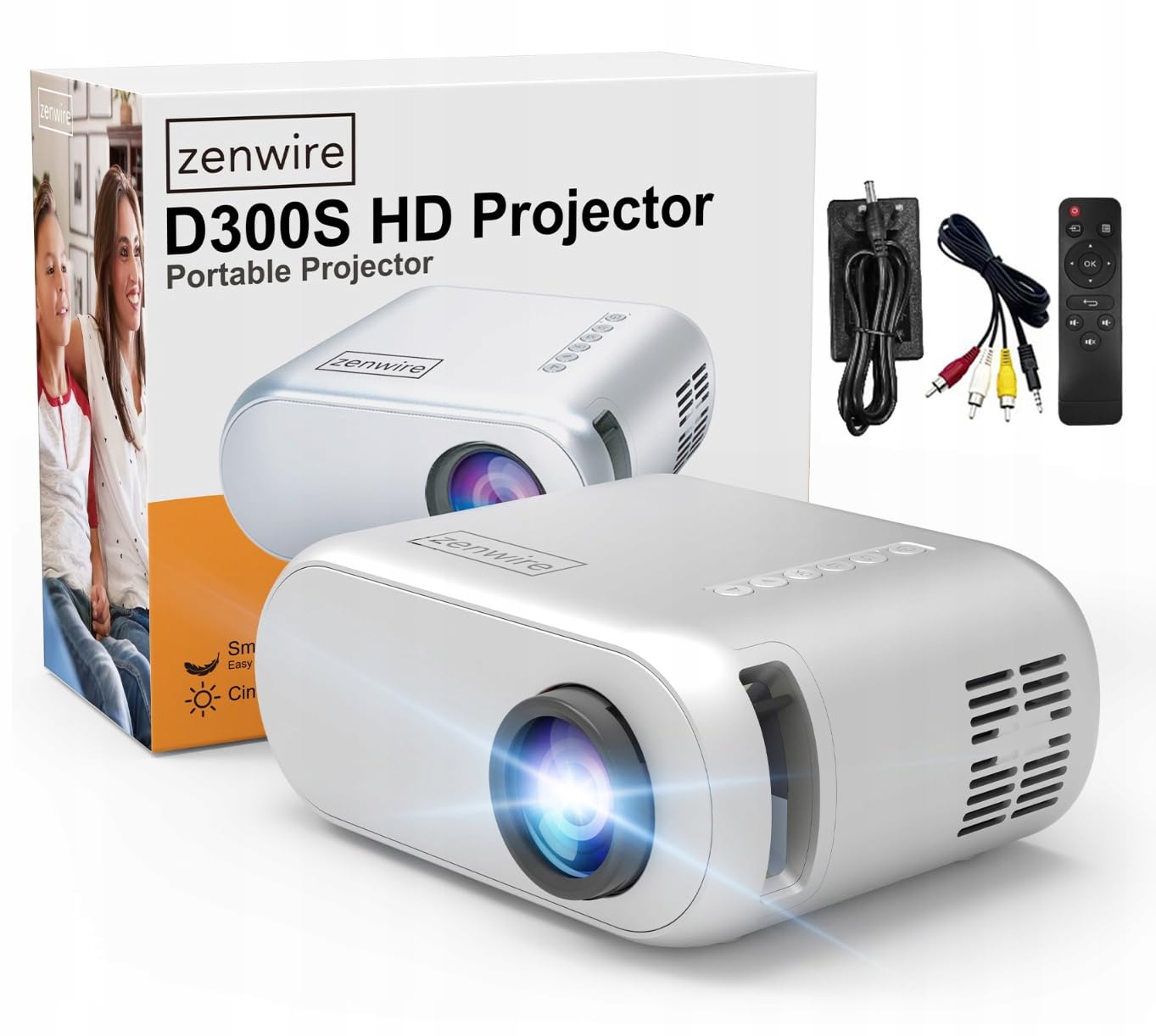
Image 2.1: Zenwire D300S Mini Projector and included accessories.
3. Produto rematadoview
Projector Front and Top View
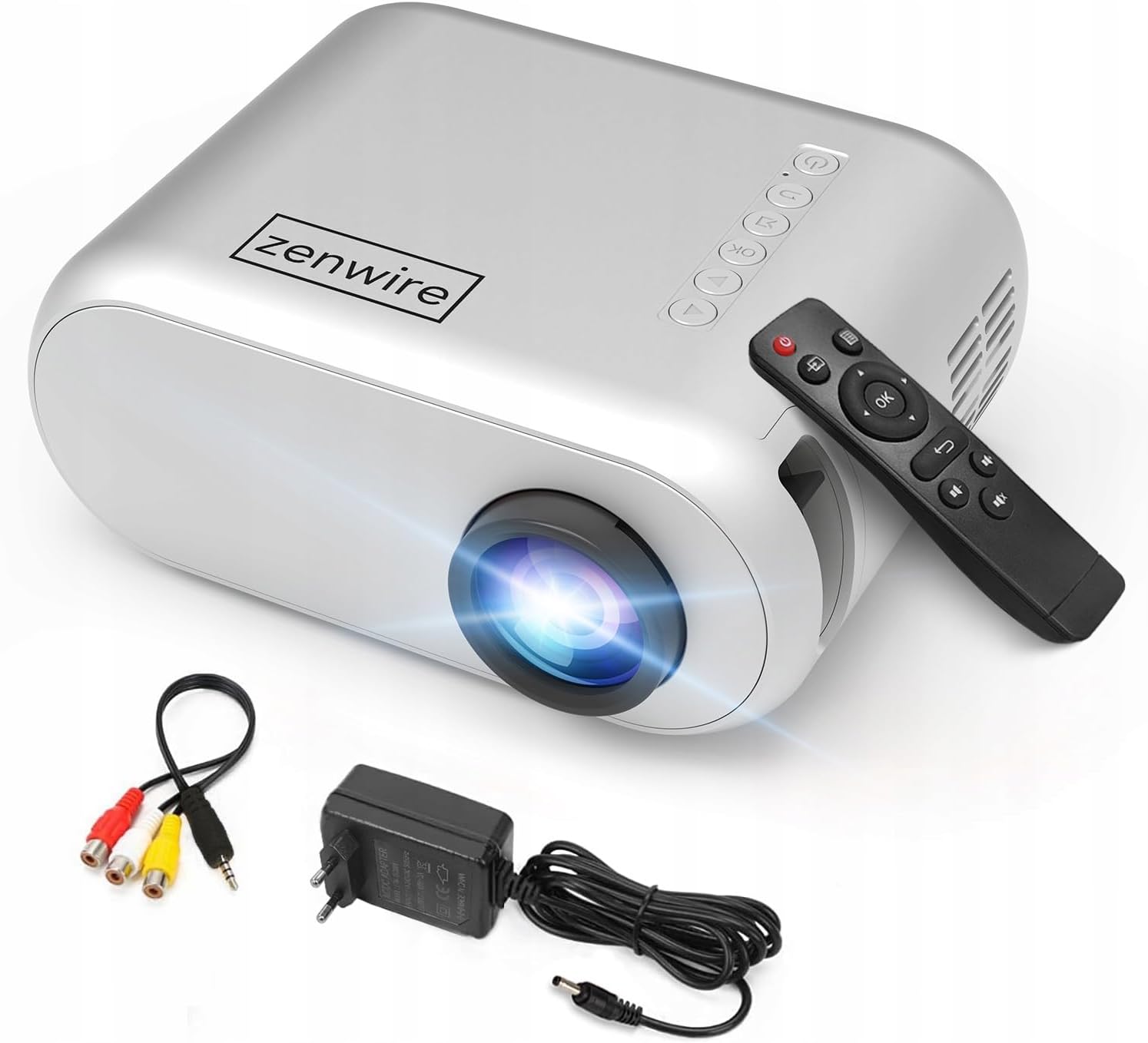
Imaxe 3.1: Fronte e parte superior view of the projector, showing the lens and top control panel.
Rear Panel and Connectivity
O panel traseiro do proxector inclúe varios portos para conectar dispositivos externos:

Imaxe 3.2: Traseira view of the projector, highlighting the input/output ports.
- Entrada AV: For connecting devices using the included AV cable.
- Entrada HDMI: For connecting devices such as laptops, gaming consoles, or streaming sticks.
- Porto USB: Para conectar unidades flash USB para reproducir contido multimedia files directamente.
- Saída AUX: Para conectar altofalantes externos ou auriculares.
- Entrada de alimentación DC: Para conectar o adaptador de alimentación.
Panel de control superior
The top of the projector features a control panel for basic operations:
- Botón de encendido: Acende ou apaga o proxector.
- Botóns de navegación (Arriba/Abaixo/Esquerda/Dereita): Úsase para navegar polos menús.
- Botón Aceptar: Confirma as seleccións.
- Botón Atrás: Volve ao menú ou pantalla anterior.
- Botón de orixe: Selects input source (HDMI, AV, USB).
4. Configuración
4.1 Colocación
Place the projector on a stable, flat surface. Ensure there is adequate space around the projector for ventilation. The projection distance affects the screen size. Refer to the image below for recommended distances and corresponding screen sizes.

Image 4.1: Recommended projection distances and screen sizes.
- For a 30-inch screen, place the projector approximately 0.9 meters away.
- For a 50-inch screen, place the projector approximately 1.5 meters away.
- For an 80-inch screen, place the projector approximately 2.4 meters away.
- For a 100-inch screen, place the projector approximately 3.0 meters away.
4.2 Conexión de alimentación
Conecte o adaptador de corrente ao porto de entrada de alimentación CC do proxector e, a seguir, conécteo a unha toma de corrente.
4.3 Conexión de dispositivos
The Zenwire D300S supports various input sources:
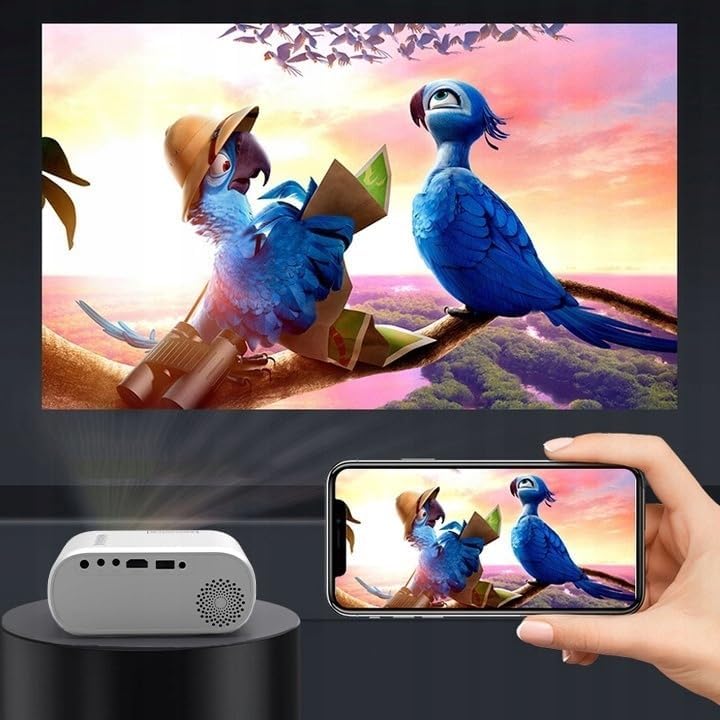
Imaxe 4.2: Ex.amples of devices that can be connected to the projector.
- HDMI: Connect your laptop, gaming console, or streaming device using an HDMI cable.
- USB: Insira unha unidade flash USB no porto USB para reproducir contido multimedia files directamente.
- DE: Use the included AV cable to connect older devices like DVD players.
- Audio Out (AUX): Connect external speakers or headphones to the AUX port for enhanced audio.
4.4 Axuste do foco
Turn on the projector. Adjust the focus ring located near the lens until the projected image is clear and sharp.
5. Instrucións de funcionamento
5.1 Encendido/apagado
Prema o botón de acendido/apagado do proxector ou do control remoto para acender ou apagar o dispositivo.
5.2 Selección da fonte
After powering on, use the 'Source' button on the projector or remote control to select the desired input source (HDMI, AV, USB).
5.3 Navegación por menús
Use the navigation buttons (Up/Down/Left/Right) on the projector or remote to browse through menus. Press 'OK' to confirm a selection and 'Back' to return.
5.4 Control de volume
Axuste o volume usando os botóns de volume do control remoto.
5.5 Connecting to a Phone/Laptop
To project content from a phone or laptop:
- Para ordenadores portátiles: Connect via HDMI cable. Select HDMI as the input source on the projector.
- Para teléfonos: Depending on your phone model, you may need an adapter (e.g., USB-C to HDMI, Lightning to HDMI) to connect via HDMI. Alternatively, some phones support wireless display technologies that can be used with a compatible streaming stick connected to the projector's HDMI port.

Image 5.1: Projecting content from a smartphone to the Zenwire D300S Mini Projector.
6. Mantemento
6.1 Limpeza da lente
Usa un pano suave e sen fiapos deseñado especificamente para lentes ópticas para limpar con coidado a lente do proxector. Non empregues produtos de limpeza abrasivos nin forzas excesivas.
6.2 Limpeza do corpo do proxector
Limpe o exterior do proxector cun pano suave e seco. Para manchas difíciles, un pano lixeiramente seco.amp pódese usar un pano, seguido dun pano seco.
6.3 Ventilación
Regularly check that the ventilation openings are free from dust and obstructions to ensure proper airflow and prevent overheating.
7 Solución de problemas
Se tes problemas co teu proxector, consulta os seguintes problemas e solucións comúns:
| Problema | Causa posible | Solución |
|---|---|---|
| Non se proxecta ningunha imaxe | Power not connected, incorrect input source, device not sending signal. | Check power connection, select correct input source, ensure connected device is on and outputting video. |
| A imaxe está borrosa | Focus not adjusted, projector too close/far. | Adjust the focus ring, reposition the projector according to recommended distances. |
| Sen son | Volume too low, external speakers not connected, audio format not supported. | Increase volume, connect external speakers via AUX, check audio settings on source device. |
| O control remoto non funciona | Batteries dead, obstruction between remote and projector. | Substitúa as pilas e asegúrese de que haxa unha liña de visión clara co receptor de infravermellos do proxector. |
8. Especificacións
- Modelo: Zenwire D300S
- Resolución nativa: 1280 x 720p HD
- Brillo: 3000 lúmenes (100 lúmenes ANSI)
- Conectividade: HDMI, USB, AUX, AV
- Relación de aspecto: 16:9 / 4:3
- Distancia de proxección: 0.9m - 3.0m (approx. 30-100 inches)
9. Garantía e soporte
The Zenwire D300S Mini Projector comes with a standard manufacturer's warranty. Please refer to the warranty card included in your package for specific terms and conditions. For technical support or service inquiries, please contact your retailer or the Zenwire customer service department.