
1. Introdución
The AIYEEN USB-C TF/Micro SD Card Reader is a compact and versatile device designed to expand storage and facilitate data transfer for your USB-C enabled smartphones, tablets, laptops, and PCs. Its plug-and-play functionality and durable design make it an essential accessory for managing your digital content on the go.
2. Características do produto
- Mini USB-C Card Reader with LED Indicator: Extends storage capacity for USB-C devices. A blue LED light confirms device connection status.
- Wide Card Compatibility: Supports TF (Micro SD, Micro SDHC, Micro SDXC) cards.
- OTG Functionality: Enables direct connection and data transfer with compatible smartphones and tablets without needing a computer.
- Deseño compacto e portátil: Crafted from high-quality zinc alloy, lightweight, and includes an anti-loss keychain for easy transport.
- Compatibilidade ampla de dispositivos: Works with most USB-C devices supporting OTG, including MacBook Pro/Air, iPhone 15 series, Samsung Galaxy, Google Pixel, and PCs running Mac OS, Windows, and Linux.
- Transferencia de datos de alta velocidade: USB 3.0 interface for fast file transferencias.

Figure 2.1: The AIYEEN USB-C Card Reader connected to a tablet, highlighting the built-in LED indicator that illuminates when the device is connected.
3. Contido do paquete
- 1 x AIYEEN USB-C TF/Micro SD Card Reader (Light Gold)
- 1 x Chaveiro

Figure 3.1: The AIYEEN USB-C Card Reader, showing its compact size, light gold finish, attached keychain, and a compatible MicroSD card.
4. Instrucións de configuración
- Insira tarxeta micro SD: Gently insert your TF (Micro SD, Micro SDHC, or Micro SDXC) card into the card slot on the AIYEEN reader until it clicks into place. Ensure the card is inserted in the correct orientation.
- Conectar ao dispositivo: Plug the USB-C connector of the card reader into the USB-C port of your compatible device (smartphone, tablet, laptop, or PC).
- Verificar a conexión: The blue LED indicator on the card reader will illuminate, confirming a successful connection. Your device should recognize the card reader as external storage.

Figure 4.1: The card reader connected to a laptop and a smartphone, illustrating how it can be used with different USB-C enabled devices.
5. Instrucións de funcionamento
5.1. Acceso Files
Once connected, your device will typically display a notification or automatically open a file manager application. You can then navigate to the external storage (usually labeled as "USB Drive," "SD Card," or similar) to access, copy, move, or delete files on your Micro SD card.
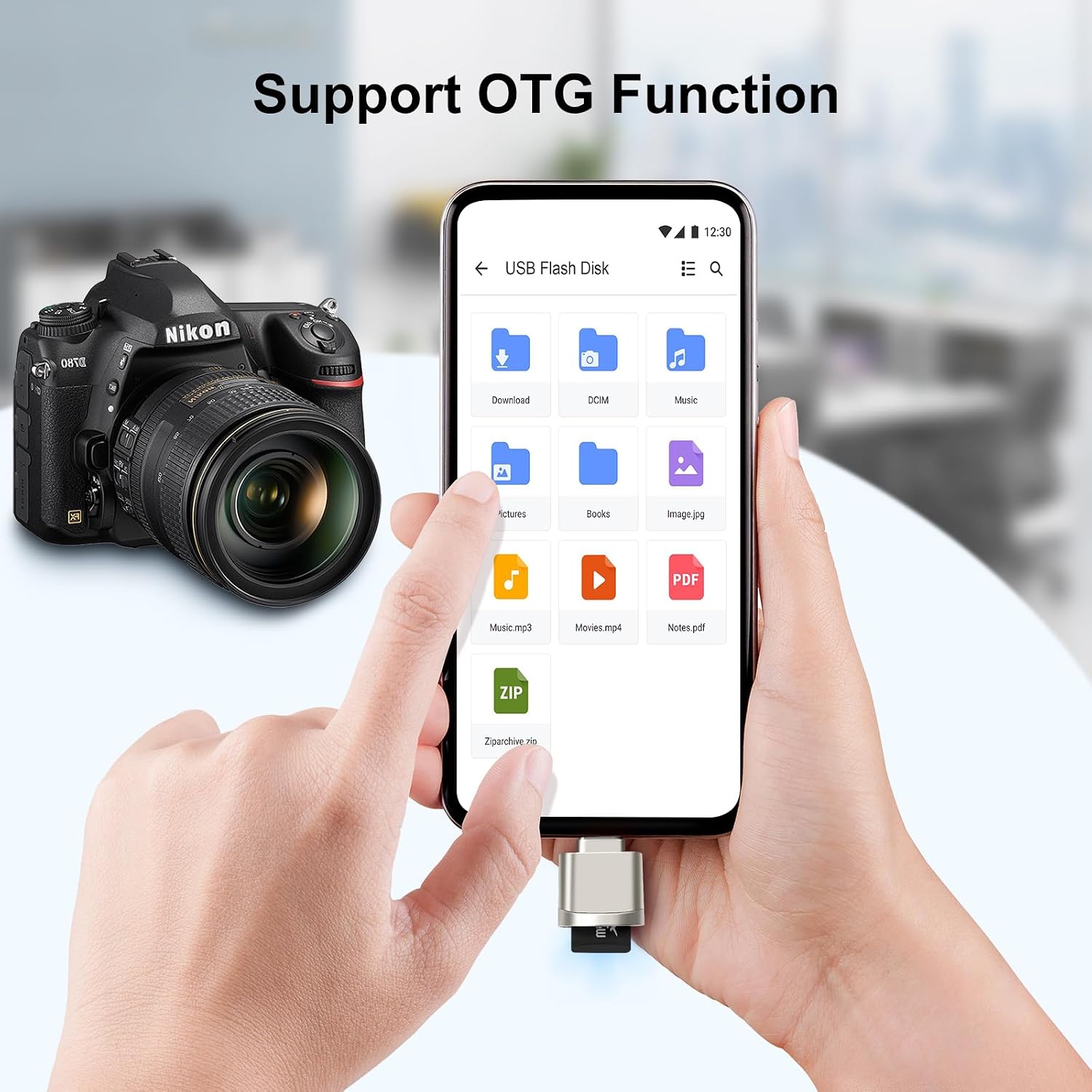
Figure 5.1: A smartphone displaying its file manager, with the card reader connected, allowing direct access to files on the Micro SD card via OTG.
5.2. Transferencia de datos
Utilize your device's file management system to transfer photos, videos, documents, and other data between your device's internal storage and the Micro SD card. The USB 3.0 interface ensures fast transfer speeds for efficient data management.

Figure 5.2: The card reader connected to a laptop, demonstrating its capability for ultra-fast file transfer speeds, indicated by "USB 3.0 5Gbps".
5.3. Reprodución multimedia
You can directly play media files (movies, music, photos) stored on the Micro SD card through the card reader on your compatible device, without needing to transfer them to internal storage first.

Figure 5.3: A smartphone playing a movie, demonstrating the ability to enjoy media content directly from the Micro SD card via the card reader.
6. Compatibilidade
The AIYEEN USB-C TF/Micro SD Card Reader is designed for broad compatibility with various devices and operating systems:
- Dispositivos: Personal Computers, Laptops, Smartphones, Tablets with a USB Type-C port supporting OTG functionality.
- Examples: MacBook Pro/Air, iPhone 15 series, Samsung Galaxy Note/S series, Google Pixel, and other USB-C enabled devices.
- Sistemas operativos: Mac OS, Windows, Linux, Android.
- Tipos de medios: Micro SD, Micro SDHC, Micro SDXC (TF cards).

Figure 6.1: The card reader's universal compatibility with a range of USB-C devices and various Micro SD card formats.

Figure 6.2: Supported operating systems for the AIYEEN USB-C Card Reader.
7. Mantemento
To ensure the longevity and optimal performance of your AIYEEN USB-C TF/Micro SD Card Reader:
- Manteña o dispositivo limpo e libre de po e residuos. Use un pano suave e seco para limpar.
- Avoid exposing the reader to extreme temperatures, humidity, or direct sunlight.
- Non intente desmontar nin modificar o dispositivo, xa que isto anulará a garantía.
- Always safely eject the card reader from your device before unplugging it to prevent data corruption.
8 Solución de problemas
| Problema | Causa posible | Solución |
|---|---|---|
| Dispositivo non recoñecido. |
|
|
| Blue LED not lighting up. |
|
|
| Slow data transfer. |
|
|
9. Especificacións
| Atributo | Detalle |
|---|---|
| Marca | AIYEEN |
| Nome do modelo | AY-MiniReader-GD |
| Tecnoloxía de conectividade | USB tipo C |
| Interface de hardware | USB 3.0 tipo C |
| Dispositivos compatibles | Personal Computer, Laptop, Smartphone |
| Sistemas operativos compatibles | Mac OS, Windows, Linux |
| Tipo de soporte compatible | Micro SDHC (also Micro SD, Micro SDXC) |
| Taxa de transferencia de datos | Up to 5 Gigabits per second (USB 3.0) |
| Material | High-quality Zinc Alloy |
| Cor | Ouro Claro |

Figure 9.1: Dimensions of the MiniReader model (bottom row of devices in the image) are approximately 23mm x 16mm (0.9in x 0.63in).
10. Garantía e soporte
All AIYEEN products come with a 2 ano de garantía against manufacturing defects. If you encounter any issues or have questions regarding your product, please do not hesitate to contact AIYEEN customer support for assistance.
For support, please refer to the contact information provided with your purchase or visit the official AIYEEN websitio.