
Introdución
O Rampage Crack H11 is a versatile wireless gaming headset designed for an immersive audio experience across multiple platforms. It features dual connectivity options (2.4GHz wireless and Bluetooth 5.2), 7.1 virtual surround sound, a detachable microphone, and a lightweight design for extended comfort during long gaming sessions. This manual provides essential information for setting up, operating, maintaining, and troubleshooting your headset.
Contido do paquete
Antes de comezar, asegúrate de que todos os elementos estean presentes no paquete:
- Rampage Crack H11 Wireless Gaming Headset
- Receptor sen fíos USB de 2.4 GHz
- Micrófono desmontable
- Type-C Charging Cable (1.8 meters, braided)
- User Manual / Warranty Certificate
Configuración
1. Cargando os auriculares
Before first use, fully charge the headset. Connect the supplied Type-C charging cable to the headset's charging port and the other end to a USB power source (e.g., computer USB port, USB wall adapter). The charging time is approximately 2.5 hours for a full charge.
2. Connecting via 2.4GHz Wireless (USB Receiver)
- Insert the USB 2.4GHz wireless receiver into an available USB port on your PC, PlayStation 4, or PlayStation 5.
- Acende o auricular mantendo premido o botón de acendido.
- The headset should automatically connect to the receiver. If there is no sound or the microphone is not working, double-press the power button rapidly to switch between 2.4GHz and Bluetooth modes until the correct mode is selected.
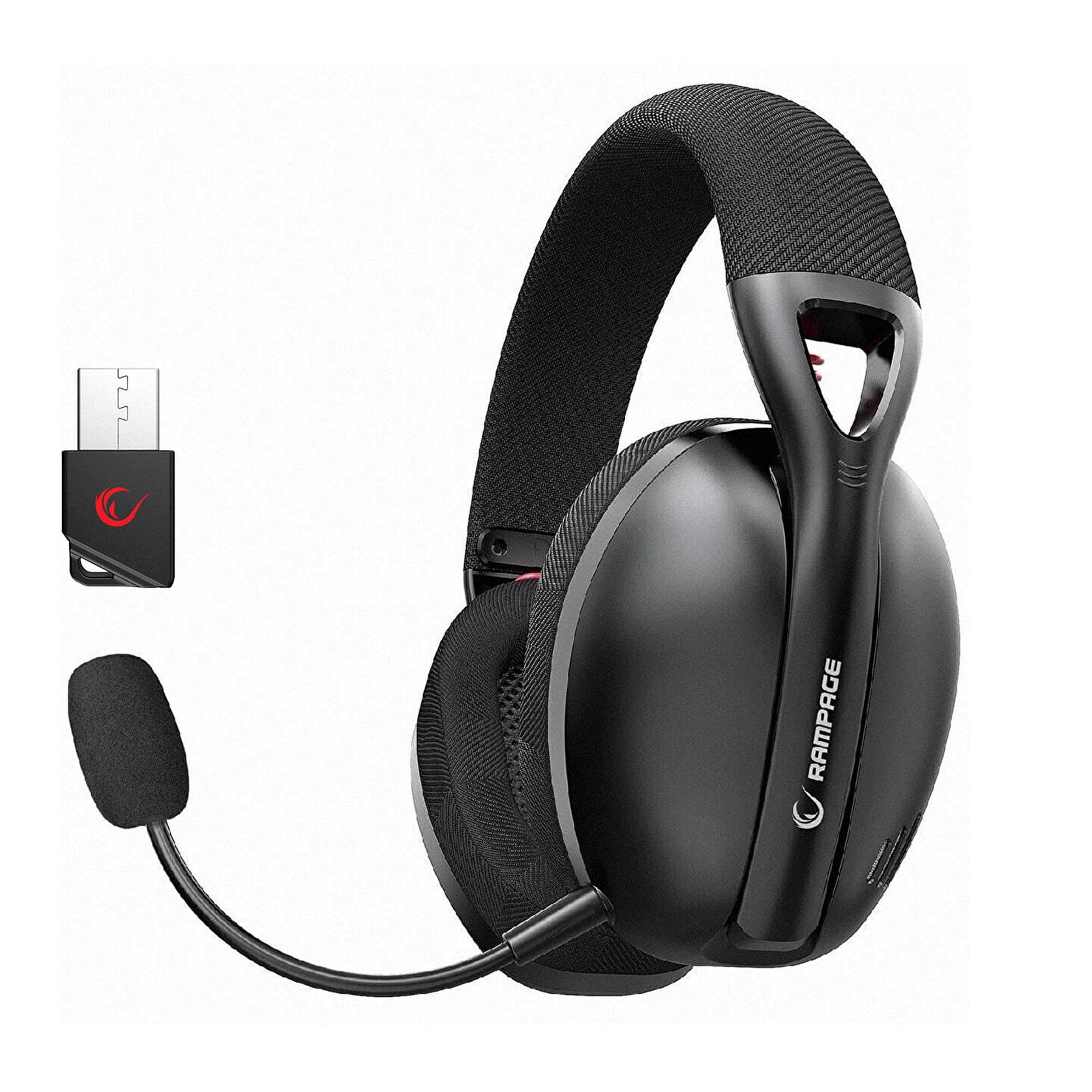
Image: Rampage Crack H11 headset highlighting 2.4GHz wireless and Bluetooth connectivity. It also shows the instruction to double-press the power button if sound or microphone issues arise when connected via USB.
3. Conexión mediante Bluetooth 5.2
- Acende o auricular.
- If the headset is not in Bluetooth mode, double-press the power button to switch to Bluetooth mode. The indicator light will typically flash to indicate pairing mode.
- On your smartphone or other Bluetooth-enabled device, go to Bluetooth settings and search for available devices.
- Selecciona "R"ampage Crack H11" from the list to pair.
4. Conexión do micrófono
The microphone is detachable. Insert the microphone into the designated port on the left earcup. Adjust its position for optimal voice pickup. The flexible design allows you to find the most suitable position.

Image: The Rampage Crack H11 headset featuring its detachable and adjustable microphone, emphasizing user flexibility.
Instrucións de funcionamento
Encendido/apagado
Manteña premido o botón de acendido durante uns segundos para acender ou apagar os auriculares.
Cambio de modo
To switch between 2.4GHz wireless mode and Bluetooth mode, double-press the power button rapidly. An audible cue or indicator light change will confirm the mode switch.
Control de volume
Use the volume control wheel or buttons located on the earcup to adjust the audio output level.
Silenciar micrófono
Locate the microphone mute button on the headset to quickly mute or unmute your microphone.
7.1 Son envolvente virtual
The headset features 7.1 virtual surround sound for an immersive gaming experience. This technology enhances directional audio, allowing you to perceive in-game sounds more accurately and gain a competitive edge.

Image: The Rampage Crack H11 headset showcasing its Virtual 7.1 Surround 360° Sound System, designed for an immersive audio experience.
Mantemento
Limpeza
- Limpe os auriculares cun pano suave e seco.
- Non use produtos químicos agresivos, disolventes de limpeza ou deterxentes fortes.
- Ensure the headset is dry before storing or charging.
Almacenamento
Garda os auriculares nun lugar fresco e seco, lonxe da luz solar directa e de temperaturas extremas. Evita colocar obxectos pesados enriba dos auriculares.
Coidado da batería
- Evite descargar completamente a batería con frecuencia.
- Charge the headset regularly, even if not in use, to maintain battery health.
- Non expoña a batería a altas temperaturas.

Image: The Rampage Crack H11 headset's fabric ear pads, designed for high comfort and effective sound isolation during extended use.
Resolución de problemas
No Sound or Microphone Not Working (2.4GHz Wireless)
- Ensure the USB receiver is properly inserted into the device.
- Double-press the power button on the headset rapidly to cycle through modes. Ensure the headset is in 2.4GHz wireless mode.
- Comproba a configuración de son do teu dispositivo para asegurarte de que os auriculares estean seleccionados como dispositivo de entrada/saída predeterminado.
Problemas de conexión Bluetooth
- Ensure the headset is in Bluetooth pairing mode (indicator light flashing).
- Asegúrate de que o Bluetooth estea activado no teu dispositivo.
- Try unpairing and re-pairing the headset from your device's Bluetooth settings.
- Asegúrate de que os auriculares estean dentro do alcance efectivo do teu dispositivo Bluetooth.
Sound Quality Issues (e.g., Muffled Sound)
- Check the audio source and ensure the volume is not too high, causing distortion.
- Ensure the earcups are properly seated on your ears for optimal sound delivery.
- Test the headset with a different audio source or device to rule out source-related issues.
Intermittent Disconnections
- Ensure there are no obstructions or strong interference sources (e.g., Wi-Fi routers, other wireless devices) between the headset and the connected device.
- Keep the headset within the recommended operating range.
- Ensure the headset is fully charged. Low battery can sometimes affect connection stability.
Especificacións
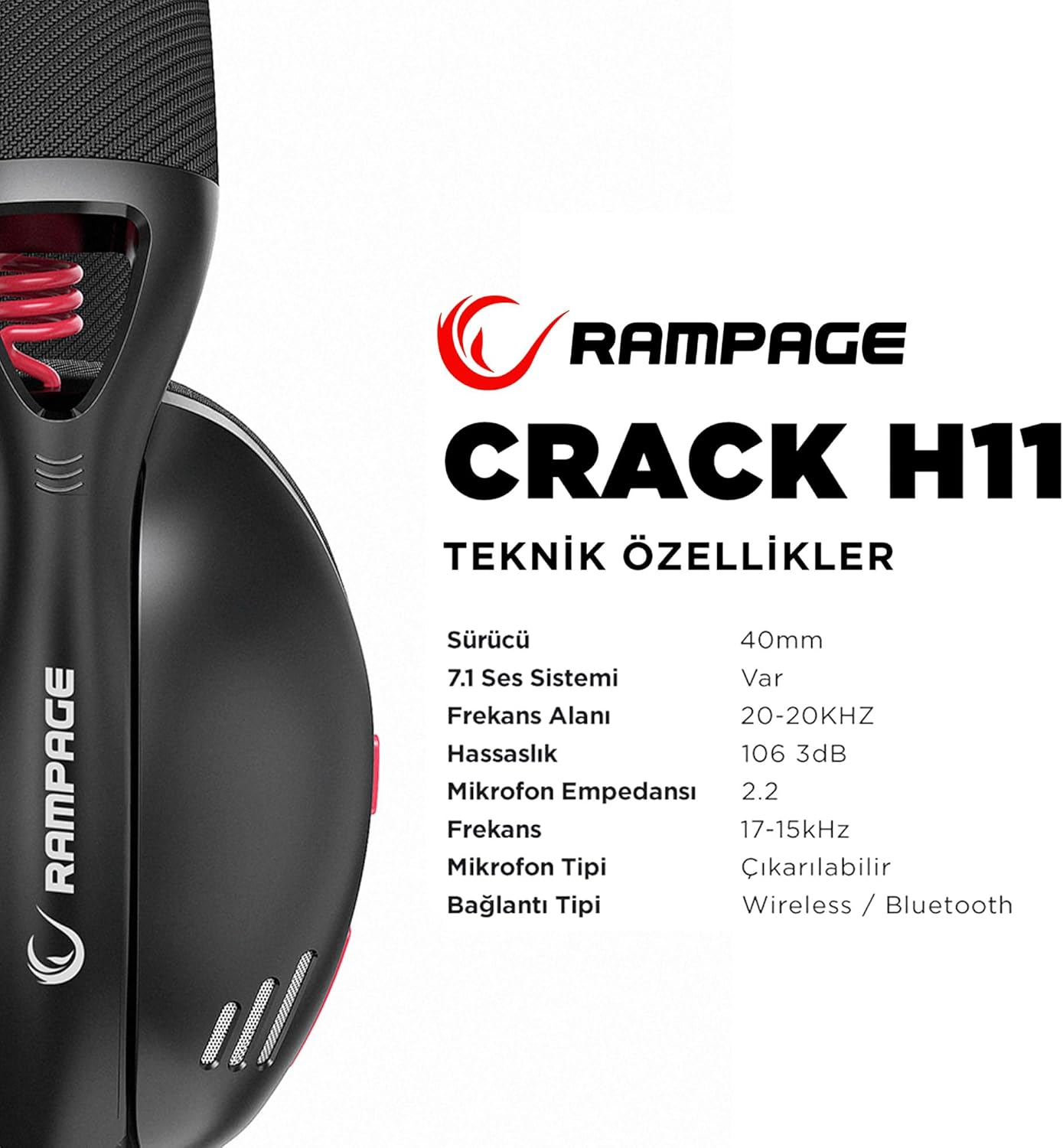
Image: Technical specifications for the Rampage Crack H11 headset, detailing audio and connectivity features.
| Característica | Especificación |
|---|---|
| Marca | Rampidade |
| Modelo | Crack H11 |
| Cor | Negro |
| Conectividade | Sen fíos de 2.4 GHz, Bluetooth 5.2 |
| Tamaño do controlador | 40 mm |
| Sistema de son 7.1 | Yes (Virtual Surround) |
| Impedancia | 17±15% Ohm |
| Sensibilidade | 106 ± 3 dB |
| Resposta en frecuencia | 20 Hz - 20 kHz |
| Sensibilidade do micrófono | -42 + 2dB |
| Dirección do micrófono | Direccional |
| Impedancia do micrófono | 2.2k OHM |
| Capacidade da batería | 400 mAh 3.7 V |
| Porto de carga | Tipo-C |
| Tempo de carga | 2.5 horas |
| Peso | 177 gramos |
| Compatibilidade | PC, PS4, PS5, Smart Phones |

Imaxe: Unha vez máisview of the Rampage Crack H11 headset's main features, including immersive 7.1 sound, high-quality 40mm drivers, flexible dual connectivity, and efficient charging.
Garantía e Soporte
Información da garantía
O Rampage Crack H11 headset comes with a 24 meses de garantía desde a data de compra. Conserve o comprobante de compra para reclamacións de garantía. A garantía cobre defectos de fabricación e avarías en condicións de uso normal. Non cobre danos causados por mal uso, accidentes, modificacións non autorizadas ou desgaste normal.
Atención ao cliente
For technical assistance, troubleshooting, or warranty inquiries, please contact Rampage customer support through their official website or the retailer where the product was purchased. Please have your product model number (Crack H11) and proof of purchase ready when contacting support.