
Transformadores TF-T13
TRANSFORMERS TF-T13 Open Ear Earbuds
Modelo: TF-T13 | Marca: Transformers
Introdución
Welcome to the user manual for your TRANSFORMERS TF-T13 Open Ear Earbuds. These earbuds are designed to provide a comfortable listening experience while maintaining awareness of your surroundings. Featuring Bluetooth 5.4 connectivity, long battery life, and an IPX5 sweatproof rating, they are suitable for various activities including sports, fitness, and daily use.
As características principais inclúen:
- Deseño ergonómico de orella aberta: Ensures all-day comfort and reduced ear fatigue, allowing for environmental awareness.
- Advanced Safety and Spatial Awareness: Open-ear design allows ambient sound transmission, crucial for outdoor activities.
- Bluetooth 5.4 & Dual-Channel Transmission: Offers fast, stable connectivity with ultra-low latency.
- Tempo de reprodución ampliado: Ata 60 horas de duración total da batería coa caixa de carga.
- Resistente á suor IPX5: Resistant to sweat and moisture, ideal for workouts and outdoor use.
O que hai na caixa
Comprobe o contido do paquete para asegurarse de que estean presentes todos os elementos:
- Auriculares sen fíos TF-T13 x 1 par
- Caixa de carga portátil x 1
- Cable de carga USB-C x 1
- Manual de usuario x 1
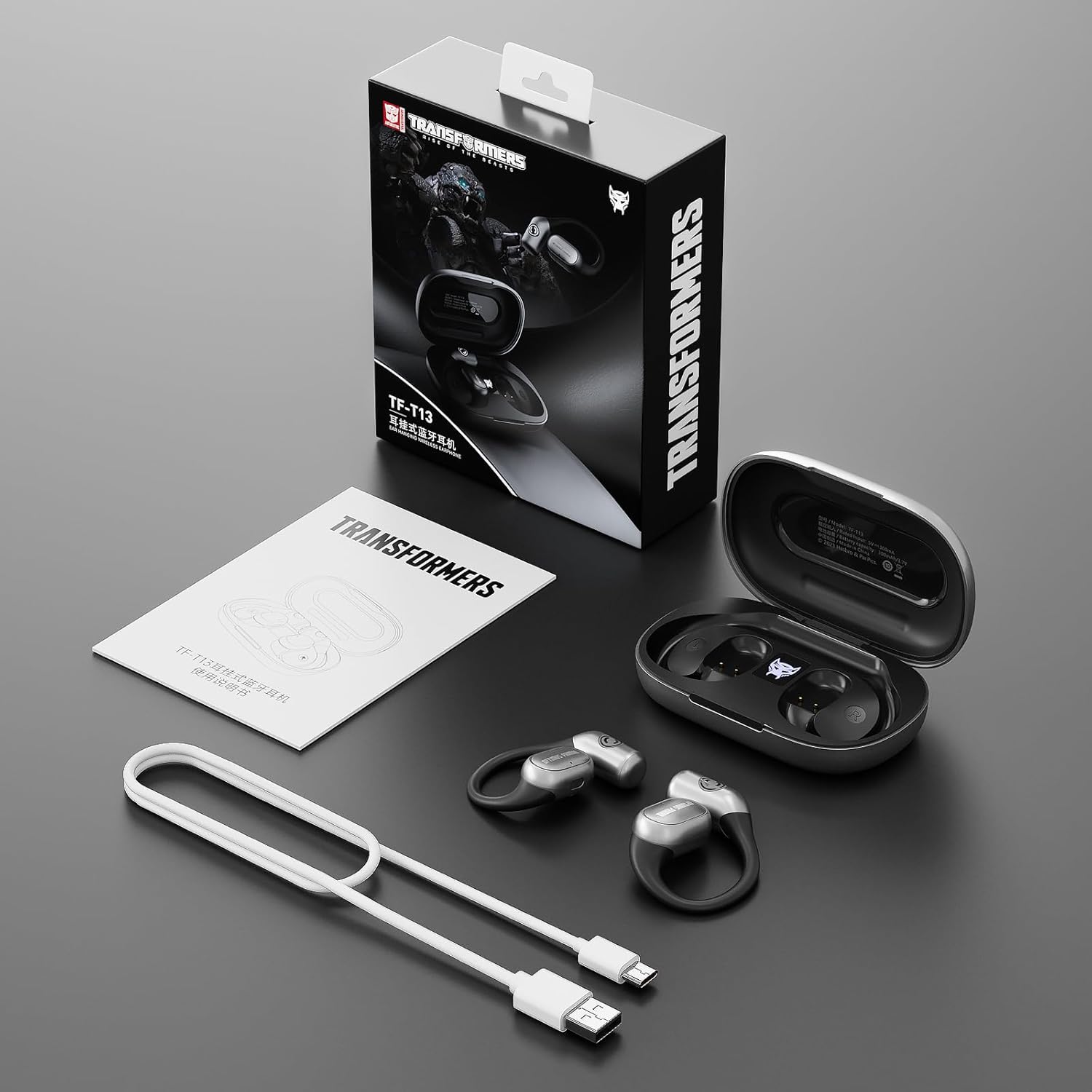
Image: Contents of the TRANSFORMERS TF-T13 earbud package, including earbuds, charging case, USB-C cable, and user manual.
Produto rematadoview
The TF-T13 earbuds feature an open-ear design with soft silicone ear hooks for a secure and comfortable fit. The compact charging case not only protects your earbuds but also provides multiple recharges on the go.

Image: TRANSFORMERS TF-T13 Open Ear Earbuds and their charging case.

Image: The TF-T13 earbuds nestled in their charging case, highlighting the soft silicone ear hooks designed for comfort.
Configuración
1. Carga dos auriculares e da funda
Antes do primeiro uso, carga completamente os auriculares e a caixa de carga.
- Conecta o cable de carga USB-C fornecido ao porto de carga da carcasa e a unha fonte de alimentación.
- As luces indicadoras da caixa mostrarán o estado de carga.
- Coloca os auriculares no estoxo de carga. Comezarán a cargarse automaticamente.
- A full charge provides approximately 6 hours of single playtime, and the charging case offers multiple recharges for a total of up to 60 hours.

Image: TF-T13 earbuds charging within their case, illustrating the battery life of 6 hours per single charge and 60 hours total with the case.

Image: Battery life details for TF-T13 earbuds, showing 5 hours single playtime, 60 hours with charging case, and 300mAh case capacity.
2. Emparellamento Bluetooth
The TF-T13 earbuds feature one-step pairing for quick connection.
- Abre a caixa de carga. Os auriculares entrarán automaticamente no modo de emparellamento.
- No teu dispositivo (teléfono intelixente, tableta, etc.), activa o Bluetooth.
- Busca "TF-T13" in the list of available Bluetooth devices and select it to connect.
- Unha vez conectados, escoitarás un aviso sonoro e os auriculares estarán listos para usar.

Image: A smartphone screen showing 'TF-T13 Connected' in Bluetooth settings, alongside the open charging case and earbuds, demonstrating the one-step pairing process.
3. Como usar os auriculares
The TF-T13 earbuds are designed for an over-ear fit with ear hooks.
- Identifica os auriculares esquerdo (L) e dereito (R).
- Gently place the earbud over your ear, ensuring the ear hook sits comfortably behind your ear.
- Adjust the earbud until it rests securely and comfortably without blocking your ear canal, allowing for ambient sound.

Image: A woman wearing the TRANSFORMERS TF-T13 Open Ear Earbuds, showcasing their comfortable and non-intrusive design.
Instrucións de funcionamento
1. Controis táctiles intelixentes
The TF-T13 earbuds feature intuitive touch controls on each earbud.

Image: A diagram detailing the smart touch controls for the TF-T13 earbuds, including functions for calls, volume, track navigation, voice assistant, and mode switching.
- Responder/Finalizar chamada: Double Click L/R MFB (Multi-Function Button)
- Rexeitar a chamada: Presión longa 2 s BF E/D
- Reproducir/Pausa: Dobre clic MFB Esq/D
- Subir/Baixar o volume: Click L/R MFB (Left for Volume Down, Right for Volume Up)
- Pista anterior/seguinte: Triple Click L/R MFB (Left for Previous, Right for Next)
- Asistente de voz: Presión longa 2 s BF E/D
- Game / Music Mode: Long Press 2s R MFB (to start/close)
2. Sound Quality and Features
The TF-T13 earbuds are equipped with 16.2mm dynamic drivers for a rich audio experience.
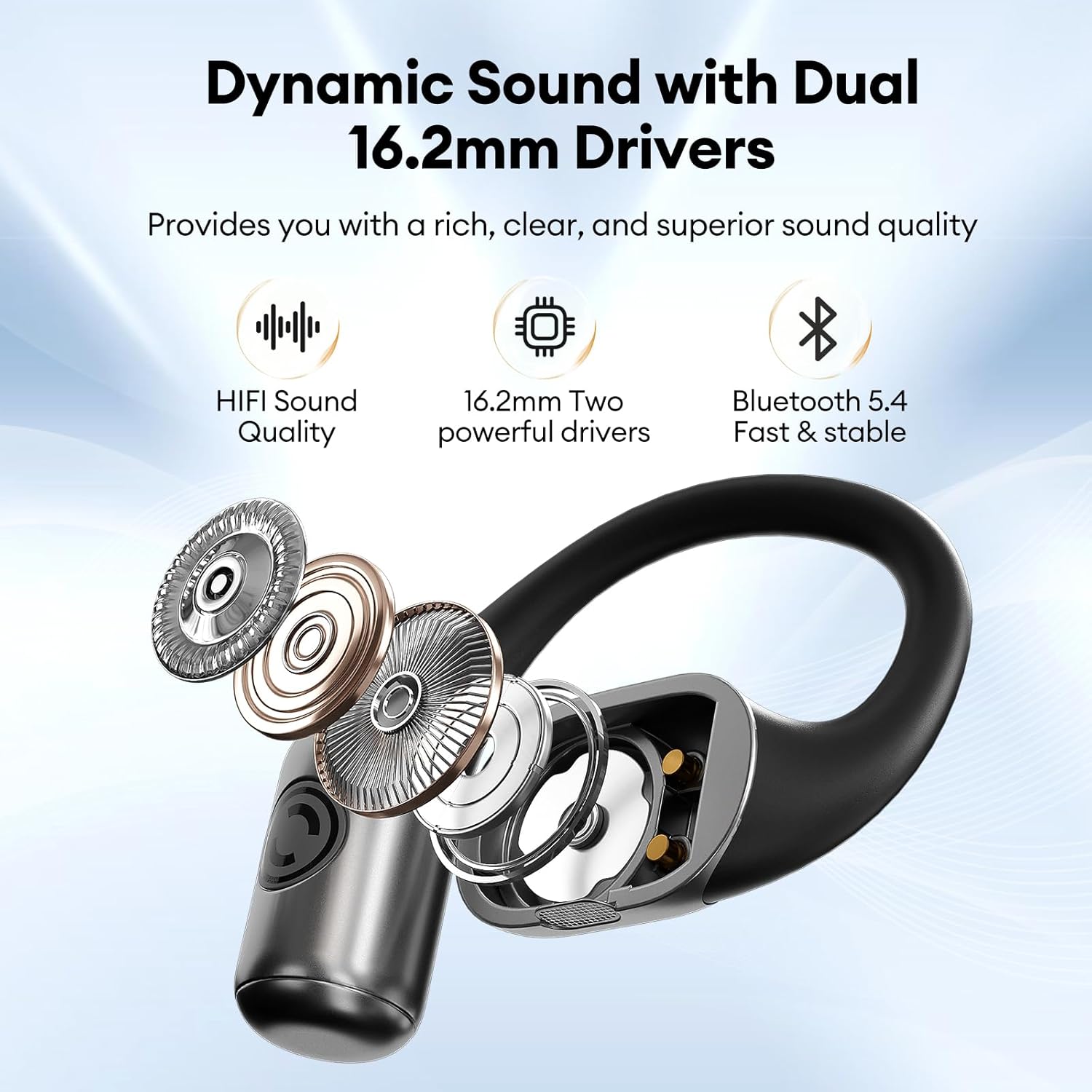
Image: A diagram showing the internal 16.2mm dynamic drivers of the TF-T13 earbud, designed for superior sound quality.

Imaxe: Unha explosión view of the TF-T13 earbud, emphasizing the 16.2mm dynamic coil for immersive full surround sound.
The earbuds also feature ENC (Environmental Noise Cancellation) for clearer calls.

Image: A woman making a call with TF-T13 earbuds, demonstrating the effectiveness of ENC in reducing background noise by up to 95%.
3. Spatial Awareness
The open-ear design of the TF-T13 earbuds allows you to hear your surroundings, enhancing safety during outdoor activities.

Image: A man running outdoors with TRANSFORMERS TF-T13 earbuds, highlighting the benefit of spatial awareness for safety during exercise.

Image: A cyclist wearing TF-T13 earbuds, illustrating the importance of the open-ear design for maintaining awareness of traffic and surroundings.
Mantemento
Limpeza
Unha limpeza regular axuda a manter un rendemento e unha hixiene óptimos.
- Limpe os auriculares e a caixa de carga cun pano suave, seco e sen fiapos.
- Non empregue produtos de limpeza abrasivos, solventes nin aerosois en aerosol.
- Asegúrate de que os contactos de carga estean limpos e libres de residuos.
Almacenamento
Cando non estean en uso, garde os auriculares no seu estoxo de carga para protexelos e mantelos cargados.
Resistencia á auga (IPX5)
The TF-T13 earbuds have an IPX5 rating, meaning they are resistant to sweat and light splashes of water. They are not designed for submersion in water.

Image: A woman exercising in a gym while wearing TF-T13 earbuds, emphasizing their IPX5 sweatproof capability.
Resolución de problemas
If you encounter issues with your TF-T13 earbuds, please refer to the following common solutions:
- Sen son:
- Asegúrate de que os auriculares estean cargados.
- Comproba se os auriculares están correctamente emparellados co teu dispositivo.
- Axusta o volume nos dous auriculares e no dispositivo conectado.
- Try reconnecting Bluetooth.
- Fallo de sincronización:
- Asegúrate de que o Bluetooth estea activado no teu dispositivo.
- Ensure earbuds are in pairing mode (open the case).
- Desactiva o Bluetooth noutros dispositivos próximos para evitar interferencias.
- Forget "TF-T13" from your device's Bluetooth list and try pairing again.
- Os auriculares non se cargan:
- Asegúrate de que o cable de carga estea conectado de forma segura tanto á carcasa como á fonte de alimentación.
- Check if the charging contacts on the earbuds and in the case are clean.
- Verifique que a fonte de enerxía funciona.
- Conexión intermitente:
- Ensure your device is within the Bluetooth range (typically 10 meters/33 feet).
- Evita obstrucións físicas entre os auriculares e o dispositivo.
- Minimizar as interferencias doutros dispositivos sen fíos.
Especificacións
| Característica | Detalle |
|---|---|
| Nome do modelo | TF-T13 |
| Tecnoloxía de conectividade | Sen fíos (Bluetooth 5.4) |
| Versión Bluetooth | 5.4 |
| Colocación do oído | Orella aberta |
| Factor de forma | Over Ear (Hook) |
| Tamaño do controlador de audio | 16.2 milímetros |
| Control de ruído | Cancelación pasiva de ruído (ENC para chamadas) |
| Tipo de control | Control táctil |
| Nivel de resistencia á auga | IPX5 (resistente á suor) |
| Capacidade da batería do estuche de transporte | 300 millónsamp Horario |
| Duración media da batería da caixa de transporte | 60 Hours (with case) |
| Rango de frecuencias | 20 Hz a 20,000 Hz |
| Impedancia | 32 ohmios |
| Material | Plástico |
| Peso do elemento | 5 onzas |
Garantía e Soporte
For warranty information and customer support, please refer to the contact details provided on the product packaging or the official Transformers brand websitio. Garda o comprobante de compra para calquera reclamación de garantía.
Ask a question about this manual
Ask about setup, troubleshooting, compatibility, parts, safety, or missing instructions. Manuals+ will review the question and use this page’s manual context to help answer it.