
1. Introdución
This manual provides detailed instructions for the installation, operation, and maintenance of your GoHawk TL54-Titan Bluetooth UTV Stereo Audio Amplifier System. This system is designed to deliver high-quality audio in challenging outdoor environments, making it ideal for UTVs, ATVs, marine boats, and motorcycles. Please read this manual thoroughly before installation and use to ensure proper function and longevity of your product.
2. Información de seguridade
Always observe the following safety precautions to prevent injury or damage to the system:
- Fonte de enerxía: Connect the system only to a 12-volt DC power source with a negative ground. Ensure proper polarity to avoid damage.
- Cableado: Before making any electrical connections, disconnect the vehicle's battery to prevent short circuits. Use appropriate gauge wiring and fuses as specified.
- Montaxe: Monte firmemente todos os compoñentes para evitar que se solten durante o funcionamento do vehículo, o que podería causar lesións ou danos.
- Resistencia á auga: While the system is IP56 waterproof, avoid submerging the amplifier or speakers. Ensure all connections are properly sealed.
- Temperatura de funcionamento: Do not operate the system outside its recommended temperature range.
- Niveis de volume: A exposición prolongada a niveis de volume elevados pode causar danos auditivos. Axuste o volume a un nivel seguro.
3. Contido do paquete
Verifique que todos os elementos que se indican a continuación estean incluídos no seu paquete:
- 1 x Ampmáis vivo
- 4 x LED Speakers
- 1 x Control con cable
- 1 x controlador LED
- 1 x cable de alimentación
- 1 x Kit de hardware de montaxe
- 2 x antena externa
- 4 x Skull Cover
- 4 x Eagle Cover
- 1 x cable AUX
- 1 x Manual de usuario
4. Produto rematadoview
The GoHawk TL54-Titan is a robust 4.1-channel UTV audio system designed for off-road adventures. It features a powerful amplifier, four LED speakers, and multiple connectivity options.
Características principais:
- Deseño impermeable IP56: Built to withstand harsh outdoor conditions, including dust and water splashes.
- 4.1 canles Ampmáis vivo: Supports four full-range speakers and allows for an optional subwoofer connection (subwoofer not included).
- Premium LED Speakers: Four 5-inch speakers, each with a 4-inch full-range core and a 1-inch silk dome tweeter for clear audio. Integrated LEDs offer customizable lighting.
- Conectividade Bluetooth 5.3: Wireless audio streaming from your smartphone or other Bluetooth-enabled devices up to 15 meters.
- Múltiples entradas de audio: Includes FM radio, USB playback, and a 3.5mm AUX input for versatile audio sources.
- Wired Control & LED Rocker Switch: Convenient wired remote for basic audio control and a dedicated rocker switch for LED color and brightness adjustments.

Image: The GoHawk TL54-Titan UTV Stereo System, showcasing its four speakers with vibrant red and blue LED illumination, highlighting the customizable lighting options.
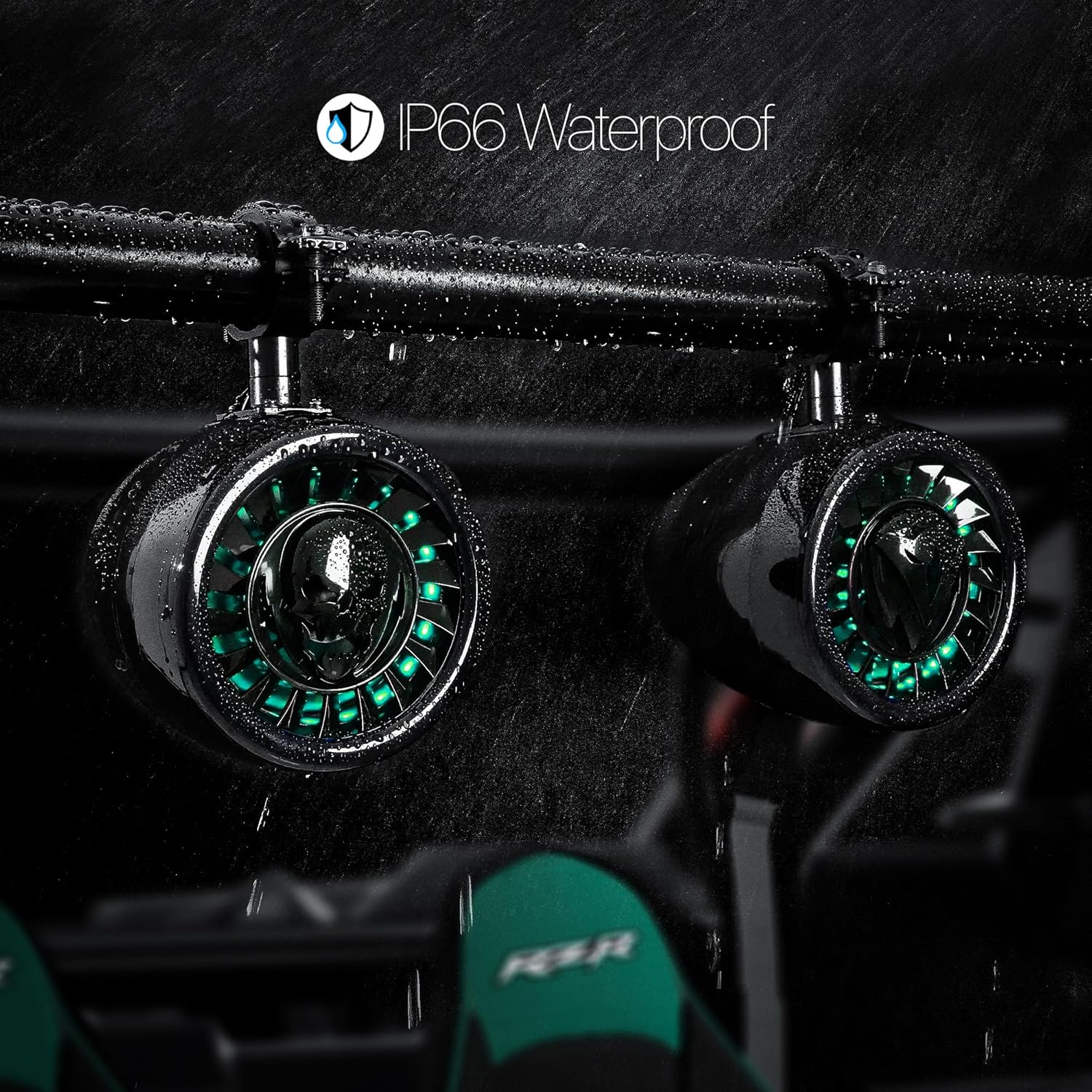
Image: Close-up of the GoHawk TL54-Titan speakers with water droplets, demonstrating their IP66 waterproof rating and durability in wet conditions.

Image: The GoHawk TITAN 1600 amplifier, featuring a sleek brushed aluminum finish and a low-profile blue LED indicator, signifying its power and readiness.

Image: An illustrative diagram highlighting the internal components of the speaker, specifically detailing the 4-inch full-range woofer and the 1-inch silk dome tweeter for optimal sound reproduction.
5. Configuración e instalación
5.1 Mounting Speakers
The speakers are designed for roll cage bar mounting and fit 1.5-inch to 2-inch bars. Use the provided aluminum roll cage clamps to securely attach the speakers. Ensure the speakers are positioned to provide optimal sound dispersion and do not obstruct visibility or vehicle controls.

Image: A detailed diagram illustrating the dimensions of the GoHawk TL54-Titan speakers, amplifier, and wired control, crucial for planning installation and ensuring proper fit.
5.2 Diagrama de cableado
Follow the wiring diagram carefully to connect the amplifier, speakers, power, and control units. Ensure all connections are tight and insulated to prevent short circuits and water ingress.
- Connect the main power cable (red) to the positive terminal of the vehicle's 12V battery and the ground cable (black) to a suitable chassis ground point.
- Conecte os cables dos altofalantes do amplifier to the corresponding speakers.
- Connect the wired control unit to the ampmáis vivo.
- Connect the LED controller and rocker switch to the amplifier's LED output.
- Se utiliza un subwoofer, conécteo á saída do subwoofer amplifier (subwoofer not included).

Image: A comprehensive layout of all GoHawk TL54-Titan package contents, accompanied by a detailed wiring diagram illustrating how to connect the amplifier, speakers, and control units.
6. Instrucións de funcionamento
6.1 Encendido/apagado
The system powers on automatically when the vehicle's ignition is turned on, or via a dedicated power switch if wired accordingly. The amplifier's blue LED indicator will illuminate when powered.
6.2 Emparejamento Bluetooth
- Asegúrese de que o sistema estea acendido.
- No teu dispositivo móbil, activa o Bluetooth e busca os dispositivos dispoñibles.
- Select "GoHawk" from the list of devices.
- Once paired, the system will confirm the connection, and you can begin streaming audio.
6.3 Funcionamento da radio FM
Use the wired control to switch to FM mode. Press the play/pause button to auto-scan and save available stations. Use the track forward/backward buttons to navigate between saved stations.
Reprodución por USB 6.4
Inserir unha unidade USB que conteña son files into the USB port. The system will automatically switch to USB mode and begin playback. Use the wired control for track navigation and volume adjustment.
6.5 Entrada AUX
Connect an external audio device (e.g., MP3 player) to the 3.5mm AUX input using the provided AUX cable. The system will automatically switch to AUX mode. Control playback from your connected device.
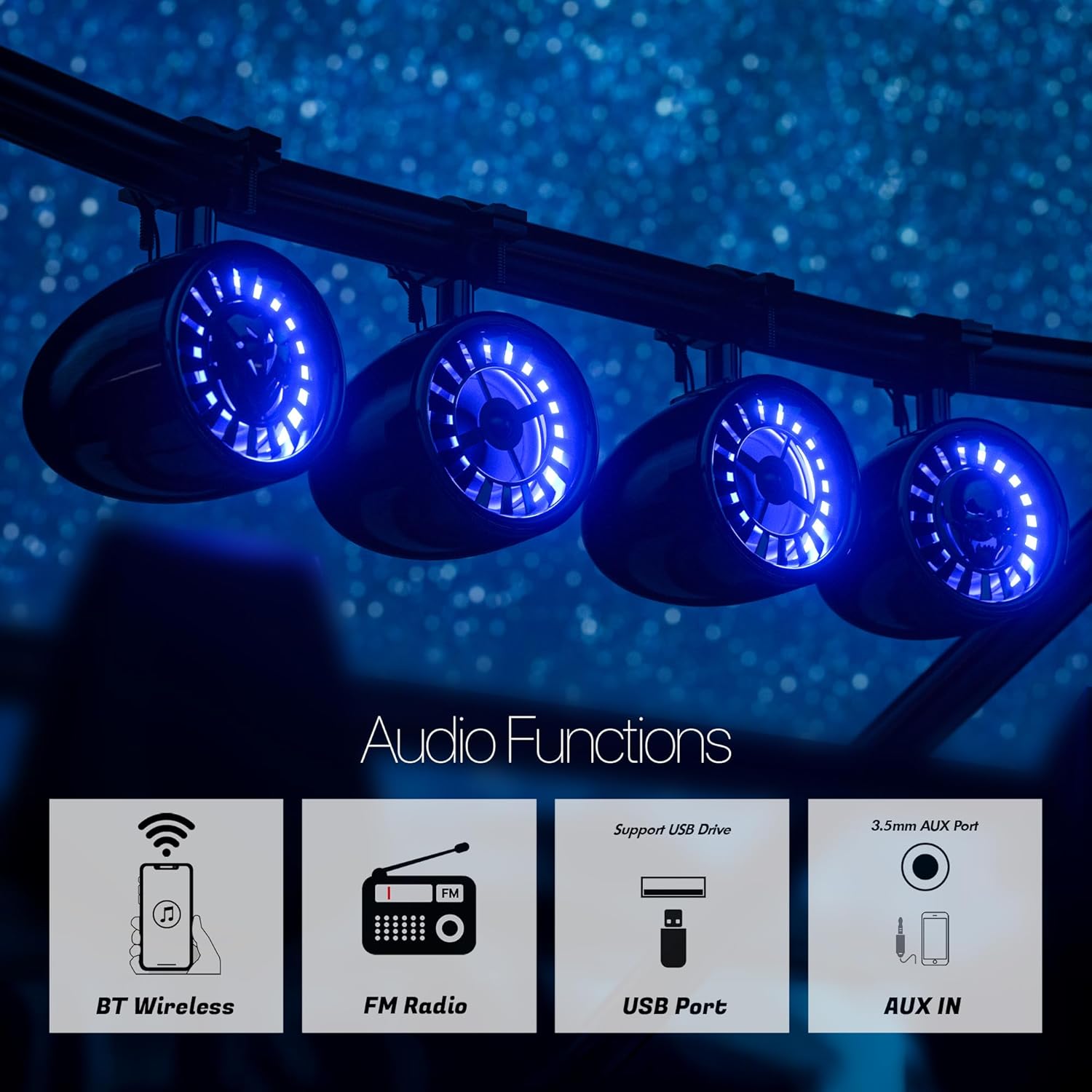
Image: A visual representation of the GoHawk TL54-Titan's versatile audio functions, including Bluetooth wireless streaming, FM Radio, USB Port support, and a 3.5mm AUX input.
6.6 Control LED
Use the standalone rocker switch to control the LED lights on the speakers. This switch allows you to cycle through 10 customizable LED colors and adjust their brightness levels.

Image: The full-function wired control unit for audio management and the dedicated LED controller rocker switch, allowing users to customize speaker lighting with over 10 different colors.
7. Mantemento
To ensure the longevity and optimal performance of your GoHawk TL54-Titan system, follow these maintenance guidelines:
- Limpeza: Use un suave, damp cloth to clean the speakers and ampEvite o uso de produtos químicos agresivos ou produtos de limpeza abrasivos.
- Conexións: Comprobe periodicamente todas as conexións do cableado para asegurarse de que estean seguras e libres de corrosión.
- Almacenamento: If storing the vehicle for an extended period, ensure the system is powered off and, if possible, disconnect the main power cable from the battery.
- Inspección: Regularly inspect the speaker grilles and housing for any signs of damage.
8 Solución de problemas
If you encounter issues with your GoHawk TL54-Titan system, refer to the following common problems and solutions:
| Problema | Causa posible | Solución |
|---|---|---|
| Sen Poder | Conexión de alimentación solta, fusible fundido, batería do vehículo baixa. | Comprobe as conexións de alimentación e terra. Inspeccione e substitúa o fusible se é necesario. Cargue ou comprobe a batería do vehículo. |
| Sen son | Volume too low, incorrect input source, loose speaker wires, ampcuestión de lifier. | Increase volume. Select correct input mode (BT, FM, USB, AUX). Check all speaker connections. Ensure ampo lifier está acendido. |
| Bluetooth non se conecta | System not in pairing mode, device too far, interference, previously paired device connected. | Ensure system is discoverable. Move device closer. Turn off Bluetooth on other nearby devices. Forget device on your phone and re-pair. |
| Son distorsionado | Volume too high, poor connection, damaged speaker. | Reduce volume. Check all wiring connections. Inspect speakers for physical damage. |
| As luces LED non funcionan | Loose LED connection, faulty LED controller, power issue. | Check LED wiring to amplifier and controller. Ensure controller is properly connected and powered. |
9. Especificacións
| Nome do modelo | TL54-Titan |
| Vol. De entradatage | 12 voltios DC |
| Tipo de altofalante | 4x Woofers (4-inch) and 4x Tweeters (1-inch) |
| Tamaño do altofalante | 5 polgadas |
| Potencia de saída máxima do altofalante | 1000 vatios |
| Configuración da canle de son envolvente | 4.1 |
| Tecnoloxía de comunicación sen fíos | Bluetooth 5.3 |
| Alcance Bluetooth | Ata 15 metros |
| Nivel de resistencia á auga | Impermeable IP56 |
| Material | Aluminum, Metal, Plastic |
| Tipo de montaxe | Roll Cage Bar Mount (fits 1.5"-2" bars) |
| Dimensións do produto | 5"D x 5"W x 6.5"H (Speakers) |
| Peso do elemento | 15 libras (sistema total) |
| Características especiais | FM Radio, LED Light, USB Port, Waterproof |
10. Garantía e soporte
The GoHawk TL54-Titan UTV Stereo Audio Amplifier System comes with a limited warranty. For specific warranty terms and conditions, please refer to the warranty card included in your package or contact GoHawk customer support.
For technical assistance, troubleshooting, or any inquiries regarding your product, please visit the official GoHawk websitio web ou póñase en contacto co seu departamento de atención ao cliente. Garde o recibo da compra como proba de compra para reclamacións de garantía.