
1. Introdución
This manual provides essential information for the installation, operation, and maintenance of your XPG CORE Reactor II VE 850W Power Supply Unit (PSU). Please read this manual thoroughly before installation and retain it for future reference. The XPG CORE Reactor II VE is an 80 Plus Gold certified power supply designed for stable and efficient power delivery to your computer system.
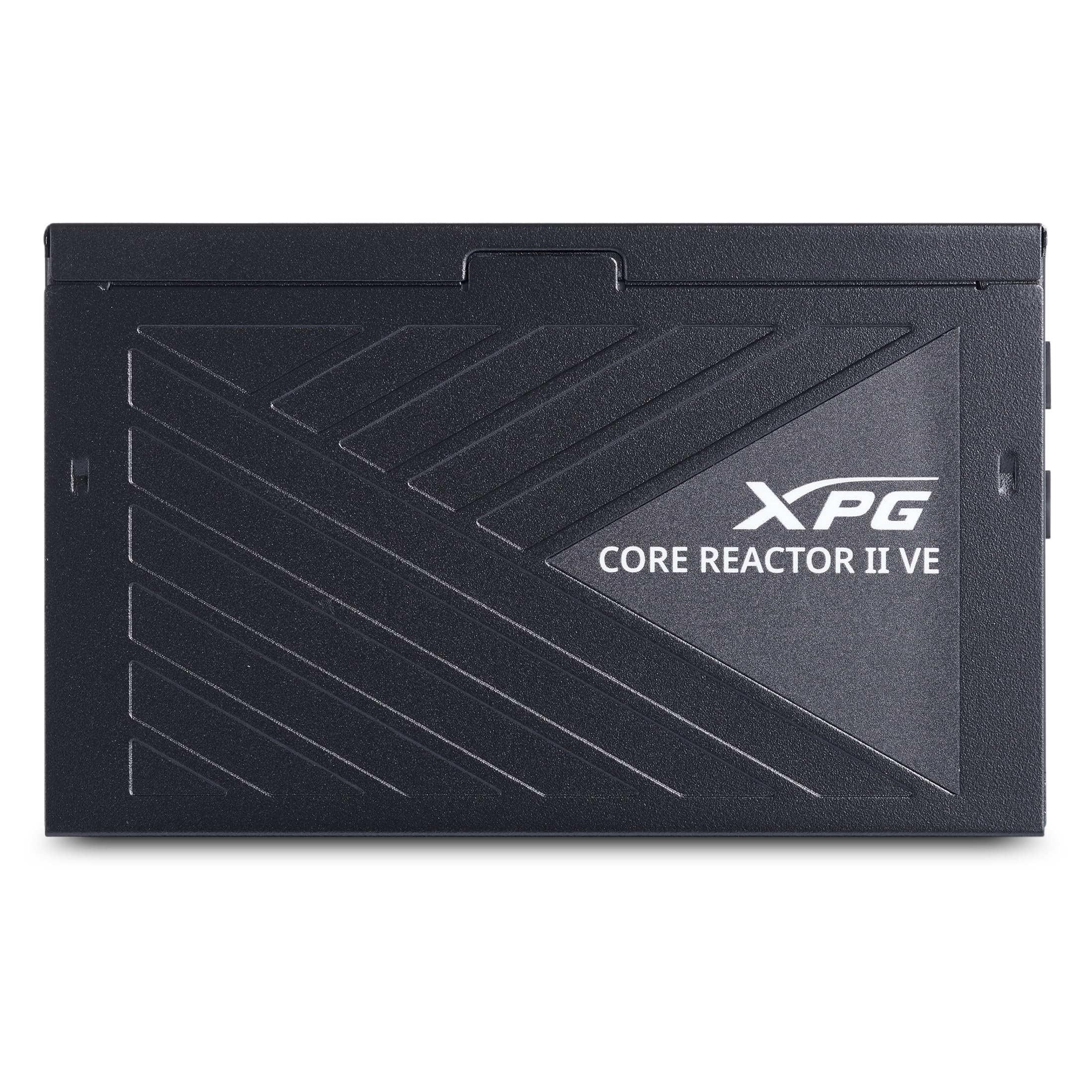
Image 1.1: XPG CORE Reactor II VE 850W Power Supply Unit, showcasing o seu deseño compacto.
2. Características clave
- Certificación 80 Plus Gold: Ensures high power efficiency, reducing energy waste and operating costs.
- 12V-2x6 Connector: Provides direct and efficient power delivery to critical components, enhancing system stability and performance.
- DC-DC Circuit Design: Maximizes efficiency and reliability by converting power directly to the required output voltage, reducing heat and prolonging hardware lifespan.
- Low Ripple Noise Design: Features ripple levels below 60mV at +12V and below 40mV at +5V and +3.3V, ensuring stable power delivery and minimizing electrical interference.
- >15ms Hold Up Time: Exceeds Intel's standards for uninterrupted power delivery, ensuring reliable operation under challenging conditions.
- 8 Industrial Protections: Comprehensive protection suite including Over-Voltage Protection (OVP), Under-Voltage Protection (UVP), Over-Current Protection (OCP), Short-Circuit Protection (SCP), Over-Power Protection (OPP), Over-Temperature Protection (OTP), Surge & Inrush Protection (SIP), and No Load Operation (NLO).
- Compact 140mm Length: Maximizes space efficiency for easy integration into various PC setups and chassis.
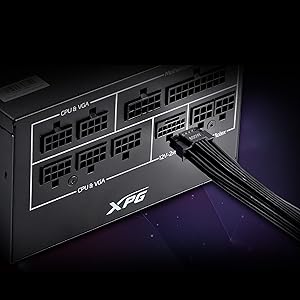
Image 2.1: Close-up of the 12V-2x6 connector for modern GPUs.
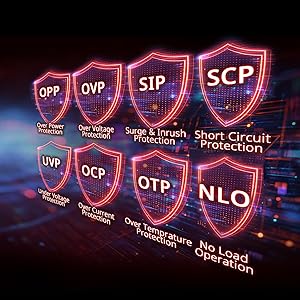
Image 2.2: Visual representation of the 8 industrial-grade protections.
3. Configuración e instalación
Before installing the XPG CORE Reactor II VE PSU, ensure your computer system is powered off and disconnected from the main power outlet. Refer to your PC case and motherboard manuals for specific installation instructions.
3.1 Desembalaxe
Carefully remove the PSU and all included cables from the packaging. Verify that all components listed in the product documentation are present.

Image 3.1: XPG CORE Reactor II VE PSU with its modular cables.
3.2 Mounting the PSU
- Position the PSU in the designated PSU bay of your PC case.
- Align the screw holes on the PSU with those on the case.
- Fixe a PSU usando os parafusos proporcionados.
3.3 Cables de conexión
The XPG CORE Reactor II VE is a fully modular PSU, allowing you to connect only the cables you need. This helps improve airflow and cable management within your PC case.

Image 3.2: Modular cable connection ports on the XPG CORE Reactor II VE PSU.
- Conecta o cable ATX de 24 pinos á placa base.
- Connect the 8-pin (4+4) EPS/CPU cable(s) to your motherboard.
- Connect the 6+2 pin PCIe cables to your graphics card(s). The 12V-2x6 connector is specifically designed for modern high-power GPUs.
- Connect SATA power cables to your storage drives (HDDs/SSDs) and other SATA-powered devices.
- Connect Molex cables to any peripherals requiring them.
- Asegúrese de que todas as conexións estean seguras e asentadas correctamente.
4. Instrucións de funcionamento
Once the PSU is installed and all components are connected, you can power on your system.
- Ensure the power switch on the back of the PSU is in the "OFF" (0) position.
- Connect the AC power cord to the PSU and then to a wall outlet or surge protector.
- Flip the power switch on the PSU to the "ON" (I) position.
- Prema o botón de acendido da caixa do seu ordenador para iniciar o sistema.
The XPG CORE Reactor II VE is designed for continuous, stable operation. Its FDB 120mm fan provides efficient cooling while maintaining low noise levels.
5. Mantemento
Un mantemento axeitado garante a lonxevidade e o rendemento óptimo da túa fonte de alimentación.
- Eliminación de po: Periodically clean the PSU fan and ventilation grilles to prevent dust buildup, which can impede airflow and lead to overheating. Use compressed air for this purpose, ensuring the system is powered off and unplugged.
- Xestión de cables Ensure cables are neatly routed and do not obstruct airflow within the PC case.
- Condicións ambientais: Operate the PSU in a well-ventilated area, away from direct sunlight, excessive heat, and moisture.
6 Solución de problemas
If you encounter issues with your XPG CORE Reactor II VE PSU, refer to the following common troubleshooting steps:
- Sen enerxía:
- Comprobe se o cable de alimentación de CA está conectado correctamente tanto á fonte de alimentación como á toma de corrente.
- Ensure the PSU's power switch is in the "ON" (I) position.
- Verify that the 24-pin ATX and 8-pin EPS/CPU cables are correctly seated in the motherboard.
- Proba a toma de corrente con outro dispositivo para confirmar que teña corrente.
- Inestabilidade/fallos do sistema:
- Ensure all power connectors to components (motherboard, CPU, GPU, drives) are firmly connected.
- Comprobe se hai cables soltos ou curtocircuítos dentro da caixa.
- If possible, test the PSU with a different set of components or in another system to isolate the issue.
- Ruído excesivo:
- Check if the PSU fan is obstructed by dust or cables.
- Ensure the PSU is securely mounted to prevent vibrations.
- If the noise persists and is unusual, contact customer support.
If troubleshooting steps do not resolve the issue, contact XPG customer support for further assistance.
7. Especificacións
| Característica | Detalle |
|---|---|
| Nome do modelo | COREREACTORIIVE850G-BKCUS |
| Marca | XPG |
| Potencia de saídatage | 850 vatios |
| Factor de forma | ATX |
| Método de arrefriamento | Aire |
| Dimensións do artigo (L x W x H) | 5.51 x 5.9 x 3.38 polgadas |
| Peso do elemento | 5 libras |
| Deseño de fontes de alimentación | Completamente modular |
| Número de fans | 1 |
| Vol. Máximo de entradatage | 240 voltios (CA) |
| Vol. de entrada mínimotage | 216 voltios (CA) |
| UPC | 842243032468 |
8. Garantía e soporte
The XPG CORE Reactor II VE 850W PSU comes with a 7 anos de garantía do fabricante. For warranty claims or technical support, please visit the official XPG websitio ou póñase en contacto co seu departamento de atención ao cliente.
Para obter recursos adicionais e información sobre o produto, pode visitar o XPG Store on Amazon.
9. Vídeos de produtos
Below are relevant product videos for the XPG CORE Reactor II VE Power Supply Unit. These videos provide additional visual information regarding the product's features and installation.
XPG Core Reactor Power Supply Review
Vídeo 9.1: Unha análise detalladaview of the XPG Core Reactor Power Supply, covering its features, design, and performance. This video is provided by Consumer Tech Review.
Core Reactor Review
Vídeo 9.2: Un overview of the Core Reactor PSU, highlighting its integration into a PC build and general performance. This video is provided by Brayden Abear.