
Introdución
This manual provides detailed instructions for the installation, operation, and maintenance of your Jnaurb 100ft RGB Color Changing Smart Rope Lights. Please read this manual thoroughly before use to ensure proper function and safety.
Información importante de seguridade
- AVISO: The plug part of these lights is not waterproof. Ensure the plug is protected from water exposure, rain, and snow. Failure to do so may result in electrical shock or product damage.
- Ensure all connections are secure before plugging into a power source.
- Do not attempt to modify or repair the lights yourself. Contact customer support for assistance.
- Manter fóra do alcance dos nenos e animais.
- Unplug the lights from the power source when not in use or during severe weather conditions.
Contido do paquete
Verifica que todos os elementos estean presentes no teu paquete:
- 1 x 100ft RGB Color Changing Rope Lights
- 1 x control remoto IR
- 1 x Manual de usuario (este documento)
Instrucións de configuración
- Desempaquetar as luces: Carefully uncoil the 100ft rope lights.
- Colocación: Determine the desired location for installation. The flexible design allows for various shapes and placements on eaves, decks, patios, fences, or around trees.
- Instalación segura: Use appropriate clips or ties (not included) to secure the rope lights in place. Ensure the lights are not stretched or kinked excessively.
- Conexión de alimentación: Connect the rope light to the power adapter. Ensure the connection is firm.
- Protexer o enchufe: As the plug is not waterproof, position it in a dry, protected area, such as under an awning or inside a weatherproof outdoor outlet cover.
- Encendido: Enchufe o adaptador de corrente a unha toma eléctrica estándar.

Image: The 100ft RGB rope lights installed along the roofline and porch of a house, illustrating the product's length and typical outdoor application.
Instrucións de funcionamento
1. Control intelixente por aplicación
The lights can be controlled via a mobile application connected via Bluetooth.
- Descarga a aplicación: Scan the QR code in the product packaging or search for the designated app (e.g., "Smart Life") in your mobile app store.
- Emparellamento Bluetooth: Ensure Bluetooth is enabled on your smartphone. Open the app and follow the on-screen instructions to pair with your Jnaurb rope lights.
- Selección de cor: Choose from over 16 million colors to customize your lighting.
- Modos dinámicos: Select from various preset dynamic modes such as shooting star, chase, fade, and flow. You can also DIY custom lighting effects.
- Axuste de brillo: Adjust the brightness to one of four available levels (25%, 50%, 75%, 100%).
- Control de grupo: If you have multiple sets of Jnaurb RGB rope lights, you can create smart groups within the app to control them simultaneously.
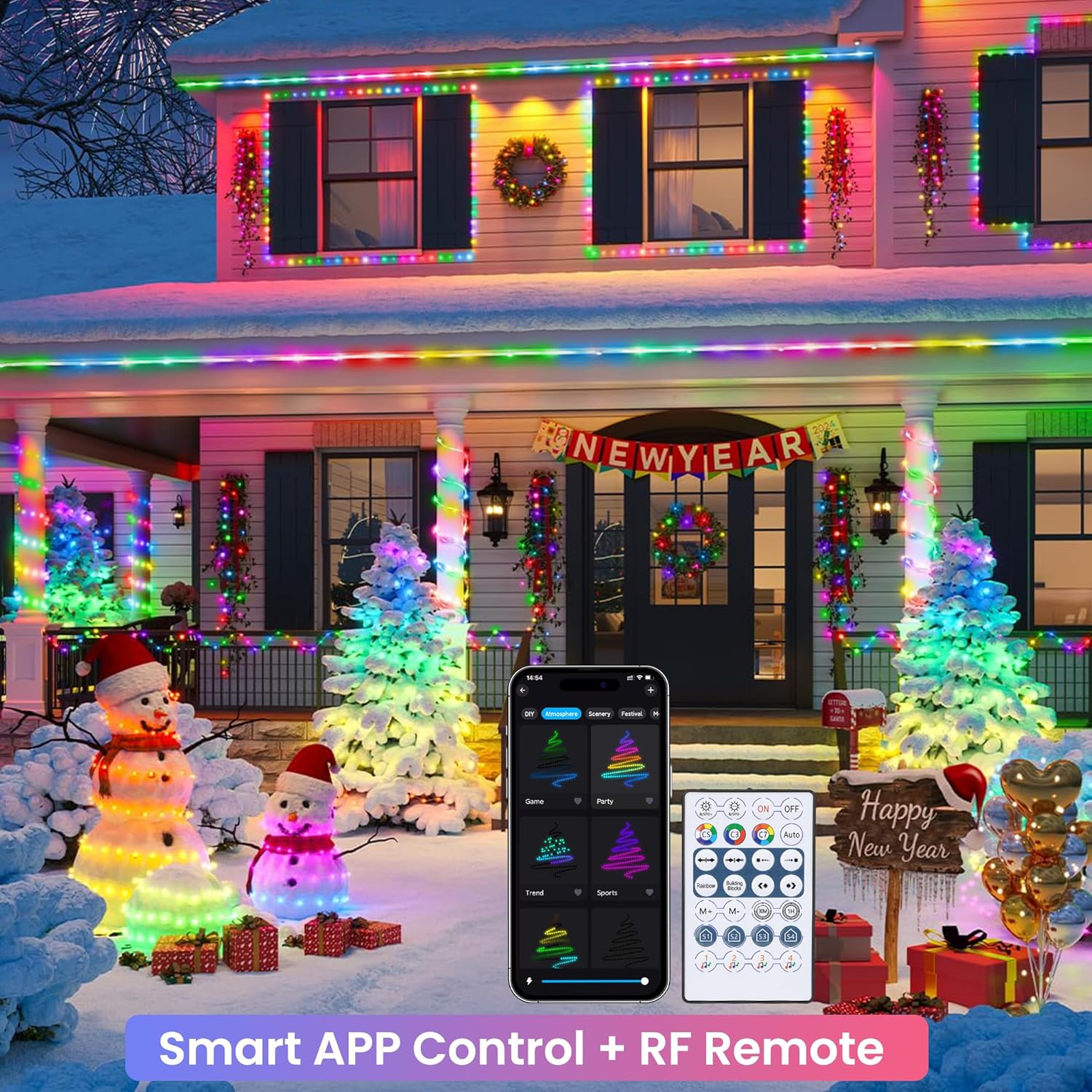
Image: An illustration of the smart app control interface and the included RF remote control, demonstrating how to manage the lights' various settings.
2. Control remoto
The included IR remote control provides convenient access to various functions.
- Encendido/apagado: Preme o ON/OFF button to turn the lights on or off.
- Brillo/Velocidade: Usa o Brillo +/- buttons to adjust light intensity or Velocidade +/- buttons to change the speed of dynamic modes.
- Modos estáticos: Select from various static color options.
- Modos dinámicos: Cycle through different pre-programmed dynamic lighting effects. The AUTO button may cycle through all effects.
- Temporizador: Set a timer for the lights to automatically turn on or off.
- Modos de música: Activate music synchronization modes.
- Custom Scene: Access or create custom lighting scenes.
Note: Before first use, remove the plastic insulation sheet from the remote control's battery compartment.

Imaxe: Unha detallada view of the wireless RF remote control, highlighting its various buttons and functions for easy operation.
3. Sincronización musical
The built-in microphone detects music and gaming audio, allowing the lights to react in real-time.
- Activar o modo de música: Select a music mode via the app or remote control.
- Detección de audio: The lights will automatically change color and pattern in sync with the ambient sound.

Image: A group of friends enjoying an outdoor gathering with the RGB rope lights actively syncing to music, enhancing the party ambiance.
4. Función de temporizador
Set schedules for automatic operation.
- Access Timer Settings: Use the app or the timer button on the remote.
- Establecer horario: Program specific times for the lights to turn on or off automatically.
Mantemento
- Limpeza: Gently wipe the rope lights with a soft, damp un pano para eliminar o po ou a sucidade. Non empregue produtos químicos agresivos nin produtos de limpeza abrasivos.
- Almacenamento: When not in use for extended periods, unplug the lights, coil them neatly, and store them in a cool, dry place away from direct sunlight.
- Inspección: Periodically check the rope lights and power cord for any signs of damage, such as cuts, fraying, or exposed wires. Discontinue use if damage is found.
Resolución de problemas
- As luces non se acenden:
- Ensure the power plug is securely connected to a working electrical outlet.
- Check if the remote control's plastic insulation sheet has been removed.
- Verify the lights are powered on via the remote or app.
- O control remoto non funciona:
- Asegúrese de que non haxa obstáculos entre o control remoto e o receptor de luz.
- Comprobe a pila do mando a distancia e substitúaa se é necesario.
- Confirm the plastic insulation sheet has been removed.
- App cannot connect to lights:
- Asegúrate de que o Bluetooth estea activado no teu dispositivo móbil.
- Make sure the lights are powered on and within Bluetooth range.
- Reinicia a aplicación e tenta emparellala de novo.
- If issues persist, try unplugging and replugging the lights to reset them.
- Lights are not syncing with music:
- Ensure the music mode is activated on the app or remote.
- Verify that the microphone on the light controller is not obstructed.
- Aumenta o volume da fonte musical.
- Portion of lights stopped working:
- This may indicate internal damage. Discontinue use and contact customer support.
Especificacións
| Característica | Detalle |
|---|---|
| Marca | Jnaurb |
| Número de modelo | B0D869VNML |
| Lonxitude da luz | 100 pés |
| Número de LEDs | 300 |
| Cor clara | RGB (vermello, verde, azul) |
| Uso interior/exterior | Outdoor (Note: Plug is not waterproof) |
| Fonte de enerxía | AC/DC |
| Métodos de control | IR Remote, Bluetooth APP |
| Características especiais | Color Changing, Music Sync, Dimmable, Timer Function, Flexible Tube, Smart Home Compatible |
| Material | Plástico |
| Clasificación de protección de entrada (IP). | IPX7 (for rope lights only) |
| Peso do elemento | 2.35 libras |
Garantía e Soporte
Jnaurb offers a 30-day refund guarantee for this product. If you encounter any issues or have questions regarding your Jnaurb RGB Color Changing Rope Lights, please contact our customer support team via the Amazon email box. Provide your order number and a detailed description of the issue for prompt assistance.
Para obter máis axuda, visite o Jnaurb Store on Amazon.