
Introdución
This manual provides instructions for the HP 685 Comfort Dual-Mode Mouse. This device is designed for business use, offering dual-mode connectivity (HP Unifying Dongle or Bluetooth), programmable buttons, and a 4D tilt wheel for enhanced productivity and comfort.
Contido do paquete
- HP 685 Comfort Dual-Mode Mouse
- Dongle unificador de HP
Produto rematadoview

Figura 1: Fronte-arriba view of the HP 685 Comfort Dual-Mode Mouse, showing the scroll wheel and main buttons.
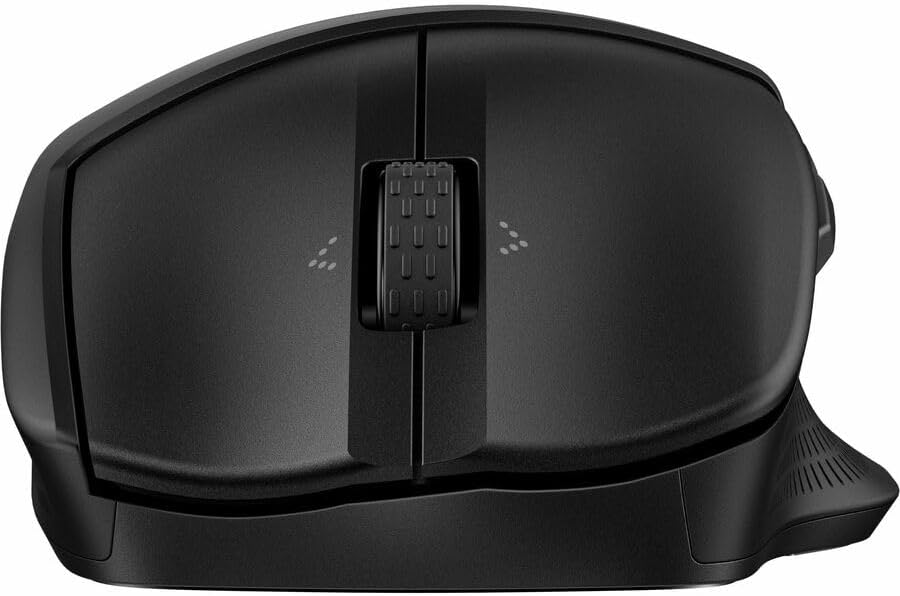
Figura 2: Arriba abaixo view of the HP 685 Comfort Dual-Mode Mouse, highlighting the scroll wheel and button layout.

Figura 3: Lado view of the HP 685 Comfort Dual-Mode Mouse, illustrating its ergonomic contour and side buttons.
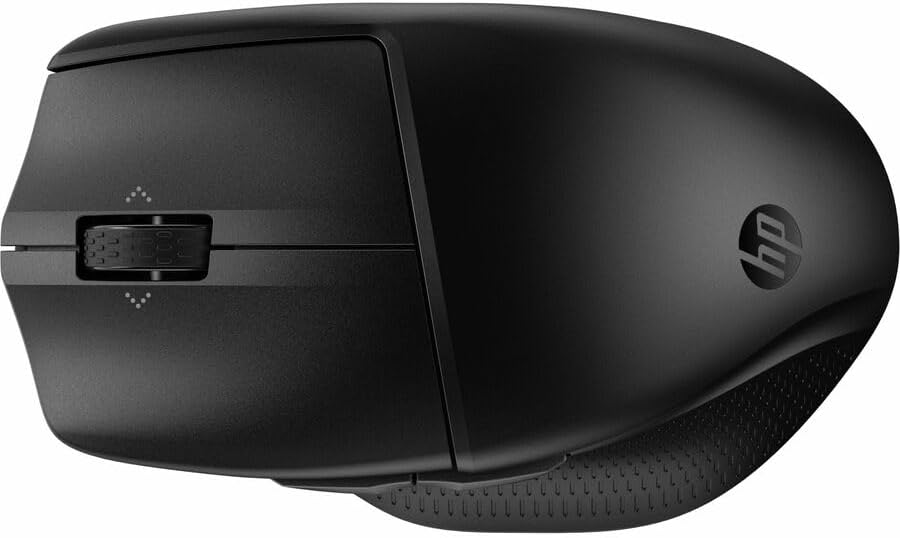
Figura 4: Rear-angled view of the HP 685 Comfort Dual-Mode Mouse, displaying the HP logo and overall shape.

Figura 5: Abaixo view of the HP 685 Comfort Dual-Mode Mouse, showing the power switch, pairing button, and dongle storage compartment.
Configuración
Connecting via HP Unifying Dongle
- Locate the HP Unifying Dongle in the mouse's battery compartment or packaging.
- Insert the HP Unifying Dongle into an available USB Type-A port on your computer.
- Acende o rato usando o interruptor de acendido situado na parte inferior do dispositivo.
- O rato debería conectarse automaticamente ao teu ordenador.
Conectando mediante Bluetooth
- Acende o rato usando o interruptor de acendido situado na parte inferior.
- Press and hold the Bluetooth pairing button (often labeled with a Bluetooth icon or a number like '1' or '2' for multiple devices) on the bottom of the mouse until the indicator light begins to flash, indicating pairing mode.
- No teu ordenador, vai á configuración de Bluetooth.
- Selecciona "Engadir un dispositivo" ou "Emparellar novo dispositivo".
- Choose 'HP 685 Comfort Dual-Mode Mouse' from the list of available devices.
- Siga as indicacións en pantalla para completar o proceso de vinculación.
Instrucións de funcionamento
Funcións dos botóns
The HP 685 mouse features 7 buttons, with 6 of them being programmable. The standard functions include:
- Clic esquerdo: Selección e interacción primarias.
- Clic dereito: Accede aos menús contextuais.
- Roda de desprazamento: Vertical scrolling.
- 4D Tilt Wheel: Allows for both vertical and horizontal scrolling by tilting the wheel left or right.
- Botóns laterais: Typically assigned for 'Back' and 'Forward' navigation in web navegadores ou file exploradores.
Botóns programables
Six of the mouse buttons can be customized using HP's peripheral management software (available for download from the official HP support website). This software allows you to assign various functions, macros, or application-specific commands to these buttons.
Cambio entre dispositivos
The mouse supports connection to up to three devices. Use the device switch button (often located on the bottom or top of the mouse, labeled with '1', '2', '3' or a similar indicator) to cycle between paired devices with a single click.
Mantemento
Limpeza
Para limpar o rato, use un pano suave e sen fiapos lixeiramenteampened with water or a mild cleaning solution. Avoid using harsh chemicals or abrasive materials. Ensure no liquid enters the mouse's internal components. Regularly clean the optical sensor on the bottom of the mouse for optimal tracking performance.
Cargando
The HP 685 mouse is rechargeable. Connect the mouse to a power source using a compatible USB cable (not included unless specified in package contents). An indicator light on the mouse will typically show charging status and battery level.
Resolución de problemas
- O rato non responde: Ensure the mouse is powered on. Check battery level and recharge if necessary. Verify the dongle is securely inserted or Bluetooth is properly paired. Try restarting your computer.
- Conexión intermitente: Ensure the mouse is within the operating distance (up to 32.81 ft). Reduce interference from other wireless devices. Re-pair the mouse if using Bluetooth.
- Problemas de seguimento: Clean the optical sensor on the bottom of the mouse. Ensure you are using the mouse on a suitable surface; avoid highly reflective or transparent surfaces.
- Os botóns non funcionan: Check if the buttons are programmed correctly using the HP peripheral management software. If the issue persists, try re-pairing the mouse.
Especificacións
| Número de modelo | 685 (8T6M0UT) |
| Tecnoloxía de conectividade | Wireless (HP Unifying Dongle), Bluetooth |
| Distancia de operación sen fíos | 32.81 metros (10 metros) |
| Resolución de movemento (DPI) | 1200 ppp |
| Número total de botóns | 7 |
| Número de botóns programables | 6 |
| Scroller Type | Scroll Wheel, 4 Way Scroll |
| Fonte de enerxía | Recargable |
| Cor | Negro |
| Peso do elemento | 6.4 onzas |
| Dimensións do paquete | 5.3 x 3.9 x 2 polgadas |
| Característica especial | Deseño Ergonómico |
Garantía e Soporte
Para obter información sobre a garantía e asistencia técnica, consulte a documentación incluída co produto ou visite o sitio web de asistencia oficial de HP. website. You can find drivers, software, and troubleshooting resources there.