
1. Introdución
The CHERRY XTRFY M64 Wireless Gaming Mouse is engineered for competitive gaming, offering ultra-fast 8000 Hz polling rate technology for extremely low click latency and precise cursor movements. This ergonomic mouse features a reinvented design for enhanced grip and control, combined with a lightweight construction for swift and accurate gameplay. It utilizes a high-performance Pixart 3395 sensor and refined wireless technology to ensure uncompromised speed and responsiveness.
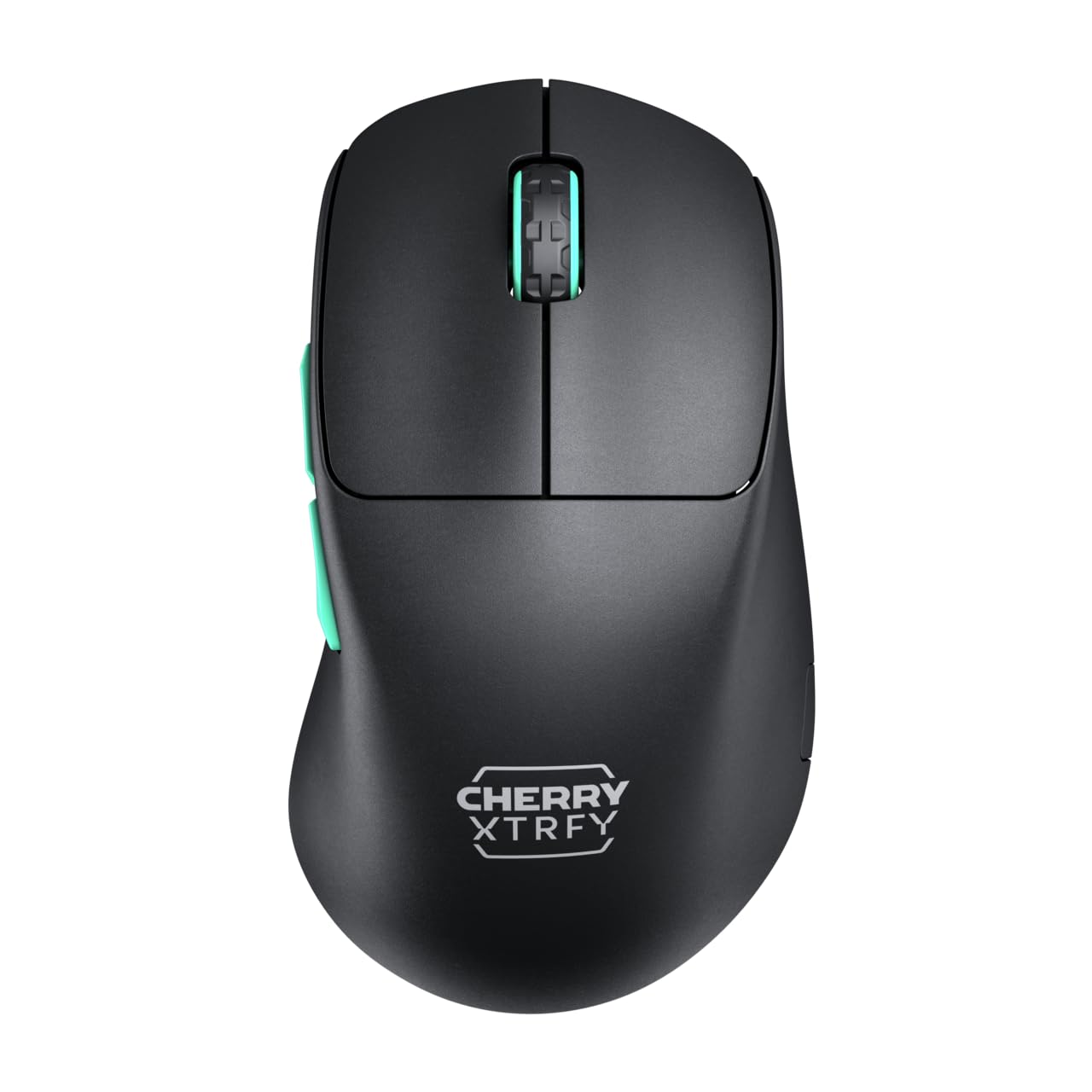
Image 1: CHERRY XTRFY M64 Wireless Gaming Mouse. This image shows the ergonomic design of the mouse, highlighting its black body and distinctive teal scroll wheel and side buttons.
2. Contido do paquete
Verifica que todos os elementos estean presentes no paquete:
- Mouse sen fíos CHERRY XTRFY M64 para xogos
- USB-C Charging Cable (flexible CHERRY XTRFY EZcord)
- Receptor inalámbrico USB-A
- USB-A to USB-C Adapter (for receiver extension)
- Manual de usuario (este documento)

Image 2: Included accessories. This image displays the USB-C charging cable, the USB-A wireless receiver, and an adapter, which are essential for connecting and charging the mouse.
3. Configuración
- Conecta o receptor sen fíos: Insert the USB-A wireless receiver into an available USB port on your computer. For optimal signal strength and reduced latency, use the provided USB-A to USB-C adapter and charging cable to position the receiver closer to the mouse.
- Acender o rato: Locate the power switch on the underside of the mouse and slide it to the "ON" position. The mouse should automatically connect to the receiver.
- Carga inicial: For first-time use, it is recommended to fully charge the mouse. Connect the USB-C end of the charging cable to the mouse and the USB-A end to your computer or a USB power adapter. The mouse can be used while charging.
4. Instrucións de funcionamento
4.1. Funcións dos botóns
- Botón esquerdo para premer: Acción primaria.
- Botón dereito do rato: Acción secundaria.
- Roda de desprazamento: Desprazarse cara arriba/abaixo, premer co botón central.
- Botóns laterais: Typically configured for forward/backward navigation in web navegadores ou funcións personalizadas en xogos.
4.2. Axuste de DPI
The M64 Wireless mouse allows for on-the-fly DPI (Dots Per Inch) adjustment without requiring software. The DPI button is located on the underside of the mouse. Press this button to cycle through preset DPI levels. An indicator light will typically change color to show the current DPI setting.

Image 3: Underside of the mouse. This view highlights the various switches and buttons on the bottom of the mouse, including the DPI adjustment button and polling rate switch.
4.3. Axuste da taxa de sondaxe
The M64 Pro Wireless supports up to an 8000 Hz polling rate, providing extremely fast response times. A switch on the underside of the mouse allows you to select between different polling rates (e.g., 1000 Hz, 8000 Hz) to suit your preference and system capabilities. Refer to the markings on the mouse for specific settings.
4.4. Batería e carga
The mouse is equipped with a rechargeable Lithium Ion battery. A full charge can provide up to 90 hours of playtime in Standard Gaming Mode. When the battery is low, the indicator light on the mouse will signal this condition. Connect the mouse using the provided USB-C cable to charge. You can continue using the mouse while it is connected via cable.
5. Mantemento
- Limpeza: Usa un pano suave e seco para limpar a superficie do rato. Para a sucidade persistente, usa un pano lixeiramente seco.amp pódese usar un pano, garantindo que non entre líquido no rato. Evite produtos químicos agresivos ou materiais abrasivos.
- Almacenamento: Garda o rato nun lugar fresco e seco, lonxe da luz solar directa e de temperaturas extremas.
- Coidado da batería: To prolong battery life, avoid fully discharging the mouse frequently. Charge it when the low battery indicator appears.
6 Solución de problemas
- O rato non responde:
- Asegúrese de que o rato estea acendido.
- Check if the wireless receiver is securely plugged into a USB port.
- Verify the mouse battery has sufficient charge.
- Tenta conectar o receptor a un porto USB diferente.
- Asegúrate de que ningún outro dispositivo sen fíos estea a causar interferencias.
- Latencia ou desconexións:
- Move the wireless receiver closer to the mouse, using the extension cable if necessary.
- Ensure there are no large metal objects or other strong wireless signals between the mouse and receiver.
- Reduce the polling rate if your system struggles to maintain 8000 Hz.
- Problemas de carga:
- Asegúrate de que o cable USB-C estea conectado correctamente tanto ao rato como á fonte de alimentación.
- Proba cun porto USB ou un adaptador de alimentación diferente.
7. Especificacións
| Modelo | M64 sen fíos |
| Tecnoloxía de conectividade | Wireless (2.4 GHz), USB (for charging/wired use) |
| Sensor | pixart 3395 |
| Taxa de votación | Up to 8000 Hz (Pro models) |
| Peso | Approx. 55 grams (Pro Wireless) |
| Tipo de batería | 1 batería de iones de litio (incluída) |
| Duración da batería | Ata 90 horas (modo de xogo estándar) |
| Dimensións (paquete) | 4.7 x 2.5 x 1.5 polgadas |
| Peso do elemento | 1.94 onzas |
| Fabricante | Cherry Xtrfy |
8. Garantía e soporte
CHERRY XTRFY products are covered by a manufacturer's warranty. For detailed warranty information, technical support, or service inquiries, please visit the official CHERRY XTRFY websitio web ou póñase en contacto directamente co servizo de atención ao cliente.
Oficial Websitios: cherryxtrfy.com, cherry.de