Introdución
The Bisofice S85 Pro Language Translation Device is designed to facilitate seamless communication across different languages. This device supports 16 system languages and offers translation for 138 languages online and 19 offline, ensuring effective communication in various scenarios.
It also features photo translation, intelligent recording, and other advanced functionalities to enhance your travel and business experiences, making it a convenient and practical tool for multilingual interactions.
O que hai na caixa
Upon unboxing your Bisofice S85 Pro, please ensure all the following items are present:
- 1x Bisofice S85 Pro Translator Device
- 1 cable de carga tipo C
- 1x cordón
- 1 x Manual de usuario
Configuración
- Carga inicial: Before first use, fully charge the device using the provided Type-C cable. The device has a 2000 mAh battery.
- Encendido: Press and hold the power button (usually on the side) until the screen illuminates and the Bisofice logo appears.
- Selección do idioma: Follow the on-screen prompts to select your preferred system language.
- Conexión Wi-Fi: To enable online translation and access all features, connect the device to a stable Wi-Fi network. Go to Settings > WLAN and select your network. Note: The device is not compatible with 5G Wi-Fi networks.
- Data e hora: Ensure the date and time settings are correct. This can usually be set automatically via the Wi-Fi connection.
For offline translation, ensure that the required language packs are downloaded in advance. Navigate to "Offline Translation" in the menu to manage downloaded languages.
Instrucións de funcionamento
1. Real-time Voice Translation
This feature allows for instant spoken translation between two selected languages.
- From the main menu, select "Online Translation" or "Offline Translation" depending on your connectivity.
- Escolle a lingua de orixe (a lingua que falarás) e a lingua de destino (a lingua á que queres traducir).
- Press and hold the designated microphone button for your source language and speak clearly into the device.
- Release the button. The device will process your speech and provide the translation aloud and on-screen.

Figure 1: Main menu interface of the Bisofice S85 Pro, displaying various translation modes.
2. Tradución de fotografías
Translate text from images, such as menus, signs, or documents.
- Select "Photo Translation" from the main menu.
- Point the device's 5MP camera at the text you wish to translate.
- Tap the screen to focus and press the capture button.
- The device will analyze the image and display the translated text on the 4-inch capacitive touchscreen.

Figure 2: The 5MP camera of the S85 Pro, capable of horizontal and vertical autofocus for photo translation.
3. Gravación intelixente
Record conversations and translate them in real-time or later.
- Access "Smart Recording" from the menu.
- Start recording. The device supports professional noise reduction for clearer audio.
- Record while translating or save the recording for later translation.
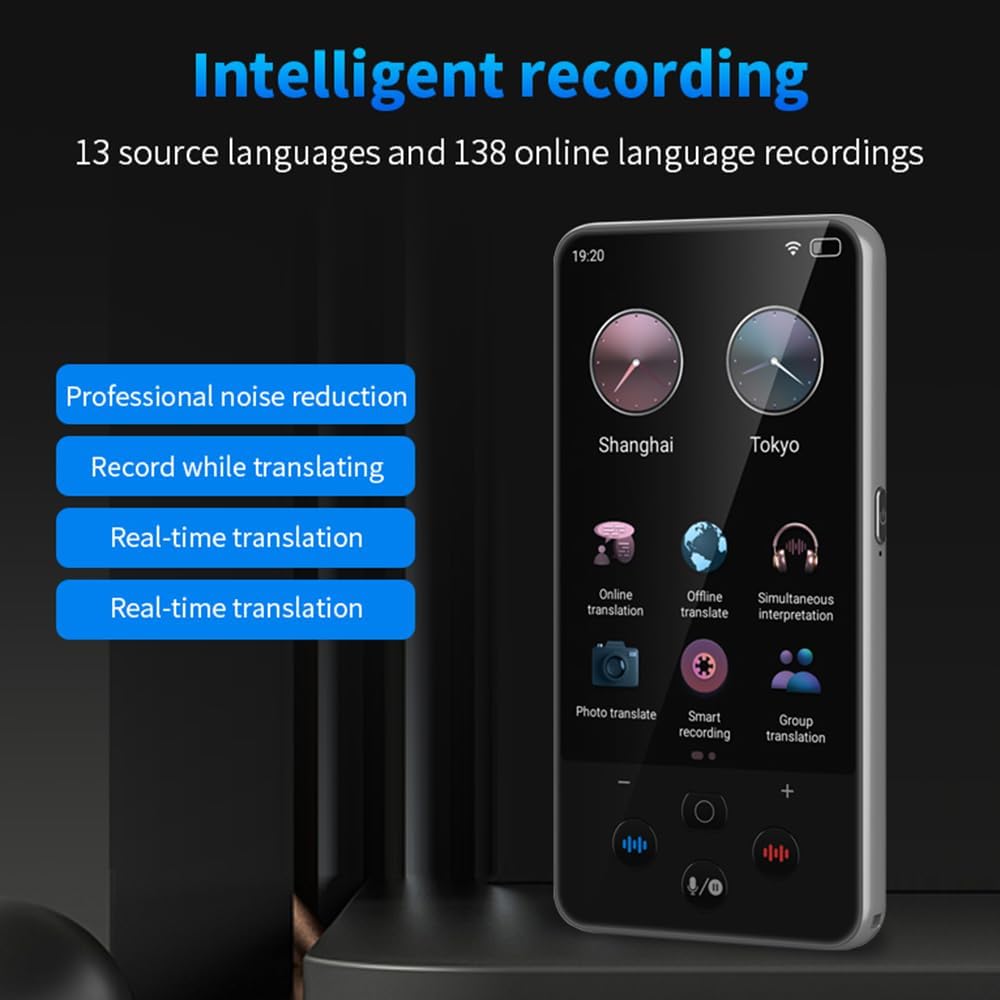
Figure 3: Intelligent recording interface, highlighting noise reduction and real-time translation capabilities.
4. Text Input Translation
Manually type text for translation, supporting Chinese/English input.
- Navigate to the text input translation feature.
- Select your desired input and output languages.
- Type your text, and the device will provide a fast translation.
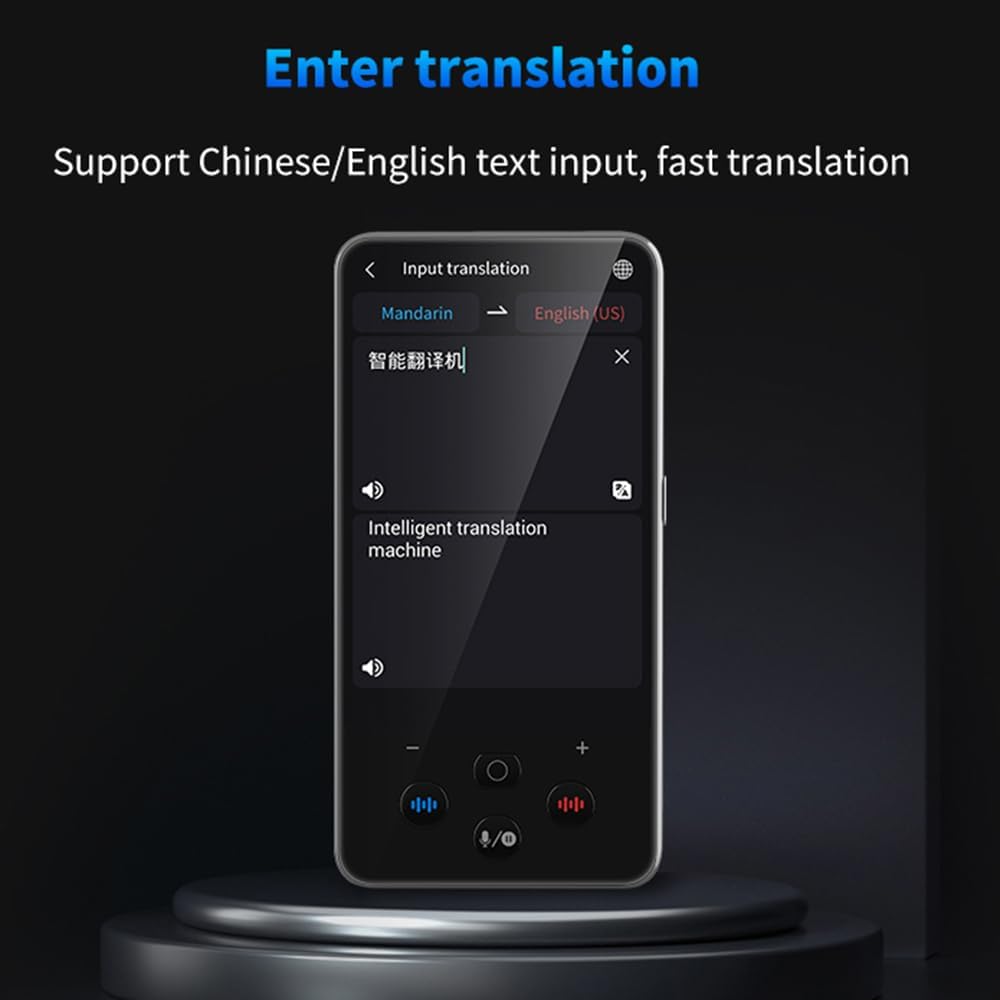
Figure 4: Text input translation screen, demonstrating fast translation from typed text.
5. Language Learning
Utilize the device to learn pronunciation and practice new languages.
- Access the "Language Learning" function.
- Practice speaking phrases and receive feedback on your pronunciation.

Figure 5: Language learning mode, offering pronunciation practice and rating.
Funcións avanzadas
- Comunicación de grupo: Supports up to 117 people chatting in the same group communication using the device.
- Currency Exchange Conversion: Instant conversion for up to 25 currency exchange rates.
- Conversión de unidades: Convert various units of measurement.
- Función do reloxo: Mostrar a data e a hora.
- Reprodución de música: Enjoy music directly from the device.
- Gravación de vídeo/audio: Capture video and audio.

Figure 6: Internal architecture of the S85 Pro, featuring a Quad-core CPU and Built-in GPU for efficient performance.

Figure 7: Battery performance details, showing the 2000mAh capacity and extended standby time.
Mantemento
- Limpeza: Usa un pano suave e seco para limpar o dispositivo. Evita produtos de limpeza abrasivos ou solventes.
- Almacenamento: Garde o dispositivo nun lugar fresco e seco, lonxe da luz solar directa e de temperaturas extremas.
- Coidado da batería: Para prolongar a duración da batería, evite descargar completamente o dispositivo con frecuencia. Cárgueo regularmente, especialmente se o garda durante períodos prolongados.
- Actualizacións de software: Comprobe periodicamente se hai actualizacións de software para garantir un rendemento óptimo e o acceso a novas funcións.
Resolución de problemas
| Problema | Causa posible | Solución |
|---|---|---|
| O dispositivo non se acende. | Batería baixa. | Cargue o dispositivo durante polo menos 30 minutos. |
| Non se pode conectar á wifi. | Incorrect password, out of range, or 5G network. | Verify password, move closer to router, ensure it's a 2.4GHz network. |
| A tradución é inexacta ou lenta. | Poor internet connection, unclear speech, or unsupported dialect. | Ensure strong Wi-Fi, speak clearly, try a more standard pronunciation. For offline, ensure language packs are downloaded. |
| Photo translation not working. | Poor lighting, blurry image, or text not clearly visible. | Ensure adequate lighting, hold the device steady, and focus properly. |
Especificacións
| Marca | Bisofice |
| Modelo | S85 Pro (M30) |
| Procesador | ARM Cortex-A7 Quad-core, 1.3 GHz |
| Linguaxes do sistema | 16 idiomas |
| Tradución en liña | 138 idiomas |
| Tradución fóra de liña | 19 idiomas |
| Tradución fotográfica | 74 languages (online), 40 languages (offline) |
| Cámara | 5 MP (rear, autofocus) |
| Mostrar | 4-inch High-Definition Capacitive Touchscreen |
| Batería | 2000 mAh |
| Tempo de carga | Aprox. 2 horas |
| Tempo de espera | Ata 240 horas |
| Dimensións | 16.4 x 8.5 x 4 cm |
| Peso | 210 gramos |
Garantía e Soporte
For warranty information and customer support, please refer to the documentation included with your product or visit the official Bisofice websitio. Conserve o recibo de compra para reclamacións de garantía.
Software updates are guaranteed until an unknown date, as per product specifications.