
1. Produto rematadoview
The XunFox K90 is a compact 66-key mechanical keyboard designed for efficient and responsive input. It features adjustable RGB backlighting and a durable construction. The ergonomic design aims to provide a comfortable typing experience, with keys engineered for smooth and responsive keystrokes.
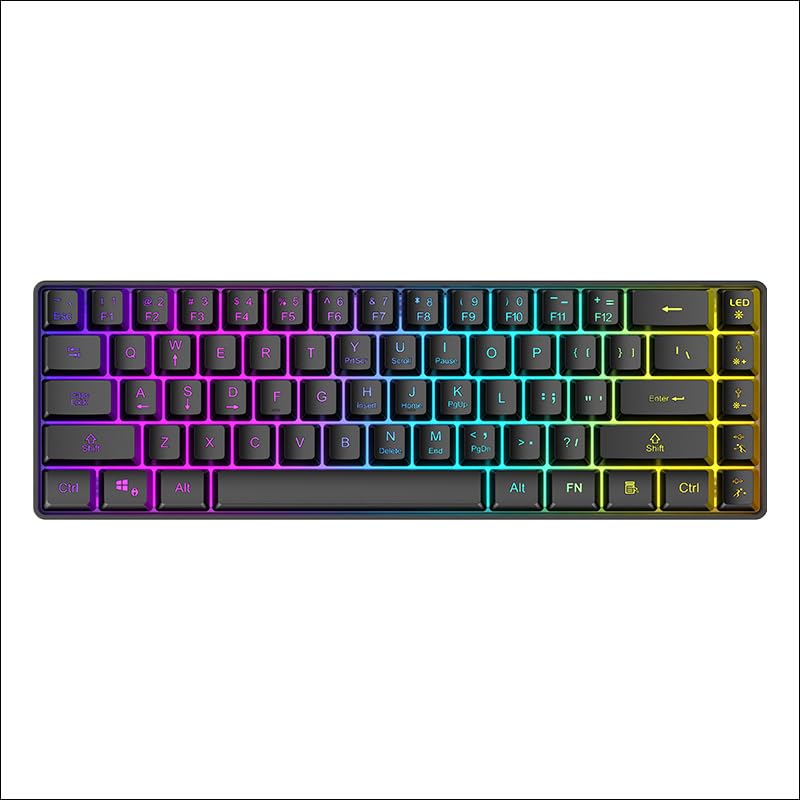
Figura 1: Arriba abaixo view of the XunFox K90 RGB Gaming Keyboard, showcasinpola súa compacta disposición de 66 teclas e a vibrante retroiluminación RGB.
Características principais:
- Compact 66-Key Design: A minimalist layout for enhanced typing comfort and portability.
- Adjustable RGB Backlighting: Customizable lighting effects to personalize your setup.
- Construción duradeira: Crafted with sturdy materials for reliable performance.
- Conectividade USB con fío: Ensures a stable and lag-free connection.
- Compatibilidade versátil: Compatible with Windows and other popular operating systems.
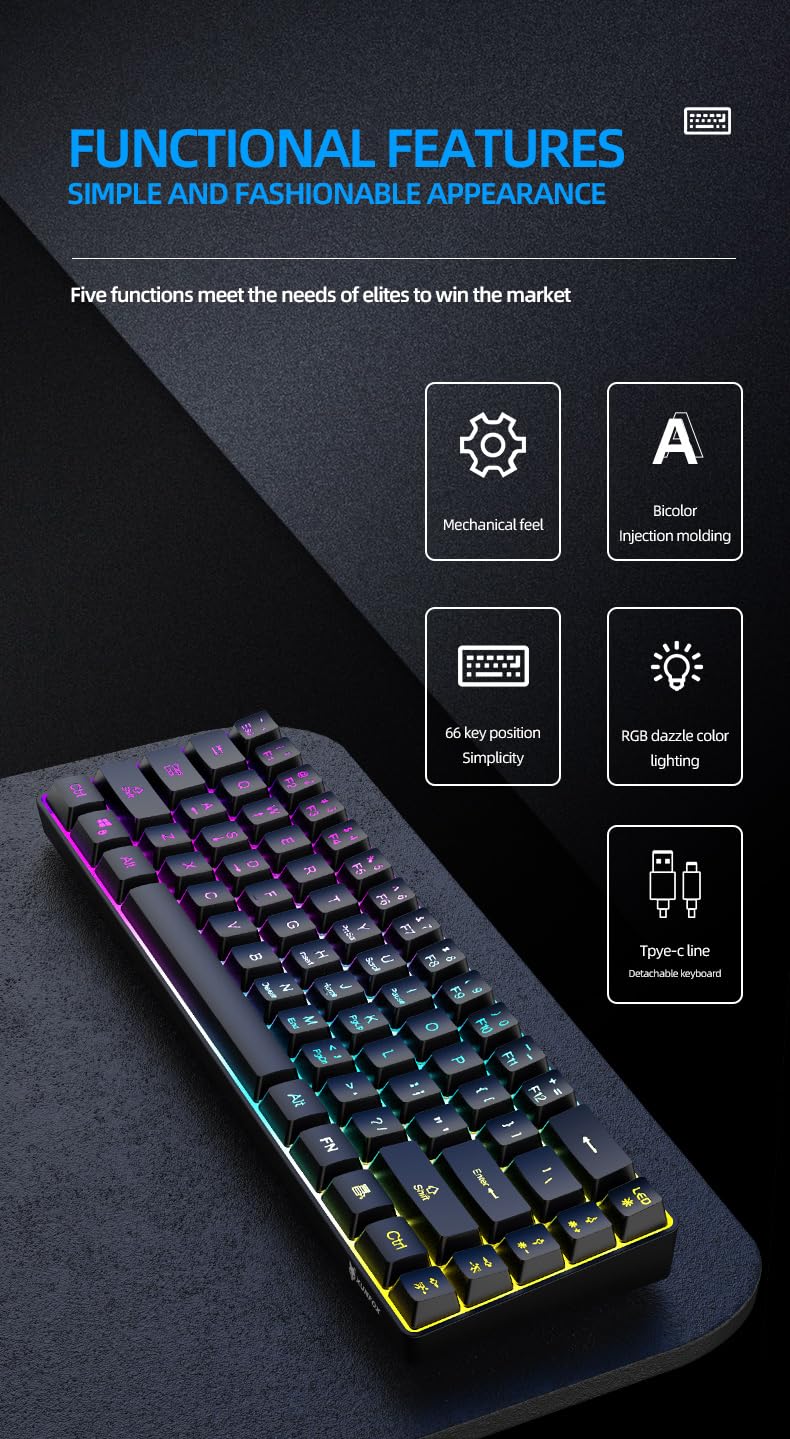
Figura 2: Acabadoview of the XunFox K90 keyboard's functional features, including mechanical feel, bicolor injection molding, 66-key simplicity, RGB lighting, and detachable Type-C cable.
2. Instrucións de configuración
Contido do paquete:
- XunFox K90 RGB Gaming Keyboard
- Cable USB (Tipo C a USB A)
Conectando o teclado:
- Locate the USB Type-C port on the back or side of the XunFox K90 keyboard.
- Connect the Type-C end of the provided USB cable to the keyboard's port.
- Connect the USB-A end of the cable to an available USB port on your computer or laptop.
- The keyboard will automatically be recognized by your operating system (e.g., Windows 10). No additional drivers are typically required.

Figura 3: Image showing the detachable Type-C cable connecting to the keyboard, illustrating the wired USB connectivity.
3. Instrucións de funcionamento
Operación básica:
The XunFox K90 keyboard functions as a standard 66-key input device. Simply plug it into your computer, and it will be ready for use.
Control de retroiluminación RGB:
The keyboard features adjustable RGB backlighting with multiple effects. Use the FN (Function) key in combination with specific keys to control the lighting.
- FN + LED Key (usually next to F12): Cycles through various lighting modes, including endless stream, colorful horse running, circular breathing, solid comet tailing, monochrome, multicolor diffusion, and backlight color impact diffusion.
- FN + ↑ (Frecha cara arriba): Aumenta o brillo da retroiluminación.
- FN + ↓ (Frecha cara abaixo): Reduce o brillo da retroiluminación.
- FN + → (Frecha dereita): Increases the speed of the lighting effect.
- FN + ← (Frecha esquerda): Decreases the speed of the lighting effect.

Figura 4: Diagram illustrating the key combinations for controlling RGB lighting modes, intensity, and speed on the XunFox K90 keyboard.
4. Mantemento
Limpeza do teclado:
- Desconecte o teclado do ordenador antes de limpalo.
- Use un pano suave e sen pelusa lixeiramente dampEnxágüe con auga ou unha solución de limpeza suave para limpar as teclas e a superficie.
- Evite pulverizar líquidos directamente sobre o teclado.
- Para o po e os residuos entre as teclas, use aire comprimido.
- Non empregues produtos químicos agresivos nin materiais abrasivos, xa que poden danar o acabado.
Almacenamento:
- Garda o teclado nun lugar fresco e seco, lonxe da luz solar directa e de temperaturas extremas.
- If storing for an extended period, consider using the original packaging or a protective cover to prevent dust accumulation.
5 Solución de problemas
O teclado non responde:
- Comprobar a conexión USB: Asegúrate de que o cable USB estea conectado correctamente tanto ao teclado como ao ordenador. Proba cun porto USB diferente.
- Reiniciar o ordenador: Ás veces, un simple reinicio do sistema pode resolver os problemas de conectividade.
- Proba noutro ordenador: If possible, test the keyboard on a different computer to determine if the issue is with the keyboard or the original computer's setup.
RGB Lights Not Working or Incorrect:
- Check FN Key Combinations: Refer to the "RGB Backlight Control" section (Section 3) to ensure you are using the correct key combinations to adjust lighting modes, brightness, and speed.
- Reconnect Keyboard: Desconecte e volva conectar o cable USB.
6. Especificacións
| Característica | Detalle |
|---|---|
| Marca | XunFox |
| Nome do modelo | K90 |
| Tipo de teclado | Teclado mecánico para xogos |
| Disposición de teclas | 66-Key Compact |
| Conectividade | Wired USB (Type-C detachable cable) |
| Retroiluminación | RGB with adjustable breathing lamp efectos |
| Características especiais | Backlit, Ergonomic design |
| Sistemas operativos compatibles | Windows 10 and other popular operating systems |
| Dispositivos compatibles | Portátil, PC |
| Dimensións do produto (LxWxH) | 38 x 12 x 4 cm |
| Peso do elemento | 600 g |
| Cor | Negro |
7. Información da garantía
The XunFox K90 RGB Gaming Keyboard comes with a 2 ano de garantía desde a data de compra. Esta garantía cobre os defectos de fabricación e os problemas derivados do uso normal. Non cobre os danos causados por mal uso, accidentes, modificacións non autorizadas ou mantemento inadecuado.
Conserve o comprobante de compra para reclamacións de garantía.
8. Apoio
For technical assistance, warranty claims, or any other inquiries regarding your XunFox K90 RGB Gaming Keyboard, please contact customer support:
- Atención ao cliente: +91 9906910066
- Importador/Empacador: NJ Infotech, India