
Codnida COD-214
Sistema de cámaras de vixilancia para exteriores Codnida de 4 MP (modelo COD-214) - Manual do usuario
Instrucións completas para a configuración, o funcionamento e o mantemento.
1. Introdución
Thank you for choosing the Codnida 4MP Outdoor Surveillance Camera System. This manual provides detailed instructions to help you install, operate, and maintain your security system effectively. Please read this manual thoroughly before use and retain it for future reference.
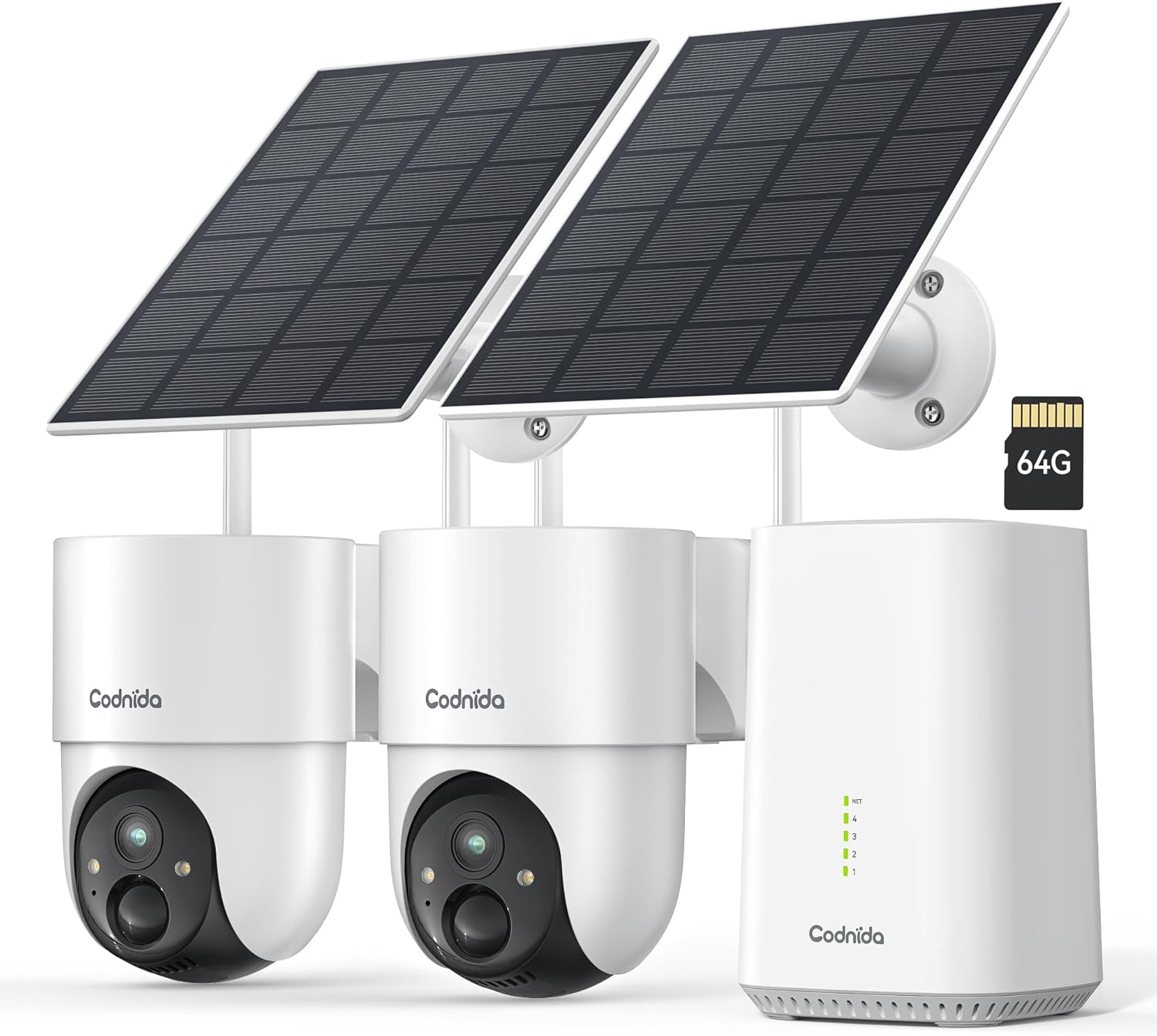
Image 1.1: Codnida 4MP Outdoor Surveillance Camera System components.
2. Contido do paquete
Verifique que todos os elementos que se indican a continuación estean incluídos no seu paquete. Se falta algún elemento ou está danado, póñase en contacto co servizo de atención ao cliente.
- 2 x Codnida 4MP Outdoor Cameras
- 2 x paneis solares
- 1 x estación base
- 1 x cable HDMI
- 1 x adaptador de alimentación con cable
- 1 x 64GB TF Memory Card (pre-installed or separate)
- 1 x cable de rede
- 4 x parafusos de montaxe
- 2 adhesivos de advertencia
- 1 x Manual de usuario (este documento)
3. Guía de configuración
3.1 Conexión da estación base
- Connect the Base Station to a power outlet using the provided power adapter.
- Connect the Base Station to your router using the provided network cable.
- Optionally, connect the Base Station to a TV or monitor using the HDMI cable for a larger display.
3.2 Instalación da cámara
The cameras are designed for outdoor use and are solar-powered, minimizing the need for frequent battery charging.
- Choose a mounting location that provides optimal sunlight exposure for the solar panel and a clear view da zona que desexa controlar.
- Mount the camera and solar panel securely using the provided screws. Ensure the solar panel is angled to receive maximum direct sunlight.
- Conecta o cable do panel solar á cámara.
- Ensure the camera is within range of the Base Station's Wi-Fi signal (2.4 GHz or 5 GHz).
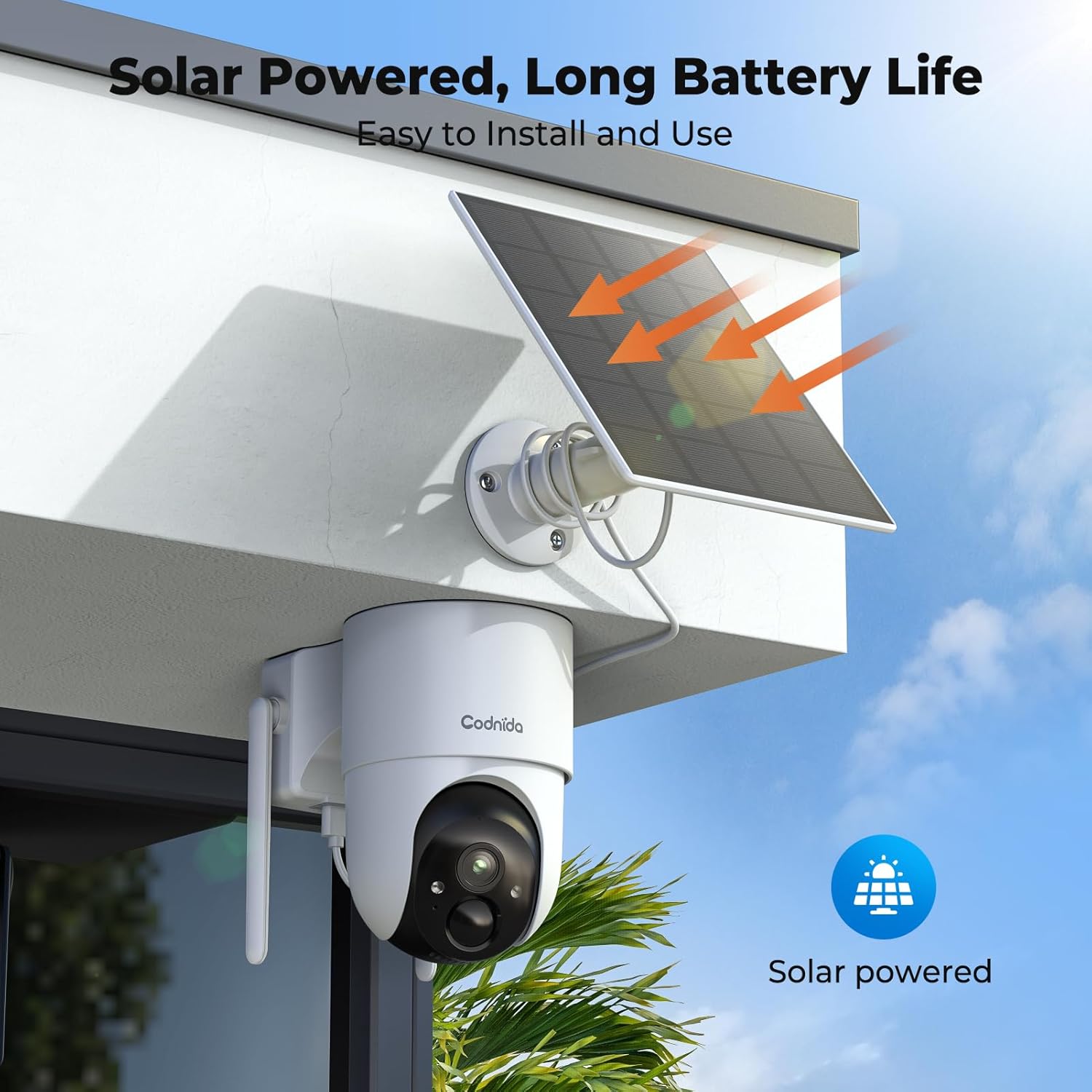
Imaxe 3.2.1: Ex.ample of solar-powered camera installation.
3.3 App Setup (EseeCloud)
- Download the "EseeCloud" app from your smartphone's app store.
- Rexístrate para obter unha conta ou inicia sesión se xa tes unha.
- Follow the in-app instructions to add your Base Station and cameras. This typically involves scanning a QR code or manually entering device IDs.
- Unha vez conectado, podes view live feeds, access recordings, and configure settings.
4. Instrucións de funcionamento
4.1 En directo View e Gravación
Access the EseeCloud app or a connected monitor to view vivir footage from your cameras. The system supports 24/7 recording to the included 64GB TF card, providing up to 120 days of video storage.

Image 4.1.1: Live view display on a monitor.
4.2 Pan-Tilt-Zoom (PTZ) Control
The cameras offer 355° pan and 90° tilt capabilities, providing a 360° view of your surroundings. Control these movements directly from the EseeCloud app.

Image 4.2.1: Pan-Tilt control via EseeCloud app.
4.3 Detección de movemento e alertas
The system features PIR motion detection, capable of identifying persons, vehicles, and animals. You will receive real-time notifications on your smartphone when motion is detected in designated areas.

Image 4.3.1: PIR motion detection identifying objects.
4.4 Visión nocturna
The cameras provide crystal clear 4MP video quality, including two night vision modes: infrared and color night vision, effective up to 15 meters (65 feet).
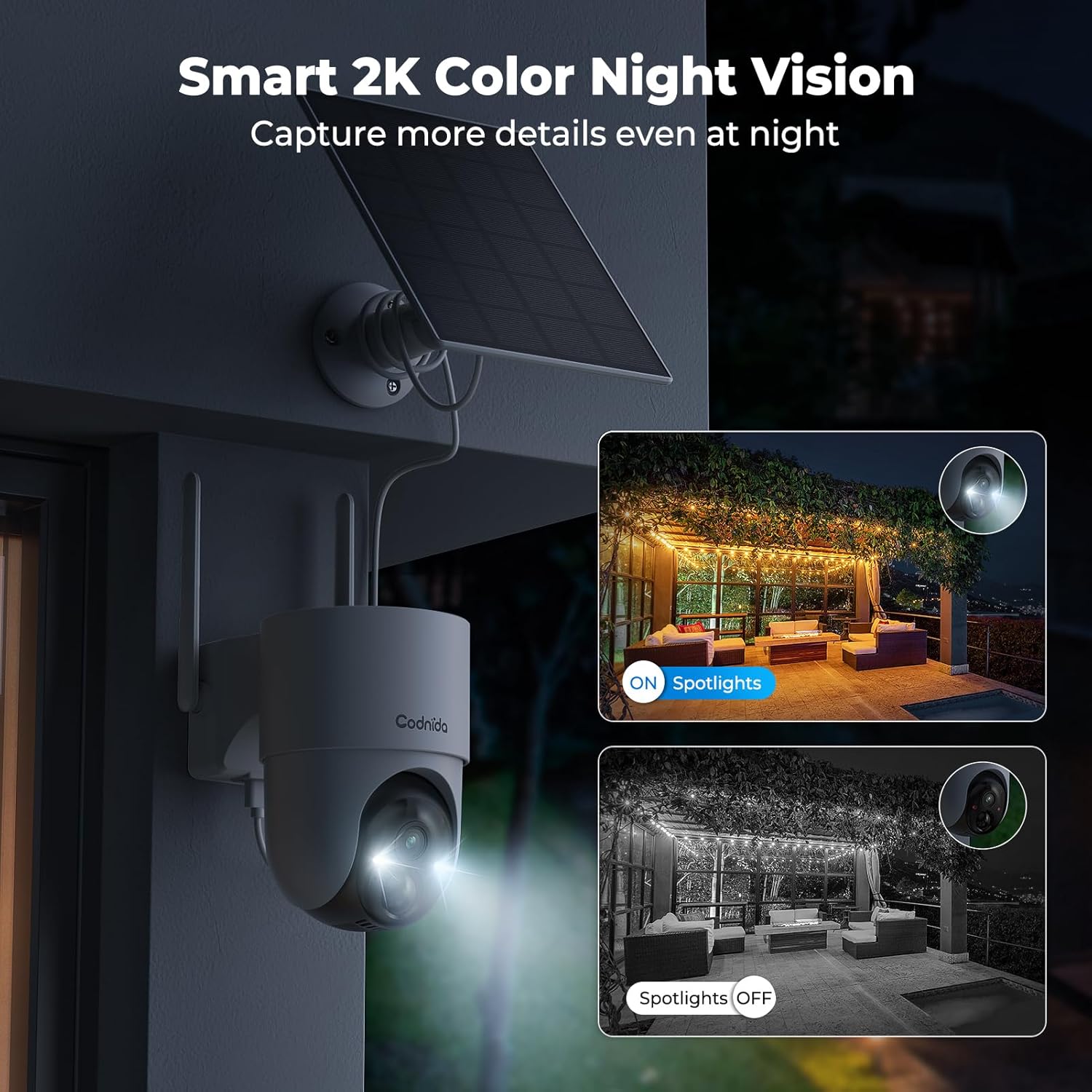
Image 4.4.1: Smart 2K color night vision with spotlights.
4.5 Audio bidireccional
Utilize the built-in microphone and speaker for two-way communication through the EseeCloud app. This allows you to speak to visitors or deter intruders remotely.

Image 4.5.1: Two-way audio functionality via smartphone.
5. Mantemento
5.1 Coidado dos paneis solares
Regularly clean the surface of the solar panels to ensure optimal charging efficiency. Dust, dirt, and debris can reduce sunlight absorption. Use a soft, damp pano para limpar.
5.2 Limpeza da cámara
Wipe the camera lens and body with a soft, lint-free cloth to remove any smudges or dirt. Avoid using harsh chemicals that could damage the camera's finish or lens coating. The cameras are IP65 water-resistant, designed to withstand rain and snow.

Image 5.2.1: IP65 water resistance for all-weather protection.
5.3 Actualizacións de firmware
Periodically check the EseeCloud app for available firmware updates. Keeping your device's firmware updated ensures optimal performance, security, and access to new features.
6 Solución de problemas
| Problema | Causa posible | Solución |
|---|---|---|
| A cámara non se conecta á estación base | Out of range; Wi-Fi interference; incorrect pairing. | Move camera closer to Base Station; reduce interference; re-pair camera via EseeCloud app. |
| Sen feed de vídeo | Camera offline; network issue; power issue. | Check camera power and network connection; restart Base Station and router. |
| Mala calidade de imaxe | Dirty lens; low network bandwidth; app setting. | Clean camera lens; ensure stable Wi-Fi; select HD quality in EseeCloud app. |
| O panel solar non se carga | Insufficient sunlight; dirty panel; faulty connection. | Relocate panel for more sun; clean panel surface; check cable connection. |
| As alertas de movemento non funcionan | Motion detection disabled; incorrect sensitivity; app notification settings. | Enable motion detection in app; adjust sensitivity; check phone notification settings for EseeCloud. |
7. Especificacións
| Característica | Detalle |
|---|---|
| Modelo | COD-214 (D214) |
| Resolución de vídeo | 4MP (1440p recording) |
| Viewángulo ing | 360 graos (panorámica de 355°, inclinación de 90°) |
| Range de visión nocturna | 15 metros (65 pés) |
| Almacenamento | Tarxeta TF de 64 GB (incluída) |
| Conectividade | Wireless (Wi-Fi 2.4GHz/5GHz), HDMI |
| Fonte de enerxía | Solar Powered (Lithium-ion battery) |
| Resistencia á auga | IP65 (Impermeable) |
| Características especiais | Two-way audio, Motion detection, HD Resolution, PTZ Technology, Night vision |
| Dispositivos compatibles | Smartphone (EseeCloud app) |
| Material | Plástico |
| Consumo de enerxía | 5 vatios |
| Tipo de instalación | Screw-in (Wall, Ceiling, Tree, Door mounting) |
8. Garantía e soporte
8.1 Garantía do fabricante
The Codnida 4MP Outdoor Surveillance Camera System comes with a manufacturer's warranty of 1.5 years from the date of purchase. Please retain your proof of purchase for warranty claims.
8.2 Atención ao cliente
For technical assistance, troubleshooting, or warranty inquiries, please contact Codnida customer support. Refer to the contact information provided on the product packaging or the official Codnida websitio.
Ask a question about this manual
Ask about setup, troubleshooting, compatibility, parts, safety, or missing instructions. Manuals+ will review the question and use this page’s manual context to help answer it.