
1. Introdución
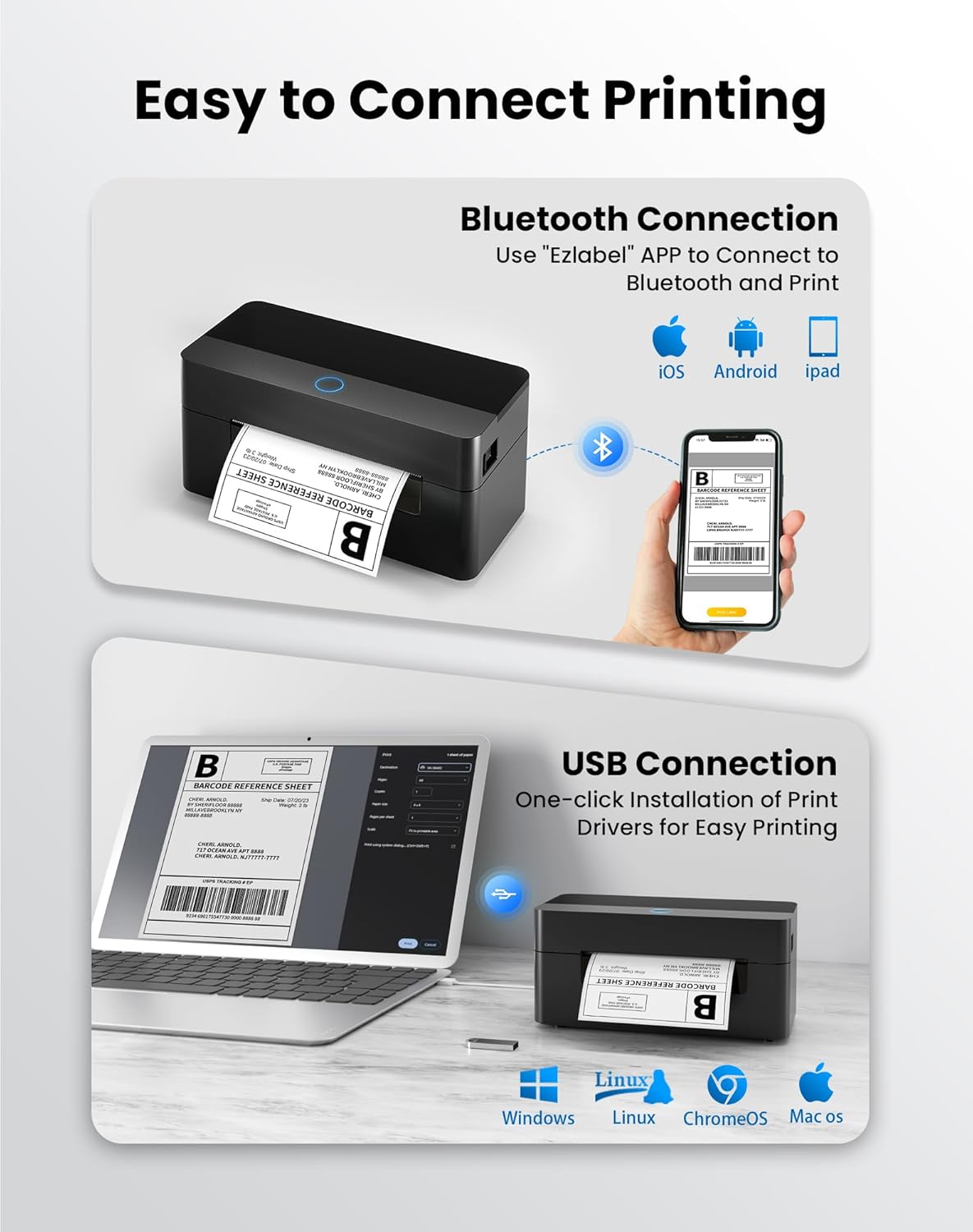
This manual provides detailed instructions for the setup, operation, and maintenance of your BPXX Bluetooth Thermal Shipping Label Printer, Model D463B. This printer is designed for efficient and clear printing of various thermal labels, including 4x6 inch shipping labels, with a resolution of 203 DPI. It supports both Bluetooth connectivity via the 'Ezlabel' mobile application and USB connection to computers.
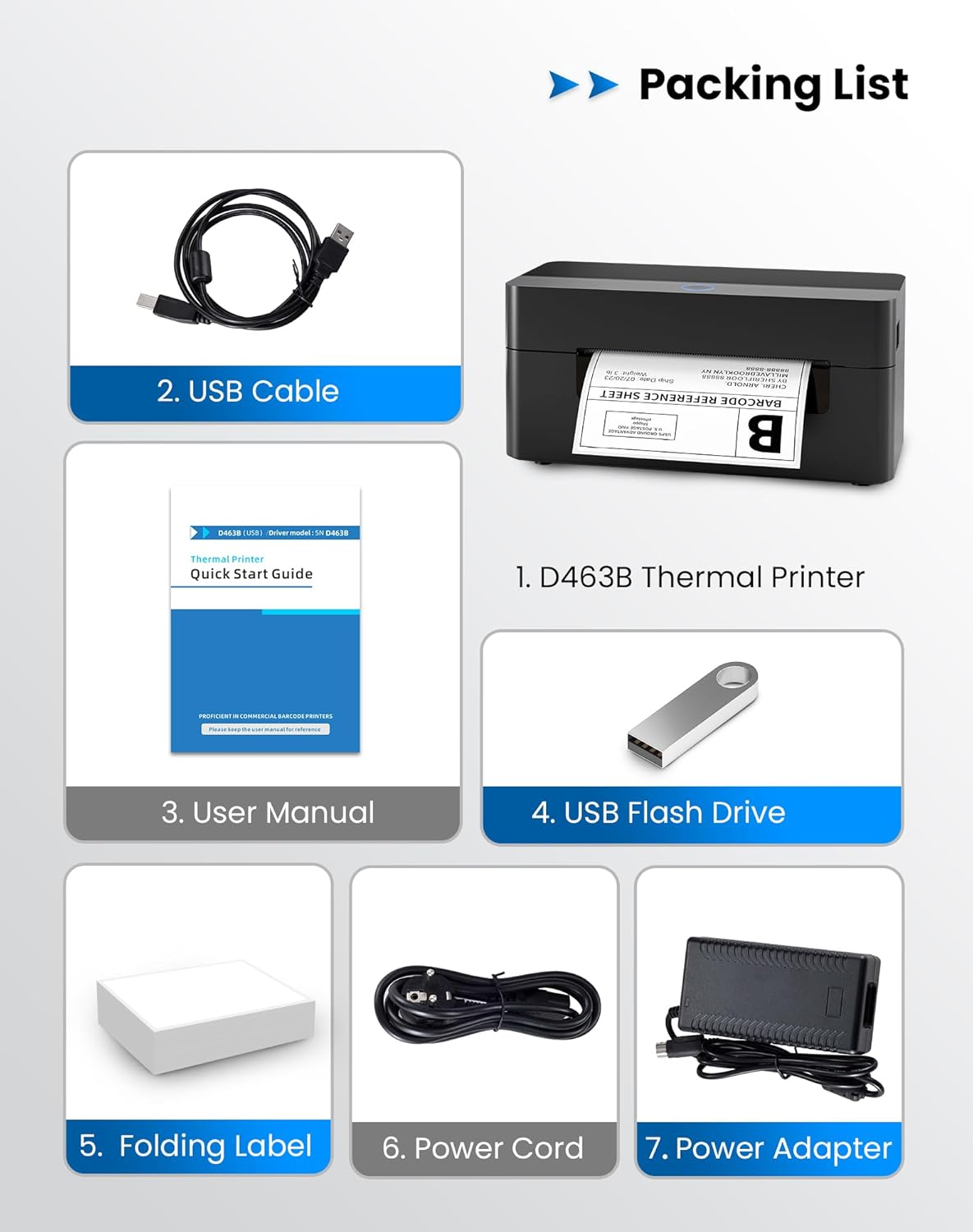
2. Lista de embalaxe
Verifique que todos os elementos que se indican a continuación estean incluídos no seu paquete:
- 1 x BPXX D463B Thermal Printer
- 1 x cable USB
- 1 x Manual de usuario
- 1 x USB Flash Drive (containing drivers)
- 1 x Folding Label (sampo rolo)
- 1 x cable de alimentación
- 1 x adaptador de alimentación
3. Guía de configuración
3.1 Conexión de hardware
- Connect the power adapter to the printer's power port and plug the power cord into an electrical outlet.
- Open the printer cover and load the thermal labels. Ensure the labels are facing the correct direction for printing and are properly aligned within the guide rails.
- Pecha a tapa da impresora de forma segura.

3.2 Instalación de software e controladores
3.2.1 Mobile App (Bluetooth Connection)
For mobile printing, download the 'Ezlabel' application from your device's app store (available for iOS and Android).
- Busca 'Ezlabel' in the App Store (iOS) or Google Play Store (Android).
- Descarga e instala a aplicación.
- Activa o Bluetooth no teu dispositivo móbil.
- Open the 'Ezlabel' app and follow the in-app instructions to connect to your BPXX D463B printer via Bluetooth.
3.2.2 Computer Driver (USB Connection)
For computer printing, install the appropriate drivers for your operating system (Windows, Mac OS, Linux, ChromeOS). Drivers are provided on the included USB flash drive or can be downloaded from the official websitio.
- Insert the provided USB flash drive into your computer.
- Locate and run the installer for your operating system.
- Siga as indicacións en pantalla para completar a instalación do controlador.
- Alternatively, download drivers from: BPXX Driver Download
4. Instrucións de funcionamento
4.1 Cargar etiquetas
Ensure the thermal labels are loaded correctly for optimal printing. The printer supports thermal labels with widths ranging from 1 to 4.5 inches, including standard 4x6 inch shipping labels.
- Abra a tapa superior da impresora.
- Place the roll of thermal labels into the label compartment, ensuring the printable side faces upwards.
- Feed the first label through the printer's output slot until it is slightly extended.
- Axusta as guías das etiquetas para que se axusten perfectamente ao ancho das etiquetas, sen que queden demasiado apertadas.
- Close the top cover. The printer will automatically detect the label size and calibrate.

4.2 Printing via Bluetooth (Mobile App)
- Ensure the printer is powered on and connected to the 'Ezlabel' app via Bluetooth.
- Open the 'Ezlabel' app on your mobile device.
- Select or create your desired label design. The app includes preset templates for various label sizes.
- Confirm print settings such as label size and quantity.
- Initiate the print command from the app.
4.3 Printing via USB (Computer)
- Conecte a impresora ao seu ordenador mediante o cable USB proporcionado.
- Asegúrate de que os controladores da impresora estean instalados correctamente.
- Open the document or application from which you wish to print (e.g., a PDF viewer, shipping software).
- Select the BPXX D463B printer from your printer options.
- Adjust print settings as needed (e.g., paper size to 4x6 inches for shipping labels).
- Send the print command.
4.4 Supported Platforms and Print Quality
The BPXX D463B printer is compatible with major shipping carriers and e-commerce platforms, facilitating the printing of shipping labels, return labels, and postagetiquetas electrónicas.
- Shipping Carriers: FedEx, UPS, USPS, DHL, EasyPost, etc.
- E-commerce Platforms: Amazon, Shopify, Etsy, eBay, Walmart, etc.
The printer utilizes a high-quality thermal print head and advanced algorithms to deliver clear and sharp barcodes and text at 203 DPI resolution. It achieves a high-speed output of 152mm/s, capable of printing approximately 72 4x6 inch shipping labels per minute.


5. Mantemento
Un mantemento regular garante un rendemento óptimo e prolonga a vida útil da súa impresora.
- Limpeza do cabezal de impresión: Use an alcohol swab or a specialized thermal printer cleaning pen to gently wipe the print head. Ensure the printer is off and cooled down before cleaning.
- Limpeza do exterior: Limpe o exterior da impresora cun pano suave eamp pano. Evite o uso de produtos químicos agresivos ou materiais abrasivos.
- Eliminación de po: Periodically use compressed air to clear any dust or paper debris from inside the label compartment.
6 Solución de problemas
If you encounter issues with your BPXX D463B printer, refer to the following common problems and solutions:
- A impresora non responde:
- Ensure the power cord is securely connected and the printer is turned on.
- For Bluetooth connection, verify that Bluetooth is enabled on your device and the printer is paired within the 'Ezlabel' app.
- For USB connection, check the USB cable connection and ensure drivers are correctly installed. Try a different USB port or cable.
- Poor Print Quality (Faint/Streaky Prints):
- Limpe o cabezal de impresión como se describe na sección Mantemento.
- Asegúrate de usar etiquetas térmicas de alta calidade.
- Check print density settings in the 'Ezlabel' app or printer preferences on your computer.
- Etiquetas que non se alimentan correctamente:
- Verify that labels are loaded correctly and aligned with the guide rails.
- Asegúrate de que non haxa obstáculos na ruta da etiqueta.
- Perform a label calibration from the printer settings or app if available.
- Printer Offline Error:
- Reinicie tanto a impresora como o ordenador/dispositivo móbil.
- Re-establish the Bluetooth or USB connection.
- Comprobe o estado da impresora na configuración da impresora do seu sistema operativo.
7. Especificacións do produto
| Nome do modelo | D463B |
| Marca | BPXX |
| Tecnoloxía de impresión | Térmica |
| Tecnoloxía de conectividade | Bluetooth, USB |
| Resolución de impresión máxima | 203 x 203 Dots Per Inch (DPI) |
| Velocidade de impresión máxima | 152 mm/s (72 labels per minute) |
| Tamaño máximo do soporte | 4 x 6 polgadas |
| Ancho de etiqueta admitido | 1 - 4.5 polgadas |
| Dispositivos compatibles | PC (Windows, Mac OS, Linux, ChromeOS), Smartphones (iOS, Android) |
| Método de control | App ('Ezlabel'), USB |
| Dimensións do produto | 7.3" D x 3.3" W x 3.3" H |
| Peso do elemento | 1.6 libras |
| Compoñentes incluídos | Printer, USB Cable, User Manual, USB Flash Drive, Sample Labels, Power Cord, Power Adapter |
8. Garantía e soporte
The BPXX D463B Thermal Shipping Label Printer comes with a limited warranty. For specific warranty terms and conditions, please refer to the documentation included with your product or contact BPXX customer support.
For technical assistance, troubleshooting, or any inquiries regarding your product, please contact BPXX customer support through the official websitio web ou a información de contacto que se inclúe na embalaxe do produto.